Unit 3 · 18 min read
Professional Writing: Emails, Letters, CVs and Reports
What the syllabus asks for 8
- Writing well: paragraphs and sentences
- Professional email
- Business letters
- Job application letter and CV
- Notices, memos, agendas and minutes
- Reports and proposals
- Referencing and plagiarism
- Eight rules of good professional writing
Written communication is permanent, can be forwarded to anyone, and is judged on every word.
This unit gives the structure, tone and a model for each document a BCA graduate must write: emails, business letters, applications and CVs, notices, agendas and minutes, and technical reports.
- Paragraph and sentence craft; common errors to avoid.
- Professional emails with model examples.
- Business letters, the job application letter and CV, with models.
- Agenda, minutes, memo, notice; short reports and proposals.
- Referencing and avoiding plagiarism.
3.1 Writing well: paragraphs and sentences
A paragraph has one idea: a topic sentence (the point), supporting sentences (reason, evidence, example) and a closing or linking sentence. Start a new paragraph for a new idea.
Common errors
| Error | Wrong | Right |
|---|---|---|
| Subject–verb agreement | The list of items are ready. | The list of items is ready. |
| Comma splice | The test failed, we fixed it. | The test failed; we fixed it. (or "…failed, so we fixed it.") |
| Dangling modifier | Using Python, the program was written fast. | Using Python, we wrote the program fast. |
| Its / it's | The system lost it's data. | The system lost its data. (it's = it is) |
| Wordiness | at this point in time | now |
| Vague "this" | This caused a delay. | This misconfiguration caused a delay. |
| Parallel structure | The job needs coding, to test and documenting. | The job needs coding, testing and documenting. |
Use numbered or bulleted lists for steps and options, headings to break up long text, tables for comparisons. Proofread: read aloud, check names, numbers, dates and attachments, run a spell-check, then wait ten minutes and read again.
3.2 Professional email
Structure: Subject (specific, 5 to 9 words) → Greeting → Purpose in the first sentence → Details (short paragraphs or bullets) → Action requested and deadline → Closing → Signature (name, role, phone).
Keep to one topic; do not write in capitals; avoid slang and emojis in formal mail.
| Field | Rule |
|---|---|
| To | people who must act |
| Cc | people who should know |
| Bcc | hidden recipients: use to protect addresses of a large group |
| Subject | "Request: leave from 10 to 12 Magh" not "Hello" or "Urgent!!!" |
| Attachment | name files clearly (Sharma_CV_2082.pdf), mention them in the text |
To: Mr Karki, Programme Coordinator Subject: Request for lab access on Saturday 14 Chaitra for Java project
Dear Mr Karki,
I am writing to request permission to use Computer Lab 2 on Saturday, 14 Chaitra, from 10 am to 2 pm. Our group of four (Semester 2, BCA) needs the lab to test our Java inventory project on the college server before the Monday demonstration.
Could you please confirm by Thursday so that we can inform our supervisor? I have attached the group list.
Thank you for your consideration.
Yours sincerely, Sita Sharma BCA Semester 2, Roll No. 14 · 98XXXXXXXX
Bad: Subject: help. "sir my code not working plz check urgent." Better: Subject: Segmentation fault in linked-list insert (C, Lab 5). "Dear Sir, my insert() function crashes with a segmentation fault when the list is empty.
I have attached list.c and the output. I think head is not initialised, but I am not sure. Could you spare 10 minutes tomorrow? Thank you, Ram Thapa (Roll 7)."
Reply habits: answer within one working day; answer every question asked; use Reply All only when everyone needs it; add an out-of-office note when away. Never put passwords or confidential data in email; assume it can be read by others.

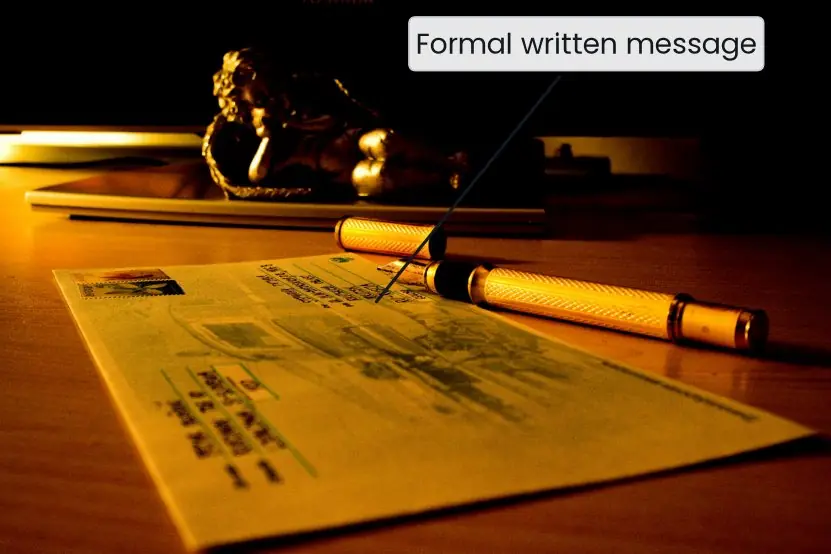

3.3 Business letters
Layout (full-block style): sender's address and date → recipient's name, title, address → salutation (Dear Sir/Madam, or Dear Mr Basnet) → subject line → body (opening, details, closing) → complimentary close (Yours faithfully if you used "Sir/Madam", Yours sincerely if you used a name) → signature, printed name, designation → enclosures.
Types: enquiry, order, complaint, adjustment, application, resignation, recommendation, thank-you.
Kathmandu, 5 Baisakh 2083 The Manager, Himal Computers, New Road, Kathmandu
Subject: Faulty laptop, invoice no. 2413 of 20 Chaitra 2082
Dear Sir/Madam,
On 20 Chaitra I bought a laptop (model X15, serial 8841) for Rs 78,500. The battery has lasted under 40 minutes since the second week and the machine shuts down without warning. The warranty card gives one year.
I request a replacement or a repair within seven days. Copies of the invoice and warranty card are enclosed. Please contact me on 98XXXXXXXX.
Yours faithfully, Rajesh Gurung · Enclosures: invoice, warranty card
3.4 Job application letter and CV
Cover (application) letter (one page): paragraph 1: the post and where you saw it; paragraph 2: two or three matching skills with proof (a project, internship, result); paragraph 3: why this organisation; closing: availability for interview and thanks.
Address it to a person where possible and tailor it to each job.
CV (curriculum vitae) / résumé. One to two pages; reverse-chronological (newest first); consistent fonts; PDF format; no photo unless asked; no false statements.
| Section | Content |
|---|---|
| Header | name, phone, email (a professional address), city, GitHub/LinkedIn link |
| Objective or summary | 2 lines aimed at the role |
| Education | degree, college, university, year, CGPA/percentage |
| Projects | name, tools, what you did, result with a number |
| Skills | languages, frameworks, tools (be honest about level) |
| Experience / internship | role, organisation, dates, 2 to 3 achievement bullets |
| Achievements, training, languages | short lines |
| References | "available on request" or two named referees with permission |
Write bullets as action verb + task + measured result: "Built a student-attendance web app in PHP and MySQL used by 120 students, cutting roll-call time from 10 to 2 minutes." Not: "Responsible for attendance project."
"I am applying for the Junior Web Developer post advertised on 12 Falgun.
In my final-semester project I built a hostel-management system in PHP and MySQL, using Git for version control and writing the database schema and the login module.
I enjoy turning real problems into working software, and your company's work on e-governance portals is exactly the area in which I want to grow."
3.5 Notices, memos, agendas and minutes
- Notice: a short public announcement: heading, date, subject, body (what, when, where, who), issuer's name and designation.
- Memo (memorandum): internal, brief, to / from / date / subject / message; no salutation.
- Agenda: a numbered list of the items to be discussed, with the time, place, and the person responsible for each.
- Minutes: the record of what happened: date, time, venue, attendees and absentees; each item with discussion in a line, decision and action (who, by when); time of closing; secretary's signature. Written in the past tense and third person.
Minutes of the BCA Project Committee meeting, 3 Jestha 2083, 2 pm, Room 105 Present: Mr Karki (Chair), Ms Joshi, Ram Thapa. Absent: Mr Basnet (leave).
- Project titles. Five titles were reviewed. Decision: the library-system title is approved; two titles need a revised scope. Action: Ram Thapa to submit revised scopes by 10 Jestha.
- Lab schedule. Decision: Lab 2 reserved on Saturdays, 10 am to 2 pm. Action: Ms Joshi to notify the office. The meeting closed at 2:45 pm. — Secretary
3.6 Reports and proposals
A report presents facts, analysis and recommendations for a decision-maker. Types: progress, feasibility, incident, project, and lab reports.
Typical structure of a short technical report
- Title page (title, author, date, organisation)
- Executive summary (the purpose, main findings and recommendation, half a page, written last)
- Table of contents (for longer reports)
- Introduction (background and objectives)
- Method or approach
- Findings / results (tables, charts)
- Discussion or analysis
- Conclusion and recommendations
- References; appendices
A project proposal answers: what is the problem, why it matters, the proposed solution, the work plan, the resources and cost, the expected result. A progress report answers: what was done, what is delayed and why, what is next, any help needed.
Visuals in reports: number and title every table and figure, refer to them in the text ("Table 2 shows…"), and state the source.
3.7 Referencing and plagiarism
Plagiarism is presenting someone else's words, ideas, code or data as your own. Copying from the web, a classmate or an AI tool without saying so counts.
Avoid it by: quoting with quotation marks and a citation, paraphrasing and citing, citing code taken from a source, and keeping a list of sources as you research.
Citation example (APA style): In text: (Sommerville, 2016). In the reference list: Sommerville, I. (2016). Software engineering (10th ed.). Pearson. Web page: Tribhuvan University. (2023).
BCA curriculum https://tu.edu.np (Accessed 5 May 2026).
Use one consistent style (APA or IEEE) throughout the document, and ask your department which it prefers.
3.8 Eight rules of good professional writing
- Know the reader and the purpose. Before typing, decide who will read the message and what you want them to do. A request to a coordinator is written differently from a message to a friend. The purpose should be visible in the first sentence.
- Use short, simple sentences. Prefer 15 to 20 words per sentence and common words such as "use" instead of "utilise". Short sentences are easier to read on a phone. Readers in a hurry skip long ones.
- Put the main point first. Start with the request, decision or result, and give the background afterwards. A busy manager at NTC may read only the first two lines. This "top-down" order saves their time.
- Be specific. Give dates, numbers, names and file names: "by 5 pm on Sunday, 12 Baisakh" is better than "soon". Specific facts leave no room for confusion. They also make the message easy to act on.
- Use a clear structure. Use a subject line, short paragraphs, headings or bullet points for lists. Each paragraph should carry one idea. White space makes a page look easy to read.
- Choose a polite, professional tone. Use "please" and "thank you", avoid slang, capital letters for shouting and angry words. Write as if the message could be shown to the whole office, because it often is. Tone decides whether the reader helps or defends.
- Proofread before sending. Read aloud, check names, numbers, attachments and spelling. A wrong name or missing attachment looks careless. Spell-check does not find "form" typed instead of "from".
- Give credit and respect copyright. Quote or paraphrase with a source, never copy-paste another student's work as your own. Plagiarism can cancel a result at Tribhuvan University. Writing in your own words with references is both honest and a better learning method.

Formula and fact sheet
- Email: specific subject → greeting → purpose first → details → action + deadline → closing.
- Letter closings: Dear Sir/Madam … Yours faithfully; Dear Mr X … Yours sincerely.
- CV bullet: action verb + task + measurable result.
- Minutes: past tense, decision + action (who, by when).
- Report: executive summary, introduction, method, findings, discussion, conclusion/recommendation, references.
- Plagiarism = unattributed use of another's words, ideas or code.
Chapter summary
- Good writing is organised into one-idea paragraphs, active sentences and lists where steps are listed.
- Emails state the purpose and the required action in the first lines; letters and CVs follow standard layouts tailored to the reader.
- Notices, agendas and minutes record who decides and who acts.
- Reports lead with a summary; every borrowed idea or line of code needs a citation.
Practice
- Rewrite as a professional email: "sir i need leave on friday coz i have fever pls approve".
- Write a complaint letter about a defective printer bought three weeks ago.
- Draft a one-page CV for a BCA graduate (use realistic placeholders).
- Write an application letter for the post of "IT Support Officer" at a bank.
- Draft the agenda and minutes for a student club meeting that approved a hackathon on 21 Asar.
- Correct the sentences:a"The data are stored in it's database."b"Each of the servers have been updated."c"Having finished the code, the bug appeared."
- Write the executive summary (five lines) of a feasibility report on introducing biometric attendance in a college.
- Differentiate a memo and a notice; and Cc and Bcc.
- Convert to an achievement bullet: "I worked on the college website."
- Explain plagiarism and give five ways to avoid it. Write the APA reference for a book you use.
Answers and worked solutions
1. Subject: Leave request for Friday 23 Magh. "Dear Sir, I have a fever and a doctor has advised rest, so I request leave for Friday 23 Magh. I will collect the notes from a classmate and submit the assignment on Monday. A medical note is attached. Thank you. Yours sincerely, …"
2. Follow the model in §3.3: date, addressee, subject with invoice number, facts (model, date, price, the fault), the remedy requested and a deadline, enclosures, Yours faithfully.
3. Use the sections of §3.4 on one page; every project bullet carries a result.
4. Three paragraphs as in §3.4, mentioning customer-service skills, troubleshooting experience and an interest in banking technology.
5. Agenda: 1. Welcome; 2. Hackathon proposal; 3. Budget; 4. Roles; 5. Any other business. Minutes record "Decision: hackathon approved for 21 Asar; Action: treasurer to submit the budget by 5 Asar", closing time and the secretary's name.
6.(a) "The data are stored in its database."(b) "Each of the servers has been updated."(c) "After we finished the code, the bug appeared." (or "Having finished the code, we found a bug.")
7. "This report examines whether to install fingerprint attendance for the 600 students of the college. Manual roll-call currently costs about 10 minutes per class. The system costs about Rs 2.4 lakh in the first year and pays back through saved teaching time. Risks are privacy and downtime. We recommend a one-semester pilot in two classes before adoption."
8. A memo is internal, addressed to named people; a notice is posted for many people. Cc copies visible recipients; Bcc copies hidden recipients.
9. "Redesigned the college website's notice section in HTML/CSS and PHP, reducing page-load time from 6 s to 2 s for 800 monthly visitors."
10. Plagiarism is presenting others' work as yours. Avoid by quoting with marks, citing paraphrases, citing code, keeping a source list, and using plagiarism checkers on drafts. Reference model in §3.7.
Model answers: medium (5 marks) and long (10 marks) questions
Q (5 marks). What is plagiarism? Describe its common forms and explain how a student can avoid it.
Plagiarism is presenting another person's words, ideas, data or code as your own without acknowledgement. It is a form of dishonesty and, in universities, an academic offence that can cancel marks or a whole result.
It also harms learning, because the copier does not practise the skill.
Common forms.
- Direct copying: pasting text from a website, book or classmate without quotation marks and source.
- Paraphrase plagiarism: changing a few words but keeping the original idea and structure without a citation.
- Self-plagiarism: reusing your own earlier assignment as new work without permission.
- Code plagiarism: submitting a program copied from a friend or repository, or using code without respecting its licence.
- Fabrication or false sources: inventing data or references.
How to avoid it. (a) Take notes in your own words and record the source at once. (b) Use quotation marks for exact words and add a citation (author, year, title or URL).
(c) Paraphrase properly: understand, close the source, write from memory, then cite. (d) Add a reference list at the end of reports.
(e) For code, keep the licence notice, mention the source in comments and write the main logic yourself. (f) Use a similarity checker to review your draft. Conclusion: honest citation protects the writer and respects the creator.
Q (10 marks). Describe the structure of a professional email and a formal business letter. State the differences between them and give the rules for choosing a good subject line and tone.
Introduction. Email and letter are the two main written channels in an organisation. Both follow a fixed structure so that readers can find the purpose, the details and the action quickly.
Structure of an email (Figure 3.1). (1)
Recipients To for those who must act, Cc for those who should know, Bcc to hide addresses of a large group. (2)
Subject specific, 5 to 9 words, such as "Request: lab access on Saturday 14 Chaitra". (3)
Greeting "Dear Mr Karki,". (4) Purpose in the first sentence. (5) Details in short paragraphs or bullets. (6)
Action and deadline "Please confirm by Thursday." (7)
Closing "Thank you" or "Yours sincerely", name, designation and contact details. Attachments are named clearly and mentioned in the text.
Structure of a business letter (Plate 3.1). Sender's address and date; receiver's name and address; salutation; subject line; body (introduction, details, request or action); complimentary close; signature, name and designation; enclosures and copies.
The full-block style puts every part at the left margin with a blank line between parts.
Comparison.
| Point | Business letter | |
|---|---|---|
| Speed | seconds | days by post |
| Formality | formal to semi-formal | most formal |
| Record | digital, searchable | paper, official |
| Layout | subject, body, signature | letterhead, address, date, signature |
| Use | daily work, quick requests | applications, offers, complaints, legal notices |
| Attachments | easy | listed as enclosures |
Good subject line. It is specific ("Application for BCA Internship, 2082"), contains the action or deadline, avoids "Hello" or "Urgent!!!" and helps the reader to file and search the message.
Good tone. Use polite words, positive wording, active voice and the "you" viewpoint. Avoid slang, anger, capital letters and emotional words. Read the message as if you were the receiver before sending it.
Conclusion. A clear structure, a specific subject and a courteous tone make a message easy to act on. Email suits speed, the letter suits formal records, and both must be proofread.