Unit 4 · 7 teaching hours · 32 min read
Network Programming with Sockets and HTTP
What the syllabus asks for 6
- Addresses, ports and URLs
- TCP sockets
- UDP sockets
- HTTP in Java
- Design notes for network programs
- Seeing the ideas: addresses, sockets, datagrams and HTTP
In the Computer Networking book you saw TCP segments, UDP datagrams and HTTP messages as formats.
Java turns each of them into a few lines of code: a Socket is one end of a TCP connection, a DatagramSocket sends UDP packets and HttpClient makes web requests.
This unit writes real clients and servers and runs them on the loopback interface; every listing was compiled and executed, and the output is genuine.
(The server picks a free port itself, so the programs never clash with anything on the machine.)
- Addresses and ports in Java:
InetAddress,URI,URL. - TCP sockets:
ServerSocket,Socket, one thread per client. - UDP sockets:
DatagramSocket,DatagramPacket. - HTTP: a tiny
HttpServerand theHttpClientAPI.
4.1 Addresses, ports and URLs
A network endpoint is an IP address plus a port. InetAddress.getByName("localhost") resolves a host name (using DNS) and getLoopbackAddress() returns 127.0.0.1.
A URI parses a resource name into its parts; a URL can also open a connection.
Ports 0–1023 are well known and need administrator rights to bind; passing port 0 to a ServerSocket asks the system for any free port, which getLocalPort() then reveals.
4.2 TCP sockets
A TCP server follows a fixed pattern: create a ServerSocket(port); loop on accept(), which blocks until a client connects and returns a Socket for that conversation; read and write through the socket's streams.
A client creates new Socket(host, port) (which performs the three-way handshake) and uses the same streams. Wrap the streams: a BufferedReader for lines of text and a PrintWriter (with auto-flush) for replies. Closing the socket sends the FIN.
A server that handles one client at a time makes everyone else wait, because accept() and the read loop are sequential. The standard fix is to hand each accepted socket to a new thread (or a thread pool) so the main loop returns to accept() at once.
import java.io.*;
import java.net.*;
import java.util.concurrent.*;
public class TcpEcho {
    public static void main(String[] args) throws Exception {
        ServerSocket server = new ServerSocket(0, 10, InetAddress.getLoopbackAddress());
        int port = server.getLocalPort();
        ExecutorService pool = Executors.newFixedThreadPool(4);
        Thread acceptor = new Thread(() -> {
            try {
                while (true) {
                    Socket s = server.accept();
                    pool.submit(() -> {
                        try (s; BufferedReader in = new BufferedReader(new InputStreamReader(s.getInputStream()));
                             PrintWriter out = new PrintWriter(s.getOutputStream(), true)) {
                            String line;
                            while ((line = in.readLine()) != null) {
                                if (line.equals("BYE")) { out.println("GOODBYE"); break; }
                                out.println(line.toUpperCase() + " (" + line.length() + " chars)");
                            }
                        } catch (IOException e) { }
                    });
                }
            } catch (IOException e) { }
        });
        acceptor.setDaemon(true); acceptor.start();
        for (String client : new String[]{"first", "second"}) {
            try (Socket s = new Socket(InetAddress.getLoopbackAddress(), port);
                 BufferedReader in = new BufferedReader(new InputStreamReader(s.getInputStream()));
                 PrintWriter out = new PrintWriter(s.getOutputStream(), true)) {
                out.println("hello from " + client); System.out.println(client + " got: " + in.readLine());
                out.println("advanced java"); System.out.println(client + " got: " + in.readLine());
                out.println("BYE"); System.out.println(client + " got: " + in.readLine());
                System.out.println(client + " connected from a high port: " + (s.getLocalPort() > 1023));
            }
        }
        server.close(); pool.shutdownNow();
    }
}
first got: HELLO FROM FIRST (16 chars)
first got: ADVANCED JAVA (13 chars)
first got: GOODBYE
first connected from a high port: true
second got: HELLO FROM SECOND (17 chars)
second got: ADVANCED JAVA (13 chars)
second got: GOODBYE
second connected from a high port: true
Each client sees its own reply stream, because the server runs each connection in its own pool task.
Always flush: PrintWriter(…, true) flushes on println; a buffered stream that is never flushed leaves the other side waiting forever, which is the most common socket bug.
Typical problems
BindException: Address already in use: another process (or an earlier run of your own server) holds the port.ConnectException: Connection refused: nothing is listening at that address and port, or a firewall blocks it.SocketTimeoutException: setsetSoTimeout(ms)soread()does not block forever.- Message boundaries: TCP is a byte stream; the protocol must mark where a message ends (newline, length prefix).
4.3 UDP sockets
A DatagramSocket has no connection. Each DatagramPacket carries up to about 64 KB of data plus the sender's or receiver's address; receive() blocks until a packet arrives; packets may be lost or reordered (on loopback they are not, so the demo is deterministic).
import java.net.*;
import java.nio.charset.StandardCharsets;
public class UdpDemo {
    public static void main(String[] args) throws Exception {
        DatagramSocket server = new DatagramSocket(0, InetAddress.getLoopbackAddress());
        Thread t = new Thread(() -> {
            try {
                byte[] buf = new byte[512];
                DatagramPacket p = new DatagramPacket(buf, buf.length);
                server.receive(p);
                String msg = new String(p.getData(), 0, p.getLength(), StandardCharsets.UTF_8);
                byte[] reply = ("echo: " + msg.toUpperCase()).getBytes(StandardCharsets.UTF_8);
                server.send(new DatagramPacket(reply, reply.length, p.getAddress(), p.getPort()));
            } catch (Exception e) { }
        });
        t.start();
        try (DatagramSocket client = new DatagramSocket()) {
            client.setSoTimeout(2000);
            byte[] data = "namaste".getBytes(StandardCharsets.UTF_8);
            client.send(new DatagramPacket(data, data.length, InetAddress.getLoopbackAddress(), server.getLocalPort()));
            DatagramPacket in = new DatagramPacket(new byte[512], 512);
            client.receive(in);
            System.out.println(new String(in.getData(), 0, in.getLength(), StandardCharsets.UTF_8));
        }
        t.join(); server.close();
    }
}
echo: NAMASTE
Use UDP for DNS-style queries, streaming and games where speed beats reliability; use TCP when every byte must arrive in order.
4.4 HTTP in Java
The JDK contains a small web server (com.sun.net.httpserver.HttpServer, handy for tests and tiny services) and, since Java 11, a modern client (java.net.http.HttpClient) supporting HTTP/1.1 and HTTP/2, synchronous and asynchronous calls.
Older code uses URL.openConnection() and HttpURLConnection.
import com.sun.net.httpserver.*;
import java.io.*;
import java.net.*;
import java.net.http.*;
import java.nio.charset.StandardCharsets;
public class HttpDemo {
    public static void main(String[] args) throws Exception {
        HttpServer server = HttpServer.create(new InetSocketAddress(InetAddress.getLoopbackAddress(), 0), 0);
        server.createContext("/hello", ex -> {
            String q = ex.getRequestURI().getQuery(); String body = "{\"greeting\":\"Namaste " + (q == null ? "guest" : q.replace("name=", "")) + "\"}";
            byte[] b = body.getBytes(StandardCharsets.UTF_8);
            ex.getResponseHeaders().add("Content-Type", "application/json"); ex.sendResponseHeaders(200, b.length);
            try (OutputStream os = ex.getResponseBody()) { os.write(b); }
        });
        server.createContext("/echo", ex -> {
            String in = new String(ex.getRequestBody().readAllBytes(), StandardCharsets.UTF_8);
            byte[] b = ("method=" + ex.getRequestMethod() + " body=" + in).getBytes(StandardCharsets.UTF_8);
            ex.sendResponseHeaders(201, b.length);
            try (OutputStream os = ex.getResponseBody()) { os.write(b); }
        });
        server.start();
        String base = "http://127.0.0.1:" + server.getAddress().getPort();
        HttpClient client = HttpClient.newHttpClient();
        HttpResponse<String> r1 = client.send(HttpRequest.newBuilder(URI.create(base + "/hello?name=Sita")).GET().build(), HttpResponse.BodyHandlers.ofString());
        System.out.println(r1.statusCode() + " " + r1.headers().firstValue("content-type").orElse("?") + " " + r1.body());
        HttpResponse<String> r2 = client.send(HttpRequest.newBuilder(URI.create(base + "/echo")).POST(HttpRequest.BodyPublishers.ofString("a=1&b=2")).build(), HttpResponse.BodyHandlers.ofString());
        System.out.println(r2.statusCode() + " " + r2.body());
        HttpResponse<String> r3 = client.send(HttpRequest.newBuilder(URI.create(base + "/missing")).GET().build(), HttpResponse.BodyHandlers.ofString());
        System.out.println(r3.statusCode() + " (no context registered)");
        URI u = URI.create("https://example.com:8443/notes/unit4.html?v=2#sockets");
        System.out.println(u.getScheme() + " | " + u.getHost() + " | " + u.getPort() + " | " + u.getPath() + " | " + u.getQuery() + " | " + u.getFragment());
        System.out.println("localhost resolves to " + InetAddress.getByName("localhost").getHostAddress());
        server.stop(0);
    }
}
200 application/json {"greeting":"Namaste Sita"}
201 method=POST body=a=1&b=2
404 (no context registered)
https | example.com | 8443 | /notes/unit4.html | v=2 | sockets
localhost resolves to 127.0.0.1
The 404 for an unknown path is generated by the server itself; the URI parser splits a URL into scheme, host, port, path, query and fragment, the same parts you met in the Computer Networking book.
4.5 Design notes for network programs
- One thread per client is simple but does not scale to thousands of connections; use a bounded thread pool, or NIO (
Selector, non-blocking channels) / frameworks (Netty) for many mostly-idle connections. - Protocol design: choose line-based text for simple tools, length-prefixed binary for efficiency, HTTP/JSON for interoperability. Always handle partial reads.
- Security: never trust input from the socket (validate lengths and formats); use TLS (
SSLSocket,HttpsURLConnection, or HTTPS inHttpClient) rather than sending secrets in clear; do not deserialize objects from untrusted peers (Unit 1). - Resource cleanup: close sockets in
finallyor try-with-resources; set timeouts.
4.6 Seeing the ideas: addresses, sockets, datagrams and HTTP
Network code is easier to write when you can picture the machinery.
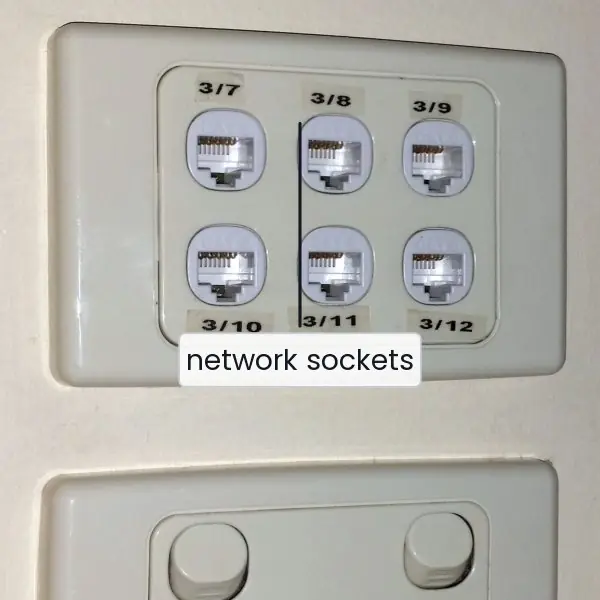
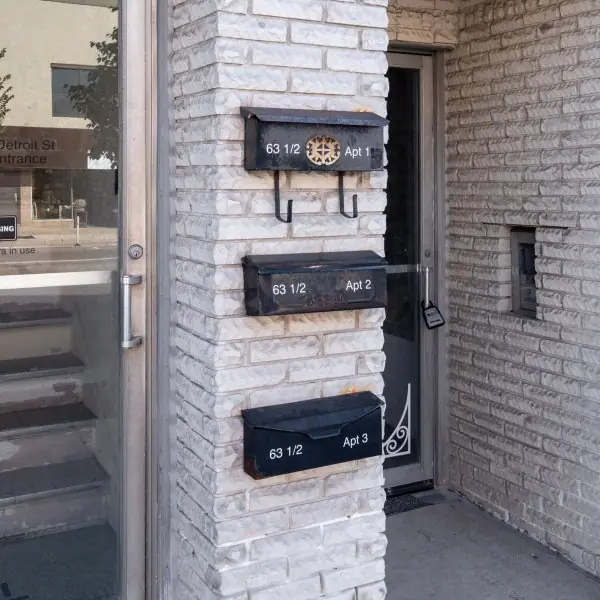
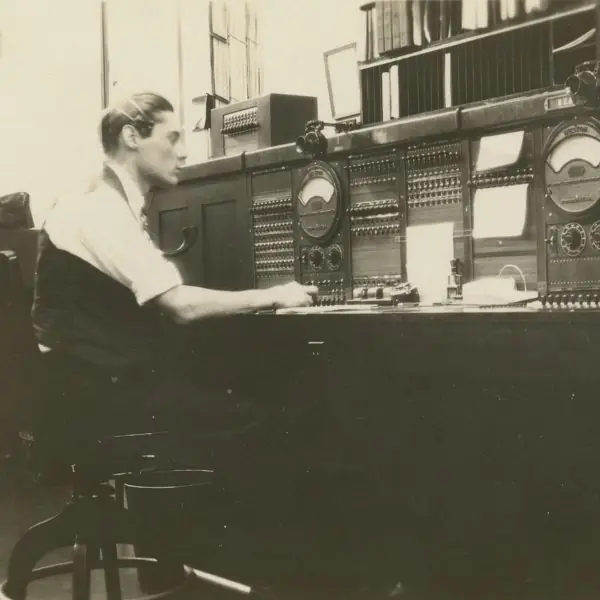
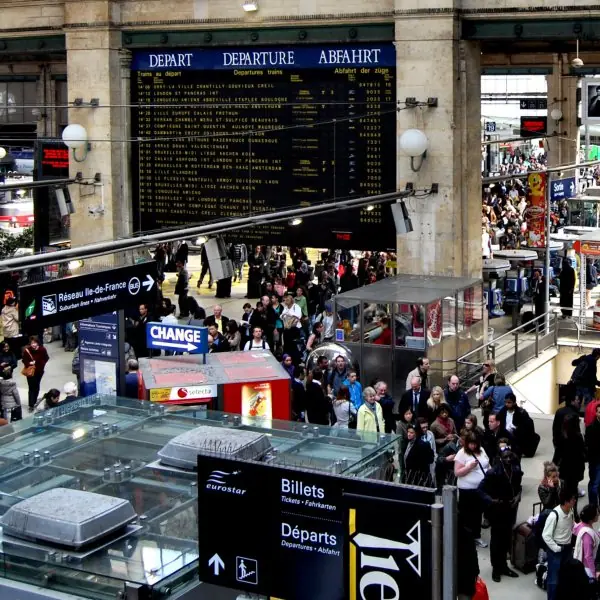
Plate 4.1 gives four everyday pictures: a wall plate with network and power sockets, a block of letterboxes for the idea of one address with many ports, a telephone switchboard for accept(), and a ticket hall for a pool of threads.
Plate 4.2 shows the people who designed TCP, UDP and the web.
Figures 4.1 to 4.10 then use numbers from real runs of Java 17 on the loopback interface: the address and URL parts, the order of socket calls, a sequential server against a pool, the lack of message boundaries in TCP, the limits of a UDP datagram, a raw HTTP exchange, sequential against asynchronous requests, and the exceptions a student meets.





4.6.1 Eight uses of Java network programming in Nepal
- Mobile wallets and payment gateways. When a person pays by QR code, the wallet app sends an HTTPS request to a server and waits for a reply in JSON. The server side of such a service is often written in Java, using an
HttpServer-style handler or a framework above it, and a thread pool to serve many users together (Figure 4.3). A timeout is essential, because a payment screen must show a result or an error and never wait for ever (Figure 4.8). - Online results and admission portals. Tribhuvan University and college portals show results to thousands of students on the same day. Each browser request is a short HTTP exchange like Figure 4.6, handled by a pool of threads so that one slow request does not block the rest. The roll number arrives in the URL, so it must be decoded and validated (Figure 4.9).
- Internet cafes and school computer labs. A teacher's program that sends a notice or a file to every lab computer is a small client and server pair over TCP. Each machine runs a listener on a chosen port, and the teacher's program connects to each one in turn. A newline or length prefix marks the end of each message (Figure 4.4).
- Weather and river-level stations. A river gauge or weather station sends a short reading every few minutes. UDP is a good fit for such a small message, because the next reading replaces a lost one (Figure 4.5). The receiving program at the Department of Hydrology and Meteorology stores each datagram in a database.
- Local chat and messaging tools. A chat program for a college network keeps one TCP connection per user. The server reads each line, sends it to every other user, and removes a user whose read times out. Each connection needs its own thread or a selector (Figure 4.10), and every write must be flushed or the other users see nothing.
- Government service lookups. A service such as the Nagarik App asks a back end for a citizen's record by number. The back end exposes small HTTP endpoints that return JSON, and the client reads the status code first: 200 for success, 404 for no record, 4xx for a bad request (Figure 4.7). The same call is made with
HttpClient, and several lookups can run at once withsendAsync. - Monitoring and uptime checks. An internet provider or a bank checks that its servers answer. A small Java program opens a socket to a port with a short timeout and reports
Connection refused,Read timed outor success (Figure 4.8). The result is shown on a screen or sent as an alert to the engineer. - Teaching and testing. Students learn protocols by writing an echo server, a chat server or a tiny web server on the loopback address, as the programs in this unit do. Teachers use
localhostand port 0 so that no real network is needed (Figure 4.1). The same habit helps in testing, because a test starts a smallHttpServer, calls it and stops it.
Formula and fact sheet
- TCP server:
ServerSocket(port)→accept()→Socket→ streams; client:new Socket(host, port). Port 0 = any free port. - One thread (or pool task) per accepted socket; flush output; set timeouts.
- UDP:
DatagramSocket,DatagramPacket(buf, len[, addr, port]),send,receive; no connection. - HTTP:
HttpClient.newHttpClient().send(HttpRequest, BodyHandlers.ofString()); serverHttpServer.create,createContext. URIparts: scheme, host, port, path, query, fragment.
Chapter summary
- A TCP socket is a reliable byte-stream connection; the server accepts connections and typically serves each in its own thread; the client connects, writes and reads.
- UDP sockets send independent packets without a connection or guarantees.
- The JDK includes an HTTP client and a small HTTP server;
URI/URLsplit names into their parts. - Real programs need timeouts, framing, TLS, validation and cleanup.
Practice
- Write the steps and code of a TCP echo server and client.
- Why does a single-threaded server serve one client at a time and how do you fix it?
- What exceptions occur when the port is in use, when nothing is listening and when a read stalls?
- Compare TCP and UDP sockets in Java and give an application for each.
- What does port 0 mean in
new ServerSocket(0)? - Why must
PrintWriterbe created with auto-flush (or flushed) in a request–reply protocol? - Write an
HttpClientcall that POSTs a string and prints the status code and body. - Split
https://example.com:8443/notes/unit4.html?v=2#socketsinto its components withURI. - Why are message boundaries a problem with TCP, and how can a protocol mark them?
- Name three security precautions for network programs.
Answers and worked solutions
1. Server: ServerSocket ss = new ServerSocket(5000); Socket s = ss.accept(); BufferedReader in = ...; PrintWriter out = new PrintWriter(s.getOutputStream(), true); while ((line = in.readLine()) != null) out.println(line); Client: Socket s = new Socket("localhost", 5000); write a line with out.println, read the reply with in.readLine().
2. accept() and the read loop block, so the second client waits until the first finishes. Hand every accepted socket to a new thread or a thread pool task so the main thread goes back to accept().
3. BindException (address in use); ConnectException: Connection refused; SocketTimeoutException if setSoTimeout was set.
4. TCP (Socket): connection, reliable ordered byte stream, e.g. file transfer, web. UDP (DatagramSocket): connectionless packets, unreliable, e.g. DNS lookups, streaming, games.
5. The operating system picks a free ephemeral port; getLocalPort() returns it.
6. The reply may sit in a buffer and never be sent; the other side then waits for it forever (deadlock). Auto-flush on println, or call flush().
7. Build a client with HttpClient.newHttpClient(). Build the request with HttpRequest.newBuilder(uri), add .POST(BodyPublishers.ofString("a=1")) and call .build(). Send it with client.send(req, BodyHandlers.ofString()), then print r.statusCode() and r.body().
8. scheme https, host example.com, port 8443, path /notes/unit4.html, query v=2, fragment sockets.
9. TCP delivers a stream of bytes, not messages; one read may return half a message or two. Use a delimiter (newline), a length prefix, or a self-describing format such as HTTP headers with Content-Length.
10. Use TLS for sensitive data; validate and limit all input; use timeouts and resource limits; never deserialize untrusted objects; run with least privilege.
Model answers for Unit 4
Q1. Explain how a TCP echo server and client are written in Java, with code and the order of calls. (10 marks)
Introduction. TCP gives two programs a reliable, ordered stream of bytes. In Java the server end is a ServerSocket, the client end is a Socket, and both read and write through ordinary streams (Fig. 4.2).
Server steps.
- Create
new ServerSocket(5000), which binds the port and starts listening. Port 0 asks the system for any free port, andgetLocalPort()reports it. - Call
accept(). It blocks until a client connects and returns aSocketfor that one conversation. - Wrap the streams: a
BufferedReaderfor lines and aPrintWritercreated with auto-flushtrue. - Read lines in a loop and send a reply for each, until the client closes or sends a stop word.
- Close the socket, preferably with try-with-resources.
Client steps. Create new Socket("localhost", 5000); this performs the three-way handshake, which took 190 microseconds on the loopback interface. Write a line with println, read the reply with readLine, and close.
try (ServerSocket ss = new ServerSocket(5000);
     Socket s = ss.accept();
     BufferedReader in = new BufferedReader(new InputStreamReader(s.getInputStream()));
     PrintWriter out = new PrintWriter(s.getOutputStream(), true)) {
    String line;
    while ((line = in.readLine()) != null) out.println(line.toUpperCase());
}
Real run. The book's program answered hello from first with HELLO FROM FIRST (16 chars), answered BYE with GOODBYE, and served a second client in the same way. A one-byte request and reply took 44 microseconds on loopback in a run of 2,000 trials.
Important details. The reply must be flushed: with auto-flush, println sends it at once, and without it both sides may wait for ever. readLine returns null when the other side closes. The loop above serves only one client; Q2 shows the fix.
| Point | Server | Client |
|---|---|---|
| Class | ServerSocket, then Socket |
Socket |
| First call | accept() waits |
new Socket(host, port) connects |
| Port | chosen by the programmer | chosen by the system (a high number) |
| Ends with | close() |
close() |
Testing it. Run the server first, then the client; with port 0 and the loopback address no firewall or real network is needed.
If the client is started first, it receives Connection refused, and if the server is started twice, the second start throws BindException.
A student can also test the server with a second client at the same time, which shows at once whether it is single-threaded.
Conclusion. A TCP program is a short fixed pattern: listen, accept, wrap streams, read and write, flush, close. Using try-with-resources and a timeout turns this pattern into a safe program.
Q2. Why does a single-threaded server serve one client at a time? How is it fixed? (5 marks)
The main loop of a simple server calls accept(), then reads and writes for that client, and only then goes back to accept().
While it is busy with the first client, the second client's connection waits in the operating system's queue and gets no answer. This is a problem because a slow or silent client blocks everybody.
The fix is to give each accepted socket to another thread, so that the main thread returns to accept() at once. There are two ways. A new Thread per client is simple but costs memory for every client.
A fixed pool, created with Executors.newFixedThreadPool(4), runs the handlers as tasks and limits the load; extra clients wait in the pool's queue.
The measurement shows the effect (Fig. 4.3). Four clients each needed 200 ms of work. A server handling one at a time took 808 ms, while a pool of 4 threads took 202 ms, about 4 times faster.
For thousands of mostly idle connections, even a pool is too heavy, and a program uses NIO selectors or a framework such as Netty (Fig. 4.10).
Whatever the method, shared data used by several handler threads must be protected, as shown in Unit 1.
Q3. Which exceptions occur when the port is in use, when nothing is listening and when a read stalls? (5 marks)
Network errors appear as subclasses of IOException. Three of them are the most common (Fig. 4.8).
BindException: Address already in use. The server tried to bind a port that another process, or an earlier run of the same program, still holds. In the real run a secondServerSocketon the same port threw it. Fix: stop the other program, choose another port, or use port 0.ConnectException: Connection refused. The client reached the machine, but no program listened on that port. A connection to port 1 produced it. Fix: start the server first, check the host and port, and check the firewall.SocketTimeoutException: Read timed out. The read waited longer than the limit set bysetSoTimeout(ms). In the run the limit was 300 ms and the exception came after about 300 ms. Without a timeout a read waits for ever, so every real socket needs one.
Two further cases are UnknownHostException, when DNS cannot resolve the name, and SocketException: Message too long, when a UDP datagram exceeds 65,507 bytes.
Catch the narrow exception first, then IOException, log getMessage() and close the socket in a finally block or with try-with-resources.
Q4. Compare TCP and UDP sockets in Java and give an application for each. (10 marks)
Introduction. Java offers two kinds of socket. Socket and ServerSocket use TCP, a reliable byte stream. DatagramSocket uses UDP, which sends independent packets.
TCP in Java. A connection is set up by a handshake (190 microseconds on loopback). The data is a stream: the program reads and writes bytes through InputStream and OutputStream.
TCP retransmits lost segments, delivers bytes in order and slows down when the network is congested.
It has no message boundaries: three writes of HELLO, WORLD and NEPAL arrived in one read() of 15 bytes (Fig. 4.4), so the protocol must mark the end of each message.
UDP in Java. No connection exists. Each DatagramPacket carries one message and the sender's or receiver's address, and receive() returns exactly one datagram, so boundaries are kept: msg1, msg2 and msg3 came out as three results.
The price is that packets may be lost, repeated or reordered, the program must supply any reliability, and a datagram is limited to 65,507 bytes.
A 600-byte datagram received into a 512-byte buffer was cut to 512 bytes without any error (Fig. 4.5).
| Point | TCP (Socket) |
UDP (DatagramSocket) |
|---|---|---|
| Connection | yes, handshake | none |
| Data unit | byte stream | datagram |
| Message boundaries | none | kept |
| Reliability and order | guaranteed | not guaranteed |
| Speed and overhead | slower, more state | faster, small header (8 bytes) |
| Size limit | none per stream | 65,507 bytes |
| Error behaviour | exception on a broken connection | silent loss |
| Server pattern | accept() per client |
one socket receives from all |
Applications. TCP: web pages, e-mail, file transfer, banking and wallet payments, where every byte must arrive.
UDP: DNS lookups, voice and video calls, live scores and sensor readings, where a late packet is worth less than a new one (Fig. 4.10).
In Nepal a river-gauge reading sent every few minutes suits UDP, while a ConnectIPS payment request needs TCP and HTTPS.
Conclusion. Choose TCP when correctness matters and UDP when speed and simplicity matter more than completeness; the Java code is similar in size, but TCP hides reliability from the programmer and UDP leaves it to the programmer.
Q5. What are message boundaries in TCP? How can a protocol mark them? (5 marks)
TCP delivers a stream of bytes, not a list of messages. A read() may return half a message, one message or several.
In the real run the client wrote HELLO, WORLD and NEPAL as three separate writes, each flushed, and the server's single read() returned 15 bytes (Fig. 4.4). The three messages could not be told apart without a rule.
A protocol marks the end of a message in one of three ways.
- A delimiter, usually a newline. The receiver uses
BufferedReader.readLine(), which collects bytes until it sees the end of the line. This suits text; the text itself must not contain the delimiter. - A length prefix. The sender first writes the length, for example two bytes
00 05and then the five bytes ofHELLO. The receiver reads exactly 2 bytes, then exactly that many more withDataInputStream.readFully. This suits binary data of any content. - A self-describing format. HTTP ends its headers with a blank line and states
Content-Length: 26, so the client knows that the body is the next 26 bytes.
Whatever the method, the receiver must loop until it has a whole message and must limit the length it accepts, so that a hostile client cannot make it allocate gigabytes.
Q6. Explain HTTP programming in Java: the server, the client, URI parts and URL encoding. (10 marks)
Introduction. HTTP is a text protocol above TCP: a request (method, target, headers, optional body) and a response (status, headers, body). The JDK includes a small server, com.sun.net.httpserver.HttpServer, and since Java 11 a client, java.net.http.HttpClient.
Server. HttpServer.create(new InetSocketAddress(port), 0) makes the server. createContext("/hello", handler) attaches a handler to a path. The handler reads the request, calls sendResponseHeaders(200, length) and writes the body. setExecutor gives it a thread pool.
Client. HttpClient.newHttpClient() builds the client; HttpRequest.newBuilder(uri).GET().build() or .POST(BodyPublishers.ofString("a=1")) builds the request; client.send(request, BodyHandlers.ofString()) returns an HttpResponse with statusCode(), headers() and body().
In the real run, GET /hello?name=Sita gave 200 and {"greeting":"Namaste Sita"}, POST /echo with 7 bytes gave 201 and got 7 bytes via POST, and an unknown path gave 404 (Fig. 4.7). sendAsync returns a CompletableFuture; five requests of 200 ms took 243 ms that way against 1,181 ms one after another.
On the wire. A hand-typed request GET /hello?name=Ram HTTP/1.1 with a Host header was answered by HTTP/1.1 200 OK, a Content-type, Content-length: 26 and the 26-byte JSON body (Fig. 4.6).
URI parts. For http://user@example.com:8080/a/b.html?x=1&y=2#top, URI gave scheme http, user user, host example.com, port 8080, path /a/b.html, query x=1&y=2 and fragment top (Fig. 4.1). The fragment is never sent to the server.
URL encoding. Characters with special meaning must be encoded in a query value: space becomes +, & becomes %26.
A Devanagari character is 3 bytes in UTF-8, so the 6 characters of the Devanagari word namaste became 18 bytes, written as six groups of %XX (Fig. 4.9). Use URLEncoder.encode(value, StandardCharsets.UTF_8) for each value.
| Status | Meaning |
|---|---|
| 200 | success |
| 201 | created (a POST made something) |
| 404 | no such resource |
Older API. Earlier code uses URL.openConnection() and HttpURLConnection; the same call returned code 200 and method GET in the run.
It still works, but HttpClient is preferred because it supports HTTP/2, asynchronous calls and a cleaner builder style.
Whichever class is used, the program must read the status code before the body, close the streams, and treat any code of 400 or above as an error to be shown to the user in a clear message.
Conclusion. The JDK is enough to write and test a small HTTP service and its client; correct status codes, a thread pool and UTF-8 encoding make it dependable.
Q7. Describe the use of HttpClient to POST a string and show how to read the reply. (5 marks)
The HttpClient of Java 11 is built in three parts: the client, the request and the response handler.
HttpClient client = HttpClient.newHttpClient();
HttpRequest req = HttpRequest.newBuilder(URI.create("http://localhost:8080/echo"))
        .header("Content-Type", "application/x-www-form-urlencoded")
        .POST(HttpRequest.BodyPublishers.ofString("a=1&b=2"))
        .build();
HttpResponse<String> r = client.send(req, HttpResponse.BodyHandlers.ofString());
System.out.println(r.statusCode() + " " + r.body());
newHttpClient()creates a client that can be reused for many requests; it supports HTTP/1.1 and HTTP/2.HttpRequest.newBuilder(uri)starts the request,headeradds a header andPOST(...)sets the method and the body. The body here is 7 bytes.sendblocks until the reply arrives and the handlerofString()turns the body into aString.statusCode()is read first. In the real run the call printed201 got 7 bytes via POST.
A reply with status 404 does not throw an exception; the program must test the code. Network failures such as a refused connection throw IOException.
For many requests use sendAsync, which returns a CompletableFuture: five requests of 200 ms took 243 ms instead of 1,181 ms (Fig. 4.7).
Set a timeout with HttpRequest.newBuilder(uri).timeout(Duration.ofSeconds(5)) so that a silent server cannot stop the program.
Q8. Give design rules and security precautions for network programs. (10 marks)
Introduction. A network program talks to strangers over an unreliable medium, so it must be written defensively. The rules below follow from the experiments of this unit.
Design rules.
- Serve clients together. One client at a time took 808 ms for four clients, a pool of 4 took 202 ms (Fig. 4.3). Use a bounded pool or NIO for large numbers (Fig. 4.10).
- Set timeouts. Use
setSoTimeoutfor reads and a connect timeout, so a silent peer cannot hold a thread for ever (Fig. 4.8). - Frame messages. TCP has no boundaries; use a newline, a length prefix or HTTP headers, and loop until a message is complete (Fig. 4.4).
- Flush and close. Flush every reply and close sockets with try-with-resources so that connections are not leaked.
- Choose the transport. Use TCP when every byte matters and UDP for small, loss-tolerant messages (Fig. 4.5).
Security precautions.
- Use TLS. Send passwords, tokens and payments only over
SSLSocket, HTTPS inHttpClientorHttpsURLConnection, never in clear text. - Validate all input. Check the length, format and range of every field; a length prefix of two billion must be refused.
- Limit resources. Cap the pool size, the message size and the number of connections per address, to resist denial of service.
- Never deserialize untrusted objects. Java deserialization of data from a peer can run attacker-chosen code (Unit 1); use JSON with a fixed schema.
- Encode output and input. Encode query values (Fig. 4.9) and use parameterised SQL (Unit 3) so that data cannot become commands.
- Least privilege. Run the server as an ordinary user on a port above 1023, with only the files it needs.
| Risk | Precaution |
|---|---|
| Eavesdropping | TLS |
| Oversized messages | length limits |
| Slow or silent clients | timeouts and pool limits |
| Injection | validation, encoding, prepared statements |
| Crash on bad data | catch exceptions, log, close |
Conclusion. Reliable network software serves clients concurrently, bounds time and size, frames its messages and protects data with TLS and validation; treating every byte from the network as untrusted is the central habit.