Unit 6 · 9 teaching hours · 42 min read
Servlets and JavaServer Pages
What the syllabus asks for 9
- Web applications and containers
- The servlet lifecycle
- GET and POST, forms and parameters
- Session management
- Filters, listeners and the request dispatcher
- Security basics for servlets
- JavaServer Pages (JSP)
- The MVC pattern with servlets and JSP
- Seeing the ideas: containers, sessions, filters and JSP
A web server that only serves files cannot log you in, search a catalogue or record an order.
Servlets are Java classes that run inside a web server (a servlet container such as Apache Tomcat or Jetty) and generate responses dynamically: the container parses the HTTP request, calls your method, and sends back what you wrote.
JavaServer Pages (JSP) let you write the response as HTML with Java embedded; the container translates the page into a servlet.
Together with JDBC (Unit 3) they are the classic Java web stack, and the base on which Spring MVC and Jakarta Faces are built.
The program in this unit exercises a real servlet: it is compiled against the servlet API 4.0 and its lifecycle methods are called by a small test harness that plays the role of the container, using proxy objects for the request, response and session.
Everything the servlet prints below is real output.
- The web application model: containers, WAR layout,
web.xmland annotations. - The servlet lifecycle (
init,service,destroy),HttpServlet, request and response objects. - Sessions: cookies, URL rewriting,
HttpSession; filters and listeners. - JSP: elements, implicit objects, EL and JSTL, the MVC pattern with a servlet controller.
- Security basics: output escaping, session handling.
6.1 Web applications and containers
A Java web application is a directory (or a WAR file, Web ARchive) with a fixed layout:
college/
  index.html, css/, images/          public static files
  WEB-INF/                           never served directly
    web.xml                          deployment descriptor (optional with annotations)
    classes/                         compiled servlets and other classes
    lib/                             JAR libraries (JDBC driver, JSTL)
  pages/result.jsp                   JSP pages
The container (Tomcat, Jetty, GlassFish, WildFly) listens for HTTP, maps URLs to servlets, manages their lifecycle and threads, and provides sessions, security and resource pools.
Deployment: copy college.war to Tomcat's webapps folder, and the application is served at http://localhost:8080/college/. A servlet is mapped to a URL either with the annotation @WebServlet("/hello") (Servlet 3.0+) or in web.xml:
<servlet>
  <servlet-name>hello</servlet-name>
  <servlet-class>edu.nebians.HelloServlet</servlet-class>
</servlet>
<servlet-mapping>
  <servlet-name>hello</servlet-name>
  <url-pattern>/hello</url-pattern>
</servlet-mapping>
6.2 The servlet lifecycle
The container manages a servlet through three methods of the javax.servlet.Servlet interface:
init(ServletConfig): called once, when the servlet is first loaded (or at start-up withload-on-startup); open resources and read initialisation parameters here.service(request, response): called for every request, each in a separate thread of the same single servlet instance;HttpServlet.servicelooks at the HTTP method and callsdoGet,doPost,doPut,doDelete,doHead,doOptionsordoTrace.destroy(): called once before the servlet is removed (shutdown or redeploy); release resources.
Because one instance serves many threads, never keep per-request data in instance fields: they would be shared between users. Use local variables, the request, or the session.
If you must share state, synchronise it (or use thread-safe classes). Unhandled methods return 405 Method Not Allowed from the default implementation.
The request and response objects
HttpServletRequest gives the method, URL parts (getRequestURI, getContextPath), parameters (getParameter("name") for query string and form fields, getParameterValues), headers (getHeader), cookies, the session (getSession()), the input stream and, for forwarding, a RequestDispatcher.
Attributes (setAttribute/getAttribute) carry objects from a servlet to a JSP in the same request. HttpServletResponse sets the status (setStatus, sendError), headers, content type, cookies, and provides the writer (getWriter()) or output stream for the body; sendRedirect(url) tells the browser to request another URL (a 302).
The difference to remember: forward is internal to the server (one request, URL unchanged), redirect is a new browser request (URL changes; use it after a POST so a page refresh does not re-submit the form).
import javax.servlet.*;
import javax.servlet.http.*;
import java.io.*;
import java.lang.reflect.*;
import java.util.*;
public class ServletDemo {
public static class HelloServlet extends HttpServlet {
@Override public void init() { System.out.println("[container] init() called once"); }
@Override protected void doGet(HttpServletRequest req, HttpServletResponse resp) throws IOException {
String name = req.getParameter("name");
if (name == null || name.isBlank()) name = "guest";
HttpSession session = req.getSession();
Integer visits = (Integer) session.getAttribute("visits");
visits = (visits == null) ? 1 : visits + 1;
session.setAttribute("visits", visits);
resp.setContentType("text/html;charset=UTF-8");
PrintWriter out = resp.getWriter();
out.println("<h1>Hello, " + escape(name) + "</h1>");
out.println("<p>visit number " + visits + "</p>");
}
@Override protected void doPost(HttpServletRequest req, HttpServletResponse resp) throws IOException {
resp.setStatus(HttpServletResponse.SC_CREATED);
resp.getWriter().println("created " + req.getParameter("item"));
}
@Override public void destroy() { System.out.println("[container] destroy() called once"); }
static String escape(String s) { return s.replace("&", "&").replace("<", "<").replace(">", ">").replace("\"", """); }
}
static class Reply { int status = 200; String type = "-"; StringWriter body = new StringWriter(); }
static <T> T mock(Class<T> type, InvocationHandler h) { return type.cast(Proxy.newProxyInstance(ServletDemo.class.getClassLoader(), new Class<?>[]{type}, h)); }
static HttpServletRequest request(String method, Map<String, String> params, Map<String, Object> sessionData) {
HttpSession hs = mock(HttpSession.class, (p, m, a) -> switch (m.getName()) {
case "getAttribute" -> sessionData.get((String) a[0]);
case "setAttribute" -> { sessionData.put((String) a[0], a[1]); yield null; }
default -> null; });
return mock(HttpServletRequest.class, (p, m, a) -> switch (m.getName()) {
case "getMethod" -> method;
case "getProtocol" -> "HTTP/1.1";
case "getParameter" -> params.get((String) a[0]);
case "getSession" -> hs;
default -> null; });
}
static HttpServletResponse response(Reply r) {
return mock(HttpServletResponse.class, (p, m, a) -> switch (m.getName()) {
case "setContentType" -> { r.type = (String) a[0]; yield null; }
case "setStatus", "sendError" -> { r.status = (Integer) a[0]; yield null; }
case "getWriter" -> new PrintWriter(r.body, true);
default -> null; });
}
static void call(HelloServlet s, String method, Map<String, String> params, Map<String, Object> session) throws Exception {
Reply r = new Reply();
s.service((ServletRequest) request(method, params, session), (ServletResponse) response(r));
System.out.println(method + " " + params + " -> status " + r.status + ", type " + r.type + ", body: " + r.body.toString().trim().replace("\n", " | "));
}
public static void main(String[] args) throws Exception {
HelloServlet servlet = new HelloServlet();
servlet.init(mock(ServletConfig.class, (p, m, a) -> null));
Map<String, Object> session = new HashMap<>();
call(servlet, "GET", Map.of("name", "Sita"), session);
call(servlet, "GET", Map.of(), session);
call(servlet, "GET", Map.of("name", "<script>alert(1)</script>"), session);
call(servlet, "POST", Map.of("item", "notebook"), session);
call(servlet, "DELETE", Map.of(), session);
servlet.destroy();
}
}
[container] init() called once
GET {name=Sita} -> status 200, type text/html;charset=UTF-8, body: <h1>Hello, Sita</h1> | <p>visit number 1</p>
GET {} -> status 200, type text/html;charset=UTF-8, body: <h1>Hello, guest</h1> | <p>visit number 2</p>
GET {name=<script>alert(1)</script>} -> status 200, type text/html;charset=UTF-8, body: <h1>Hello, <script>alert(1)</script></h1> | <p>visit number 3</p>
POST {item=notebook} -> status 201, type -, body: created notebook
DELETE {} -> status 405, type -, body:
[container] destroy() called once
The same session map is passed to every request, as a browser's session cookie would make the container do, so the visit counter goes 1, 2, 3.
The <script> parameter is escaped to harmless text (see 6.6); POST produces status 201; DELETE is not implemented so the default doDelete answers with status 405. init and destroy each run once, however many requests are served.
6.3 GET and POST, forms and parameters
A form <form action="login" method="post"> sends its fields in the request body with POST (or in the URL with GET).
Use GET for safe, repeatable retrieval (searches, page views): parameters appear in the URL, can be bookmarked and cached, and must never carry passwords. Use POST for actions that change state and for sensitive or large data.
In both cases the servlet reads request.getParameter("field"). Set request.setCharacterEncoding("UTF-8") before reading parameters so Nepali text in a form is decoded correctly.
6.4 Session management
HTTP is stateless (Computer Networking, Unit 6), so the server needs a way to recognise a returning browser. The four techniques:
| Technique | How | Remark |
|---|---|---|
| Cookies | server sends Set-Cookie, browser returns Cookie on each request; new Cookie(name, value), response.addCookie(c), request.getCookies() |
stored in the browser, size-limited, user can disable |
| URL rewriting | session ID appended to every URL (;jsessionid=...); response.encodeURL(url) |
works without cookies; ID is visible in the URL |
| Hidden form fields | the state is carried in <input type="hidden"> |
only for form flows |
HttpSession |
container keeps a server-side map per user, identified by the JSESSIONID cookie (falling back to URL rewriting) |
the standard answer |
request.getSession() returns the current session, creating one if needed (getSession(false) returns null instead).
Use setAttribute/getAttribute for per-user data (the logged-in user, a shopping cart), setMaxInactiveInterval(seconds) for the time-out and invalidate() to end the session at logout.
After login, create a new session ID (request.changeSessionId()) to prevent session fixation.
6.5 Filters, listeners and the request dispatcher
- A filter (
javax.servlet.Filter) intercepts requests before and after servlets: authentication checks, logging, compression, character-encoding setup. ItsdoFilter(req, res, chain)does its work and callschain.doFilter(req, res)to continue (or stops the chain, for example to redirect to the login page). - Listeners react to lifecycle events:
ServletContextListener(application start and stop: open the connection pool),HttpSessionListener(session created or destroyed: count online users),ServletRequestListener, and attribute listeners. - A
RequestDispatcher(request.getRequestDispatcher("/result.jsp").forward(request, response)) passes control to another resource inside the server, the key operation of MVC below. - The
ServletContextis shared by the whole application (getServletContext()): application-wide attributes and initialisation parameters.ServletConfigis per servlet.
6.6 Security basics for servlets
- Escape output. Writing user input into HTML without escaping lets an attacker inject a
<script>(cross-site scripting, XSS). Theescapemethod above turns<and>into entities; JSTL's<c:out>does it automatically. - Use
PreparedStatementfor SQL (Unit 3). - Never trust hidden fields or cookies; verify on the server.
- Use HTTPS, mark session cookies
HttpOnlyandSecure, regenerate the session ID on login, and add a CSRF token to state-changing forms. - Declare security constraints in
web.xmlor use a framework for authentication and role checks.
6.7 JavaServer Pages (JSP)
A servlet that prints HTML with out.println is tedious for designers.
A JSP is an HTML file containing special tags; on the first request the container translates it into a servlet class (_result_jsp.java), compiles it, and from then on runs the servlet (so JSP and servlet have the same lifecycle: translation, compilation, jspInit, _jspService per request, jspDestroy).
<%@ page contentType="text/html;charset=UTF-8" import="java.util.*" %>
<%@ taglib uri="http://java.sun.com/jsp/jstl/core" prefix="c" %>
<html><body>
<%! int hits = 0; %>
<% hits++; String name = request.getParameter("name"); %>
<h1>Hello, <%= name == null ? "guest" : name %></h1>
<p>Page views since start: <%= hits %></p>
<c:forEach var="s" items="${students}">
  <li><c:out value="${s.name}"/>: ${s.marks}</li>
</c:forEach>
</body></html>
| Element | Syntax | Meaning |
|---|---|---|
| Directive | <%@ page ... %>, <%@ include file="..." %>, <%@ taglib ... %> |
page settings, static include, tag libraries (processed at translation time) |
| Scriptlet | <% java code %> |
code placed inside _jspService |
| Expression | <%= expr %> |
value printed into the output |
| Declaration | <%! int hits = 0; %> |
field or method of the generated class (shared by all requests) |
| Comment | <%-- hidden --%> |
not sent to the browser |
| Action | <jsp:include page="..."/>, <jsp:forward>, <jsp:useBean>, <jsp:getProperty> |
run-time actions |
| EL | ${student.name} |
expression language: reads attributes and bean properties |
| JSTL | <c:if>, <c:forEach>, <c:out>, <fmt:formatNumber>, <sql:query> |
standard tag library replacing most scriptlets |
Implicit objects available in a JSP without declaration: request, response, out, session, application (the ServletContext), config, pageContext, page, exception (on error pages).
Scopes for attributes: page, request, session, application; EL searches them in that order.
Modern practice is no Java in JSP: scriptlets mix logic with markup, are hard to test and are a security risk, so JSPs use EL and JSTL only and a servlet does the work.
6.8 The MVC pattern with servlets and JSP
Model 2 (MVC): a controller servlet receives the request, validates input and calls the model (plain Java classes and DAOs, Unit 3); it puts the result in the request as an attribute and forwards to a view (a JSP) that only displays it.
Browser ──GET /students──▶ StudentServlet (controller)
                              │ calls StudentDao.findAll()          (model)
                              │ request.setAttribute("students", list)
                              ▼ forward
                           students.jsp (view) ──HTML──▶ Browser
The benefits: designers edit the JSP, programmers the servlet and DAO; logic is testable; one model serves many views. Frameworks (Spring MVC, Struts, Jakarta Faces) are elaborations of this idea.
A complete small application therefore needs: a table and DAO (Unit 3), a controller servlet mapped with @WebServlet, a JSP with <c:forEach> and a web.xml (or annotations) – all packaged in a WAR.
6.9 Seeing the ideas: containers, sessions, filters and JSP
Server-side Java is easier to learn when you can see what the container does between the browser and your code.
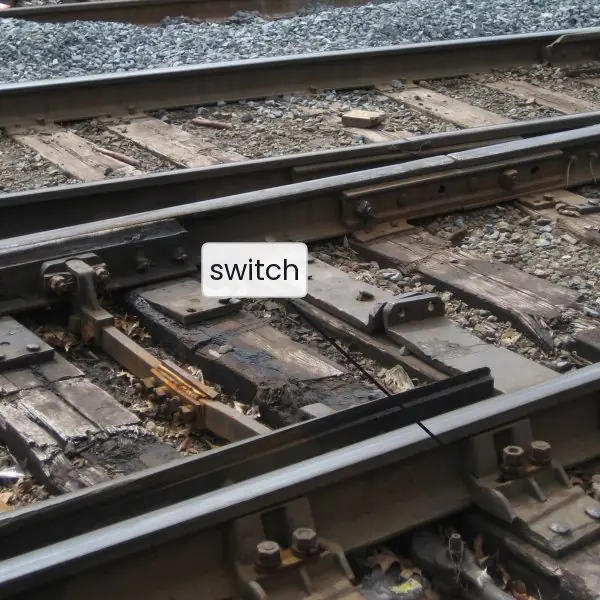
Plate 6.1 gives four pictures for the mechanisms of this unit: railway points for the request dispatcher, a security checkpoint for a filter chain, a lettering template for a JSP page and a paper form for a POST request.
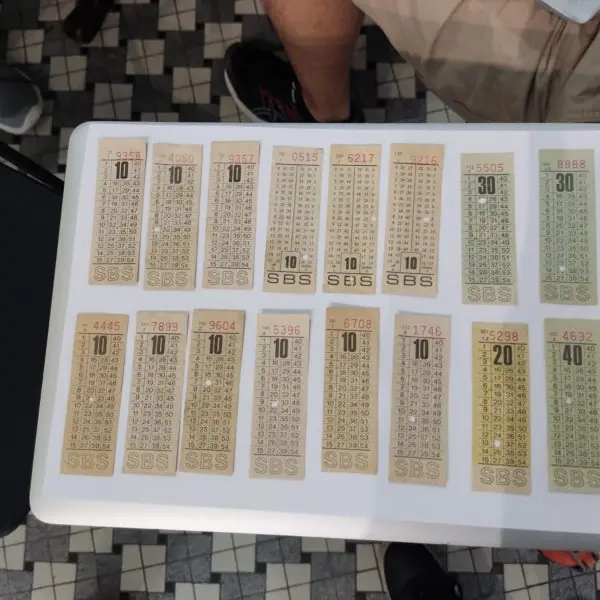
Plate 6.2 shows four everyday session tokens: a bus ticket, a luggage tag, a hotel key card and a cookie. Plate 6.3 shows the switchboard of the container, the inventor of MVC and the inventor of the web.
Figures 6.1 to 6.13 then use numbers from one real run of Apache Tomcat 9.0.89, embedded in a Java 17 program, with servlets, two filters, two listeners, JSP pages with JSTL and a client that sent real HTTP requests and counted what came back.











6.9.1 Eight uses of servlets and JSP in Nepal
Servlets and JSP are the older generation of Java web technology, and frameworks such as Spring MVC and Jakarta Faces are built on them, so every point below describes work that a BCA graduate may meet in a Nepali company or a college project.
- Result and admission portals. On result day thousands of students send a GET request with a roll number or symbol number. The container serves each request in its own pool thread (Figure 6.7), so a slow request does not block the others. The servlet must escape the roll number before printing it and must keep it in a local variable, not in a field (Figures 6.6 and 6.12).
- Internet and mobile banking back ends. After login, the server keeps the customer's data in an HttpSession and gives the browser only a 32-character id in a cookie with HttpOnly (Figures 6.3 and 6.8). A logout must call invalidate(), because the old cookie then leads to a fresh, empty session. A short inactivity time-out ends forgotten sessions at a cyber cafe.
- Government service portals. A form for a passport, licence or tax service sends a long POST with names, dates and Nepali text. The servlet should call setCharacterEncoding(UTF-8) before reading the parameters, or a Nepali name arrives as 18 garbled characters instead of 6 (Figure 6.12). After saving, the servlet redirects to a thank-you page, so a refresh does not submit the form twice (Figure 6.5).
- Online shops and a shopping cart. A shop keeps the items of each visitor in the session, so the cart survives from page to page although HTTP forgets every request (Figure 6.8). If a visitor blocks cookies, URL rewriting can carry the id, but it exposes the id in the address (Figure 6.9). Large shops store sessions in a shared cache so that several servers can serve the same visitor.
- College management systems. Attendance, fee and exam systems are often built as MVC: a controller servlet reads the request, a model class fetches the data with JDBC (Unit 3), and a JSP in WEB-INF shows the table (Figure 6.13). Because the view is under WEB-INF, nobody can open it directly, and a change in design touches only the JSP.
- Hospital and clinic portals. A filter checks, for every URL under /patient, that the session holds a logged-in user, and another filter writes an audit line with the time and the user (Figure 6.10). The servlets stay short because the repeated checks live in the filters. A filter that does not call chain.doFilter stops the request, which is how an unauthorised visitor is turned away.
- Utility bill payment pages. A page that shows the dues of a customer and takes a payment must behave well when something fails. An uncaught exception produced status 500 with the stack trace written to the server log, not shown to the visitor (Figure 6.4). A payment form should be protected from double submission, using a redirect after POST and a unique request number.
- BCA projects and internships. A common final-year project is a WAR deployed to Tomcat, with servlets for logic and JSP for pages. The first request for a JSP took 474 ms while the next took 1 ms (Figure 6.11), so a student should open every page once before a demonstration. Testing on the loopback address with the container embedded in the program, as this unit does, needs no installation of a server.
Formula and fact sheet
- Lifecycle:
init()once →service()per request (separate threads, one instance) →destroy()once. HttpServlet.servicedispatches todoGet,doPost, …; unimplemented methods give 405.- Per-request data in local variables, never in instance fields.
- Forward = server-side, same request, URL unchanged; redirect = new browser request (302).
- Session:
getSession(),setAttribute,invalidate(); cookieJSESSIONID; URL rewritingencodeURL. - JSP translated to a servlet; elements: directive, scriptlet, expression, declaration, action; EL
${}, JSTLc:; implicit objects request, response, out, session, application, config, pageContext, page, exception. - Escape output to stop XSS;
javax.servlet(Tomcat 9 and below) becamejakarta.servlet(Tomcat 10+).
Chapter summary
- A servlet container runs Java servlets that turn HTTP requests into responses; one instance handles all requests concurrently, so state must not be kept in fields.
- The lifecycle is init once, service per request, destroy once;
HttpServletroutes to doGet and doPost. - Sessions overcome HTTP's statelessness with cookies, URL rewriting or
HttpSession; filters and listeners add cross-cutting behaviour. - JSP pages are translated into servlets; EL and JSTL keep Java out of the page; MVC separates controller servlet, model classes and JSP views.
- Escaping output, prepared statements, HTTPS and careful session handling are the basic defences.
Practice
- Explain the servlet lifecycle and say how many times each method is called.
- Why must a servlet not store request-specific data in instance variables?
- Write a servlet that reads the parameter
rolland prints it with the escaping shown above. - Differentiate GET and POST; when would you use each?
- Differentiate forward and redirect.
- List the four session-tracking techniques and explain
HttpSession. - What is a filter? Give two uses.
- Describe the JSP life cycle and name five JSP elements.
- What are the implicit objects of JSP and the four attribute scopes?
- Draw the MVC flow of a student-list page using a servlet, a DAO and a JSP.
- What is cross-site scripting and how do you prevent it?
Answers and worked solutions
1. init() once after loading; service() for every request (calls doGet or doPost); destroy() once before unloading. In the demo run, five requests called service five times while init and destroy each printed once.
2. One servlet instance serves many requests in parallel threads, so an instance field is shared between users and causes data races and leaks of one user's data to another. Use local variables, the request or the session.
3. protected void doGet(HttpServletRequest req, HttpServletResponse resp) throws IOException { String roll = req.getParameter("roll"); resp.setContentType("text/html;charset=UTF-8"); resp.getWriter().println("Roll: " + escape(roll)); }
4. GET: parameters in the URL, safe and idempotent, cacheable and bookmarkable (search, view). POST: data in the body, for changes and sensitive or large data (login, order).
5. Forward: server-internal handover to another resource within the same request; the browser URL does not change. Redirect: the server answers 302 and the browser makes a new request to a new URL; used after POST to avoid resubmission.
6. Cookies, URL rewriting, hidden form fields, HttpSession. HttpSession stores per-user data on the server and gives the browser a session ID (JSESSIONID) by cookie or URL.
7. An object that intercepts requests and responses in a chain. Uses: authentication or authorisation checks, logging, compression, setting the character encoding.
8. Translated into a servlet, compiled, jspInit(), _jspService() per request, jspDestroy(). Elements: directive, scriptlet, expression, declaration, action (also EL and JSTL tags).
9. request, response, out, session, application, config, pageContext, page, exception. Scopes: page, request, session, application.
10. Browser → controller servlet; servlet calls StudentDao.findAll(); stores the list with request.setAttribute("students", list); forwards to students.jsp, which loops with <c:forEach> and writes the HTML.
11. Injecting a script into a page through unescaped input, so that it runs in other users' browsers. Prevent by escaping output (<c:out> or an escape function), validating input and setting a content security policy and HttpOnly cookies.
Model answers for Unit 6
Q1. Explain the servlet lifecycle and the structure of a Java web application. (10 marks)
Introduction. A servlet is a Java class that runs inside a servlet container such as Apache Tomcat and answers HTTP requests. The container, not the programmer, creates the servlet, calls its methods and manages its threads (Fig. 6.1).
Structure of the application. A web application is a folder or a WAR file.
Files outside WEB-INF (HTML, CSS, images, JSP) are public. WEB-INF holds web.xml, classes, lib and private views, and is never served: in the real run a request for /WEB-INF/views/list.jsp returned 404.
A URL is read as host and port, context path and servlet path, so /hello was mapped to the Hello servlet.
The lifecycle.
- Loading and
init(). The container creates one instance and callsinit()once, at the first request or at start-up ifload-on-startupis set. Resources such as a database pool are opened here. service(). For every request the container callsservice()in a pool thread, andHttpServletpasses the call todoGet,doPostand similar methods. In the run, five requests useddoGetof one instance (Fig. 6.2).destroy(). The container calls it once before removing the servlet, and resources are closed.
Rules that follow. One instance serves many threads, so instance fields are shared by all visitors. In the experiment, a servlet that kept the parameter in a field made Sita's page say hello Ram (Fig. 6.6).
Per-request data belongs in local variables, the request or the session.
| Method | Called | Times |
|---|---|---|
init() |
at first request or start-up | once |
service() and doXxx() |
each request | many |
destroy() |
at shutdown or redeploy | once |
Example from the run. A visitor opens /hello?name=Sita. The connector accepts the TCP connection and parses the request line, and the container finds the context and the servlet mapped to /hello.
It then creates the request and response objects, runs the filters, and calls doGet in a pool thread.
The servlet reads the parameter, uses the session, and writes the page, and the container sends status 200 with headers such as Content-Type and Content-Length (Fig. 6.3).
Starting the whole container took 722 ms in the run, and a request for a trivial page took 456 microseconds on the loopback interface, so the container adds little cost to each request.
Conclusion. The container controls the lifecycle, and the programmer fills in the three hooks. A servlet that is thread-safe, short and free of per-user fields is the basis of every Java web application.
Q2. Distinguish doGet and doPost, with the status codes seen in the real run. (5 marks)
HttpServlet.service() reads the HTTP method of the request and calls the matching method. doGet handles GET, which asks for a page and must not change data.
Its parameters appear in the URL after ?, so the page can be bookmarked and cached, but a password must never be sent this way because it stays in history and server logs. doPost handles POST, which sends data such as a form in the request body.
It is not cached or bookmarked, it is not shown in the address, and it is used to create or change something.
In the run, GET /hello returned 200 and the page visit 1. POST /hello with item=notebook returned status 201 and the body created notebook, because doPost called setStatus(201). DELETE /hello returned 405, because the servlet did not override doDelete, and GET /missing returned 404 (Fig. 6.4).
A servlet that throws an exception gives status 500, and the stack trace goes to the log, not to the visitor. After a successful POST the servlet should redirect, so that a refresh does not send the form again.
In a form that carries Nepali text, request.setCharacterEncoding("UTF-8") must be called before the first getParameter (Fig. 6.12).
Q3. Explain the techniques of session management in servlets, with the behaviour seen in a real run. (10 marks)
Introduction. HTTP is stateless: each request is independent, so the server must recognise a returning browser by itself. A session ties several requests of one visitor to data kept on the server (Fig. 6.8).
The four techniques.
- Cookies. The server sends
Set-Cookie, and the browser returnsCookiewith each request. In the run the first reply carriedJSESSIONID=...; Path=/; HttpOnly(Fig. 6.3). HttpSession.request.getSession()finds the session of the id in the cookie, or creates one. The data is stored withsetAttributeand read withgetAttribute. The id had 32 hex characters, which is 128 bits, about 3.4 x 10^{38} values.- URL rewriting. If cookies are blocked,
response.encodeURL(url)appends;jsessionid=and the id, giving a 50-character path in the run. The id is visible in history, logs and the Referer header, so this is a fallback (Fig. 6.9). - Hidden form fields. State travels inside
input type=hiddenfields, which suits only a multi-step form.
Behaviour measured. The first request had no cookie, created a session and printed visit 1. Three requests with the cookie printed visit 2, 3 and 4 and received no new Set-Cookie.
A request without the cookie printed visit 1 and got a different id. After /logout called invalidate(), the old cookie gave visit 1, new true.
| Technique | Where the data is | Weakness |
|---|---|---|
| Cookie | id in the browser | user can disable it |
| URL rewriting | id in the address | id leaks |
| Hidden field | in the page | form flows only |
| HttpSession | on the server | uses server memory |
Good practice. Use HttpOnly and Secure cookies, call invalidate() at logout, set setMaxInactiveInterval, and create a new session after login to prevent fixation.
Session lifetime. A session ends in three ways: invalidate() at logout, a time-out set with setMaxInactiveInterval, or the shutdown of the application.
The listener HttpSessionListener reports sessionCreated and sessionDestroyed, which is useful for counting online users. In the run the listener logged a creation at the first request of each new visitor and a destruction at logout.
Servers with several machines must share sessions through a common cache or sticky routing, otherwise the next request may reach a server that has never seen the id.
Security of the id. The id must be long and random, so that nobody can guess it; 32 hex characters give 2^{128} values. The server should issue a new id after login, to prevent session fixation, and should send the cookie only over HTTPS with the Secure flag.
Conclusion. The browser keeps only an identifier, and the server keeps the data, which is why a logout must destroy the server-side session.
Q4. Differentiate forward and redirect with an example. (5 marks)
Both pass control to another resource, but they work differently (Fig. 6.5).
Forward. request.getRequestDispatcher("/new").forward(req, resp) is handled inside the server. The browser sends one request, the address bar stays the same, and the request and its attributes are shared with the target.
In the run, GET /fwd returned status 200 with the body new page, and the target servlet ran once.
Redirect. response.sendRedirect("/new") sends status 302 with a Location header. The browser then sends a second request to the new address, and the address bar changes.
In the run, GET /old returned 302 with Location /new, and the target had not run yet. The request attributes are lost, because the second request is new.
| Point | Forward | Redirect |
|---|---|---|
| Requests | 1 | 2 |
| Address bar | unchanged | changes |
| Scope | same application | any site |
| Request attributes | kept | lost |
Use forward inside the application, for example from a controller to a JSP in MVC. Use redirect after a successful POST, so that a refresh repeats only the harmless GET, and for moving to another site.
Q5. What is a servlet filter? Explain how a chain works. (5 marks)
A filter is an object that sits in front of servlets and can examine or change the request before it arrives and the response before it leaves.
It implements javax.servlet.Filter, with init, doFilter and destroy, and is mapped to URL patterns with @WebFilter or in web.xml. The same filter can serve many servlets, which avoids repeated code.
A filter calls chain.doFilter(request, response) to pass control to the next filter or, at the end, to the servlet. The code before that call runs on the way in, and the code after it runs on the way out.
In the real run two filters A and B were mapped in that order, and the log read: filter A before, filter B before, servlet doGet, filter B after, filter A after (Fig. 6.10).
If a filter does not call doFilter, the request stops there; a login check does this and redirects to the login page.
Common uses are authentication and authorisation, logging and audit, setting UTF-8 encoding on every request, compression, and adding security headers.
A filter works on whole requests and so differs from a listener, which reacts to events such as the start of the application or the creation of a session.
In the run, the listeners logged context initialized at start-up and context destroyed at shutdown.
Q6. Explain JavaServer Pages: elements, life cycle, and the difference from a servlet. (10 marks)
Introduction. A JavaServer Page (JSP) is a text file of HTML with Java and special tags inside. The container turns it into a servlet, so a JSP is a servlet written the other way round: markup first, code in the gaps (Fig. 6.11).
Life cycle.
- Translation. On the first request the container translates
demo.jspinto a Java servlet, in the run the classorg.apache.jsp.demo_jsp. - Compilation and loading. The generated source is compiled and loaded once.
- Execution.
service()runs for each request. The first request took 474 ms and the second 1 ms, so page compilation costs a visible delay once. - Destruction. The class is unloaded at shutdown or when the page changes.
Elements.
- Directives, such as
pageandtaglib. - Scriptlets
<% ... %>and expressions<%= ... %>: in the run the loop gavescriptlet=10. - Expression Language (EL):
${2+3}printed 5 and${pageContext.request.method}printed GET. - JSTL tags, such as
c:forEach(printed[1][2][3]) andc:out. - Implicit objects:
request,response,session,application,out,param.
Escaping. With q equal to <b>x</b>, the plain EL expression wrote the text unchanged, which a browser runs as HTML, while c:out wrote <b>x</b> (Fig. 6.12).
| Point | Servlet | JSP |
|---|---|---|
| Main content | Java code | HTML with tags |
| Best for | logic, control | presentation |
| Compiled | by the programmer | by the container, at first request |
Example. The page demo.jsp of the run contains one scriptlet <% int n = 0; for (int i = 1; i <= 4; i++) n += i; %> and the expression <%= n %>, which printed 10.
The same page uses <c:forEach var="i" begin="1" end="3">[${i}]</c:forEach> to print [1][2][3] without any Java, which is the style that modern JSP prefers.
Tag libraries are declared with the taglib directive and a prefix, here c for the core library of JSTL.
Implicit objects and scopes. Data lives in four scopes: page, request, session and application.
The attribute set by a controller with request.setAttribute is found by ${name} in the request scope, and ${param.q} reads a request parameter.
This lets a JSP show data without a single line of Java, so a web designer can edit it safely.
Include and error pages. A common header is added with the include directive or the jsp:include action, and an error page is named in the page directive, so the visitor sees a friendly message and not a stack trace.
Conclusion. Servlets suit control and JSP suits display. Modern JSP avoids scriptlets and uses EL and JSTL, leaving Java code to controllers.
Q7. Explain the MVC pattern with servlets and JSP, using the example of the unit. (10 marks)
Introduction. Model-View-Controller separates an application into three parts: the data and rules, the display, and the coordination between them.
Trygve Reenskaug described it in 1979, and Java web applications use a servlet as controller, classes as model and a JSP as view (Fig. 6.13).
The three parts.
- Model. Plain Java classes, with JDBC for storage, hold the data and the business rules. In the example, three
Studentobjects with marks 78, 64 and 91 were created, and the average was computed as 77.67. - View. A JSP shows the model. It contains markup, EL and JSTL, and no business code. The example printed one table row per student with
c:forEachand the average with${average}. - Controller. A servlet reads the request, calls the model, stores the result as a request attribute, and forwards to the view.
Flow of one request. The browser sends GET /students. The controller builds the list, calls request.setAttribute("students", list) and getRequestDispatcher("/WEB-INF/views/list.jsp").forward(req, resp).
The JSP reads the attribute and writes HTML, which the browser receives with status 200.
Why the view sits in WEB-INF. A page under WEB-INF cannot be requested directly: a direct GET returned 404, so every visitor must pass through the controller, where login checks and validation live.
| Part | Contains | Must not contain |
|---|---|---|
| Model | data, rules, JDBC | HTML |
| View | markup, EL, JSTL | business logic |
| Controller | routing, validation | HTML printing |
Advantages. The design can change without touching the logic, several views can share one model, teams can work in parallel, and testing is easier.
Example of the code. The controller has about five lines: it builds List<Student>, computes the average, calls setAttribute twice and forwards.
The JSP has a table with one c:forEach over ${students} and two expressions per row, ${s.name} and ${s.marks}, which call the getters getName and getMarks of the model class.
Because the JSP never calls the database, the same view works with a list from a file, a test or JDBC.
Testing and teamwork. The model has no HTML and no servlet types, so it can be tested with plain JUnit code. A designer can change list.jsp while a programmer changes the controller, and a second view, such as a CSV or JSON writer, can reuse the same model.
Conclusion. MVC with servlets and JSP is the basis of larger frameworks such as Spring MVC.
Q8. Why are servlets multithreaded, and how is thread safety achieved? (5 marks)
The container creates one instance of each servlet and runs every request in a separate thread from a pool. This is efficient, because no object is created per request and many visitors are served at once.
In the run, four requests that each needed 200 ms finished in 205 ms, against 811 ms one after another, a speed-up of 3.96 (Fig. 6.7). Pool threads were named http-nio-18080-exec-n.
The price is shared state. Instance fields, static fields and the application scope are visible to all threads.
In the experiment, Sita's request stored her name in a field and slept for 150 ms; Ram's request arrived at 50 ms and overwrote it, so Sita's page said hello Ram (Fig. 6.6).
The servlet with a local variable gave each visitor the correct name.
Thread safety is achieved by five habits: keep per-request data in local variables; keep per-user data in the session; make shared fields final or immutable; protect unavoidable shared state with synchronized or atomic classes; and use a connection pool, not one shared Connection.
The old SingleThreadModel interface is deprecated and should not be used.
Q9. Discuss the security basics every servlet programmer must follow. (5 marks)
Most web attacks use input that the programmer trusted. Six basic rules protect an application.
- Escape output. Any value from a user, printed into a page, must be escaped. The plain expression wrote
<b>x</b>unchanged, butc:outwrote<b>x</b>(Fig. 6.12). This stops cross-site scripting (XSS). - Use prepared statements in JDBC, never concatenated SQL, to stop SQL injection (Unit 3).
- Protect sessions. Use an HttpOnly and Secure cookie, avoid URL rewriting because it exposes the id (Fig. 6.9), call
invalidate()at logout and set a time-out. - Use HTTPS for login and payment pages, so passwords and ids are not readable on the network.
- Hide internals. Keep views and configuration in
WEB-INF, which returned 404 when requested directly, and show a friendly error page for status 500, with the stack trace only in the log (Fig. 6.4). - Validate on the server. Browser checks can be bypassed, so each parameter's type, length and range is checked again, and a POST that changes data is protected by a token against forged requests.