Unit 1 · 3 teaching hours · 15 min read
Introduction to DBMS
What the syllabus asks for 6
- Data, information, database and DBMS
- Why not plain files? Objectives of a DBMS
- Importance, merits and demerits
- Applications of DBMS
- People in a database system
- Seeing the ideas: pictures, figures and the eight-point lists
A database is an organised collection of related data; a Database Management System (DBMS) is the software that creates, stores, protects and queries it. Banks, railways, hospitals, e-commerce sites and the NEBians app itself all sit on a DBMS.
- Definitions: data, information, database, DBMS, and the file-system problems a DBMS solves.
- Objectives, importance, merits, demerits and applications of DBMS.
- The people who use a database system.
1.1 Data, information, database and DBMS
Data are raw facts (Sita, 87, 2082-04-12). Information is data processed so it is meaningful ("Sita scored 87, the highest mark in BCA 3rd semester"). A database stores related data about one enterprise (students, courses, results).
A DBMS is the program (Oracle, MySQL, PostgreSQL, SQL Server, SQLite) that sits between users and the stored data. A database system = data + DBMS + application programs + users + hardware.
Metadata is data about data: table names, column types, constraints. It is kept in the data dictionary (system catalog).
1.2 Why not plain files? Objectives of a DBMS
Before DBMSs, each application kept its own files. The problems were:
| File-system problem | DBMS objective that solves it |
|---|---|
| Redundancy and inconsistency: the same address stored in several files, edited in only one | Controlled redundancy; one copy, many views |
| Difficult access: a new question needs a new program | Query language (SQL) answers ad-hoc questions |
| Data isolation: many formats in many files | One data model and catalog |
| Integrity problems: rules (marks 0–100) buried in program code | Integrity constraints declared once |
| Atomicity problems: a crash halfway through a transfer | Transactions with all-or-nothing recovery |
| Concurrent-access anomalies: two clerks update one balance | Concurrency control |
| Security problems: all-or-nothing file access | Fine-grained authorisation per user and object |
| Program–data dependence: changing a field breaks programs | Data independence (Unit 2) |
1.3 Importance, merits and demerits
Merits: reduced redundancy and inconsistency; shared data; integrity enforced centrally; security and access control; backup and recovery; data independence; standards enforced; faster application development; support for many concurrent users.
Demerits: high cost of software, hardware and trained staff; complexity; larger storage and processing overhead; the DBMS is a single point of failure unless replicated; conversion from old file systems is expensive; overkill for a tiny single-user job (a small spreadsheet or file is enough).
1.4 Applications of DBMS
Banking (accounts, transactions); airlines and railways (reservations); universities (registration, results); telecom (call records, billing); sales and e-commerce (orders, inventory); human resources (payroll); healthcare (patient records); social media (profiles, posts); government (citizenship, voter and tax records); manufacturing (supply chain).
1.5 People in a database system
| Role | Work |
|---|---|
| Database Administrator (DBA) | designs the physical database, grants access, backup/recovery, tuning, security (Unit 8) |
| Database designer | decides what data to store and designs the schema |
| Application programmer | writes programs that use SQL |
| Sophisticated user / analyst | writes queries directly, builds reports |
| Naive (end) user | uses forms and apps (a bank clerk, an online shopper) |
Worked example: one problem, two answers
A college keeps student address in the library file, the exam file and the fee file. Sita moves; the exam office updates her address, the others do not. A printed admit card goes to the old address: inconsistency.
With a DBMS, Student(sid, name, address) holds the address once; library, exam and fee applications read the same row, so one UPDATE fixes all of them.
1.6 Seeing the ideas: pictures, figures and the eight-point lists
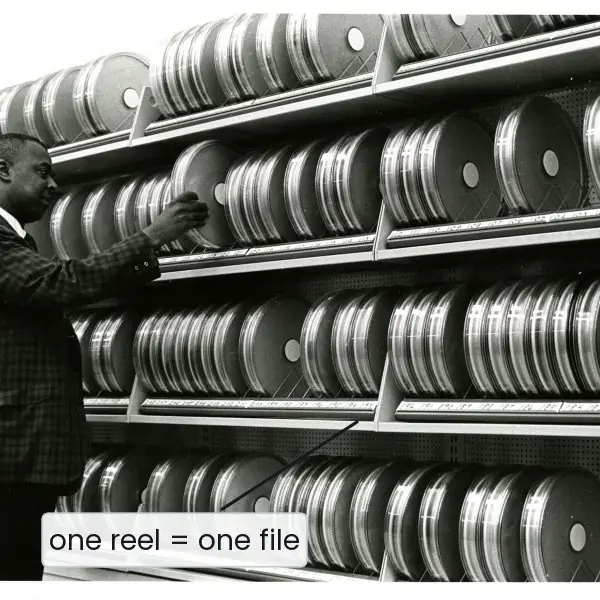
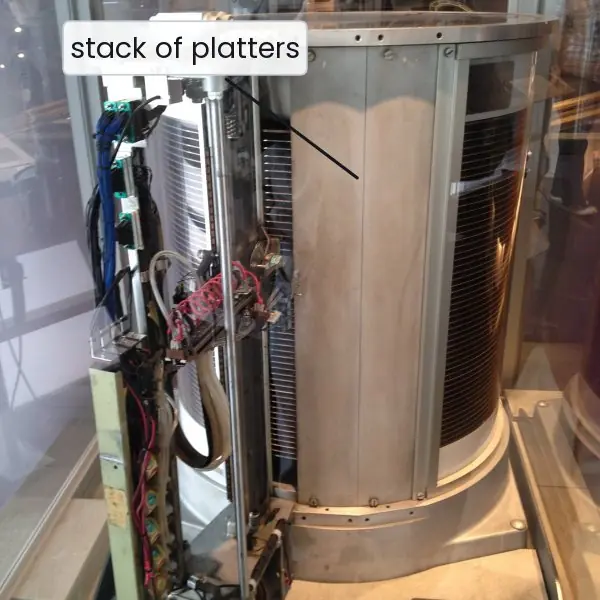
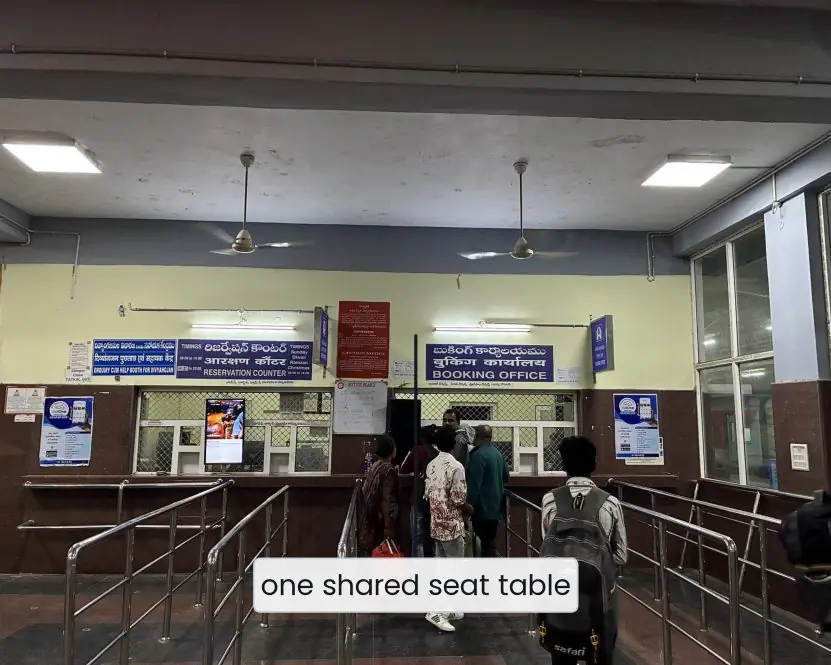
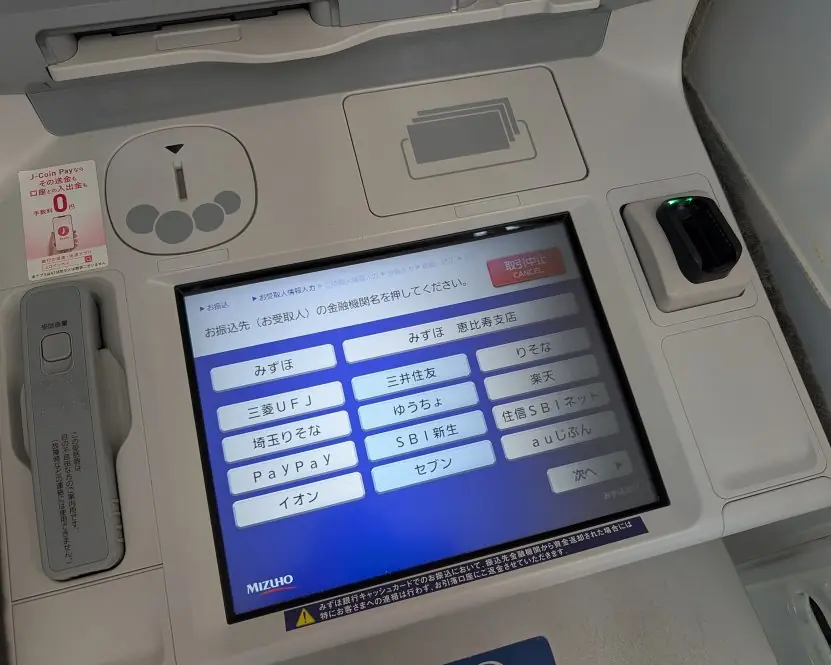
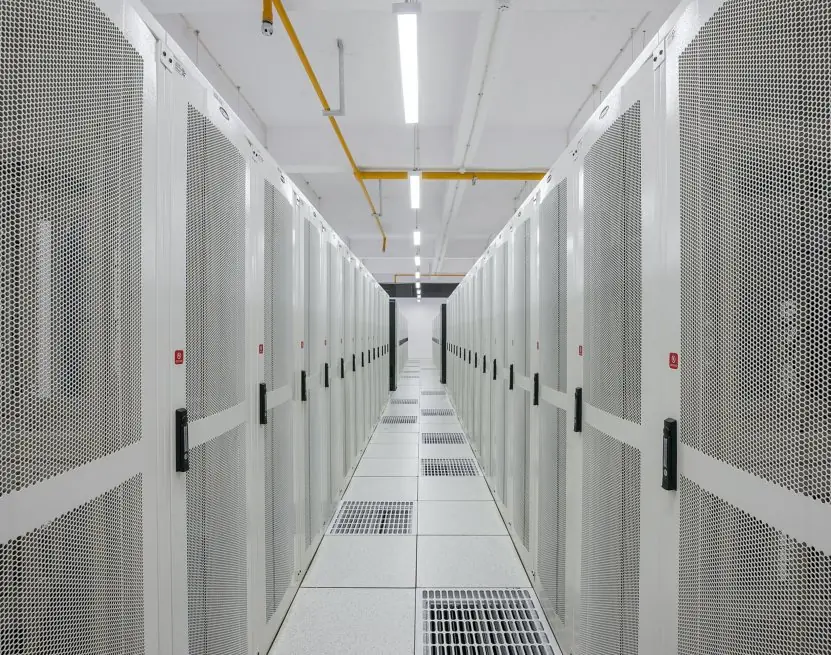
The story of the DBMS is the story of storage getting faster and data getting shared. Plate 1.1 shows three steps of that story, and Plate 1.2 shows two places where an ordinary Nepali student meets a database almost every week.




1.6.1 Eight applications of a DBMS
- Banking and digital payments. A bank stores customers, accounts and every transaction in a DBMS, so a balance is always exact. When you send money with ConnectIPS or Fonepay, the database subtracts from one account and adds to another in a single all-or-nothing transaction. Without a DBMS, a power cut in the middle could lose or duplicate your money.
- Airlines, buses and railways. Reservation systems keep seat tables that hundreds of counters and websites update at the same time. The DBMS locks a seat while one buyer is paying, so two people never receive the same seat. Nepali airlines, long-distance bus counters and online ticket sites all depend on this behaviour.
- Education. A university keeps students, courses, fees, attendance and results in one database. Tribhuvan University and NEB result services, college admission portals and the EMIS records of schools answer thousands of result look-ups in a few seconds. One record per student prevents the old problem of different marks in different offices.
- Government and public services. Citizenship, the national identity card, driving licences, vehicle registration and tax records are database applications. The Nagarik App shows a citizen's documents by reading records that departments keep in databases. Central storage allows one office to verify data held by another without paper letters.
- Telecom and utilities. Nepal Telecom, Ncell and the electricity authority keep call records, SIM registrations, meter readings and bills for millions of customers. A DBMS summarises usage each month and produces the correct bill for each person. It also helps to find faults and detect unusual use.
- Healthcare. Hospitals store patient history, test reports, prescriptions and bed allocation. A doctor in the emergency room can see allergies and past treatment within seconds, which can save a life. Access control keeps a patient's record private from people who have no need to see it.
- Retail and e-commerce. Online shops such as Daraz keep products, stock, orders, payments and delivery status in databases. When two customers try to buy the last item, the DBMS decides which order succeeds. Sales reports and recommendations are built by querying the same data.
- Social media, media and apps. Profiles, posts, friendships, comments and notifications are rows in very large databases. Study apps such as the NEBians app store notes, progress and bookmarks for each learner. The DBMS makes sure that a deleted post disappears everywhere and that each user sees only what they are allowed to see.
Formula and fact sheet
- Data → processed → information. Metadata lives in the data dictionary.
- DBMS goals: reduce redundancy, share data, enforce integrity and security, support transactions, provide data independence.
- Users: DBA, designer, programmer, sophisticated user, naive user.
Chapter summary
- A DBMS manages a database for many users with consistency, security and recovery.
- It replaces the redundancy, isolation and integrity problems of file processing.
- Costs are money, complexity and overhead; benefits grow with data size and number of users.
Practice
- Differentiate data, information and metadata.
- List five drawbacks of the file-processing system and the DBMS feature that fixes each.
- State four merits and three demerits of a DBMS.
- Name five applications of DBMS.
- Explain the roles of a DBA and of an application programmer.
- When would a DBMS not be worth using?
Answers and worked solutions
1. Data: raw facts. Information: processed, meaningful data. Metadata: data about the structure of the data (names, types, constraints), stored in the catalog.
2. Redundancy → controlled redundancy; difficult access → SQL; integrity in code → declared constraints; concurrent anomalies → concurrency control; poor security → authorisation.
3. Merits: less redundancy, integrity, security, backup/recovery. Demerits: cost, complexity, overhead.
4. Banking, railway reservation, university results, e-commerce, hospital records.
5. The DBA manages the physical database, security, backup and performance. The application programmer writes the programs that read and update the database through SQL.
6. A small, single-user, simple-structure task with no concurrency or security needs.
Model answers (5 and 10 marks)
Q1 (5 marks). Explain the disadvantages of the file-processing system and show how a DBMS removes them.
Introduction. In file processing every application keeps its own files in its own format, as in the left half of Figure 1.1. This works for a very small job but becomes difficult as data and users grow.
- Redundancy and inconsistency. The same address is stored in the library, exam and fee files. If only one copy is changed, the files disagree. A DBMS stores the fact once and lets every program share it.
- Difficult access. A new question, such as "list all students with more than 80 marks in two subjects", needs a new program. A DBMS answers it with one SQL query.
- Data isolation. Files have different formats, so combining them is hard. A DBMS uses one data model and one catalog.
- Integrity problems. A rule like "marks must be 0 to 100" is hidden in program code and can be forgotten. A DBMS declares the rule once as a constraint.
- Atomicity and concurrency problems. A crash in the middle of a fund transfer, or two clerks updating one balance together, leaves wrong data. A DBMS provides transactions, logging and locking.
- Security problems. File systems give all-or-nothing access, while a DBMS can allow one user to see only one table or column.
Example. A bank's file system could show a balance reduced but not credited after a power cut; a DBMS would undo the half-finished transfer.
Conclusion. The DBMS replaces scattered files with one controlled, shared, secure and recoverable store, at the cost of money and complexity.
Q2 (5 marks). Define DBMS. Explain its merits and demerits.
Introduction. A database is an organised collection of related data and a Database Management System (DBMS) is the software, such as MySQL, Oracle or PostgreSQL, that creates, stores, protects and queries it (Figure 1.2).
Merits.
- Controlled redundancy: each fact is stored once, which saves space and avoids inconsistency.
- Data sharing: many users and programs use the same data at the same time.
- Integrity: constraints such as primary key and CHECK are enforced centrally.
- Security: the DBA grants each user only the privileges that user needs.
- Backup and recovery: the log lets the system restore a consistent state after a failure.
- Data independence: the physical storage can change without rewriting application programs.
- Faster development: programmers use SQL instead of writing file-handling code.
Demerits.
- Cost: software licences, powerful hardware and trained staff are expensive.
- Complexity: design, tuning and administration need skill.
- Overhead: locking, logging and checking consume time and storage.
- Single point of failure: if the central database stops, every application stops unless it is replicated.
- Conversion cost: moving old file data into a database takes effort.
Conclusion. The merits grow with the size of data and the number of users, so a college or bank should use a DBMS, while a small personal list can stay in a spreadsheet.
Q3 (10 marks). Describe the database system environment. Explain the objectives of a DBMS, the people who work with it and its applications.
Introduction. A database system is the combination of the database, the DBMS software, the hardware, the application programs and the people who use them.
Its purpose is to store the data of an organisation once and let many users share it safely. Figure 1.2 shows how the parts fit together.
Architecture. Users reach the data only through the DBMS. The query processor parses each SQL statement, chooses an efficient plan and executes it.
The storage manager reads and writes disk files, manages buffers and indexes and writes the log. The data dictionary keeps metadata, and the database holds the data itself.
Objectives of a DBMS.
- Reduce redundancy so that one fact is stored in one place (Figure 1.1).
- Give easy access to data through a query language.
- Provide one data model so that data from many sources can be combined.
- Enforce integrity through declared constraints.
- Guarantee atomicity so that a transaction is done completely or not at all.
- Control concurrency so that simultaneous users do not corrupt each other's work.
- Provide security through user accounts and privileges.
- Give data independence so that programs survive changes in storage.
People. The database administrator (DBA) designs the physical database, grants access, tunes performance and manages backup. The database designer chooses the schema. Application programmers write programs that use SQL.
Sophisticated users such as analysts type queries directly, and naive users, such as bank clerks or online shoppers, use forms and apps.
Applications. Banking and ConnectIPS payments, ticket reservation, university results, telecom billing, hospital records, government services such as the Nagarik App, retail sales and social media all run on a DBMS (Section 1.6.1).
| Point | File system | DBMS |
|---|---|---|
| Redundancy | high | controlled |
| Query | new program for each question | SQL |
| Integrity | in program code | declared constraints |
| Concurrency | anomalies | locking and transactions |
| Recovery | manual | log-based, automatic |
| Cost | low | higher |
Conclusion. A DBMS is the heart of any organisation that must keep large, shared, accurate and secure data, and the objectives above explain why it replaced file processing.