Unit 7 · 5 teaching hours · 24 min read
Stored Procedures, DML Triggers and Indexing
What the syllabus asks for 5
- Stored procedures
- Transaction flow in a procedure
- DML triggers
- Indexing: basic concepts
- Seeing the ideas: why indexes, procedures and triggers matter
Business logic can live inside the database: stored procedures are named programs, triggers run automatically on data changes, and indexes make lookups fast.
The syllabus is written around SQL Server/Oracle terms; the examples run on PostgreSQL (PL/pgSQL), and the dialect differences are tabulated.
- Creating, altering, dropping and executing stored procedures; parameters, defaults and output.
- Transaction flow inside procedures.
- Triggers: creation, limitations, multi-row behaviour, disabling.
- Indexing: ordered indices, dense/sparse, clustering, B+ trees, hashing, multiple keys,
CREATE/DROP INDEX.
7.1 Stored procedures
A stored procedure is a named block of SQL and procedural code stored and executed in the server.
Benefits: fewer network round trips, reuse, central business rules, security (grant EXECUTE without table access), and protection against SQL injection (Unit 8) when parameters are used properly.
| Task | PostgreSQL | Oracle (PL/SQL) | SQL Server (T-SQL) |
|---|---|---|---|
| Create | CREATE PROCEDURE p(a INT) LANGUAGE plpgsql AS $$ … $$; |
CREATE OR REPLACE PROCEDURE p(a IN NUMBER) IS BEGIN … END; |
CREATE PROCEDURE p @a INT AS BEGIN … END |
| Alter | CREATE OR REPLACE / ALTER PROCEDURE |
CREATE OR REPLACE |
ALTER PROCEDURE |
| Execute | CALL p(1); |
EXEC p(1); |
EXEC p @a = 1; |
| Drop | DROP PROCEDURE p; |
DROP PROCEDURE p; |
DROP PROCEDURE p; |
| Output parameter | OUT |
OUT |
@x INT OUTPUT |
| Return a value | use a function (RETURNS) |
function with RETURN |
RETURN n (status integer) |
CREATE TABLE account (acc_no INT PRIMARY KEY, holder TEXT, balance NUMERIC(10,2) CHECK (balance >= 0));
INSERT INTO account VALUES (1, 'Sita', 5000), (2, 'Ram', 3000);

CREATE PROCEDURE transfer(src INT, dst INT, amt NUMERIC DEFAULT 100) LANGUAGE plpgsql AS $$
BEGIN
    IF amt <= 0 THEN RAISE EXCEPTION 'amount must be positive'; END IF;
    UPDATE account SET balance = balance - amt WHERE acc_no = src;
    UPDATE account SET balance = balance + amt WHERE acc_no = dst;
END $$;

CALL transfer(1, 2, 500);
CALL transfer(1, 2);
SELECT * FROM account ORDER BY acc_no;
 acc_no | holder | balance
--------+--------+---------
      1 | Sita   | 4400.00
      2 | Ram    | 3600.00
(2 rows)
Calling transfer(1, 2) used the parameter default (100). A procedure body runs inside the caller's transaction: if any statement fails, everything it did is undone.
CALL transfer(2, 1, 100000);
CALL transfer(1, 2, -5);
SELECT * FROM account ORDER BY acc_no;
ERROR:  new row for relation "account" violates check constraint "account_balance_check"
DETAIL:  Failing row contains (2, Ram, -96400.00).
ERROR:  amount must be positive
 acc_no | holder | balance
--------+--------+---------
      1 | Sita   | 4400.00
      2 | Ram    | 3600.00
(2 rows)
The first call tried to overdraw Ram: its first UPDATE (the debit) violated the CHECK, so the call stopped with an error and nothing changed. The second call was rejected by the procedure's own RAISE EXCEPTION.
Had the failure come at the second UPDATE, the debit already applied would have been undone too; a procedure call is all-or-nothing, which is atomicity. Balances are unchanged.
Returning data. A procedure can use OUT parameters; a function returns a value and can be used inside SELECT.
CREATE FUNCTION total_balance() RETURNS NUMERIC LANGUAGE sql AS $$ SELECT sum(balance) FROM account $$;
CREATE PROCEDURE get_balance(IN p_acc INT, OUT p_bal NUMERIC) LANGUAGE plpgsql AS $$
BEGIN SELECT balance INTO p_bal FROM account WHERE acc_no = p_acc; END $$;
SELECT total_balance();
CALL get_balance(1, NULL);
DROP FUNCTION total_balance();
DROP PROCEDURE get_balance(INT, NUMERIC);
 total_balance
---------------
       8000.00
(1 row)

  p_bal
---------
 4400.00
(1 row)
7.2 Transaction flow in a procedure
In T-SQL and PL/SQL a procedure commonly wraps its work as: BEGIN TRANSACTION → statements → on error ROLLBACK, otherwise COMMIT, using TRY … CATCH (SQL Server) or EXCEPTION WHEN OTHERS THEN ROLLBACK (Oracle). SAVEPOINT name marks a point to which ROLLBACK TO name can return without abandoning the whole transaction.
BEGIN;
UPDATE account SET balance = balance - 1000 WHERE acc_no = 1;
SAVEPOINT after_debit;
UPDATE account SET balance = balance + 1000 WHERE acc_no = 99;
ROLLBACK TO after_debit;
UPDATE account SET balance = balance + 1000 WHERE acc_no = 2;
COMMIT;
SELECT * FROM account ORDER BY acc_no;
 acc_no | holder | balance
--------+--------+---------
      1 | Sita   | 3400.00
      2 | Ram    | 4600.00
(2 rows)
The credit to account 99 matched no row, so the script issued ROLLBACK TO after_debit, which discards only the work done after the savepoint (here nothing was changed, but the principle holds); the debit before the savepoint is kept, and the credit goes to account 2 instead. COMMIT then makes the whole transaction permanent.
7.3 DML triggers
A trigger is a procedure the DBMS fires automatically on INSERT, UPDATE or DELETE of a table. Uses: audit trails, enforcing complex rules, maintaining derived data, cascading changes.
Parts: the event, the timing (BEFORE / AFTER, or SQL Server INSTEAD OF), the level (FOR EACH ROW or once per statement), an optional WHEN condition, and the action.
Inside a row trigger OLD and NEW hold the row before and after the change (SQL Server: the deleted and inserted pseudo-tables, which can contain many rows).
CREATE TABLE audit_log (id SERIAL PRIMARY KEY, acc_no INT, old_bal NUMERIC, new_bal NUMERIC);

CREATE FUNCTION log_balance() RETURNS trigger LANGUAGE plpgsql AS $$
BEGIN
    IF NEW.balance <> OLD.balance THEN
        INSERT INTO audit_log (acc_no, old_bal, new_bal) VALUES (OLD.acc_no, OLD.balance, NEW.balance);
    END IF;
    RETURN NEW;
END $$;

CREATE TRIGGER trg_balance AFTER UPDATE ON account FOR EACH ROW EXECUTE FUNCTION log_balance();

UPDATE account SET balance = balance * 1.10;
SELECT acc_no, old_bal, new_bal FROM audit_log ORDER BY id;
 acc_no | old_bal | new_bal
--------+---------+---------
      1 | 3400.00 | 3740.00
      2 | 4600.00 | 5060.00
(2 rows)
One statement updated two rows, so the row-level trigger fired twice: this is the multi-row case. A trigger written as if only one row can change is a classic bug; in SQL Server it must read the whole inserted table with set-based SQL, not a single variable.
A BEFORE trigger can validate or modify NEW, or stop the operation with an error:
CREATE FUNCTION no_big_withdrawal() RETURNS trigger LANGUAGE plpgsql AS $$
BEGIN
    IF OLD.balance - NEW.balance > 2000 THEN RAISE EXCEPTION 'withdrawal over 2000 not allowed'; END IF;
    RETURN NEW;
END $$;
CREATE TRIGGER trg_limit BEFORE UPDATE ON account FOR EACH ROW EXECUTE FUNCTION no_big_withdrawal();
UPDATE account SET balance = balance - 2500 WHERE acc_no = 1;
UPDATE account SET balance = balance - 500 WHERE acc_no = 1;
SELECT acc_no, balance FROM account ORDER BY acc_no;
ERROR:  withdrawal over 2000 not allowed
 acc_no | balance
--------+---------
      1 | 3240.00
      2 | 5060.00
(2 rows)
Limitations and cautions: triggers are invisible to application code and hard to debug; they add cost to every write; chains of triggers can recurse; a trigger cannot commit or roll back by itself (it follows the statement's transaction); order of several triggers on one event may be unspecified; bulk loads often disable them.
Disabling, enabling and dropping:
ALTER TABLE account DISABLE TRIGGER trg_balance;
UPDATE account SET balance = balance + 1 WHERE acc_no = 2;
SELECT count(*) AS log_rows_after_disabled_update FROM audit_log;
ALTER TABLE account ENABLE TRIGGER trg_balance;
DROP TRIGGER trg_limit ON account;
 log_rows_after_disabled_update
--------------------------------
                              3
(1 row)
The count is 3: two rows from the 10% raise and one from the earlier 500 withdrawal; the update made while the trigger was disabled left no log row. (SQL Server: DISABLE TRIGGER name ON table; Oracle: ALTER TRIGGER name DISABLE; MySQL has no disable, only drop.)
7.4 Indexing: basic concepts
An index is an auxiliary structure that maps search-key values to record locations, like a book's index. Without one, WHERE sid = 5000 scans the whole table (O(n)); with a B+ tree index it takes a few block reads (O(\log n)).
The cost: extra disk space and slower INSERT/UPDATE/DELETE because every index must be maintained.
Ordered indices
Entries are kept sorted by search key.
| Kind | Description |
|---|---|
| Primary (clustering) index | the file itself is sorted on the index key; one per table |
| Secondary (non-clustering) index | on a non-ordering field; one entry per record (dense) is required, many allowed |
| Dense index | an index entry for every search-key value |
| Sparse index | entries for only some keys (typically one per block); only possible on a file sorted by that key; smaller, finds a block then scans it |
A sorted file of 100,000 records, 20 records per block = 5,000 blocks; an index entry is much smaller, 200 per block. Dense index: 100,000 entries = 500 index blocks. Sparse (one entry per data block): 5,000 entries = 25 index blocks.
A binary search of the sparse index takes ⌈log₂ 25⌉ = 5 reads, plus 1 data block read = 6 block reads, against about ⌈log₂ 5000⌉ = 13 reads for binary search over the file itself.
A multi-level index (an index on the index) pushes this further; the B+ tree is the balanced form of that idea.
B+ tree and hash indices
- A B+ tree index is a balanced multiway tree: internal nodes hold keys and pointers; all records' pointers are in the linked leaves, so both equality and range queries (
BETWEEN,ORDER BY) are efficient. With a fan-out of about 100, a billion keys fit in height about 5. It is the default index in nearly every DBMS. - A hash index applies a hash function to the key to find a bucket: O(1) for equality only; no range queries or ordering.
- A bitmap index (Oracle, warehouses) stores one bit-vector per distinct value; good for low-cardinality columns such as gender.
Multiple-key access
An index on composite keys (dept_id, city) is sorted by dept_id, then city. It speeds WHERE dept_id = 10 AND city = 'X' and WHERE dept_id = 10 (a prefix), but not WHERE city = 'X' alone.
Put the most frequently tested, most selective column first. Alternatives for multi-attribute queries are separate indices combined by intersecting their record-id lists, grid files and R-trees (spatial data).
Creating and dropping indexes
CREATE TABLE student (sid INT PRIMARY KEY, name TEXT, dept_id INT, city TEXT);
INSERT INTO student SELECT g, 'student' || g, g % 4, 'city' || (g % 7) FROM generate_series(1, 1000) g;
CREATE INDEX idx_student_name ON student (name);
CREATE UNIQUE INDEX idx_student_dc ON student (sid, dept_id);
CREATE INDEX idx_dept_city ON student (dept_id, city);
SELECT indexname FROM pg_indexes WHERE schemaname = current_schema() AND tablename = 'student' ORDER BY indexname;
DROP INDEX idx_student_name;
DROP INDEX idx_student_dc;
SELECT indexname FROM pg_indexes WHERE schemaname = current_schema() AND tablename = 'student' ORDER BY indexname;
    indexname
------------------
 idx_dept_city
 idx_student_dc
 idx_student_name
 student_pkey
(4 rows)

   indexname
---------------
 idx_dept_city
 student_pkey
(2 rows)
The primary key automatically created student_pkey, and UNIQUE constraints create unique indexes. Syntax is the same in Oracle and MySQL (DROP INDEX name ON table in MySQL and SQL Server).
Rules of thumb: index primary and foreign keys and columns used in WHERE, JOIN and ORDER BY; do not index small tables, columns with few distinct values (except bitmap), or columns updated constantly; check with EXPLAIN that the index is used (Unit 8).
7.5 Seeing the ideas: why indexes, procedures and triggers matter
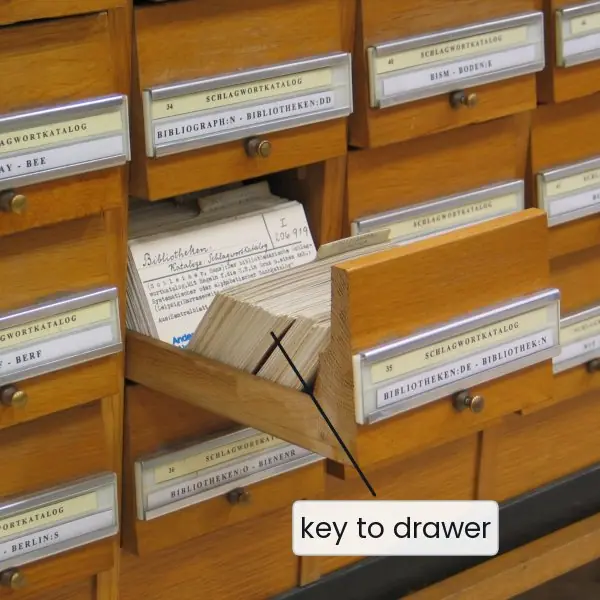
An index works like the subject tabs of a card catalogue or the index at the back of a book: instead of reading every page you jump to the right place.
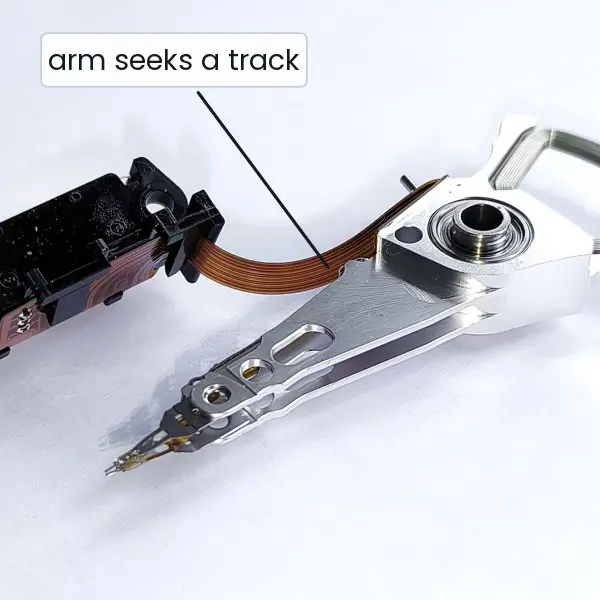
On a disk this saving is very large, because the slowest step is moving the read/write arm to the right track. The measured numbers below come from a real PostgreSQL test with 100,000 student rows.



7.5.1 Eight reasons to use stored procedures, triggers and indexes
- Fewer network round trips. A stored procedure runs next to the data, so one CALL replaces a long conversation of separate statements (Figure 7.4). This matters when the application and the server are far apart, such as a branch office and a head-office server. Pages and apps feel faster as a result.
- One copy of the business rule. A rule like "a transfer cannot be negative" is written once in the procedure and used by the web site, the mobile app and the ATM program. When the rule changes, only the procedure is edited. Programs in different languages can never disagree.
- Better security. Users can be allowed to run the procedure
transferwithout any right to update the account table directly. The procedure checks the rules, and the table stays closed to everything else. This reduces the damage from SQL injection and from careless users. - Automatic audit trails. A trigger records who changed what and when, even if the programmer forgets (Figure 7.3). Banks and government offices need such records to find mistakes and fraud. Because the trigger lives in the database, it cannot be bypassed by a different application.
- Complex integrity rules. Some rules cannot be expressed as a CHECK constraint, such as "a student may not enrol in more than six courses". A trigger can test them with a query and refuse the change. The data stay correct whichever program modifies them.
- Derived data stays current. A trigger can update a stock count or a running total whenever a sale row is inserted. Reports then read the correct total without recalculation. This is valuable in a shop that sells thousands of items a day.
- Much faster searches with indexes. In the measurement of Figure 7.1 an index cut the work from 735 block reads to 3. A search that took seconds on a large table takes a fraction of a millisecond. Primary keys and unique columns get such an index automatically.
- Better sorting, range queries and joins. A B+ tree keeps keys in order, so
ORDER BY,BETWEENand joins on indexed columns avoid sorting and scanning (Figure 7.2). The price is extra disk space and slower writes, so index the columns that are searched often, not every column.

Formula and fact sheet
- Procedures: create, alter, execute (
CALL/EXEC), drop; parameters IN/OUT/default; function returns a value. - Trigger = event + timing + level + action;
OLD/NEW; must handle multi-row statements. - Dense index: entry per record; sparse: entry per block (sorted file only).
- B+ tree: ordered, range-friendly, height ≈ log_fanout n; hash: equality only.
- Composite index (a, b) serves a and (a, b), not b alone.
- Index cost: space + slower writes.
Chapter summary
- Stored procedures package logic server-side with parameters, defaults, outputs and transaction control; savepoints allow partial rollback.
- Triggers react to data changes for audit and validation, with caveats about multi-row events, hidden logic and cost.
- Indexes (primary, secondary, dense, sparse, B+ tree, hash, composite) trade space and write speed for read speed.
Practice
- List the steps and syntax to create, execute, alter and drop a stored procedure in your lab DBMS.
- Write a procedure
raise_marks(cid, n)that adds n marks to every enrolment of a course (cap at 100). - Differentiate a procedure and a function.
- Write a trigger to record deleted students in
student_archive. - Why must a trigger be written for multi-row statements?
- How do you disable and re-enable a trigger?
- Differentiate dense and sparse, primary and secondary indexes.
- A file has 1,000,000 records, 50 per block; index entries fit 500 per block. Compute the dense and sparse index sizes in blocks.
- Which queries can use an index on (dept_id, city)?
Answers and worked solutions
1. PostgreSQL: CREATE PROCEDURE … LANGUAGE plpgsql AS $$ … $$; CALL p(…); CREATE OR REPLACE PROCEDURE …; DROP PROCEDURE p; (Oracle EXEC, SQL Server EXEC/ALTER PROCEDURE).
2. CREATE PROCEDURE raise_marks(p_cid CHAR, n INT) LANGUAGE sql AS $$ UPDATE enrollment SET marks = LEAST(marks + n, 100) WHERE cid = p_cid $$;
3. A procedure performs actions, is invoked with CALL/EXEC, may have OUT parameters; a function returns a value and can appear inside a query.
4. CREATE FUNCTION arch() RETURNS trigger LANGUAGE plpgsql AS $$ BEGIN INSERT INTO student_archive SELECT OLD.*; RETURN OLD; END $$; CREATE TRIGGER t AFTER DELETE ON student FOR EACH ROW EXECUTE FUNCTION arch();
5. One statement can change many rows; code that assumes one row (reads a single variable) silently handles only one of them. Row-level triggers fire per row; SQL Server triggers must process the whole inserted/deleted sets.
6. ALTER TABLE t DISABLE TRIGGER name; / ENABLE TRIGGER name; (Oracle ALTER TRIGGER name DISABLE|ENABLE).
7. Dense: every key has an entry; sparse: one per block. Primary: on the file's sort key (one per table); secondary: on another field, always dense, many allowed.
8. Data blocks = 1,000,000 / 50 = 20,000. Dense: 1,000,000 entries / 500 = 2,000 index blocks. Sparse: 20,000 entries / 500 = 40 blocks.
9. Queries filtering on dept_id, or on dept_id and city; not on city alone.
Model answers (5 and 10 marks)
Q1 (5 marks). What is a stored procedure? Explain its advantages with an example.
Introduction. A stored procedure is a named block of SQL and procedural statements that is stored in the database and executed on the server when called. In PostgreSQL it is created with CREATE PROCEDURE and run with CALL; in Oracle and SQL Server it is run with EXEC.
CREATE PROCEDURE transfer(src INT, dst INT, amt NUMERIC DEFAULT 100) LANGUAGE plpgsql AS $$
BEGIN
    IF amt <= 0 THEN RAISE EXCEPTION 'amount must be positive'; END IF;
    UPDATE account SET balance = balance - amt WHERE acc_no = src;
    UPDATE account SET balance = balance + amt WHERE acc_no = dst;
END $$;
CALL transfer(1, 2, 500);
- Fewer round trips. One CALL replaces several statements (Figure 7.4).
- Reuse. Many programs use the same logic, so it is written and tested once.
- Consistency. The business rule, here the positive amount, lives in one place.
- Atomicity. Both updates run in one transaction, so either both happen or neither does.
- Security. Users can be given the right to run the procedure but not to touch the table.
- Parameters. IN, OUT and default parameters make the procedure flexible: calling
transfer(1, 2)used the default of 100.
Result. After the calls with 500 and with the default 100, Sita had 4,400.00 and Ram 3,600.00.
Conclusion. Stored procedures bring the logic to the data, giving speed, safety and one version of the truth.
Q2 (5 marks). What is a trigger? Explain its types and give an example.
Introduction. A trigger is a procedure that the DBMS runs automatically when a stated event, INSERT, UPDATE or DELETE, happens on a table. It is never called by name.
- Timing.
BEFOREtriggers run before the change and can check or alter the new values.AFTERtriggers run afterwards, often for logging.INSTEAD OFtriggers (on views) replace the action. - Level. A row-level trigger (
FOR EACH ROW) runs once for each affected row, a statement-level trigger once per statement. - Row values. Inside a row trigger,
OLDholds the row before andNEWthe row after the change. - Example. The trigger below writes an audit line whenever a balance changes.
CREATE FUNCTION log_balance() RETURNS trigger LANGUAGE plpgsql AS $$
BEGIN
    IF NEW.balance <> OLD.balance THEN
        INSERT INTO audit_log (acc_no, old_bal, new_bal) VALUES (OLD.acc_no, OLD.balance, NEW.balance);
    END IF;
    RETURN NEW;
END $$;
CREATE TRIGGER trg_balance AFTER UPDATE ON account FOR EACH ROW EXECUTE FUNCTION log_balance();
- Result. The statement
UPDATE account SET balance = balance * 1.10changed two rows, so the trigger ran twice and logged 3,400.00 to 3,740.00 and 4,600.00 to 5,060.00 (Figure 7.3). - Cautions. Triggers are invisible to application programmers, can fire other triggers, and must be written for multi-row statements.
Conclusion. Triggers enforce rules and audit changes automatically, inside the same transaction as the change.
Q3 (10 marks). What is indexing? Explain ordered indices (dense and sparse) and the B+ tree index. State the advantages and disadvantages of indexing.
Introduction. An index is an auxiliary structure that maps search-key values to the location of records, like the index of a book.
Without an index a query such as WHERE sid = 77777 must scan the whole table; with one it reads only a few blocks. In a real test on 100,000 rows the scan touched 735 blocks and the indexed lookup only 3 (Figure 7.1).
Ordered indices. Entries are kept sorted by the search key.
- Primary (clustering) index. The data file itself is sorted on the index key; a table can have only one.
- Secondary (non-clustering) index. The index is on a field that does not order the file; it must have an entry for every record, and a table can have many.
- Dense index. One entry for every search-key value. For 100,000 records, with 200 entries per index block, this needs 500 index blocks.
- Sparse index. Entries for only some keys, typically one per data block, and only on a file sorted by that key. With 20 records per block there are 5,000 data blocks, so 5,000 entries fit in 25 index blocks; a binary search takes about 5 reads, and one more reads the data block.
B+ tree index. It is a balanced multiway tree: internal nodes hold separator keys, and all pointers to records are in the leaves, which are chained in key order (Figure 7.2). Searching for 25 goes root, then leaf.
Range queries follow the leaf chain. All leaves are at the same depth, and with a fan-out of about 100 a billion keys need only a height of about 5.
The tree stays balanced as rows are inserted and deleted by splitting and merging nodes.
Hash index. A hash function maps the key to a bucket, giving one lookup for equality tests, but it cannot support ranges or ordering.
| Point | Advantage | Disadvantage |
|---|---|---|
| Reads | far fewer block reads | none |
| Sorting and range queries | B+ tree gives ordered access | hash index does not |
| Writes | none | every INSERT, UPDATE and DELETE must also update the index |
| Space | none | in the test, 2.2 MB of index for a 5.7 MB table |
Creating and dropping. CREATE INDEX idx_student_sid ON student(sid); and DROP INDEX idx_student_sid;. A composite index on (dept_id, city) helps queries on dept_id alone but not on city alone.
Conclusion. Index the columns used often in WHERE, JOIN and ORDER BY, and do not index every column, because the speed gained on reads is paid for in space and slower writes.