Unit 2 · 8 teaching hours · 22 min read
Software Development Process Models
What the syllabus asks for 10
- Software processes
- The waterfall model
- Evolutionary development
- Component-based software engineering (CBSE)
- Process iteration: incremental delivery and spiral
- Rapid software development
- The Rational Unified Process (RUP)
- Computer-aided software engineering (CASE)
- Choosing a model
- Pictures of the process models, and the people behind them
Building software without a process is like constructing a house without a plan: it may stand, but nobody can say when, or at what cost. A software process is the set of activities that leads to a software product.
This unit covers the activities common to all processes and the main process models (waterfall, evolutionary, component-based, incremental, spiral, agile, extreme programming, RAD, prototyping, RUP), and the CASE tools that support them.
- The four fundamental activities of any process.
- Waterfall, evolutionary development, CBSE, incremental delivery, spiral.
- Rapid development: agile methods, XP, RAD, prototyping; the Rational Unified Process.
- CASE tools: overview and classification.
2.1 Software processes
Every process includes four fundamental activities:
- Software specification: define what the system should do and its constraints.
- Design and implementation: produce the software that meets the specification.
- Validation (verification and validation, V&V): check that it does what the customer wants.
- Evolution: change it as requirements change.
A process model is an abstract description of a process from one perspective. Models are plan-driven (all activities planned in advance, progress measured against the plan) or agile (planning is incremental and continual).
Real processes mix both; there is no single "right" process.
2.2 The waterfall model
The phases run in sequence, each producing documents that are signed off before the next starts: requirements definition → system and software design → implementation and unit testing → integration and system testing → operation and maintenance.
| Strengths | Weaknesses |
|---|---|
| simple, easy to manage; clear milestones and documents | inflexible: partitioning into distinct stages makes changes costly |
| works for well-understood, stable requirements | the customer sees the software only at the end |
| suits large projects built at several sites and safety-critical systems | a requirement error discovered during testing is very expensive |
The waterfall model reflects hardware engineering practice and is suited to systems where requirements are understood completely in advance (embedded control software, large engineering systems).
2.3 Evolutionary development
Interleave specification, development and validation. An initial implementation is exposed to user comment and refined through many versions until adequate. Two forms:
- Exploratory development: work with customers to find their real requirements, starting with the best-understood ones.
- Throw-away prototyping: build a prototype of the poorly understood parts, learn from it, discard it, then build the real system.
Problems: the process is not visible (no documents to measure progress), systems are often poorly structured through continual change, and special skills (rapid prototyping tools) may be needed. Suitable for small and medium interactive systems of short lifetime.
2.4 Component-based software engineering (CBSE)
Assemble the system from existing, reusable components (COTS products, libraries, web services) rather than writing all code.
Stages: component analysis (find candidates), requirements modification (adapt to what components offer), system design with reuse, development and integration (glue code).
- Advantages: lower cost, faster delivery, reduced risk, proven components.
- Disadvantages: requirements compromises, loss of control over component evolution, integration problems (mismatches), dependence on vendors.
CBSE is the dominant approach today for business systems: assembling frameworks, libraries and cloud services.
2.5 Process iteration: incremental delivery and spiral
Requirements always change, so processes must allow rework.
Incremental delivery
Break the system into increments; each delivers part of the functionality. Customers prioritise: the most important services go first. Once development of an increment starts, its requirements are frozen, but those for later increments can change.
- Advantages: customers get value early, early increments act as prototypes, lower risk of total failure, highest-priority services are tested most.
- Problems: it is hard to identify common facilities needed by all increments; the specification is developed along with the software, which conflicts with contracts that require a full specification.
Boehm's spiral model
The process is a spiral; each loop is a phase (feasibility, requirements, design...).
Each loop is divided into four sectors: objective setting, risk assessment and reduction (the distinguishing feature), development and validation, and planning the next loop.
Risks are explicitly considered and resolved, e.g. by prototyping. The model is risk-driven: it can be waterfall-like or evolutionary depending on risk.
| Strengths | Weaknesses |
|---|---|
| explicit risk management; good for large, high-risk projects | needs risk-assessment expertise |
| flexible; accommodates change | costly; hard to fit to fixed-price contracts |
| prototypes at every stage | no firm milestones; complex to administer |
2.6 Rapid software development
Business needs change quickly, so software must be delivered quickly, even at the cost of some quality. Three families: agile methods, RAD, and prototyping.
Agile methods
The Agile Manifesto (2001) values individuals and interactions over processes and tools, working software over comprehensive documentation, customer collaboration over contract negotiation, and responding to change over following a plan.
Principles: customer involvement, incremental delivery, people not process, embrace change, maintain simplicity.
Scrum (the most popular framework): a product backlog of requirements; sprints of 2 to 4 weeks; roles product owner, Scrum Master, team; ceremonies sprint planning, daily stand-up (15 minutes), sprint review, retrospective; artefacts sprint backlog, burn-down chart, increment.
Problems of agile methods: hard to keep customers engaged; team members may not suit intense involvement; prioritising changes is hard with many stakeholders; maintaining simplicity needs extra work; contracts may not fit; documentation is thin for long-lived systems.
Suited to small and medium product development with committed customers.
Extreme programming (XP)
XP takes good practices to the extreme, with very short iterations (1 to 3 weeks), as many releases as possible. Key practices:
| Practice | Idea |
|---|---|
| Planning game | customer writes user stories on cards; the team estimates; customers choose stories for the next release |
| Small releases | minimal useful system first; frequent increments |
| Simple design | enough to meet current requirements, no more |
| Test-first development | write the automated test before the code; all tests must pass |
| Refactoring | continuously improve structure without changing behaviour |
| Pair programming | two programmers at one screen; continuous review, shared knowledge |
| Collective ownership | anyone may change any code |
| Continuous integration | build and test after every task |
| Sustainable pace | no long overtime |
| On-site customer | a customer representative is part of the team |
Rapid application development (RAD)
RAD (James Martin) is built on time-boxing (a fixed 60 to 90 days) with a small team: business modelling, data modelling, process modelling, application generation (4GL tools, code generators, component reuse), and testing and turnover (many components pre-tested).
Strengths: very fast delivery, early user feedback. Weaknesses: needs strong, committed teams and users; not for systems that need high performance or are highly technical with high risk; modularity is required.
Software prototyping
A prototype is an initial version used to demonstrate concepts and try design options. Uses: requirements elicitation and validation (users see what they asked for), design exploration (UI), testing feasibility.
A throw-away prototype is discarded; an evolutionary one becomes the product. Prototypes need not have the full non-functional performance; the risk is that management wants to ship the prototype.
Rapid prototyping tools: scripting languages, 4GLs, UI builders, Figma-style tools.
2.7 The Rational Unified Process (RUP)
RUP is a hybrid iterative process model drawn from the UML. It is described from three perspectives: dynamic (phases), static (workflows) and practice. Four phases:
| Phase | Goal |
|---|---|
| Inception | establish the business case, scope, key risks (end: lifecycle objectives milestone) |
| Elaboration | develop understanding of the problem domain, architecture framework, project plan, identify key risks |
| Construction | system design, programming and testing; parts developed in parallel |
| Transition | move to the user community; beta testing, training |
Phases are not the same as the technical workflows (business modelling, requirements, analysis and design, implementation, test, deployment, configuration management, project management, environment) which run through all phases with different intensity.
Good practices of RUP: develop software iteratively, manage requirements, use component-based architectures, model visually (UML), verify quality, control changes.
2.8 Computer-aided software engineering (CASE)
CASE tools are software that supports process activities such as analysis, design, coding, testing, and project management.
| Classification | Meaning | Examples |
|---|---|---|
| Upper-CASE | supports early activities: requirements and design | UML modellers, requirements trackers |
| Lower-CASE | supports implementation, testing, maintenance | IDEs, debuggers, test tools, compilers |
| Integrated CASE (I-CASE) | covers the full life cycle | Rational Rose, Enterprise Architect |
| Tools | support a single task | a diagram editor, a compiler |
| Workbenches | support a phase or related activities | analysis workbench, testing workbench |
| Environments | support a large part of the process | an IDE with version control and build |
By functionality: planning tools (Gantt, PERT), editing tools, change and version management (Git), prototyping, language-processing (compilers, static analysers), program analysis (profilers), testing (JUnit, Selenium), documentation and re-engineering tools.
Benefits: automation, consistency checking, faster change handling, better documentation. Limits: tools do not replace thinking; productivity gains are typically 10 to 30 %, much less than claimed in the 1980s.
2.9 Choosing a model
| Situation | Suggested model |
|---|---|
| requirements well understood and stable, regulated or safety-critical | waterfall (with V&V) |
| requirements unclear, interactive system | evolutionary / prototyping |
| high risk, large project | spiral or RUP |
| many ready-made parts available | CBSE |
| fast change, committed customer, small team | agile / XP / Scrum |
| short fixed deadline, modular system | RAD |
| need early partial delivery | incremental |
2.10 Pictures of the process models, and the people behind them
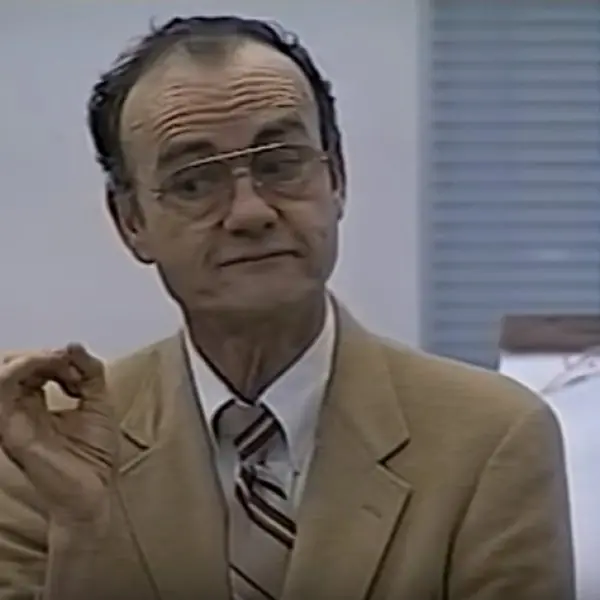
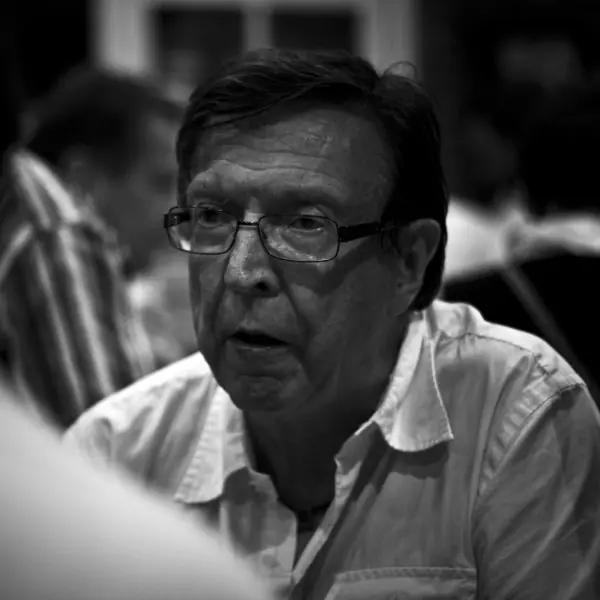
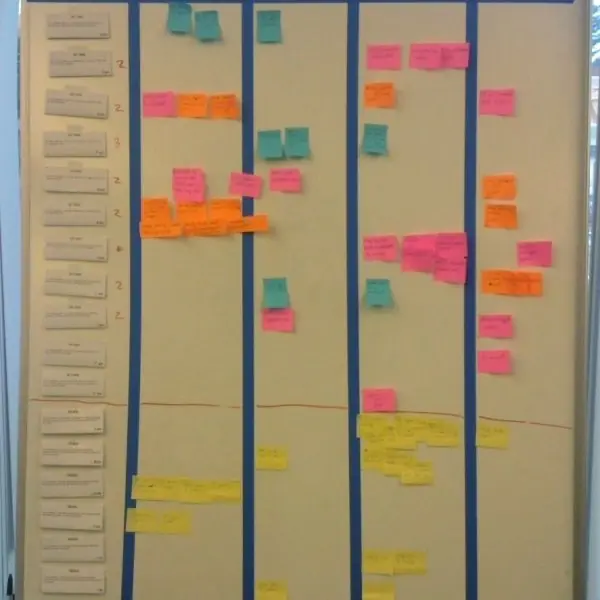
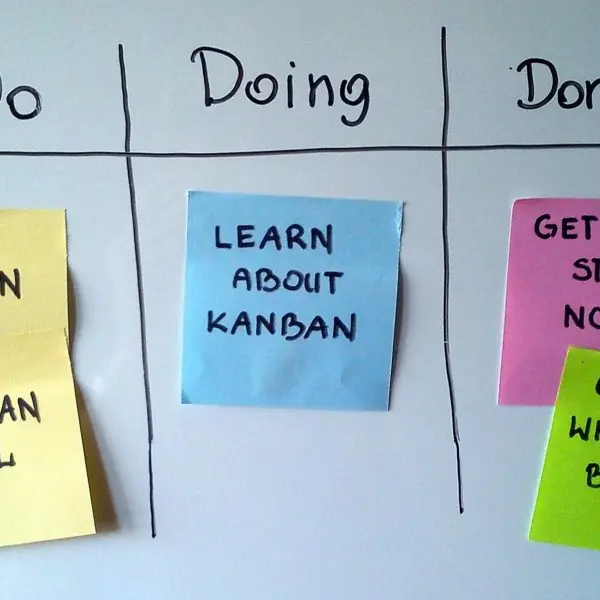
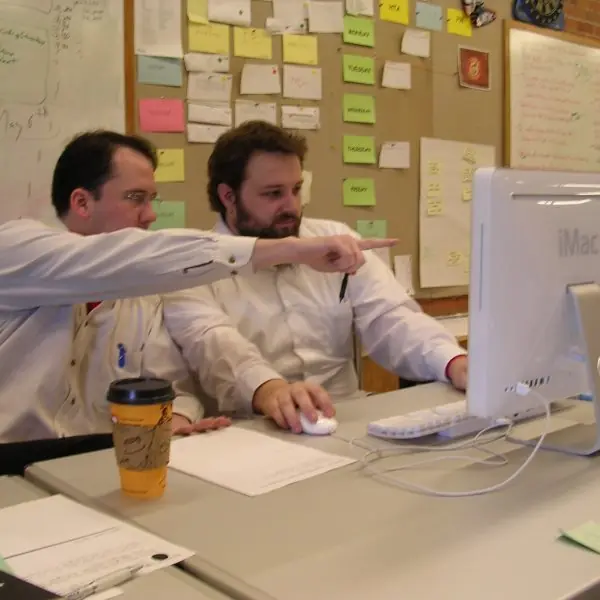
The process models of this unit were each proposed by a person who had watched real projects struggle. Plate 2.1 shows three of them, Plate 2.2 shows agile working in practice, and Figures 2.1 to 2.5 draw the models so that they can be reproduced in an examination.



2.10.1 Eight advantages of agile methods
- Early and frequent delivery. The team releases a working increment every one to four weeks, as Figure 2.3 shows. A Nepali college can start using the admission module of a new management system while the examination module is still being built. Users therefore see value in weeks, not after a year.
- Welcomes changing requirements. Agile teams expect that the client will change its mind and plan for it. When a rule from the University changes the format of a result sheet, the change goes into the next sprint instead of breaking a fixed plan. This is valuable where regulations change often.
- Close customer collaboration. The customer or product owner is part of the team, answering questions every day. This avoids the long gap between asking and receiving that causes misunderstandings in a document-driven process. A bank's product owner can correct a wrong screen the same week.
- Working software is the measure of progress. A demonstration at the end of each sprint shows what really works, which is more honest than a report that says "90 per cent complete". Managers can see problems early, while they are still cheap to fix. It also builds the client's trust.
- Better quality through technical practices. Extreme Programming adds test-first development, continuous integration, pair programming and refactoring. Faults are found within minutes of being created, as Plate 2.2 illustrates. Fewer faults reach the testing phase, where Figure 1.1 showed that they cost far more.
- Motivated, self-organising teams. The team chooses how much it can finish in a sprint and decides how to do it. People who commit to their own plan usually work harder to keep it. Small startups building wallet or delivery apps in Kathmandu often work this way.
- Risk is reduced continuously. Each sprint exposes technical and business problems early, and a failing idea can be dropped after a few weeks. The worst loss is one sprint of work, not the whole budget. This makes agile suitable for new products with uncertain demand.
- Continuous improvement. The retrospective at the end of every sprint asks what went well and what to change. Small improvements add up over many sprints, so productivity and quality rise over time. The team also learns to estimate better, because it can compare plans with actual results.
Formula and fact sheet
- Four activities: specification, design and implementation, validation, evolution.
- Waterfall: sequential, document-driven. Spiral: four sectors, risk-driven. Incremental: prioritised increments.
- XP: planning game, small releases, test-first, refactoring, pair programming, continuous integration.
- RAD: time-box 60 to 90 days. RUP phases: inception, elaboration, construction, transition.
- CASE: upper, lower, integrated; tools, workbenches, environments.
Chapter summary
- All software processes contain specification, development, validation and evolution.
- Plan-driven models (waterfall) suit stable requirements; iterative models (evolutionary, incremental, spiral, RUP) accommodate change; agile methods (Scrum, XP) and RAD give speed at the price of documentation.
- CBSE builds from existing components; prototyping reduces requirement risk.
- CASE tools support all phases but do not replace sound engineering.
Practice
- Describe the four fundamental activities of a software process.
- Explain the waterfall model. Give two strengths and two weaknesses.
- Compare exploratory development and throw-away prototyping.
- What is CBSE? What are its advantages and disadvantages?
- Explain incremental delivery and the spiral model; which is risk-driven?
- List the values of the Agile Manifesto and describe Scrum's sprint cycle.
- Describe five practices of extreme programming.
- What is RAD? When is it unsuitable?
- Name and describe the four phases of the Rational Unified Process.
- Classify CASE tools with examples.
- A client wants a banking core that must be certified against a fixed written specification. Which model would you recommend and why?
Answers and worked solutions
1. Specification (what the system must do), design and implementation (building it), validation (checking it meets the customer's needs), evolution (changing it as needs change).
2. Sequential phases from requirements to maintenance, each signed off before the next. Strengths: simple to manage, clear documents/milestones. Weaknesses: inflexible to change, working software appears late.
3. Exploratory development starts with well-understood requirements and evolves the real product with the customer. Throw-away prototyping explores poorly understood requirements with a prototype that is discarded before the real system is built properly.
4. Building from reusable components. Advantages: cost, speed and risk reduction. Disadvantages: compromised requirements, no control over component evolution, integration mismatches.
5. Incremental delivery gives the system in prioritised increments, each usable. The spiral model loops through objective setting, risk assessment, development and planning; it is the risk-driven one.
6. Values: individuals and interactions, working software, customer collaboration, responding to change (over processes, documentation, contracts, plans). Scrum: product backlog → sprint planning → 2–4 week sprint with daily stand-ups → review → retrospective → next sprint.
7. Any five of: planning game, small releases, simple design, test-first development, refactoring, pair programming, collective ownership, continuous integration, sustainable pace, on-site customer.
8. Rapid application development: time-boxed (60–90 days) construction with a small team, 4GL tools and reuse. Unsuitable for non-modular systems, high-performance or high-technical-risk systems, or when users and developers cannot commit.
9. Inception (business case and scope), elaboration (architecture and risks), construction (design, code, test), transition (deployment to users, beta testing, training).
10. Upper-CASE (requirements/design: UML modellers), lower-CASE (coding/testing: IDEs, test tools), integrated CASE (whole life cycle). Also tools (single task), workbenches (a phase), environments (broad support).
11. Waterfall (or a V-model) with formal V&V: the specification is fixed and must be traced to tests and certification, which favours document-driven, sequential control; incremental delivery could be layered on top for lower risk, but documents come first.
Model answers: medium (5 marks) and long (10 marks) questions
Q1 (5 marks). Explain Boehm's spiral model with a diagram. State its advantages and limitations.
Introduction. The spiral model (Boehm, 1986) is a risk-driven, iterative process in which the project repeats four activities in a loop, and each loop produces a more complete version of the system (Figure 2.2).
- Quadrant 1: set objectives. Decide the goals, constraints and alternatives for this loop, for example "support online fee payment within the budget".
- Quadrant 2: assess and reduce risks. List the risks, rank them and reduce the biggest ones by building a prototype, a simulation or a benchmark. If a risk cannot be reduced, the project can stop here at small cost.
- Quadrant 3: develop and validate. Build and test the product of this loop, which may be a concept, requirements, design or code, and choose a waterfall, prototype or incremental approach inside the loop.
- Quadrant 4: plan the next loop. Review results with the customer and plan the next turn of the spiral.
- Advantages and limitations. The model handles uncertainty and large, risky systems well, and risk is explicit. However, it needs real risk-analysis skill, adds management overhead and is difficult to fit into a fixed-price contract.
Conclusion. The spiral model is best for large, high-risk projects with changing requirements; it is too heavy for small, well-understood ones.
Q2 (5 marks). Describe Extreme Programming (XP). List its main practices and say when XP is suitable.
Introduction. Extreme Programming, proposed by Kent Beck, is an agile method that takes good practices (review, testing, integration) to an extreme level by doing them continuously.
- Planning game and user stories. The customer writes short stories; the team estimates them and the customer chooses the next release.
- Small releases. The system is released every few weeks, each release adding a few stories (Figure 2.3).
- Test-first development. The programmer writes an automated test before the code and keeps all tests passing.
- Pair programming. Two programmers share one computer (Plate 2.2c), so code is reviewed as it is written.
- Continuous integration and refactoring. Code is merged and tested many times a day, and its structure is improved without changing behaviour.
- Collective ownership, simple design, sustainable pace. Anyone may change any code, the simplest design that works is used, and overtime is avoided.
When suitable. XP suits small teams, changing requirements and a customer who is available; it is weak for large distributed teams or fixed-contract work.
Q3 (10 marks). Explain the waterfall model in detail. Discuss its advantages and limitations, and compare it with the incremental and spiral models.
Introduction. The waterfall (linear sequential) model is the oldest software process. It organises the work into phases that follow each other in order, and each phase must be completed and approved before the next starts (Figure 2.1).
The name was applied later to the diagram in Winston Royce's 1970 paper, although Royce himself recommended iteration.
Phases. (1) Requirements analysis and definition: the services, constraints and goals are established with users and written as a software requirements specification (SRS). (2)
System and software design the requirements are turned into an architecture and detailed design. (3)
Implementation and unit testing the design is coded as programs, each unit tested alone. (4)
Integration and system testing units are combined and the whole system is tested against the SRS and delivered. (5)
Operation and maintenance the system is used, and faults and changes are handled.
Advantages.
- Simple to understand and manage, and every phase has a clear deliverable.
- Progress is easy to measure against documents and milestones.
- Works well when requirements are stable and well understood.
- Documentation is produced as a by-product, which helps maintenance.
- Suits fixed-price contracts, because scope and cost are agreed early.
Limitations.
- Requirements must be complete at the start, but users often cannot state them fully.
- A working version appears only near the end, so a misunderstanding is discovered late (Figure 1.1: later faults cost more).
- Changes are expensive, because the model has no planned way back.
- Heavy documentation can slow small projects.
| Aspect | Waterfall | Incremental | Spiral |
|---|---|---|---|
| Structure | one pass | repeated increments | repeated risk-driven loops |
| First working release | at the end | after increment 1 (week 4 in Figure 2.3) | after a few loops |
| Requirement change | difficult | possible between increments | expected |
| Risk handling | late | moderate | explicit in every loop |
| Best for | stable, small or well-known systems | most business systems | large, risky systems |
Conclusion. Waterfall is suitable when requirements are fixed, as in a payroll rule set or an embedded controller; when they change or the risk is high, incremental, spiral or agile models (Figure 2.5) are the better choice.
Q4 (10 marks). Compare agile and plan-driven development. Explain the agile manifesto, Scrum, and say how you would choose a process for a college result-processing system.
Introduction. Plan-driven processes (waterfall, V-model) define all activities in advance and measure progress against the plan; agile processes work in short iterations and respond to change.
In 2001 seventeen practitioners met at Snowbird, Utah and published the Agile Manifesto.
Manifesto values. Individuals and interactions over processes and tools; working software over comprehensive documentation; customer collaboration over contract negotiation; responding to change over following a plan.
The right-hand items still matter, but the left-hand items matter more.
Scrum. A team of about 5 to 9 people with a product owner and a scrum master works in sprints of 1 to 4 weeks (Figure 2.4). The backlog is ranked, the team commits to a sprint backlog, meets daily, demonstrates at the review and improves at the retrospective.
| Aspect | Plan-driven | Agile |
|---|---|---|
| Planning | complete, up front | continuous, per iteration |
| Requirements | frozen early | expected to change |
| Documentation | heavy | just enough |
| Customer role | at start and end | in the team every day |
| Delivery | one release | frequent increments |
| Suits | safety-critical, fixed contract | changing business needs |
Choice for the result system. The rules (grading, re-totalling, back papers) are fairly well known, but they change when the University issues a notice, and users (examination staff) are available.
I would use an agile incremental process: sprint 1 for student and subject records, sprint 2 for mark entry, sprint 3 for result calculation, sprint 4 for printing and reports; the results of sprint 1 are demonstrated to the staff after two weeks.
A short up-front plan fixes the grading rules, and automated tests protect the calculation, which must never be wrong.
Conclusion. Neither style is always better; the choice depends on stability of requirements, risk, customer availability and contract type, and many real projects combine a light plan with agile iterations.