Unit 6 · 8 teaching hours · 15 min read
Editing, Professional Communication and Ethics
What the syllabus asks for 6
- Levels of editing
- A concision edit, executed
- Professional email and messages
- Reports, minutes, CVs and cover letters
- Ethics in technical communication
- Seeing the ideas: the four edits, the handwritten letter and the first meeting
The best documents are rarely first drafts. They are edited: shortened, made consistent, corrected and checked, then tested on a reader.
This final unit covers editing and proofreading with a worked example in which a scripted set of replacements cuts a wordy paragraph and the saving is counted by program, then the everyday professional documents of a computing career (emails, reports, meeting minutes, CVs and cover letters), and the ethics of technical communication: honesty, credit, confidentiality and responsibility to the reader.
- Levels of editing and a proofreading checklist; editing marks and tools.
- A worked, scripted concision edit with word counts.
- Professional documents: email, formal report, minutes, CV and cover letter, with models.
- Ethics: honesty in reporting, credit and confidentiality, accessibility and inclusive language.
6.1 Levels of editing
| Level | Looks at | Questions |
|---|---|---|
| Substantive (developmental) | Content and structure | Is the purpose met? Is anything missing, redundant or in the wrong order? |
| Copy editing | Sentences and words | Clear, concise, correct, consistent? Grammar, usage, terminology |
| Proofreading | Surface of the final text | Typos, punctuation, numbering, cross-references, formatting, page breaks |
| Technical editing | Accuracy | Are the facts, numbers, commands and diagrams right? Run the code |
Work from the large to the small: there is no point correcting the commas in a paragraph that will be deleted.
Proofreading techniques: let the text rest for a day; read it aloud; read backward (sentence by sentence) to catch spelling; use a ruler or cursor line; check every number against its source and every cross-reference against its target; check headings, table and figure numbers and the table of contents; run the spell-checker and read (it will not catch "form" for "from"); have someone else read it.
Tools: track changes and comments, style linters (Vale, write-good), grammar checkers, link checkers, and the readability measures of Unit 2; and a personal checklist of your usual errors.
6.2 A concision edit, executed
Wordy writing hides the message. The editing below applies a small, ordered list of replacements, the kind of mechanical clean-up that comes first, to a paragraph and counts the words saved.
The list: In order to → To; , it is important to note that → ,; has the ability to → can; a large number of → many; Due to the fact that → Because; at this point in time → now.
Before (44 words):
In order to proceed with the installation, it is important to note that the user has the ability to select a large number of options. Due to the fact that the file is large, the download will take place at this point in time.
After (22 words):
To proceed with the installation, the user can select many options. Because the file is large, the download will take place now.
The edit removes 22 words, a 50.0% reduction, with no loss of meaning.
Mechanical replacement is only the first pass: a human editor would also notice that "the download will take place now" can become "the download will start now", and would check the sentence against the facts.
Always re-read automated edits; context decides whether a replacement is right (for example in order to is occasionally needed for emphasis).
6.3 Professional email and messages
Emails are the most common technical documents.
Structure: a subject line that tells the reader the topic and the action ("Approval needed by Fri 20 Jestha: lab network upgrade quote"); a greeting ("Dear Mr Sharma," or "Hello Team,"); a first line with the main point or request; context in short paragraphs or bullets; a clear next step with owner and date; a closing ("Regards," or "Thank you,") and signature with role and contact.
Tone: polite, direct and neutral; avoid ALL CAPS, sarcasm and blame; do not write angry emails (draft and wait).
Etiquette: reply to the sender (use "reply all" only when everyone needs it), keep attachments small and named clearly (Quote_Network_Upgrade_v2.pdf), summarise long threads, and re-read before sending, especially the recipients.
In chat tools, put the whole request in one message with the necessary context so the person can answer without a follow-up.
| Weak | Better |
|---|---|
| Subject: "Query" | Subject: "Question: can the server room be booked on 12 Asar?" |
| "Kindly do the needful." | "Please send the signed form to accounts@... by Friday 17:00." |
| "Sorry for the late reply, I was very busy." | "Thank you for your patience. Here are the answers to your three questions: …" |
| "Attached is the file." (no description) | "Attached: the draft SRS (v0.3). Please review sections 3 and 4 by Wednesday." |
6.4 Reports, minutes, CVs and cover letters
Formal reports (lab, feasibility, progress, final-year project) follow a standard structure: title page; abstract or executive summary; table of contents; introduction (purpose, scope); body (method, findings, discussion); conclusions and recommendations; references; appendices.
A progress report states what was planned, done, delayed and next, with risks.
A feasibility report compares options against criteria (technical, economic, operational, schedule) with a recommendation (Unit 7 of MIS and e-Business gives the financial measures).
Meeting minutes record decisions, not conversation: date, time, place, attendees and apologies; agenda items each with discussion summary, decision, action (who, what, by when); next meeting. Circulate within 24–48 hours; track actions in the next meeting.
CV (résumé). One to two pages, reverse-chronological, with: name and contact (professional email, phone, LinkedIn or portfolio/GitHub link); a two-line profile; education (degree, university, year, relevant coursework or project); projects (what you built, technologies, and a measurable result: "Built a library system used by 400 students; reduced issue time from 3 minutes to 40 seconds"); skills (grouped, honestly rated); experience, internships, certifications; references on request.
Use action verbs (designed, implemented, reduced), numbers, consistent formatting and no photo unless required locally; check every claim, as it will be tested in the interview.
A cover letter addresses the particular job: one page, three or four paragraphs (the position and why you; evidence of relevant skills with an example; interest in the organisation; a closing and call to action), tailored, in specific language, free of cliché and errors.
6.5 Ethics in technical communication
Technical writers and engineers hold readers' trust, and carelessness or dishonesty can harm people. Principles (compare the ACM and IEEE codes in Society and Technology):
- Honesty and accuracy: report results as they are, including negative or inconvenient ones; do not omit limitations or select data to fit a conclusion; state uncertainty ("the 95% interval is 4.0–4.6 minutes"); do not exaggerate in marketing copy.
- Credit and originality: cite sources, acknowledge contributors, respect licences (Unit 4); list authors honestly (those who contributed substantially, in an agreed order).
- Confidentiality and privacy: do not disclose client or personal data, remove identifying information from examples and screenshots, check permissions before sharing logs or datasets; follow the law (Individual Privacy Act, Unit 4 of Society and Technology).
- Responsibility to the reader and the public: give clear warnings for hazards and security risks; do not hide a known defect; when instructions can cause harm, test them.
- Accessibility and inclusion: write for readers with disabilities and limited English, use gender-neutral and respectful language, avoid stereotypes in examples.
- Professional conduct: if told to alter a report to hide a problem, refuse, document, and escalate.
A short ethical test for a questionable communication: Is it true? Is it complete enough to avoid misleading? Does it credit others? Would I be comfortable if the affected people read it? Does it comply with the law and with my organisation's policy?
6.6 Seeing the ideas: the four edits, the handwritten letter and the first meeting
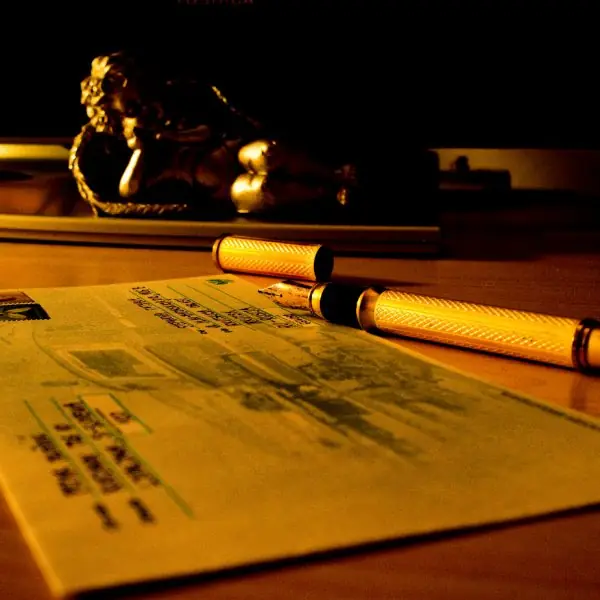




6.6.1 Eight habits of professional communicators
- Write a clear subject line. The subject should tell the reader the topic and the action, such as "Approval needed by Friday: lab server purchase". A reader decides from this line whether to open the message now. Vague lines like "Hello" or "Urgent" are ignored or distrusted.
- Open with the point. The first sentence says why you are writing, and details follow. A busy principal or manager may read only two lines. Put the request, the date and the number first.
- Keep a polite, direct tone. Replace "Kindly do the needful" with "Please send the signed form by Friday". Greet by name and thank the reader when it is natural. Courtesy and clarity together get better answers than long formal phrases.
- Edit in separate passes. First check structure, then sentences, then facts, then the surface. Wait a day if you can, and read aloud. A single quick read finds only a few of the mistakes.
- Record meetings in minutes. Minutes list date, attendees, decisions, actions, owners and deadlines. Send them within 24 hours so that an agreement is not lost. In a college committee they protect everyone from "I never agreed to that".
- Make your CV and cover letter specific. Use one or two pages, action verbs and numbers: "built a library system used by 300 students" beats "hard-working team player". Tailor the letter to the job and check every date. Recruiters in Kathmandu often read for under a minute.
- Protect confidentiality and credit. Do not forward private messages or customer data, and use "bcc" for large groups. Credit teammates and sources by name. A leaked client list or a copied report can end a career.
- Follow the code of ethics. Be honest about data and limits, avoid misleading charts, disclose conflicts of interest and AI help, and report risks to safety. Ethical writing is part of being a professional, not an optional extra, and a signed report carries the writer's name.
Chapter summary
- Edit in levels (substantive, copy, proofread, technical) from large to small; use a checklist, rest, read aloud and verify every number.
- Scripted replacements remove deadwood: the sample paragraph fell from 44 to 22 words (50.0% shorter); a human must still review them.
- Emails need an action-oriented subject, the main point first and a clear next step; minutes record decisions and owned actions; CVs show measurable results.
- Ethical communication is honest, credits sources, protects confidentiality, warns of risk and is accessible.
Practice
- Distinguish substantive editing, copy editing and proofreading.
- List five proofreading techniques.
- Edit: "Due to the fact that the server is down, we are unable to process your request at this point in time."
- Write a good subject line for an email asking colleagues to review a draft report by Thursday.
- What belongs in meeting minutes besides discussion?
- Write a CV bullet for a project that cut report time from 2 hours to 15 minutes.
- What are the four parts of a cover letter?
- Why should a report include negative results?
- What should you do if asked to change test results to satisfy a client?
- List four ways to make a document accessible.
Answers and worked solutions
1. Substantive editing changes content and structure; copy editing improves sentences, grammar and consistency; proofreading corrects surface errors in the final text.
2. Rest the text; read aloud; read backward; check every number and cross-reference; use a second reader (also spell-check and a checklist).
3. "Because the server is down, we cannot process your request now."
4. "Review requested by Thursday: draft project report v0.4".
5. Date, attendees, decisions, and actions with owner and deadline (also agenda and next meeting).
6. "Automated the monthly report, cutting preparation time from 2 hours to 15 minutes (87.5%)."
7. The position and why you; evidence of relevant skills; interest in the organisation; closing and call to action.
8. Omitting them misleads readers about the evidence and prevents others from learning from failed approaches.
9. Refuse, document the request, and escalate to a supervisor or appropriate authority; altering results is dishonest and may be unlawful.
10. Alt text for images, real headings and table headers, sufficient contrast, plain language, not relying on colour alone, captions for media.
Model answers: medium (5 marks) and long (10 marks) questions
Q1 (5 marks). Explain the levels of editing and the techniques of proofreading.
Introduction. Editing improves a draft after it is written. It is done in levels, from large to small, because it is wasteful to correct commas in a paragraph that will be deleted (Figure 6.1).
Levels.
- Substantive (developmental) editing: content and structure; is the purpose met, is anything missing, redundant or out of order?
- Copy editing: sentences and words; clarity, concision, grammar, usage and consistent terms.
- Technical editing: accuracy of facts, numbers, commands and diagrams; the editor runs the code.
- Proofreading: the final surface; typos, punctuation, numbering, cross-references and layout.
Proofreading techniques. Let the text rest for a day, read it aloud, read backward sentence by sentence for spelling, use a ruler or cursor line, check every number against its source and every cross-reference against its target, and print a copy because errors hide on screens.
Example. The concision edit of 6.2 cut 44 words to 22 (50.0%). Conclusion: edit in levels, large to small, and proofread last.
Q2 (5 marks). Write a professional e-mail request and explain the features that make it effective.
Specimen.
Subject: Request: two-day extension for Project Report (Roll 24)
Dear Mr Sharma,
I am writing to request a two-day extension for the Project II report, due on 12 Poush. My laptop's storage failed on 8 Poush, and I have recovered the files but lost two days. I can submit the complete report by 14 Poush at 5 pm.
I attach the recovery receipt and my current draft.
Thank you for considering this request.
Sincerely, Anisha Gurung, BCA Semester VI, Roll 24
Features.
| Feature | In the e-mail |
|---|---|
| Clear subject | topic, action and identifier |
| Point first | the request in the first sentence |
| Reason, brief | one fact with evidence |
| Specific proposal | new date and time |
| Courtesy | greeting, thanks, polite tone |
| Attachments named | receipt and draft |
Conclusion. An effective e-mail can be understood in ten seconds and answered with one reply.
Q3 (10 marks). Describe professional reports, minutes, CVs and cover letters, and discuss the ethical responsibilities of a technical communicator.
Introduction. Beyond manuals and papers, a graduate writes reports, meeting minutes and job applications. Each has a conventional form that the reader expects (Plate 6.1).
1. Reports. A formal report has a title page, summary (the answer in 3 to 5 sentences), table of contents, introduction, body with headings, conclusions, recommendations, references and appendices.
The summary comes first because the reader may stop there (inverted pyramid).
2. Minutes. Record the date, time, place, attendees, apologies, agenda items, decisions, actions with an owner and a deadline, and the next meeting. They are brief, neutral, in the past tense and sent within a day.
3. CV. One or two pages: contact details, a short profile, education, projects, experience, skills and references. Use action verbs and numbers, a plain layout and a consistent date format. Check spelling twice.
4. Cover letter. Addressed to a named person; the first paragraph names the job and the main reason you fit, the middle gives two or three specific proofs, and the close asks for an interview and thanks the reader.
5. Ethics in technical communication.
| Responsibility | Meaning | Example |
|---|---|---|
| Honesty | state facts and limits | report a failed test |
| Accuracy | check numbers and sources | recompute totals |
| Fair visuals | no distorted charts | zero-based axis |
| Credit | cite sources and teammates | APA or IEEE reference |
| Confidentiality | protect private data | bcc, access control |
| Safety | warn clearly of danger | warning before the step |
| Disclosure | conflicts of interest and AI help | statement in the report |
6. Professional codes. Societies such as the IEEE and the ACM publish codes that require public safety, honesty and avoidance of harm. A communicator who sees a risk hidden in a report should raise it through the proper channel, and, in the last resort, refuse to sign.
Comparison of the four documents.
| Document | Reader | Length | Key rule |
|---|---|---|---|
| Report | manager, client | pages | summary first |
| Minutes | members | 1 to 2 pages | decisions, owners, dates |
| CV | recruiter | 1 to 2 pages | facts and numbers |
| Cover letter | recruiter | 1 page | tailored to the job |
Conclusion. Each document is judged by whether the reader can act on it quickly, and an ethical writer ensures that what is written is true, fair and safe.