Unit 2 · 7 teaching hours · 16 min read
Virtualization Internals and Containers
What the syllabus asks for 9
- Why virtualize
- CPU virtualization with VT-x
- Memory virtualization
- KVM, QEMU and virtio
- Containers
- Images, layers and OCI digests
- Virtual machines versus containers
- Seeing the ideas: hypervisors, nested page tables and image layers
- Summary and exercises
Every cloud instance is a promise: you get your own machine, yet dozens of tenants share the same physical server. Two technologies keep that promise at different costs.
Virtual machines emulate whole computers with hardware assistance; containers share one kernel and isolate processes with kernel features.
Understanding what happens underneath explains performance differences, security boundaries and why a container starts in milliseconds while a VM takes seconds.
- Hypervisor types and CPU virtualization with Intel VT-x and AMD-V.
- Memory virtualization: shadow page tables versus nested paging (EPT/NPT) and the cost of a two-dimensional page walk.
- KVM, QEMU and paravirtual (virtio) I/O.
- Containers: namespaces, cgroups v2, copy-on-write layers and OCI content digests.
2.1 Why virtualize
Virtualization lets many isolated guests share hardware, raising utilisation and enabling live migration, snapshots and fast provisioning.
Popek and Goldberg (1974) stated that an architecture is efficiently virtualizable if every sensitive instruction (one that changes or reveals machine state) is also privileged, so that it traps to the hypervisor.
The classic x86 violated this, which delayed virtualization until two solutions appeared: binary translation and hardware assistance.
A Type 1 (bare-metal) hypervisor, such as Xen or VMware ESXi, runs directly on hardware. A Type 2 (hosted) hypervisor, such as VirtualBox, runs as an application in a host operating system. KVM blurs the line: it turns the Linux kernel itself into a Type 1 hypervisor.
2.2 CPU virtualization with VT-x
Intel VT-x (AMD's counterpart is AMD-V) adds two modes: VMX root for the hypervisor and VMX non-root for guests. A guest, including its own ring 0 kernel, runs natively in non-root mode.
A VMCS (Virtual Machine Control Structure) stores the guest and host state and controls which events cause a VM exit: the CPU saves guest state, switches to root mode, and the hypervisor handles the event (an I/O instruction, a page fault it must emulate, an interrupt), then executes a VM entry to resume.
Exits are expensive, on the order of thousands of cycles, so performance engineering is largely the art of avoiding them.
2.3 Memory virtualization
Each guest believes it owns physical memory starting at zero, so there are three address spaces: guest virtual (GVA), guest physical (GPA) and host physical (HPA).
- Shadow page tables (software technique): the hypervisor keeps, per guest process, a table mapping GVA directly to HPA and the hardware walks only this table. A TLB miss costs a normal walk, but every guest page-table update must be intercepted (a VM exit) to keep the shadow table in sync, which hurts workloads that fork or map memory often.
- Nested paging, called EPT (Extended Page Tables) on Intel and NPT on AMD: the hardware walks two tables, the guest's GVA→GPA table and the hypervisor's GPA→HPA table. No exits are needed for guest page-table edits, but a TLB miss is more costly.
The cost of the two-dimensional walk is the key calculation.
With g guest levels and h host levels, each of the g guest page-table pointers and the final guest-physical address must be translated through the host's h-level table, and each guest entry must itself be read:
Memory references per TLB miss = (g + 1)(h + 1) − 1. A native walk costs just g.
def refs(g, h):
    return (g + 1) * (h + 1) - 1
for g, h in ((4, 4), (5, 5), (4, 5)):
    print(f"g={g} h={h}: {refs(g, h)} references")
g=4 h=4: 24 references
g=5 h=5: 35 references
g=4 h=5: 29 references
A 4-level guest on 4-level EPT needs 24 references per miss against 4 natively, a sixfold increase in the worst case. With 5-level tables on both sides it is 35.
Large pages (2 MB or 1 GB) remove one or two levels from the walk, and the page-walk caches inside the MMU hide much of the cost, which is why cloud hypervisors back guest memory with huge pages.
2.4 KVM, QEMU and virtio
On Linux, the KVM kernel module exposes /dev/kvm.
A user-space program, usually QEMU, creates a VM through ioctls, allocates guest memory, runs each virtual CPU as a host thread and handles exits it cannot service in the kernel, such as device emulation.
Emulating a real network card instruction by instruction is slow, so guests use virtio: paravirtual devices where the guest driver and the host share virtqueues (ring buffers in shared memory) and exchange batches of buffers with a single notification.
Virtio-net and virtio-blk are the default in most clouds; further acceleration comes from SR-IOV, which presents virtual functions of a physical NIC straight to a guest.
Cloud providers run microVM hypervisors (for example Firecracker, used for serverless functions) which strip QEMU's device model down to a few virtio devices. That gives a VM-strength boundary with a start time of a fraction of a second.
2.5 Containers
A container is an ordinary Linux process (or group) given a restricted view of the system. Two kernel features create it:
- Namespaces limit what a process can see. Linux has eight kinds:
mnt(mount points),pid(process IDs),net(network stack),ipc,uts(hostname),user(user and group IDs),cgroupandtime(clock offsets). - Control groups (cgroups v2) limit what a process can use:
cpu.max("quota period" in microseconds, so150000 100000means 1.5 CPUs),cpu.weight(relative share under contention),memory.max(a hard cap, beyond which the OOM killer acts) andio.max.
quota, period = 150000, 100000
print(f"cpu.max {quota} {period} = {quota / period:.1f} CPUs")
weights = {"a": 100, "b": 300}
total = sum(weights.values())
shares = " ".join(f"{k}={v / total * 100:.1f}%" for k, v in weights.items())
print(f"cpu.weight shares under contention: {shares}")
ns = sorted(["mnt", "pid", "net", "ipc", "uts", "user", "cgroup", "time"])
print(f"{len(ns)} namespace types: {' '.join(ns)}")
cpu.max 150000 100000 = 1.5 CPUs
cpu.weight shares under contention: a=25.0% b=75.0%
8 namespace types: cgroup ipc mnt net pid time user uts
cpu.max is a hard ceiling: a container capped at 1.5 CPUs is throttled once it exhausts its quota in a period even if the machine is idle. cpu.weight only matters when CPUs are contended, where 100:300 yields a 25%:75% split.
Because containers share the host kernel, a kernel vulnerability can cross the boundary, whereas a VM boundary must be crossed through the hypervisor.
High-isolation workloads (multi-tenant serverless, untrusted code) therefore put containers inside microVMs, or use user-space kernels such as gVisor.
2.6 Images, layers and OCI digests
A container image is a stack of read-only layers, each a tar archive of file changes, plus a configuration and a manifest, defined by the Open Container Initiative (OCI) image specification.
A running container adds a thin writable layer using copy-on-write (OverlayFS). Layers are identified by cryptographic hashes, so identical layers are stored once and a registry can verify integrity:
- The diffID of a layer is the SHA-256 of its uncompressed content.
- The chainID identifies a layer together with everything beneath it: chainID(L₁) = diffID(L₁), and chainID(Lₙ) = SHA-256 of the text
chainID(Lₙ₋₁) + " " + diffID(Lₙ).
import hashlib
layers = [b"base-os-files", b"python-runtime", b"app-code"]
diffs = ["sha256:" + hashlib.sha256(x).hexdigest() for x in layers]
chain = [diffs[0]]
for d in diffs[1:]:
    chain.append("sha256:" + hashlib.sha256((chain[-1] + " " + d).encode()).hexdigest())
for i, (d, c) in enumerate(zip(diffs, chain), 1):
    print(f"layer {i} diffID {d[:19]} chainID {c[:19]}")
layer 1 diffID sha256:88d55170d5f7 chainID sha256:88d55170d5f7
layer 2 diffID sha256:1c8d40a759cd chainID sha256:6a66e39b0adf
layer 3 diffID sha256:f79005060c0d chainID sha256:4d1c2b4e4aa2
The first chainID equals its diffID, and later ones differ because they absorb the parent's identity: changing the base layer changes every chainID above it, which is why a base-image update invalidates the cache of all later build steps.
The values printed here are the first 12 hex digits of each digest; they were independently recomputed with the sha256sum utility during checking.
2.7 Virtual machines versus containers
| Aspect | Virtual machine | Container |
|---|---|---|
| Isolation | Hardware-enforced, separate kernel | Namespaces and cgroups, shared kernel |
| Start time | Seconds (microVM: sub-second) | Milliseconds |
| Image size | Gigabytes | Megabytes |
| Density per host | Tens | Hundreds |
| Typical use | Different operating systems, strong tenancy | Packaging and scaling services |
2.8 Seeing the ideas: hypervisors, nested page tables and image layers
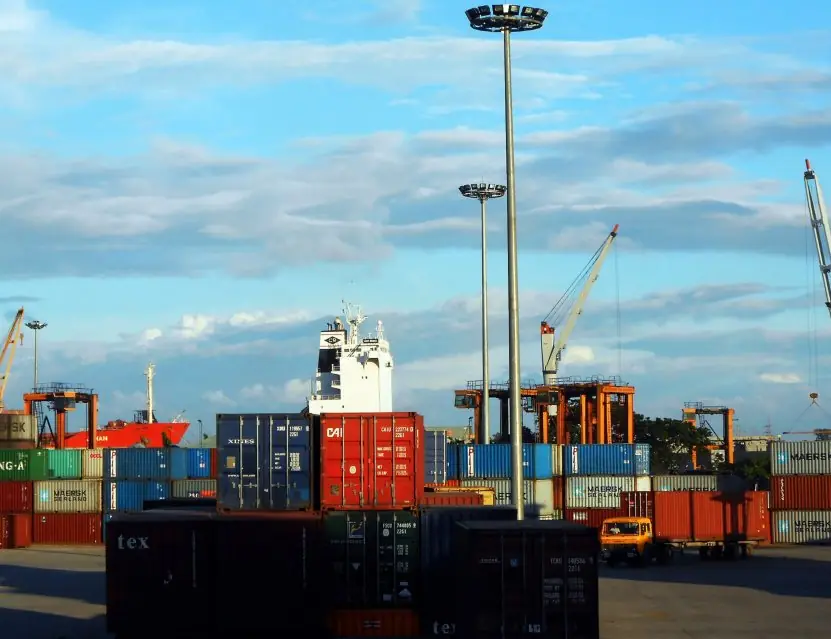
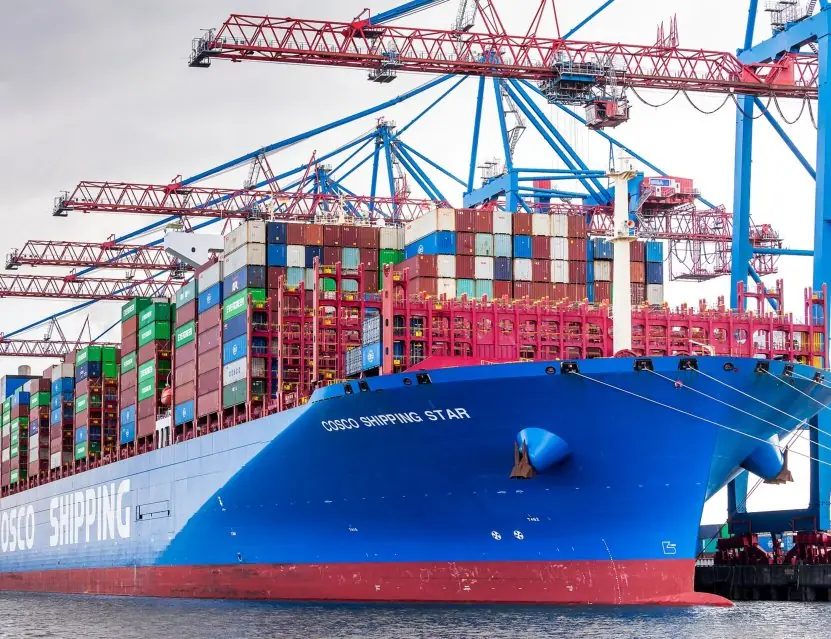
A shipping container is the best everyday picture for a software container: whatever is inside, every crane, ship and truck handles the same standard box. Plate 2.1 pairs a real container yard with the layered structure of a container image.


2.8.1 Eight benefits of virtualisation and containers
- Better hardware use. Most physical servers run at 10 to 20 percent load. Virtualisation places several workloads on one machine and raises the use to 60 percent or more. A data centre then needs fewer servers, less electricity and less cooling.
- Isolation between workloads. Each virtual machine has its own operating system and cannot read another's memory. A crash or virus in one VM does not take down its neighbours. This is why unrelated customers can safely share a cloud server.
- Fast provisioning. A new VM is cloned from a template in a minute, and a container starts in under a second. A developer in Kathmandu can create a test environment before a meeting ends. Without virtualisation, a physical server takes weeks.
- Easy backup and recovery. A VM is a set of files, so it can be snapshotted, copied and restored. If an update breaks a server, the team rolls back to the snapshot. Disaster recovery becomes copying images to another site.
- Live migration. A running VM can move to another host without stopping, so the owner can repair hardware without downtime. Cloud providers use this to patch servers during working hours. Users see no interruption.
- Consistent environments. A container image carries the code, libraries and settings together. The program that worked on a student's laptop works the same on the college server. The sentence "it works on my machine" loses its meaning.
- Elastic scaling. Identical containers can be started in tens or hundreds when load rises and removed afterwards. This is the basis of autoscaling in Kubernetes. A result-publishing portal can grow within a minute.
- Lower cost and safe testing. Fewer physical servers mean lower purchase, space and power bills. Old software can run in a VM that matches its old operating system. Students can practise on virtual labs without risking real machines.

2.9 Summary and exercises
VT-x gives guests native execution with controlled exits; nested paging trades exits for a costlier two-dimensional walk, (g+1)(h+1)−1; KVM and QEMU with virtio deliver practical VMs; containers use namespaces, cgroups and content-addressed layers.
- Define VM exit and explain why the hypervisor tries to avoid it.
- Compute the references per TLB miss for a 3-level guest on a 4-level host.
- Compare shadow paging and EPT in terms of exits and miss cost.
- Explain the difference between
cpu.maxandcpu.weight, with a numeric example. - Why does editing the base layer of an image change every chainID above it?
- Choose VM, container or microVM for(a) a customer's untrusted code,(b) a web tier of 200 replicas, and justify each.
Model answers: medium (5 marks) and long (10 marks) questions
Q1 (5 marks). Compare virtual machines and containers.
Introduction. Both let several isolated workloads share one physical machine, but they isolate at different levels (Figure 2.1).
A VM virtualises hardware and carries a full guest operating system; a container virtualises the operating system and shares the host kernel.
| Point | Virtual machine | Container |
|---|---|---|
| Isolation level | Hardware (hypervisor) | Process (namespaces, cgroups) |
| Operating system | Own guest kernel | Shares host kernel |
| Image size | Gigabytes | Megabytes |
| Start time | Tens of seconds to minutes | Milliseconds to seconds |
| Density per host | Tens | Hundreds |
| Security boundary | Stronger | Weaker, kernel is shared |
| Typical use | Different OSs, strong tenant separation | Microservices, CI, scaling |
Example. A college can run a Windows exam server and a Linux web server as two VMs, and run twenty copies of a small Python API as containers.
Conclusion VMs give stronger isolation and OS freedom; containers give speed and density, and the two are often combined, with containers running inside VMs.
Q2 (5 marks). Explain type-1 and type-2 hypervisors and the role of hardware support (VT-x).
A hypervisor (virtual machine monitor) creates and runs virtual machines. A type-1 (bare-metal) hypervisor such as KVM, VMware ESXi or Xen runs directly on the hardware and is used in data centres for speed and security.
A type-2 (hosted) hypervisor such as VirtualBox or VMware Workstation runs as a program on a normal operating system, which is convenient for a student's laptop but slower because of the extra layer (Figure 2.1).
Early x86 processors could not be virtualised cleanly because some privileged instructions did not trap.
Intel VT-x and AMD-V add a hardware mode in which guest code runs at near-native speed and sensitive operations cause a VM exit to the hypervisor.
For memory, nested paging (Intel EPT, AMD NPT) lets hardware translate guest-virtual to host-physical addresses in two steps (Figure 2.2), removing the older shadow-page-table overhead.
Conclusion hardware support made full virtualisation fast enough for the public cloud.
Q3 (10 marks). Explain virtualisation in cloud computing. Describe its types, how CPU and memory are virtualised, and compare it with containerisation.
Introduction. Virtualisation is the creation of a virtual version of a resource (a server, storage device or network) that behaves like the real one while sharing the physical hardware among many users.
It is the technology that lets a provider sell one big server as many small ones, and so it underlies the pooling and elasticity of the cloud (Unit 1).
Types. (1) Server virtualisation: many VMs per host. (2) Storage virtualisation: disks pooled into volumes. (3) Network virtualisation: virtual switches and overlay networks such as VXLAN (Unit 4).
(4) Desktop virtualisation: remote desktops in a data centre. (5) OS-level virtualisation: containers.
CPU virtualisation. The hypervisor schedules virtual CPUs onto physical cores. With VT-x the guest runs directly on the processor and only privileged events cause a VM exit, so the overhead is small.
Memory virtualisation Each guest believes it owns physical memory starting at zero.
The guest page table and the hypervisor's EPT together translate guest-virtual addresses to host-physical ones (Figure 2.2); techniques such as ballooning and page sharing allow safe over-commitment.
I/O virtualisation Paravirtual drivers (virtio) and SR-IOV give VMs near-native disk and network speed.
Containers. A container is a process group isolated by Linux namespaces (what it can see: processes, network, mounts) and limited by cgroups (how much CPU and memory it may use).
It starts from an image of read-only layers with a writable top layer, named by a content digest so the same bytes always give the same identity (Figure 2.1 and Plate 2.1).
| Aspect | VM | Container |
|---|---|---|
| Kernel | Separate | Shared |
| Boot | Minutes | Milliseconds |
| Overhead | Higher | Very low |
| Isolation | Strong | Moderate |
Benefits. Better utilisation, isolation, rapid provisioning, snapshots, live migration, consistency and cost saving, as listed in the eight points above.
Limitations Noisy neighbours, hypervisor attack surface and, for containers, the shared kernel.
Conclusion Virtualisation turns hardware into software-defined pools; VMs provide strong isolation and containers provide lightness, and modern clouds use both.