Unit 2 · 3 teaching hours · 34 min read
Computer Software
What the syllabus asks for 5
- Software and its classification
- Language translators
- Generations of programming languages
- Algorithms and flowcharts
- Software licensing and development basics
Hardware without software is an expensive paperweight. Software is the set of programs, data and documentation that tells the hardware what to do.
This unit classifies software, explains how programs written by humans become machine instructions, and introduces algorithms and flowcharts, the first tools of problem solving.
- Software classification: system, application, utility, firmware.
- Language translators: assembler, compiler, interpreter, and when each is used.
- Language generations (1GL to 5GL) and what a programming paradigm is.
- Algorithms and flowcharts with worked examples.
- Licensing: proprietary, freeware, shareware, open source.
2.1 Software and its classification
| Category | Purpose | Examples |
|---|---|---|
| System software | Runs and manages the hardware; platform for other software | Windows, Linux, Android, device drivers, BIOS/UEFI firmware |
| Utility software | Maintenance and housekeeping | antivirus, disk defragmenter, backup, file compression (WinRAR, 7-Zip) |
| Language translators | Convert programs into machine code | assembler, compiler, interpreter |
| Application software | Does a task for the user | MS Word, Excel, browsers, Tally, games |
Application software is further split into:
- General-purpose (packaged) software: bought off the shelf for a common need: word processor, spreadsheet, presentation, browser, media player.
- Custom (bespoke) software: written for one organisation: a bank's core system, a college's result-processing system.
- Integrated suites: several applications sharing one interface, such as MS Office or LibreOffice.
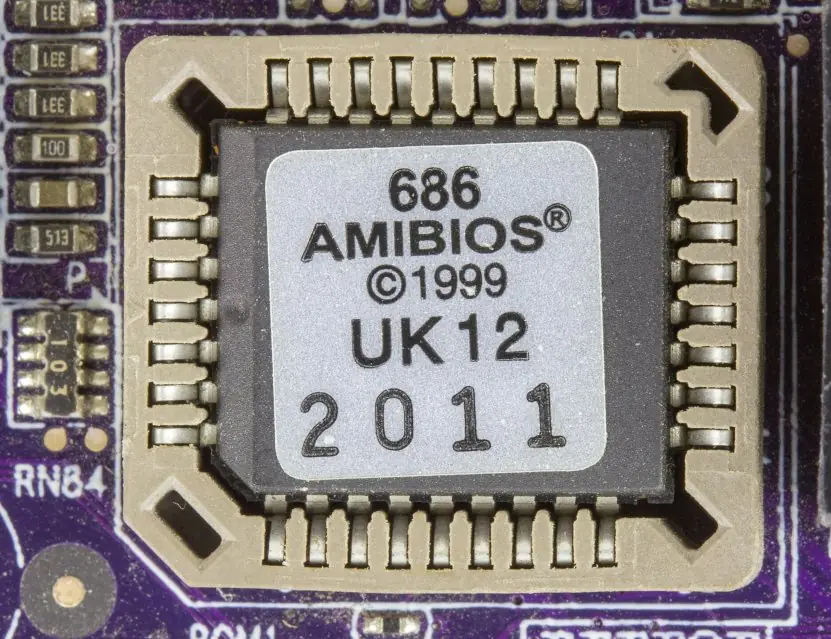
Firmware is software stored permanently on a chip inside a device (a router's operating code, the UEFI that starts a PC). It sits between hardware and software.
If removing it stops the computer from working, it is system software. If removing it only stops one task (writing a letter), it is application software.

2.1.1 Eight characteristics of good software
Software is judged by more than "does it run". The eight qualities below are what a Tribhuvan University examiner expects when you are asked for the characteristics of good software.
- Correctness. The program must produce the right result for every valid input. A bank interest program that is wrong by one paisa on each account becomes a large error over a million accounts. Correctness is checked by testing against known answers before the software is released.
- Reliability. Reliable software keeps working without failing, even when the input is odd or the load is heavy. Nepal's ConnectIPS and Fonepay must work on the day salaries are paid, when thousands of people log in together. Reliability is measured by how long the system runs between failures.
- Usability. A new user should be able to finish a task with little training. The Nagarik App is useful because a citizen can find a service from a clear menu without reading a manual. Good screens, clear messages and Nepali language support all raise usability.
- Efficiency. Efficient software uses little CPU time, memory and battery for the work it does. A mobile app that drains the battery in two hours will be uninstalled even if it is correct. Choosing the right algorithm usually matters more than buying faster hardware.
- Maintainability. Software must be easy to correct and extend, because requirements change every year. When the government changes a tax rate, the billing program should need a change in one place only. Clear code, comments and documentation make this possible.
- Portability. Portable software runs on different hardware and operating systems with little change. A college result system built as a web application works on Windows, Linux, Android and iPhone browsers. Portability protects the money spent on development.
- Security. Software must protect data from theft, damage and unauthorised use. Passwords should be stored as hashes, and sensitive traffic should be encrypted. A leak from a school or hospital system harms real people, so security is built in from the first design step.
- Interoperability and scalability. Good software exchanges data with other systems and keeps working as users grow. Fonepay QR works across many banks because they follow a shared standard, and a system that serves 1,000 users should be designable for 100,000. Open standards and a modular design make both possible.
2.2 Language translators
The CPU executes only machine code, binary patterns. Humans write in other languages, so a translator is needed.
| Assembler | Compiler | Interpreter | |
|---|---|---|---|
| Translates | assembly language → machine code | whole high-level program → machine code (or bytecode) before running | one statement at a time, while running |
| Output | object file | executable file | none; the result of running is produced directly |
| Speed of execution | fast | fast (translation done once) | slower (translation repeated every run) |
| Error reporting | at assembly time | all syntax errors listed after compiling | stops at the first error found |
| Typical languages | x86 / ARM assembly | C, C++, Go, Rust (Java compiles to bytecode) | Python, JavaScript, PHP (usually with a bytecode step in practice) |
The source program is what the programmer types; the object program is the translator's output. A linker joins object files and library code into one executable; a loader (part of the OS) places the executable in memory to run.
Java and C# sit between the two camps: they compile to bytecode, which a virtual machine then interprets or compiles on the fly.



2.3 Generations of programming languages
| Generation | Name | Nature | Example |
|---|---|---|---|
| 1GL | Machine language | binary 0s and 1s; one CPU family only | 10110000 01100001 |
| 2GL | Assembly language | mnemonics (MOV AL, 61h), one-to-one with machine code |
x86 assembly |
| 3GL | High-level language | English-like, portable, one statement becomes many machine instructions | C, Java, Python, Pascal |
| 4GL | Very high-level / declarative | say what you want, not how | SQL, report generators, form builders |
| 5GL | Constraint / logic based | the system solves the problem from stated constraints | Prolog, expert-system shells |
Low-level languages (1GL, 2GL) are close to the hardware: fast and compact, hard to write and not portable. High-level languages trade a little speed for productivity and portability.
Programming paradigms are styles of organising a program:
- Procedural: a sequence of procedures (functions) that act on data: C, Pascal.
- Object-oriented: objects bundle data and the methods that act on it: Java, C++, Python.
- Functional: programs are compositions of functions without changing state: Haskell, parts of JavaScript.
- Declarative / logic: describe the result: SQL, Prolog.
- Event-driven: code runs in response to events (a click): GUI and web programming.

2.4 Algorithms and flowcharts
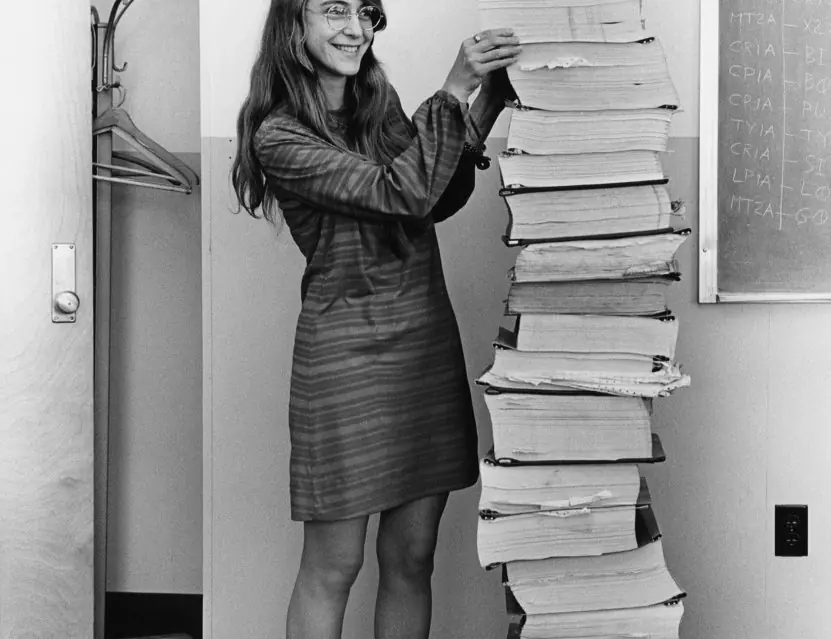
An algorithm is a finite, ordered, unambiguous list of steps that solves a problem. A good algorithm has: input (zero or more), output (at least one), definiteness (each step precise), finiteness (it ends) and effectiveness (each step is doable).
A flowchart is a diagram of the algorithm.
| Symbol | Shape | Meaning |
|---|---|---|
| Terminator | rounded rectangle (oval) | Start / End |
| Process | rectangle | calculation or assignment |
| Input/Output | parallelogram | read or print |
| Decision | diamond | yes/no or true/false test, two exits |
| Flow line | arrow | order of execution |
| Connector | small circle | continue elsewhere / on next page |
Algorithm
- Start.
- Read A, B, C.
- Set MAX = A.
- If B > MAX then MAX = B.
- If C > MAX then MAX = C.
- Print MAX. Stop.
Dry run with A = 7, B = 19, C = 12: MAX = 7 → B > 7, so MAX = 19 → C = 12 is not > 19, so MAX stays 19 → prints 19.
Flowchart in words: oval Start → parallelogram Read A, B, C → rectangle MAX = A → diamond B > MAX? (Yes: rectangle MAX = B; No: skip) → diamond C > MAX? (Yes: rectangle MAX = C; No: skip) → parallelogram Print MAX → oval End.
Algorithm
- Start. Read N. Set SUM = 0.
- While N > 0: take DIGIT = N mod 10; SUM = SUM + DIGIT; N = N div 10 (integer division).
- Print SUM. Stop.
Dry run N = 4072: digit 2 → SUM 2, N 407; digit 7 → SUM 9, N 40; digit 0 → SUM 9, N 4; digit 4 → SUM 13, N 0; loop ends. Prints 13.
- Read N. If N < 2, print "not prime" and stop.
- Set I = 2.
- While I × I ≤ N: if N mod I = 0, print "not prime" and stop; otherwise I = I + 1.
- Print "prime".
Dry run N = 29: I = 2, 3, 4, 5 are tested (5×5 = 25 ≤ 29); none divides 29; I = 6 gives 36 > 29, so the loop ends: prime. For N = 91: I = 7 gives 91 mod 7 = 0, so not prime.
The three basic control structures are sequence, selection (if/else) and iteration (loops). Every algorithm can be built from these three. Pseudocode writes an algorithm in plain structured English without flowchart symbols.

2.4.1 Eight advantages of flowcharts
A flowchart turns an idea into a picture, and that picture has real uses. Write these eight points when the question asks for the advantages of flowcharts; the limitation is stated at the end.
- Clear visual picture. The whole logic of a program can be seen on one page. A reader follows arrows instead of reading many lines of text. This is why a loan-approval process drawn for a Nepali bank is easy to explain to a branch manager.
- Easy communication. Programmers, clients and managers can all read the same symbols. A college registrar who cannot code can still check that the admission flowchart has the right rules. Misunderstandings are caught before programming starts.
- Finds logic errors early. A missing branch or a loop that never ends is visible on paper. Correcting a drawing costs minutes, while correcting a finished program costs days. This is the cheapest stage at which to test.
- Guide for coding. Every symbol turns into one or a few program statements, so a decision diamond becomes an
if. A programmer can write the code step by step from the chart. The result is fewer forgotten cases. - Better documentation. A flowchart stays useful after the original programmer leaves the office. A new employee at a municipality can read it to understand a billing program. Maintenance becomes faster.
- Helps testing and debugging. Each path from Start to End is one test case that must be tried. For the largest-of-three chart there are three paths, so three tests with the largest number in different places are enough. Trace tables are filled by walking the chart.
- Shows every decision path. A diamond has two exits, so no outcome is forgotten. Rules such as "if marks are below 40 then fail" are shown together with the pass branch. The picture makes missing else parts obvious.
- Independent of the language. The same flowchart can be coded in C, Java or Python. It is therefore a good teaching tool in the first semester, before a student knows any syntax. Students learn problem solving first and syntax second.
Limitation. Large flowcharts become tangled and hard to change, which is why professionals use pseudocode and structured design for big systems.


2.5 Software licensing and development basics
| Model | Source code | Cost | Example |
|---|---|---|---|
| Proprietary (commercial) | closed | paid licence | Windows, MS Office, Photoshop |
| Freeware | closed | free to use | Adobe Acrobat Reader |
| Shareware / trial | closed | free for a trial period, then pay | WinRAR trial, many games |
| Open source | open; may be modified and redistributed under a licence | usually free | Linux (GPL), Firefox, LibreOffice, VLC |
| SaaS | hosted by the vendor | subscription | Google Workspace, Microsoft 365 |
Software piracy (using unlicensed copies) is illegal; it harms developers and exposes users to malware hidden in cracked installers. Open source is not the same as public domain: the licence (GPL, MIT, Apache) still sets conditions.
Software is built through the software development life cycle (SDLC): requirement gathering → design → coding → testing → deployment → maintenance. The BCA subject Software Engineering (Semester IV) treats this properly.
2.5.1 Eight advantages of open-source software
Open-source software publishes its source code under a licence that lets anyone study, change and share it. These are the eight benefits students are expected to write.
- Low cost. There is usually no licence fee, so a school with a small budget can still run a full lab. Linux, LibreOffice and Firefox cost nothing to install on fifty computers. The money saved can buy hardware or train teachers.
- Freedom to modify. Anyone with the skill can change the code to suit local needs. Nepali Unicode keyboards and fonts were improved this way by volunteers. A closed product cannot be adapted unless the vendor agrees.
- Transparency and security. Many people can read the code, so hidden back doors are harder to keep. Bugs reported by thousands of users are fixed quickly; Linux security patches often appear within days. Public review is not a guarantee, but it is a strong check.
- No vendor lock-in. Data is stored in open formats such as ODF, so a college is not trapped with one company. If one supplier raises prices, another can support the same software. Switching costs stay low.
- Community support. Forums, mailing lists and local user groups answer questions for free. Many Nepali developers learn from Stack Overflow and open-source communities in Kathmandu. Documentation is written and translated by volunteers.
- Better for learning. Students can read real, professional code, which no textbook can match. A BCA student can study how the Linux kernel schedules processes. Contributing a fix builds a portfolio that employers can see.
- Stability and quality. Long-lived projects such as Apache web server and PostgreSQL are used by banks and governments. Code is reviewed by many contributors before it is merged. The result is software that runs for years without restart.
- Long life and customisation. If the original company closes, the code survives because anyone can continue it. Old hardware can run lightweight Linux versions that Windows no longer supports. Public bodies such as municipalities can keep their systems working for decades.
2.5.2 Seven limitations of open-source software
- Less formal support. There is no guaranteed helpline, so a bank may need a paid support contract. Volunteers may answer slowly or not at all. A critical failure can therefore take longer to fix.
- Usability gaps. Some projects have rough interfaces designed by programmers. Staff trained only on Windows need time to learn Linux tools. Training cost can cancel part of the money saved.
- Compatibility problems. Documents made in MS Office may lose formatting in LibreOffice. Some hardware makers provide drivers only for Windows. Specialised software such as Tally or Adobe tools has no exact open equivalent.
- Uneven documentation. Small projects may have short or outdated manuals. Learners then depend on videos and forums. Good projects such as Python and Linux, however, have excellent documentation.
- Security is not automatic. Open code can also be studied by attackers, and abandoned projects stop receiving fixes. The 2014 Heartbleed bug sat in widely used OpenSSL code for two years. Users must still update regularly.
- Licence obligations. The GPL requires that changed versions are shared under the same licence. A company that wants to keep its improvements secret cannot use GPL code in a closed product. Misunderstanding the licence can cause legal trouble.
- Uncertain future. A project may lose its volunteers and stop. Organisations that depend on it must then maintain it themselves. This risk is lower for projects backed by foundations such as Apache or Linux Foundation.

Formula and fact sheet
- System software runs the machine; application software serves the user; utilities maintain.
- Assembler: assembly → machine. Compiler: whole program first. Interpreter: line by line.
- 1GL machine, 2GL assembly, 3GL high-level, 4GL declarative (SQL), 5GL constraint-based.
- Flowchart: oval start/end, rectangle process, parallelogram I/O, diamond decision.
- Algorithm = input + output + definiteness + finiteness + effectiveness.
- Open source ≠ public domain; shareware ≠ freeware.
Chapter summary
- Software is divided into system software (OS, drivers, utilities, translators) and application software (general-purpose or custom).
- Translators convert human-readable code to machine code; compilers do it once, interpreters do it each run.
- Languages progress from machine code to assembly to high-level to declarative.
- An algorithm is a finite, precise procedure; a flowchart draws it; sequence, selection and iteration are enough to express any algorithm.
- Licences decide what you may do with software; open source gives freedoms, not freedom from conditions.
Practice
A. Short questions
- Differentiate system software and application software with two examples each.
- What is a utility program? Give three examples.
- Differentiate a compiler and an interpreter. Give one language for each.
- What is firmware?
- Write the characteristics of a good algorithm.
- Name the flowchart symbols for decision, input/output and process.
- Distinguish freeware, shareware and open-source software.
- What are the five generations of programming languages?
B. Problems
- Write an algorithm and describe the flowchart to find whether a number is even or odd.
- Write an algorithm to find the factorial of N and dry-run it for N = 5.
- Write an algorithm to print the multiplication table of N up to 10.
- Dry-run the digit-sum algorithm for N = 90581.
C. Long questions
- Explain the types of software with a classification chart.
- Explain how a high-level program is converted to a running process (translator, linker, loader).
- Define algorithm and flowchart. Explain the characteristics of a good algorithm and the flowchart symbols, with the algorithm and flowchart for the largest of three numbers.
- Explain open-source software. Discuss its advantages and limitations and compare it with proprietary software.
- Explain the generations of programming languages (5 marks).
Answers and worked solutions
1. System software manages hardware and provides a platform (Windows, Linux; also drivers). Application software performs user tasks (MS Word, Tally).
2. Utilities perform maintenance: antivirus, backup tool, disk clean-up, file compressor.
3. A compiler translates the whole program to machine code before execution (C); an interpreter translates and executes one statement at a time (Python). Compiled programs usually run faster; interpreted ones are easier to debug interactively.
4. Permanent software stored on a hardware chip, such as the UEFI/BIOS or a router's operating code.
5. Input, output, definiteness, finiteness, effectiveness.
6. Diamond, parallelogram, rectangle.
7. Freeware is free but closed; shareware is free for a limited time or with limited features; open source ships its source code under a licence permitting study, modification and redistribution.
8. Machine, assembly, high-level, very high-level (4GL), constraint/logic (5GL).
9. Read N; compute R = N mod 2; if R = 0 print "even" else print "odd". Flowchart: Start → Read N → R = N mod 2 → diamond R = 0? → Yes: Print "even" / No: Print "odd" → End.
10. Read N; F = 1; I = 1; while I ≤ N: F = F × I, I = I + 1; print F. For N = 5: F goes 1, 2, 6, 24, 120. 120.
11. Read N; I = 1; while I ≤ 10: print N × I; I = I + 1.
12. 90581: digits 1, 8, 5, 0, 9 → 1 + 8 + 5 + 0 + 9 = 23.
13. Software → system (OS, drivers, firmware, utilities, translators) and application (general-purpose, custom, suites); give an example under each branch.
14. The programmer writes source code; the compiler produces an object file; the linker combines object files and libraries into an executable; the loader copies the executable into memory and starts it as a process.
15. An algorithm is a finite, ordered, unambiguous list of steps that solves a problem; a flowchart is its diagram. A good algorithm has input, output, definiteness, finiteness and effectiveness. For the largest of A = 7, B = 19, C = 12: MAX = 7, 19 > 7 so MAX = 19, 12 > 19 is false, so print 19 (Figure 2.6). See the full model answer below.
16. Open source gives anyone the right to run, study, change and share the code. Main advantages: low cost, freedom to modify, transparency, no lock-in, community support. Main limitations: less formal support, usability gaps, compatibility problems, licence obligations. Full model answer below.
17. 1GL machine, 2GL assembly, 3GL high-level (C, Python), 4GL declarative (SQL), 5GL constraint-based (Prolog). Model answer in the 5-mark section.
Model answers: medium (5 marks) and long (10 marks) questions
Medium questions (5 marks)
Q3. Differentiate a compiler and an interpreter. (5 marks)
A compiler translates the whole source program into machine code in one pass and saves it as an executable file; an interpreter reads, translates and executes the program one statement at a time (Figure 2.2).
Because a compiled program is translated once, it starts quickly and runs fast.
An interpreted program must be translated again on every run, so it is usually slower, but it can stop at the first error and let the programmer test ideas interactively.
| Point | Compiler | Interpreter |
|---|---|---|
| Translation unit | whole program | one statement |
| Output | object file and executable | no separate file |
| Speed of execution | fast | slower |
| Error reporting | all errors after compiling | stops at the first error |
| Memory use | more during compiling | less |
| Examples | C, C++, Java (to bytecode) | Python, JavaScript, PHP |
Example. A college billing program written in C is compiled once and the .exe is given to the accounts office. A Python script that cleans a marks sheet is run directly, edited and run again within seconds.
An assembler is a third translator that converts assembly language to machine code.
Q7. Distinguish freeware, shareware and open-source software. (5 marks)
Software is distributed under a licence that states what the user may do. Three common models differ in price and in access to the source code.
- Freeware: free to use for an unlimited time, but the source code is closed and you may not modify or sell it. Example: Adobe Acrobat Reader, Google Chrome.
- Shareware: free to try for a limited time or with limited features; you pay to unlock the full version. Example: WinRAR trial, many antivirus programs.
- Open-source software: the source code is published under a licence (GPL, MIT, Apache) that lets anyone study, change and share it. Example: Linux, LibreOffice, Firefox, VLC.
- Proprietary (commercial) software: paid and closed. Example: Microsoft Office, Tally Prime.
| Type | Cost | Source code | Can modify? |
|---|---|---|---|
| Freeware | free | closed | no |
| Shareware | trial, then paid | closed | no |
| Open source | free or paid support | open | yes |
| Proprietary | paid | closed | no |
Nepali example. Many colleges run Linux servers and LibreOffice to avoid licence cost, while accounts departments buy licensed Tally. Using cracked software is piracy and an offence under Nepal's Copyright Act.
Q5. Explain the characteristics of a good algorithm with a flowchart. (5 marks)
An algorithm is a finite, ordered list of clear steps that solves a problem. A flowchart draws the same steps with standard symbols (Figure 2.3).
- Input: zero or more values are supplied (the number N).
- Output: at least one result is produced (even or odd).
- Definiteness: every step is precise and has one meaning, such as "R = N mod 2".
- Finiteness: the algorithm stops after a limited number of steps.
- Effectiveness: each step is simple enough to be carried out by hand or by a machine.
- Generality: it works for every valid input, not only one number.
Algorithm (even or odd). Step 1: Start. Step 2: Read N. Step 3: R = N mod 2. Step 4: If R = 0 print "even", else print "odd". Step 5: Stop.
Flowchart. Oval (Start) → parallelogram (Read N) → rectangle (R = N mod 2) → diamond (R = 0?) → two exits, Yes to "even" and No to "odd" → oval (Stop). Dry run: N = 7 gives R = 1, so the output is odd; N = 10 gives R = 0, so the output is even.
Q17. Explain the generations of programming languages. (5 marks)
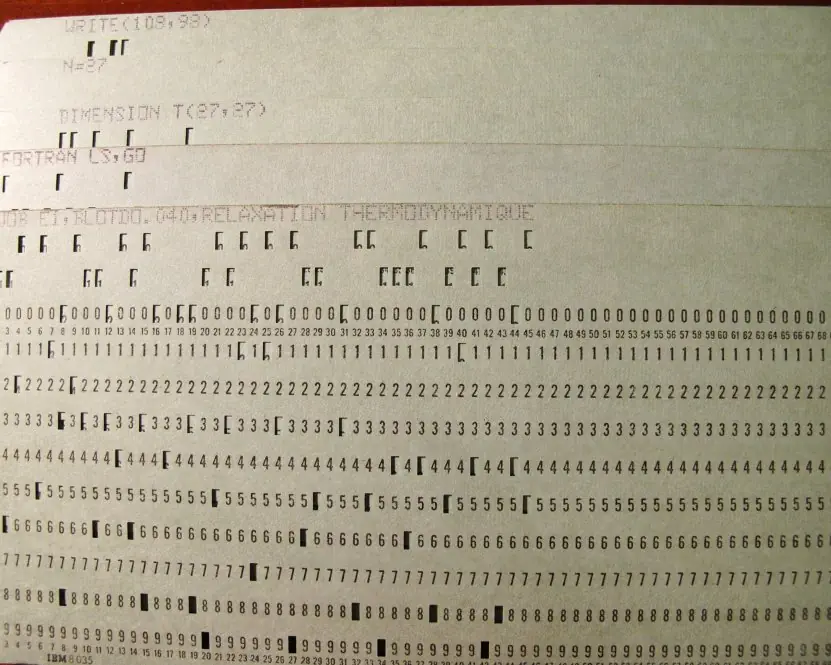
Programming languages are grouped into five generations according to how close they are to the machine and how much of the work is left to the programmer (see also Plate 2.3 for a speed comparison).
- First generation (1GL), machine language: binary instructions such as
10110000 01100001that the CPU runs directly. It is the fastest but extremely hard to write, and it works on one CPU family only. - Second generation (2GL), assembly language: short mnemonics such as
MOV AL, 61h, turned into machine code by an assembler. It is still tied to one processor but easier to read. - Third generation (3GL), high-level languages: English-like and portable, translated by a compiler or an interpreter. One statement becomes many machine instructions. Examples: C, Java, Python, FORTRAN.
- Fourth generation (4GL): the programmer states what is wanted and the system works out how. Examples: SQL, report generators, form builders.
- Fifth generation (5GL): the system solves a problem from stated constraints and rules. Examples: Prolog and expert-system shells used in AI.
| Generation | Level | Portable? | Translator | Example |
|---|---|---|---|---|
| 1GL | lowest | no | none | binary code |
| 2GL | low | no | assembler | x86 assembly |
| 3GL | high | yes | compiler / interpreter | C, Python |
| 4GL | very high | yes | database engine | SQL |
| 5GL | highest | yes | logic engine | Prolog |
Example. To list students with marks above 80, a 3GL program needs a loop, a condition and a print statement, but a 4GL statement SELECT name FROM student WHERE marks > 80 says only what is wanted.
Each generation trades control and speed for ease of writing, which is why the measured Python loop in Plate 2.3 is about 59 times slower than C yet still the first choice for quick work.
Long questions (10 marks)
Q13. Explain the types of software with a classification chart. (10 marks)
Introduction. Software is the set of programs and data that tells the hardware what to do. Without software a computer is only an expensive box of circuits. Software is divided into system software and application software (Figure 2.1).
A. System software manages the hardware and provides a platform on which other programs run.
- Operating system: controls the CPU, memory, files and devices, and gives the user an interface. Examples: Windows, Linux, Android.
- Device drivers: small programs that let the OS talk to one device such as a printer, scanner or graphics card.
- Utility programs: maintenance tools such as antivirus, backup, disk clean-up and file compression.
- Language translators: compilers, interpreters and assemblers that convert programs to machine code.
- Firmware: permanent software stored in a chip, for example the UEFI/BIOS or a router's operating code.
B. Application software performs tasks for the user.
- General-purpose software: word processor, spreadsheet, browser, media player; useful to many users.
- Custom (bespoke) software: written for one organisation, such as a college admission system or a bank's core system.
- Packaged suites: a set of programs sold together, such as MS Office or Tally Prime.
- Web and mobile applications: run in a browser or phone, such as Fonepay, ConnectIPS and the Nagarik App.
| Basis | System software | Application software |
|---|---|---|
| Purpose | runs and manages the computer | solves a user's task |
| Depends on | hardware | system software |
| Starts | when the computer boots | when the user opens it |
| Needed to run computer? | yes | no |
| Examples | Linux, drivers, BIOS | Word, Tally, Chrome |
Conclusion. System software is the foundation and application software is the visible layer built on it. A computer needs both: the OS to manage the machine and applications to do the user's real work.
Q14. Explain how a high-level program is converted to a running process. (10 marks)
Introduction. A processor understands only machine code (binary), but people write programs in high-level languages such as C. Several system programs, the translator, linker and loader, turn the source code into a running process (Figure 2.2).
Stages
- Editing: the programmer writes the source code (
sum.c) in a text editor or IDE. - Preprocessing: in C,
#includefiles are inserted and macros are replaced. - Compiling: the compiler checks syntax and semantics, reports errors, and translates the code to assembly and then to an object file (
sum.o) containing machine code with unresolved references. - Assembling: the assembler converts assembly to binary object code when the compiler produces assembly first.
- Linking: the linker joins one or more object files with library code (for example
printf) and resolves the addresses, producing the executable (sum.exe). - Loading: the loader, part of the OS, copies the executable into RAM, sets up the stack and data areas, and sets the program counter to the first instruction.
- Execution: the CPU runs the instructions in the fetch-decode-execute cycle; the program is now a process with a process ID and a state (Ready, Running, Waiting).
- Debugging: logical errors are found with a debugger, the source is edited, and the cycle repeats.
| Program | Input | Output | Done by |
|---|---|---|---|
| Compiler | source code | object code | translator |
| Linker | object files + libraries | executable | linker |
| Loader | executable | process in RAM | operating system |
| Interpreter | source code | immediate results | translator (no file) |
Types of errors. Syntax errors are found by the compiler, link errors by the linker (missing library), and run-time/logical errors only when the program runs.
Conclusion. Compiled languages pay the translation cost once and then run fast, while interpreted languages skip the separate stages and translate during execution. Understanding these stages explains why a program that compiles may still fail to link or run.
Q15. Define algorithm and flowchart. Explain the characteristics of a good algorithm and the flowchart symbols, with the algorithm and flowchart for the largest of three numbers. (10 marks)
Introduction. An algorithm is a finite, ordered and unambiguous list of steps that solves a problem, and a flowchart is the picture of that algorithm drawn with standard symbols.
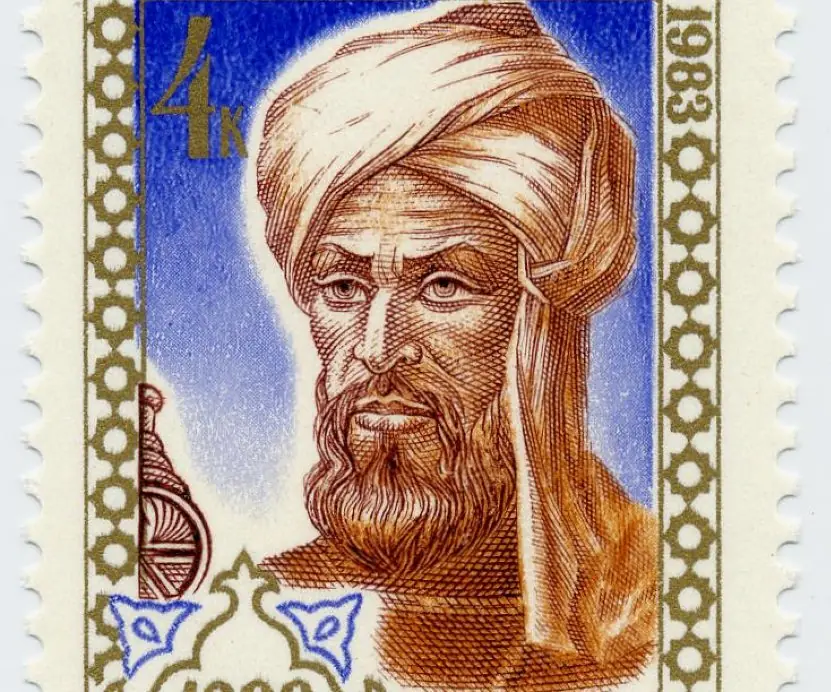
The word algorithm comes from the ninth-century mathematician al-Khwarizmi (Plate 2.4).
Before a program is written in C or Python, the logic is first planned as an algorithm and a flowchart, because mistakes are cheapest to correct at this stage.
Characteristics of a good algorithm
- Input: zero or more values are supplied from outside, such as the three numbers A, B and C.
- Output: at least one result is produced, such as the largest number.
- Definiteness: every step is precise, so two programmers read it in the same way. "Add a little" is not allowed.
- Finiteness: the algorithm stops after a limited number of steps. A loop must have an exit condition.
- Effectiveness: each step is simple enough to be carried out exactly, with pencil and paper if needed.
- Correctness and generality: it gives the right answer for every valid input, not only for one example.
Flowchart symbols
| Symbol | Shape | Use |
|---|---|---|
| Terminator | oval | Start and End |
| Input/Output | parallelogram | Read A, B, C; Print MAX |
| Process | rectangle | MAX = A |
| Decision | diamond | B > MAX? with Yes and No exits |
| Flow line | arrow | direction of control |
| Connector | small circle | join to another part or page |
Algorithm for the largest of three numbers
- Start. 2. Read A, B, C. 3. Set MAX = A. 4. If B > MAX then MAX = B. 5. If C > MAX then MAX = C. 6. Print MAX. 7. Stop.
Flowchart. Oval Start → parallelogram Read A, B, C → rectangle MAX = A → diamond B > MAX? (Yes: MAX = B, No: continue) → diamond C > MAX? (Yes: MAX = C, No: continue) → parallelogram Print MAX → oval End.
Figure 2.6 (panel C) traces it for A = 7, B = 19, C = 12: the first decision is true, so MAX becomes 19; the second is false; the output is 19.
There are three paths through the chart, so three tests (largest first, second or third) prove it.
Control structures. Every algorithm uses only sequence (steps in order), selection (the diamonds) and iteration (loops, as in the digit-sum trace of Figure 2.6, panel A).
| Point | Algorithm | Flowchart |
|---|---|---|
| Form | numbered steps in words | diagram of symbols |
| Best for | precise detail | overall logic at a glance |
| Weakness | long and hard to scan | large charts become tangled |
Conclusion. An algorithm states exactly what to do and a flowchart shows how control moves. Together they let a programmer check the logic with a dry run before any code is typed, which is the first step of good problem solving in the BCA course.
Q16. Explain open-source software. Discuss its advantages and limitations and compare it with proprietary software. (10 marks)
Introduction. Open-source software (OSS) is software whose source code is published under a licence that allows anyone to run, study, modify and share it.
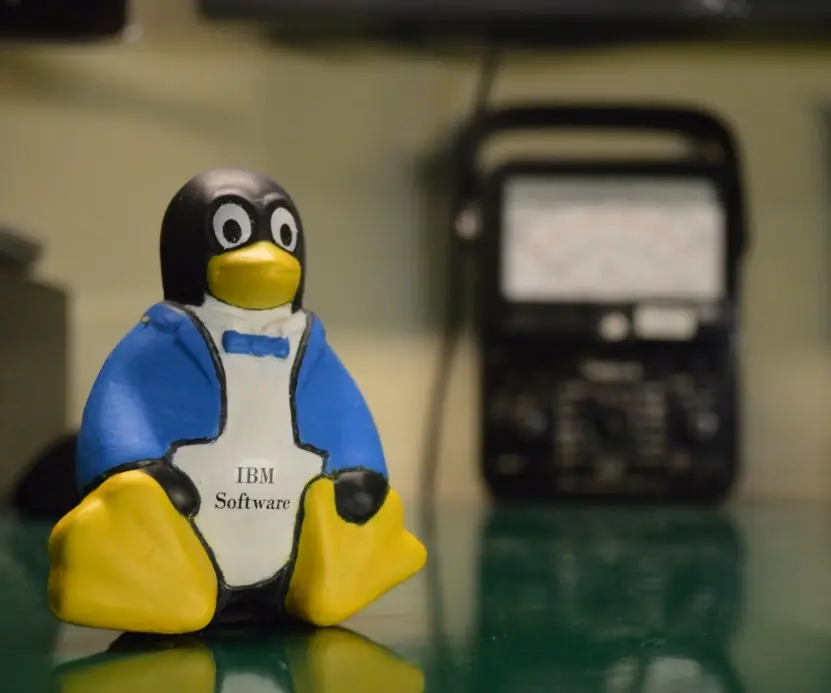
Linux (GPL, released in 1991), Firefox, LibreOffice, VLC and PostgreSQL are examples. It is different from public domain, because the licence still sets conditions, and from freeware, whose code stays closed (Plate 2.5).
Advantages
- Low cost: no licence fee, which helps schools and municipalities with limited budgets.
- Freedom to modify: the code can be adapted, for example for Nepali Unicode support.
- Transparency and security: many reviewers can inspect the code and fix bugs quickly.
- No vendor lock-in: open formats such as ODF keep your data portable.
- Community support: forums and user groups answer questions for free.
- Learning value: students can read professional code and contribute fixes.
- Stability: long-lived projects such as Apache and PostgreSQL run banks and governments.
- Long life: the code survives even if the original company closes.
Limitations
- Less formal support and slower answers in a crisis.
- Some interfaces are less polished, so training is needed.
- Compatibility gaps with MS Office files and with hardware drivers.
- Documentation may be uneven in small projects.
- Open code can be studied by attackers; abandoned projects are not patched (Heartbleed, 2014).
- Licence duties: GPL requires changed versions to be shared under the same licence.
- Dependence on volunteers whose interest may fade.
| Basis | Open source | Proprietary |
|---|---|---|
| Source code | open | closed |
| Cost | usually free; pay for support | paid licence |
| Modification | allowed | forbidden |
| Support | community or paid | vendor |
| Freedoms (Plate 2.5) | 4 of 4 | 1 of 4 (run) |
| Examples | Linux, Firefox | Windows, Tally |
Nepali context. Many colleges and government offices run Linux servers and LibreOffice to avoid licence fees, and developers in Kathmandu contribute to open projects while keeping paid support contracts for critical systems.
Conclusion. Open source offers low cost, freedom and transparency in exchange for more self-reliance, while proprietary software offers vendor support at a price.
A sensible organisation compares the total cost, the support it needs and the licence conditions before it chooses.