Unit 3 · 4 teaching hours · 22 min read
Operating System
What the syllabus asks for 7
- What an OS does
- Types of operating system
- Process management
- Memory management
- File and device management
- User interfaces and the boot process
- Some operating systems
The operating system (OS) is the manager of the computer: it shares the CPU, memory and devices among programs, protects them from each other, and gives users a way to work.
This unit introduces what an OS does, the main kinds, and how it handles processes, memory, files and booting. (The Semester IV subject Operating Systems goes much deeper.)
- Functions of an OS and its two roles: resource manager and virtual machine.
- Types of OS: batch, multiprogramming, time-sharing, real-time, distributed, network, mobile.
- Processes, process states and CPU scheduling with worked numeric examples.
- Memory management: partitioning, paging, virtual memory.
- Files, directories, user interfaces, the boot sequence, and a first look at Windows and Linux.
3.1 What an OS does
An OS has two faces:
- Resource manager: allocates CPU time, memory, disk and I/O devices fairly and safely.
- Extended machine: hides ugly hardware details behind simple interfaces ("save this file" instead of "move the disk head to cylinder 213").
| Function | Meaning |
|---|---|
| Process management | create, schedule, suspend and terminate programs in execution |
| Memory management | give each process memory, keep processes out of each other's space |
| File management | organise data in files and folders, control access |
| Device management | drive hardware through device drivers, queue requests, buffer data |
| Security and protection | user accounts, permissions, isolation |
| User interface | command line or graphical |
| Error handling and accounting | detect faults, log resource use |
The kernel is the always-resident core of the OS; system calls are the doorway through which programs ask the kernel for services (open a file, create a process).

3.1.1 Eight functions of an operating system
- Process management. The OS creates processes, decides which one gets the CPU next and ends them when they finish. Without it, a computer could run only one program at a time. When you play music while writing a Word file in a Kathmandu college lab, the scheduler is switching the CPU between the two many times a second.
- Memory management. The OS gives every program its own part of RAM and stops one program from reading another's data. It also moves rarely used pages to disk when RAM is full (virtual memory). This is why a phone with 4 GB of RAM can keep many apps open.
- File management. The OS stores data in named files and folders, tracks where each block is on the disk and controls who may read or write. Permissions keep the results folder of a college server safe from students. It also supports copy, move, delete and search.
- Device management. Keyboards, printers, scanners and disks are controlled through device drivers. The OS queues print jobs (spooling) and buffers data so that a slow printer does not hold up the CPU. Plugging in a pen drive works because the OS loads the right driver.
- User interface. The OS gives the user a command line (CLI) or a graphical interface (GUI). A GUI with icons and windows lets a first-time user start a program with a click, while the CLI lets an administrator automate hundreds of tasks with a script.
- Security and protection. Passwords, user accounts, permissions, firewalls and encryption stop unauthorised use. The OS keeps a normal user from changing system files. Keeping the OS updated closes holes that malware would use.
- Resource allocation and accounting. The OS shares CPU time, memory and disk space fairly among users and records usage. A university server can limit each student's storage quota. Accounting also helps the administrator to see which program slows the machine down.
- Error detection and networking. The OS detects hardware and software errors, such as a bad disk sector or a program crash, and takes action without stopping the whole system. It also provides the network stack that lets the computer join a LAN or the Internet, so that a lab PC can reach a shared printer or the TU website.
3.2 Types of operating system
| Type | Idea | Example / use |
|---|---|---|
| Batch | similar jobs grouped and run one after another without user interaction | early mainframe payroll runs |
| Multiprogramming | several jobs kept in memory; when one waits for I/O the CPU switches to another, so the CPU stays busy | all modern systems |
| Multitasking / time-sharing | the CPU is switched among processes so rapidly (each gets a time slice or quantum) that each user feels the machine is theirs | Unix, Windows, Linux |
| Multiprocessing | more than one CPU/core executes processes truly in parallel | servers, every multi-core PC |
| Real-time (RTOS) | must respond within a guaranteed deadline. Hard: a missed deadline is failure; soft: it only degrades quality | airbag controller, flight control, industrial robots |
| Distributed | many computers cooperate and appear as one system | large web services, clusters |
| Network OS | runs on a server that provides shared files, printers, logins to client machines | Windows Server, Novell NetWare |
| Mobile OS | built for touch, battery and sensors | Android, iOS |
| Embedded OS | built into an appliance with a fixed job | smart TV, router, washing machine |
Single-user vs multi-user: DOS was single-user, single-tasking; Linux and Windows Server are multi-user, multitasking.
3.3 Process management
A program is a passive file on disk; a process is a program in execution, with its own memory, registers and program counter. Each process has a process control block (PCB) in the kernel that stores its state, PC, registers, memory limits and open files.
Process states
   admitted        dispatch (scheduler picks it)
 New ─────▶ Ready ◀──────────────────────▶ Running ─────▶ Terminated
              ▲      timeout / pre-emption     │  exit
              │                                │ waits for I/O or event
              └──────── Waiting (Blocked) ◀───┘
                  I/O or event completes → back to Ready
A context switch saves the PCB of the running process and loads that of the next; it is pure overhead, so the OS wants few of them.
CPU scheduling. Several ready processes compete for one CPU; the scheduler chooses. Measures used:
- Turnaround time = completion time − arrival time.
- Waiting time = turnaround time − burst time (time spent in the ready queue).
- Response time = time from arrival to first execution.
| Algorithm | Rule | Pre-emptive? | Remark |
|---|---|---|---|
| FCFS | first come, first served | no | simple; short jobs suffer behind a long one (convoy effect) |
| SJF | shortest burst first | no (SRTF is the pre-emptive form) | gives minimum average waiting time; needs burst estimates; long jobs may starve |
| Priority | highest priority first | either | starvation fixed by aging |
| Round robin | each process gets a quantum, then goes to the tail of the queue | yes | fair, good response for time-sharing |
Four processes arrive together at time 0 with burst times P1 = 5, P2 = 3, P3 = 8, P4 = 6 (ms).
FCFS (order P1, P2, P3, P4): completions 5, 8, 16, 22. Waiting times 0, 5, 8, 16, so average = 29 / 4 = 7.25 ms.
SJF (order P2, P1, P4, P3): P2 waits 0, P1 waits 3, P4 waits 8, P3 waits 14; average = 25 / 4 = 6.25 ms, which is the minimum possible.
Round robin, quantum 4 ms: P1 runs 0–4 (1 left), P2 4–7 (done), P3 7–11 (4 left), P4 11–15 (2 left), P1 15–16 (done), P3 16–20 (done), P4 20–22 (done). Turnarounds: P1 = 16, P2 = 7, P3 = 20, P4 = 22.
Waiting = turnaround − burst: 11, 4, 12, 16; average = 43 / 4 = 10.75 ms. RR has the worst average wait here but every process starts within 11 ms, which is why interactive systems use it.
Deadlock. Processes are deadlocked when each holds a resource the next one needs, forming a cycle. It needs four conditions together: mutual exclusion, hold-and-wait, no pre-emption, circular wait. Breaking any one prevents it.


3.4 Memory management
Every running program must be in main memory. The OS tracks which parts are free, allocates them and protects them.
- Contiguous allocation: each process gets one block. Fixed partitions waste space inside a partition (internal fragmentation); variable partitions leave scattered holes between processes (external fragmentation) that compaction can merge.
- Paging: logical memory is cut into equal pages, physical memory into equal frames; a page table maps page → frame. It removes external fragmentation; only the last page of a process can be partly empty.
- Segmentation: memory is divided by meaning (code, data, stack) into variable-size segments.
- Virtual memory: only the needed pages are kept in RAM; the rest stay on disk (swap space). A page fault occurs when a page is not in RAM and must be loaded. Too many faults is thrashing. Virtual memory lets programs be larger than physical RAM.
Page size 1 KB = 1024 bytes. A process reads logical address 3500. Page number = 3500 div 1024 = 3; offset = 3500 mod 1024 = 3500 − 3072 = 428. If the page table says page 3 is in frame 7, the physical address = 7 × 1024 + 428 = 7596.
Page replacement. When RAM is full, a victim page must go. FIFO removes the oldest page; LRU removes the least recently used; optimal removes the page not needed for longest (a yardstick, not implementable).
Example, 3 frames, reference string 1 2 3 4 1 2 5: FIFO faults on pages 1, 2, 3 (load), 4 (evict 1), 1 (evict 2), 2 (evict 3), 5 (evict 4) → 7 faults.

3.5 File and device management
A file is a named collection of related data. The OS keeps file attributes (name, type, size, location, owner, permissions, timestamps) and supports operations: create, open, read, write, seek, delete.
- Directory structure: modern systems use a tree with a root (
C:\or/); a path (C:\Users\sita\notes.txt,/home/sita/notes.txt) names a file. Absolute paths start at the root; relative paths start at the current directory. - File systems: FAT32 (4 GB file limit), NTFS (Windows: permissions, journaling), ext4 (Linux), exFAT (flash drives), APFS (Apple).
- Allocation: contiguous, linked, or indexed (an index block lists the file's disk blocks).
- Access permissions: Linux uses read, write, execute for owner, group, others.
rwxr-xr--is octal 754.
Devices are driven through drivers. The OS uses buffering (temporary storage while data moves between devices of different speeds), caching and spooling (queueing output, e.g. print jobs, on disk so the program does not wait for the slow printer).
3.6 User interfaces and the boot process
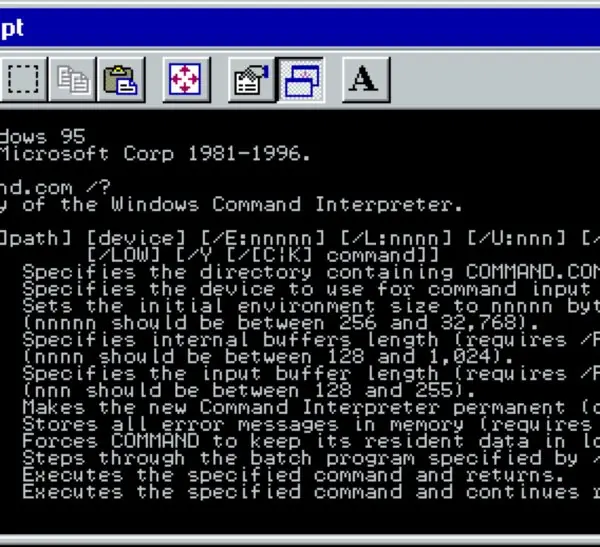
- CLI (command line interface): type commands; fast, scriptable, low resource use (Bash, PowerShell,
cmd). - GUI (graphical user interface): windows, icons, menus, pointer (WIMP); easier for beginners.
- Touch/voice interfaces on mobiles and assistants.
Booting is starting the computer:
- Power on; the CPU starts executing firmware (BIOS/UEFI).
- POST (power-on self-test) checks CPU, RAM, keyboard and disks.
- Firmware finds the boot device and loads the boot loader (e.g. Windows Boot Manager, GRUB).
- The boot loader loads the kernel into RAM.
- The kernel starts drivers and system services, then the login screen/shell appears.
Cold boot = from power-off; warm boot = restart without cutting power.

3.7 Some operating systems
| OS | Family | Notes |
|---|---|---|
| Windows | Microsoft, proprietary | GUI, NTFS, largest desktop share |
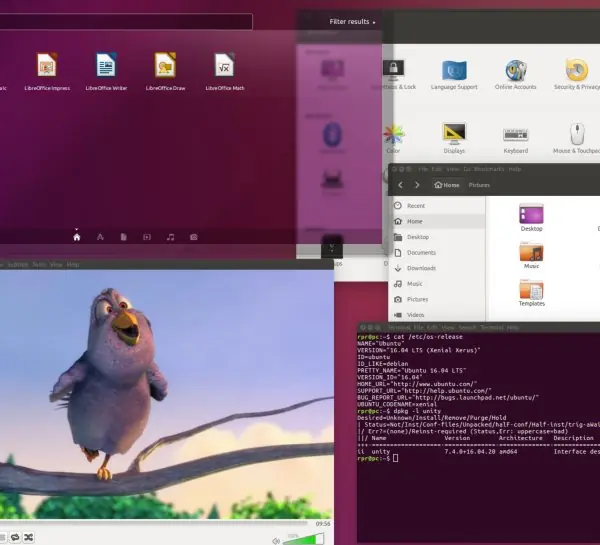
| Linux | open-source kernel (1991, Linus Torvalds) | distributions: Ubuntu, Fedora, Debian; servers, Android's kernel |
| macOS | Apple, Unix-based | proprietary, tight hardware integration |
| Android | Linux kernel + Google framework | most-used mobile OS |
| iOS | Apple | closed, mobile |
Useful Linux commands: pwd (where am I), ls -l (list with permissions), cd dir, mkdir d, cp a b, mv a b, rm f, cat f, chmod 754 f, ps (processes), kill PID, sudo (run as administrator).
Formula and fact sheet
- Turnaround = completion − arrival. Waiting = turnaround − burst.
- SJF minimises average waiting time; FCFS is simplest; RR is for time-sharing.
- Physical address = frame × page size + offset; page = address div page size, offset = address mod page size.
- Deadlock needs mutual exclusion, hold-and-wait, no pre-emption, circular wait.
- Boot: power on → POST → boot loader → kernel → login.
- Linux permissions r = 4, w = 2, x = 1.
Chapter summary
- The OS manages processes, memory, files and devices and provides the user interface.
- Multiprogramming keeps the CPU busy; time-sharing gives interactivity; real-time guarantees deadlines.
- Scheduling algorithms trade fairness, throughput and waiting time; SJF is optimal for average wait but needs knowledge of burst lengths.
- Paging maps pages to frames, virtual memory uses disk to extend RAM, and page faults cost time.
- Files live in a directory tree on a file system; booting loads the kernel through firmware and a boot loader.
Practice
A. Short questions
- Define operating system. State four of its functions.
- Differentiate multiprogramming and multitasking.
- What is a real-time OS? Differentiate hard and soft real-time.
- Differentiate program and process. Draw the process state diagram.
- What is a context switch?
- What is virtual memory? What is a page fault?
- Differentiate CLI and GUI.
- What is a device driver? What is spooling?
B. Numerical problems
- Processes P1 = 6, P2 = 2, P3 = 4 ms arrive at 0. Find average waiting time under FCFS and SJF.
- Page size 2 KB. Find the page number and offset of logical address 9000. If that page is in frame 5, find the physical address.
- The Linux permission string is
rwxr-x---. Give the octal mode. - Reference string 7 0 1 2 0 3 with 3 frames; count the page faults for FIFO.
C. Long questions
- Explain the types of operating systems.
- Explain the booting process of a computer.
- Explain paging and virtual memory.
Answers and worked solutions
1. An OS is system software that manages hardware and provides services to programs and users. Functions: process, memory, file, device management, security, user interface.
2. Multiprogramming keeps several programs in memory to keep the CPU busy during I/O waits; multitasking (time-sharing) additionally switches the CPU by time slice so that users get quick, interactive response.
3. An OS that guarantees response within a deadline. Hard: missing a deadline is a failure (airbag); soft: it only reduces quality (video streaming).
4. A program is a passive file; a process is a running instance with a PCB. States: new, ready, running, waiting, terminated (diagram in §3.3).
5. Saving the state of the running process and loading the state of the next one.
6. Virtual memory keeps only the needed pages in RAM and the rest on disk. A page fault is the trap when a referenced page is not in RAM.
7. CLI: typed commands, efficient, scriptable. GUI: windows and icons, easy to learn, uses more resources.
8. A driver is software that lets the OS control a device. Spooling queues output on disk so the CPU need not wait for a slow device such as a printer.
9. FCFS order 6, 2, 4: waits 0, 6, 8 → 14 / 3 = 4.67 ms. SJF order P2, P3, P1: waits 0, 2, 6 → 8 / 3 = 2.67 ms.
10. Page = 9000 div 2048 = 4; offset = 9000 − 8192 = 808. Physical = 5 × 2048 + 808 = 11048.
11. rwx = 7, r-x = 5, --- = 0, so 750.
12. FIFO with 3 frames: 7, 0, 1 load (3 faults); 2 evicts 7 (fault); 0 is a hit; 3 evicts 0 (fault). Total 5 faults.
13. Use the table in §3.2: batch, multiprogramming, time-sharing, multiprocessing, real-time, distributed, network, mobile, embedded, one line and example each.
14. Steps 1–5 in §3.6. 13–15. Full ten-mark answers are in the section Model answers below.
15. Paging: fixed-size pages and frames, page table, translation example in §3.4. Virtual memory: demand loading, page faults, replacement, thrashing.
Model answers: medium (5 marks) and long (10 marks) questions
Q13. Explain the types of operating systems. (10 marks)
Introduction. An operating system (OS) is system software that manages the hardware and gives users and programs a convenient interface (Figure 3.1). Operating systems are classified by how they schedule jobs and serve users.
- Batch OS: similar jobs are collected and run one after another without user interaction. Advantage: high CPU use for large jobs. Limitation: long waiting time, no interaction. Example: early IBM mainframes, payroll runs.
- Multiprogramming OS: several programs stay in memory and the CPU switches to another when one waits for I/O, so the CPU is rarely idle.
- Time-sharing (multitasking) OS: the CPU gives each user or task a short time slice, so many users feel they have the machine alone. Example: UNIX, Linux, Windows.
- Multiprocessor OS: two or more CPUs share memory and work in parallel for speed and reliability. Example: servers running Linux.
- Real-time OS (RTOS): responds within a guaranteed time. Hard real time (air-bag, pacemaker) must never miss a deadline; soft real time (video streaming) can tolerate small delays.
- Distributed OS: many networked computers act as one system and share resources and load. Example: cluster and cloud platforms.
- Network OS: runs on a server and provides file, print and user sharing to client computers. Example: Windows Server, Linux server.
- Embedded and mobile OS: small OS for devices with limited resources. Example: Android, iOS, router firmware.
| Type | Interaction | Main aim | Example |
|---|---|---|---|
| Batch | none | throughput | old mainframe |
| Time-sharing | high | fair response | Linux |
| Real-time | immediate | deadline | RTOS in a car |
| Distributed | high | resource sharing | cloud cluster |
| Mobile | touch | battery, apps | Android |
Conclusion. Modern desktop and server systems combine multiprogramming, time-sharing and multiprocessing, while special devices use real-time or embedded systems. The best type depends on the workload.
Q14. Explain the booting process of a computer. (10 marks)
Introduction. Booting is the process of starting a computer and loading the operating system from secondary storage into RAM. Because RAM is empty at power-on, a small program stored in ROM must start the process.
Cold boot is a start from power-off, warm boot is a restart.
Steps
- Power on: the power supply stabilises its voltages and sends a "power good" signal; the CPU starts at a fixed address in the ROM.
- Firmware (BIOS/UEFI) starts: the code in the ROM chip takes control and reads the settings kept in CMOS memory.
- POST (power-on self test): checks the CPU, RAM, keyboard, video and drives. A fault gives beep codes or an error message.
- Find the boot device: the firmware follows the boot order (SSD, USB, network) and looks for a bootable disk (MBR or GPT).
- Bootloader loads: a small program such as GRUB or the Windows Boot Manager is loaded from the boot sector.
- Kernel loads: the bootloader copies the OS kernel into RAM and hands over control; drivers are initialised.
- System services start: the init or service manager starts background services, the network and the file systems.
- Login and desktop: the login screen or shell appears and the computer is ready for use.
Process flow: power on → firmware → POST → boot device → bootloader → kernel → services → login.
| Item | BIOS (legacy) | UEFI |
|---|---|---|
| Disk scheme | MBR, up to 2 TB | GPT, very large disks |
| Interface | text | graphical, mouse |
| Boot speed | slower | faster, Secure Boot |
Conclusion. Booting is a chain of small programs, each loading a bigger one, until the full OS is running in RAM. Knowing the sequence helps to fix start-up problems such as a missing boot device.
Q15-M. Explain the states of a process with a diagram. (5 marks)
A process is a program in execution. During its life it passes through five states (Figure 3.2).
- New: the process is being created.
- Ready: it is in memory and waiting for the CPU.
- Running: the CPU is executing its instructions; only one process per core is running at a time.
- Waiting (blocked): it waits for I/O or an event, such as disk input.
- Terminated: it has finished, and its resources are freed.
| Transition | Cause |
|---|---|
| New → Ready | admitted by the scheduler |
| Ready → Running | dispatched by the CPU scheduler |
| Running → Ready | time slice expired or higher-priority process arrived |
| Running → Waiting | needs I/O or an event |
| Waiting → Ready | I/O or event completed |
| Running → Terminated | finishes or is killed |
Example: while a text editor waits for a key press it is waiting; when the key arrives it becomes ready, then running. The OS keeps this information in a process control block (PCB).
Q15. Explain paging and virtual memory. (10 marks)
Introduction. Main memory is limited, but programs and the number of running programs keep growing.
Paging is a memory management method that removes external fragmentation by cutting memory into equal blocks, and virtual memory uses the disk to give each program the illusion of a very large private memory.
Together they let a 4 GB phone run apps whose total size is much more than 4 GB.
- Pages and frames: logical memory of a process is divided into equal pages; physical memory is divided into frames of the same size (for example 1 KB or 4 KB). Any page can go into any free frame.
- Page table: the OS keeps a table for each process mapping page number to frame number, as in Figure 3.4(A).
- Address translation: a logical address is split into page number = address div page size and offset = address mod page size. For address 3500 and page size 1024 the page is 3 and the offset 428; with page 3 in frame 7 the physical address is 7 x 1024 + 428 = 7596.
- Fragmentation: there is no external fragmentation; only the last page of a process may be partly empty (internal fragmentation, less than one page).
- Demand paging: a page is loaded only when it is first used. A valid bit in the page table shows whether the page is in RAM.
- Page fault: when the page is not in RAM, the hardware traps to the OS, which finds the page on disk, loads it into a free frame, updates the table and restarts the instruction. This costs milliseconds, so too many faults slow the system.
- Page replacement: if no frame is free the OS selects a victim: FIFO removes the oldest page, LRU the least recently used and optimal the page needed farthest in the future. For the string 1 2 3 4 1 2 5 with three frames FIFO and LRU give 7 faults and optimal gives 5 (Figure 3.4(B)). FIFO can even give more faults with more frames (Belady's anomaly, Figure 3.4(C)).
- Thrashing: if there are too many processes for the RAM, the system spends most time swapping pages and little time doing work. The cure is to reduce the number of running processes or add RAM.
| Point | Paging | Virtual memory |
|---|---|---|
| Purpose | remove external fragmentation | run programs larger than RAM |
| Unit | fixed-size page and frame | pages moved between RAM and swap space |
| Main structure | page table | page table plus disk swap area |
| Main cost | table space | page faults and disk time |
Example. On a lab PC with 4 GB of RAM, opening a browser, an IDE and a video call together may need more than 4 GB; the OS keeps the active pages in RAM and the rest in swap space, so everything runs, though a little slower.
Conclusion. Paging gives simple, fragmentation-free allocation, and virtual memory built on demand paging gives large, protected address spaces. Their success depends on a low page-fault rate, which is why replacement policy and enough RAM matter.