Unit 4 · 19 min read
The Mobile Client: Offline-first Sync, Screens and Testing
What the syllabus asks for 7
- Choosing the client technology
- The screens
- Offline-first synchronisation
- Showing stale data honestly
- Permissions, privacy and security on the phone
- Testing the client logic
- Eight features of a good field-ready mobile client
The farmer will not sit at a computer; the farmer stands on a terrace with a phone and, often, no signal. The mobile client is therefore not "a web page on a phone".
It must show something useful offline, save the farmer's actions, and send them later without losing or duplicating anything.
This unit designs the KhetSense Android client, shows the offline-first idea with a runnable sync simulation, and tests the sync logic.
- A comparison of native, cross-platform and web-app approaches, and the chosen architecture.
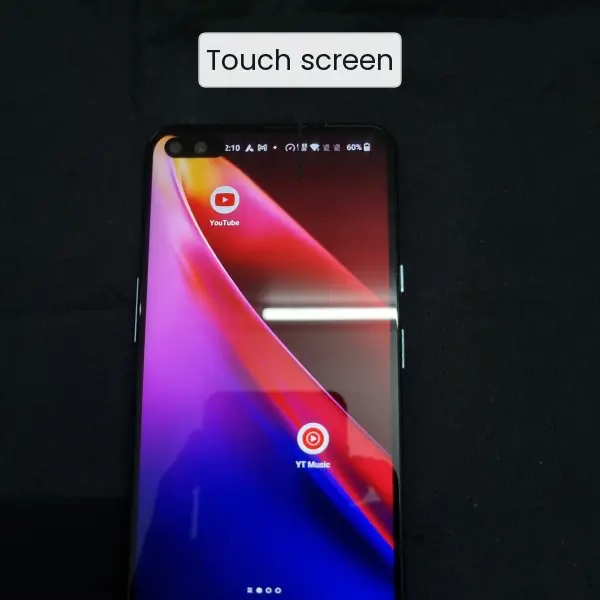
- Three wireframes for the KhetSense screens, drawn as figures next to a real phone photograph.
- An offline-first sync simulation: queue, retry, acknowledgement loss and idempotent server.
- Rules for showing stale data, a permissions and privacy table, and a unit-test run.
4.1 Choosing the client technology
| Approach | Example tools | Strengths | Weaknesses | Fit for KhetSense |
|---|---|---|---|---|
| Native Android | Kotlin, Jetpack, Room, WorkManager | best offline tools, full access to the phone | Android only | chosen: most farmers use Android |
| Cross-platform | Flutter, React Native | one code base for Android and iOS | larger app, plugin differences | good if iOS is needed later |
| Progressive web app | HTML, JavaScript, service worker | no installation, easy updates | weaker background sync | acceptable fallback |
The recommended structure is MVVM (Model-View-ViewModel): the View shows screens, the ViewModel holds the screen state, and a Repository decides whether data come from the local database (Room) or from the server.
The screen always reads from the local database; a background worker keeps that database up to date. That single rule is the heart of offline-first design.
4.2 The screens
Keep the app to three screens. Each screen answers one question for the farmer.


4.3 Offline-first synchronisation
When the phone has no signal, the farmer taps "Done watering". The app must not show an error; it saves the action in a local queue and sends it later. Three problems must be solved.
- Queue. Every action gets a unique id made on the phone (such as a UUID) at the moment of the tap, and is stored until the server confirms it.
- Retry. The worker sends queued actions whenever the network returns, with growing waits between failed attempts.
- Idempotence. If the server receives the action but the confirmation is lost, the phone sends it again. The server must recognise the id and ignore the repeat.

The script simulates six actions made offline in a field. During sync, 40 percent of requests and 40 percent of acknowledgements are lost. It also shows what happens when two phones change the same note for a plot.
import random
random.seed(2)
class Server:
    def __init__(self): self.applied, self.duplicates, self.notes = {}, 0, {}
    def receive(self, a):
        if a["id"] in self.applied: self.duplicates += 1; return "duplicate"
        self.applied[a["id"]] = a
        if a["kind"] == "note":                          # last write wins, by the phone's timestamp
            old = self.notes.get(a["plot"])
            if old is None or a["ts"] >= old[0]: self.notes[a["plot"]] = (a["ts"], a["text"])
        return "ok"
queue = [{"id": f"a{i}", "kind": "watered", "plot": 1 + i % 3, "ts": 600 + i} for i in range(1, 5)]
queue += [{"id": "a5", "kind": "note", "plot": 2, "ts": 650, "text": "leaf curl"},
          {"id": "b1", "kind": "note", "plot": 2, "ts": 640, "text": "looks fine"}]   # other phone, older
srv, rnd = Server(), 0
while queue and rnd < 12:
    rnd += 1; sent = 0
    for a in list(queue):
        if random.random() < 0.4: break                    # no signal: stop this round
        sent += 1; srv.receive(a)
        if random.random() >= 0.4: queue.remove(a)         # ack arrived
    print(f"round {rnd}: sent {sent}, still queued {len(queue)}")
print(f"server applied {len(srv.applied)} unique actions, ignored {srv.duplicates} duplicates")
print("note for plot 2 after sync:", srv.notes[2])
round 1: sent 1, still queued 5
round 2: sent 0, still queued 5
round 3: sent 5, still queued 3
round 4: sent 3, still queued 1
round 5: sent 0, still queued 1
round 6: sent 0, still queued 1
round 7: sent 1, still queued 1
round 8: sent 0, still queued 1
round 9: sent 1, still queued 0
server applied 6 unique actions, ignored 5 duplicates
note for plot 2 after sync: (650, 'leaf curl')
Reading the sync output. The farmer's six actions were saved at once, and the phone needed 9 rounds on a very poor link to clear the queue.
The server applied exactly 6 unique actions and ignored 5 duplicates caused by lost acknowledgements, so nothing was lost or counted twice.
For the two conflicting notes on plot 2, the later timestamp (650, "leaf curl") won, which is the last-write-wins rule.
This rule is simple but can silently discard the older note; for important data, keep both versions and ask the user.
4.4 Showing stale data honestly
An offline app must say how old its data are. A farmer who sees "16 percent, water now" without knowing it is two days old may waste water or lose a crop. The label rules below follow the staleness rule of Unit 3.
| Age of newest reading | Label | Advice shown? |
|---|---|---|
| under 30 minutes | "Updated 12 min ago" in green | yes |
| 30 to 59 minutes | "Updated 45 min ago" in amber | yes |
| 60 minutes to 2 hours | "Updated 1 h 20 min ago" in amber | yes |
| over 2 hours | "No recent data (3 h)" in red | no, replaced by "check the node" |
| never synced | "Waiting for first data" | no |
4.5 Permissions, privacy and security on the phone
| Topic | KhetSense decision | Reason |
|---|---|---|
| Permissions | internet and network state only | no location, camera or contacts are needed, so none are requested |
| Login | phone number and one-time code, then a token | no passwords to forget; the token expires and can be revoked (see Project II, Unit 3) |
| Local storage | plot readings only, no personal data | a lost phone then leaks nothing sensitive |
| Transport | HTTPS only | readings and actions cannot be altered on the way |
| Updates | released through Play Store, with version check | old apps that break the API are told to update |
Asking for the fewest permissions is both a security and a trust measure: farmers are more willing to install an app that does not ask for their location or contacts.
4.6 Testing the client logic
Screens are tested by hand on a device matrix: a small and a large screen, an old and a new Android version, and three network states (good, slow, none). The logic that matters most (age labels and sync) is tested by code.
The tests below check the label rules and the idempotent server from Section 4.3.
def age_label(minutes):
    if minutes is None: return "Waiting for first data", False
    if minutes < 60: return f"Updated {minutes} min ago", True
    if minutes <= 120: return f"Updated {minutes // 60} h {minutes % 60} min ago", True
    return f"No recent data ({minutes // 60} h)", False

seen, applied = set(), []
def server_apply(action_id):
    if action_id in seen: return "duplicate"
    seen.add(action_id); applied.append(action_id); return "ok"

def t_fresh():       assert age_label(12) == ("Updated 12 min ago", True)
def t_amber():       assert age_label(80) == ("Updated 1 h 20 min ago", True)
def t_boundary():    assert age_label(120)[1] is True and age_label(121)[1] is False
def t_stale():       assert age_label(185) == ("No recent data (3 h)", False)
def t_never():       assert age_label(None) == ("Waiting for first data", False)
def t_idempotent():  assert [server_apply("a1"), server_apply("a1"), server_apply("a2")] == ["ok", "duplicate", "ok"] and applied == ["a1", "a2"]
def t_thirty():      assert age_label(30)[0] == "Updated 30 min ago"     # pins an earlier bug: "0 h 30 min"
for t in (t_fresh, t_amber, t_boundary, t_stale, t_never, t_idempotent, t_thirty):
    try: t(); print("PASS", t.__name__)
    except AssertionError: print("FAIL", t.__name__)
PASS t_fresh
PASS t_amber
PASS t_boundary
PASS t_stale
PASS t_never
PASS t_idempotent
PASS t_thirty
The last test, t_thirty, pins a bug that was found earlier: the first version of age_label printed "Updated 0 h 30 min ago" for 30 minutes, which no farmer would say.
After the fix (show minutes only below 60) the test passes, and if anyone breaks the rule again the test fails at once. This is how a bug report becomes a permanent test.
The seven tests above check labels, the 120-minute boundary and idempotence; they run in milliseconds, so they can run before every build.
4.7 Eight features of a good field-ready mobile client
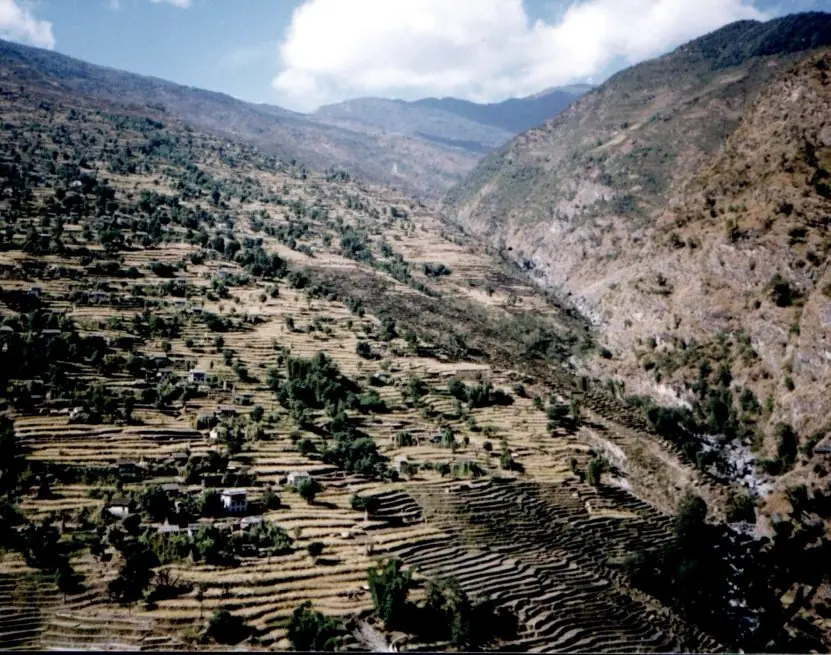
- Offline-first reading. The screen always shows the last saved data from the local database, even in a valley with no signal. The farmer sees an answer in under a second, and the network only refreshes it in the background. This is the single most useful feature for rural Nepal, where coverage changes from terrace to terrace.
- Action queue with retry. Taps such as "Done watering" are saved with a unique id and sent when the network returns. The farmer never sees a "failed" error for a normal weak signal. Retries wait longer after each failure to save battery.
- Idempotent actions. A repeated send changes nothing, so lost acknowledgements cannot create double entries. In the simulation 5 duplicates were ignored while 6 unique actions were stored. Payment systems use the same idea so that a retry does not charge a customer twice.
- Plain-word advice first. "Water now" is bigger than "16 percent". Many farmers read little English or little Nepali text, so colour and short words are safer than numbers. Numbers stay available one tap deeper for the extension officer.
- Honest freshness labels. The app states the age of its data and withholds advice after two hours. A stale "fine" is more dangerous than "no data". This builds trust, because the app admits what it does not know.
- Few permissions. KhetSense asks only for internet access. Without location, camera or contacts, the app installs quickly and respects the farmer's privacy, which matters for adoption in a cooperative.
- Light on data and battery. Messages are 24 bytes, charts are drawn from local data and sync runs in batches. A farmer on a small prepaid data pack, or a phone at 15 percent battery, can still use the app all week.
- Safe login and updates. A one-time code to the phone number avoids forgotten passwords, and a version check tells old apps to update when the API changes. Together they keep the app secure without making it hard to use.


Formula and fact sheet
- Offline-first: the screen reads local storage; a worker syncs in the background.
- Action = unique id + kind + payload + phone timestamp; server stores the id and ignores repeats (idempotent).
- Last-write-wins keeps the newest timestamp and may discard an older edit.
- Staleness: show age; withhold advice after 2 hours.
- Request only the permissions the app truly needs.
Chapter summary
- Native Android with Room and a background worker suits field users best; Flutter or a PWA are alternatives.
- Three screens (home advice, plot detail, alerts) answer three questions, and wireframes come before code.
- Offline-first design needs a queue, retry and idempotence; the simulation stored 6 unique actions and ignored 5 duplicates.
- Stale data must be labelled, and advice must be withheld when data are older than 2 hours.
- Test the logic in code and the screens on a device matrix; turn each fixed bug into a permanent test.
Practice
- What does "offline-first" mean for the home screen?
- Name the three problems that a sync design must solve.
- Explain why the phone, not the server, must create the action id.
- What is an idempotent operation? Give one example from daily life.
- State the last-write-wins rule and one danger of it.
- Why does the app withhold advice when data are over 2 hours old?
- Why is asking for the location permission a bad idea in KhetSense?
- List three entries of a device matrix for a test plan.
- A phone has 6 queued actions and each send succeeds with probability 0.6. How many sends are expected to deliver all 6 if each action is sent until it succeeds?
- Why was the test
t_thirtyadded to the test suite?
Answers and worked solutions
1. It shows the last saved data from the local database immediately, whether or not the network works.
2. Queueing the action, retrying, and avoiding duplicates (idempotence).
3. The server cannot be reached offline, and the same id must be reused for every retry so duplicates can be recognised.
4. An operation that gives the same result when repeated; for example pressing the lift button twice.
5. The newest timestamp wins; an earlier valid edit by another user is silently lost.
6. Advice from old data can be wrong, and "no data" is safer than a false answer.
7. The app does not need location, and extra permissions reduce trust and install rates.
8. For example: small screen at Android 9 with no network; large screen at Android 14 with slow network; mid screen at Android 12 with good network.
9. Expected sends per action = 1 ÷ 0.6 = 1.67; for 6 actions 6 × 1.67 = 10 sends.
10. It pins a bug fix ("0 h 30 min" label) so that it cannot return unnoticed.
Model answers: medium (5 marks) and long (10 marks) questions
Q1 (5 marks). What is an offline-first mobile application? Explain how it works with an example.
Introduction. An offline-first application treats the network as an optional extra. The screen is always drawn from data stored on the phone, and the network only keeps that stored data up to date.
How it works.
- Local database. The app keeps readings and actions in a database on the phone (Room on Android). Every screen reads from it, so it opens instantly with or without signal.
- Background sync. A worker (WorkManager) downloads new data and uploads queued actions whenever a connection is available, retrying with growing waits.
- Action queue. A user action, such as "Done watering", is saved with a unique id and marked as waiting. The screen shows "1 action waiting to sync" instead of an error.
- Idempotent server. If an acknowledgement is lost, the phone resends the same id and the server ignores the repeat.
- Freshness label. The screen states the age of the data and hides advice when it is older than 2 hours.
Example. A KhetSense farmer on a terrace without signal taps "Done watering" six times during a day; in the simulation all six were stored once on the server after 9 sync rounds on a link that lost 40 percent of packets.
Conclusion. Offline-first design gives a fast, reliable app in places with weak coverage, which is typical for rural Nepal.
Q2 (5 marks). Explain the roles of a unique action id, retry and idempotence in data synchronisation. What is last-write-wins?
Introduction. Synchronisation between a phone and a server must work when messages are lost or repeated. Three ideas together make it safe.
The three ideas.
- Unique id. The phone creates an id such as
a7at the moment of the tap. It is saved with the action and never changes, so every retry carries the same identity. - Retry. The action stays in the queue until the server confirms it. If the request or the acknowledgement is lost, the phone sends it again later. Waiting longer after each failure avoids draining the battery.
- Idempotence. The server keeps the ids it has applied. If an id arrives again, it answers "duplicate" and changes nothing. In the simulation, 5 repeats were ignored and 6 unique actions were stored.
Conflicts and last-write-wins. When two phones edit the same item, a rule must decide. Last-write-wins keeps the edit with the newest timestamp: the note "leaf curl" (time 650) replaced "looks fine" (time 640).
It is simple, but an older valid edit is lost silently, so for important data both versions should be kept.
Conclusion. Unique ids, retries and idempotent servers together give "exactly once" results on top of an unreliable network.
Q3 (10 marks). Design the mobile client of an IoT field-monitoring system. Explain technology choice, architecture, screens, offline behaviour, privacy and testing, using KhetSense.
Introduction. The client of a field-monitoring system is used outdoors, by non-technical users, often with no signal. The design must therefore put reliability and clarity before features. KhetSense serves farmers who read plot status on Android phones.
1. Technology. Native Android (Kotlin) is chosen for its offline tools and because most farmers use Android; Flutter is an option if iOS is needed and a PWA is a fallback (table in Section 4.1).
2. Architecture. MVVM: views show screens, the ViewModel holds state, and a repository reads the local Room database and asks a WorkManager job to sync with the REST API.
3. Screens. Home (one card per plot, advice word first), Plot detail (7-day chart, last update, "Done watering"), and Alerts (silent or stuck node). Wireframes come before code (Figure 4.1 plate).
4. Offline behaviour. Reads come from the local database. Actions go to a queue with unique ids; the server applies each id once.
In the simulation 6 actions were applied exactly once after 9 rounds on a 40 percent loss link, with 5 duplicates ignored. Stale data are labelled and advice is hidden after 2 hours.
5. Privacy and security. Only the internet permission, no location or contacts; login by one-time code and expiring token; HTTPS only; only plot readings stored locally.
6. Testing. Logic tests for age labels and idempotence (7 tests passing) run before every build; screens are tested on a device matrix of screen size, Android version and network state; every fixed bug becomes a permanent test.
| Concern | Decision | Reason |
|---|---|---|
| Data source for screens | local database | works offline |
| Sync | queue + retry + idempotence | no loss, no duplicates |
| Freshness | label and 2-hour rule | avoid false advice |
| Permissions | internet only | privacy and trust |
Conclusion. A field-ready client is offline-first, honest about data age, minimal in permissions and protected by automated tests. A report that shows these decisions with the simulation results will satisfy the examiner.