Unit 3 · 7 teaching hours · 19 min read
Strings and Built-in Data Structures
What the syllabus asks for 7
- Strings
- Lists
- Tuples
- Sets
- Dictionaries
- Choosing a data structure
- Seeing the ideas: text, code points and four containers
Most real programs are about collections of data: marks of fifty students, words in a document, a phone book. Python gives you strings, lists, tuples, sets and dictionaries as built-in types, each tuned for a different job.
Choosing the right one is half the work of writing a good program.
- Strings: indexing, slicing, methods, formatting, immutability.
- Lists, tuples, sets and dictionaries: creation, operations, methods, comprehensions.
- Copying (shallow versus deep), sorting, and how to choose a structure.
3.1 Strings
A string is an immutable sequence of Unicode characters. Indexes start at 0; negative indexes count from the end. Slicing s[start:stop:step] takes a sub-sequence (stop is excluded).
s = "Pokhara Valley"
print(s[0], s[-1], s[0:7], s[8:], s[::-1], s[::2])
print(len(s), s.upper(), s.lower(), s.swapcase())
print(s.find("a"), s.rfind("a"), s.count("a"), s.replace("a", "@"))
print(s.split(), "-".join(["BCA", "TU", "4th"]))
print("  padded  ".strip() + "|", "42".zfill(5), "x".center(5, "*"))
print("momo".startswith("mo"), "momo".endswith("ma"), "abc123".isalnum(), "123".isdigit())
P y Pokhara Valley yellaV arahkoP PkaaVle
14 POKHARA VALLEY pokhara valley pOKHARA vALLEY
4 9 3 Pokh@r@ V@lley
['Pokhara', 'Valley'] BCA-TU-4th
padded| 00042 **x**
True False True True
Strings cannot be changed in place: s[0] = "p" raises TypeError, so methods return new strings.
# raises
s = "momo"
s[0] = "M"
Traceback (most recent call last):
  File "p.py", line 3, in <module>
    s[0] = "M"
    ~^^^
TypeError: 'str' object does not support item assignment
Useful methods: strip/lstrip/rstrip, split/rsplit/splitlines, join, find/index/count, startswith/endswith, isalpha/isdigit/isalnum/isspace/isupper/islower, title/capitalize, format, encode.
Triple-quoted strings span lines; raw strings r"C:\new" keep backslashes. Strings compare lexicographically by Unicode code point.
text = "the quick brown fox jumps over the lazy dog the end"
words = text.split()
print(len(words), "words;", len(set(words)), "distinct")
print(text.title()[:20], "|", "".join(c for c in text if c in "aeiou")[:10])
nepali = "नमस्ते"
print(nepali, len(nepali), nepali.encode("utf-8")[:6])
11 words; 9 distinct
The Quick Brown Fox  | euioouoeea
नमस्ते 6 b'\xe0\xa4\xa8\xe0\xa4\xae'
3.2 Lists
A list is a mutable, ordered sequence of any objects. Create with [...] or list(iterable).
marks = [72, 85, 60, 91]
marks.append(78)
marks.insert(1, 99)
marks.extend([55, 66])
print(marks, len(marks))
print(marks.pop(), marks.pop(0), marks.remove(60), marks)
marks.sort()
print(marks, marks[1:4], marks[-2:], max(marks), sum(marks) / len(marks))
marks.reverse()
print(marks, marks.index(85), marks.count(78), 85 in marks)
[72, 99, 85, 60, 91, 78, 55, 66] 8
66 72 None [99, 85, 91, 78, 55]
[55, 78, 85, 91, 99] [78, 85, 91] [91, 99] 99 81.6
[99, 91, 85, 78, 55] 2 1 True
| Method | Effect |
|---|---|
append(x), extend(it), insert(i, x) |
add one item, many items, at a position |
pop([i]), remove(x), clear(), del a[i] |
remove |
sort(key=…, reverse=…), reverse() |
in place; return None |
index(x), count(x) |
search |
copy(), a + b, a * n |
copy, concatenate, repeat |
sorted(a) returns a new sorted list and leaves a alone. The key function customises sorting.
students = [("Sita", 88), ("Ram", 72), ("Hari", 88), ("Gita", 95)]
print(sorted(students, key=lambda p: p[1], reverse=True))
print(sorted(students, key=lambda p: (-p[1], p[0])))
print(sorted(["banana", "Apple", "cherry"], key=str.lower))
[('Gita', 95), ('Sita', 88), ('Hari', 88), ('Ram', 72)]
[('Gita', 95), ('Hari', 88), ('Sita', 88), ('Ram', 72)]
['Apple', 'banana', 'cherry']
List comprehensions
[expr for item in iterable if condition] builds a list in one expression.
squares = [n * n for n in range(1, 8)]
evens = [n for n in range(20) if n % 2 == 0]
pairs = [(x, y) for x in range(1, 4) for y in range(1, 4) if x < y]
matrix = [[i * j for j in range(1, 4)] for i in range(1, 4)]
print(squares, evens, pairs, matrix, sep="\n")
[1, 4, 9, 16, 25, 36, 49]
[0, 2, 4, 6, 8, 10, 12, 14, 16, 18]
[(1, 2), (1, 3), (2, 3)]
[[1, 2, 3], [2, 4, 6], [3, 6, 9]]
Copying: references, shallow copy, deep copy
Assigning a list to another name does not copy it.
import copy
a = [[1, 2], [3, 4]]
alias = a
shallow = a.copy()
deep = copy.deepcopy(a)
a[0][0] = 99
print(alias, shallow, deep)
a.append([5, 6])
print(len(alias), len(shallow), len(deep))
[[99, 2], [3, 4]] [[99, 2], [3, 4]] [[1, 2], [3, 4]]
3 2 2
alias is the same object. shallow has its own outer list but shares the inner lists (so the change to a[0][0] shows in it, while the appended row does not). deep shares nothing.
3.3 Tuples
A tuple is an immutable ordered sequence: (1, 2, 3), or just 1, 2, 3; a one-element tuple needs a comma: (5,). Use tuples for fixed records (coordinates, a date), as dictionary keys, and for returning several values from a function.
point = (3, 4)
x, y = point
single = (5,)
r, *rest = (10, 20, 30, 40)
print(x, y, type(single), r, rest, point + (5,), point * 2)
print(divmod(17, 5), tuple("abc"), (1, 2) < (1, 3), len(()))
3 4 <class 'tuple'> 10 [20, 30, 40] (3, 4, 5) (3, 4, 3, 4)
(3, 2) ('a', 'b', 'c') True 0
Tuples are hashable (if their items are), faster and smaller than lists, and protect data from accidental change.
3.4 Sets
A set is an unordered collection of unique, hashable elements. Membership tests are very fast (average O(1)).
a = {1, 2, 3, 4}
b = {3, 4, 5}
print(a | b, a & b, a - b, a ^ b)
print(a <= {1, 2, 3, 4, 5}, 3 in a, set("banana"), {1, 2, 2, 3})
a.add(10); a.discard(1)
print(sorted(a), len(set([5, 1, 5, 2, 1])))
{1, 2, 3, 4, 5} {3, 4} {1, 2} {1, 2, 5}
True True {'a', 'n', 'b'} {1, 2, 3}
[2, 3, 4, 10] 3
{} is an empty dict; an empty set is set(). Operations: union |, intersection &, difference -, symmetric difference ^, subset <=. Use sets to remove duplicates and to compare groups: who is enrolled in both courses?
3.5 Dictionaries
A dictionary maps unique, hashable keys to values. Since Python 3.7 it keeps insertion order.
student = {"name": "Sita", "roll": 14, "marks": [88, 92]}
student["college"] = "Patan"
print(student["name"], student.get("phone", "n/a"), len(student))
print(list(student.keys()), list(student.values())[:2])
for k, v in student.items():
    print(f"{k:8} -> {v}")
del student["roll"]
print(student.pop("college"), student, "name" in student)
Sita n/a 4
['name', 'roll', 'marks', 'college'] ['Sita', 14]
name     -> Sita
roll     -> 14
marks    -> [88, 92]
college  -> Patan
Patan {'name': 'Sita', 'marks': [88, 92]} True
Accessing a missing key with d[k] raises KeyError; d.get(k, default) is safe. setdefault, update, pop, popitem, items, keys, values complete the main methods. Dictionary comprehension: {k: v for …}.
text = "to be or not to be that is the question"
count = {}
for w in text.split():
    count[w] = count.get(w, 0) + 1
print(count)
print({w: len(w) for w in set(text.split()) if len(w) > 3} == {"that": 4, "question": 8})
inv = {v: k for k, v in {"a": 1, "b": 2}.items()}
print(inv, dict(zip("xyz", range(3))))
top = sorted(count.items(), key=lambda kv: (-kv[1], kv[0]))[:3]
print(top)
{'to': 2, 'be': 2, 'or': 1, 'not': 1, 'that': 1, 'is': 1, 'the': 1, 'question': 1}
True
{1: 'a', 2: 'b'} {'x': 0, 'y': 1, 'z': 2}
[('be', 2), ('to', 2), ('is', 1)]
(The standard library's collections.Counter does word counting in one line; see Unit 4.)
3.6 Choosing a data structure
| Need | Use |
|---|---|
| ordered, changeable sequence | list |
| fixed record or dictionary key | tuple |
| uniqueness, fast membership, set algebra | set |
| look up by key | dict |
| text | str |
| queue with fast ends | collections.deque |
| Operation | list | set | dict |
|---|---|---|---|
x in c |
O(n) | O(1) average | O(1) average (keys) |
| append / add | O(1) amortised | O(1) | O(1) |
index c[i] |
O(1) | none | O(1) by key |
3.7 Seeing the ideas: text, code points and four containers
Everything in this unit is a way of holding many values: a string holds characters, a list holds items in order, a tuple holds a fixed record, a set holds unique items and a dictionary holds key-value pairs.
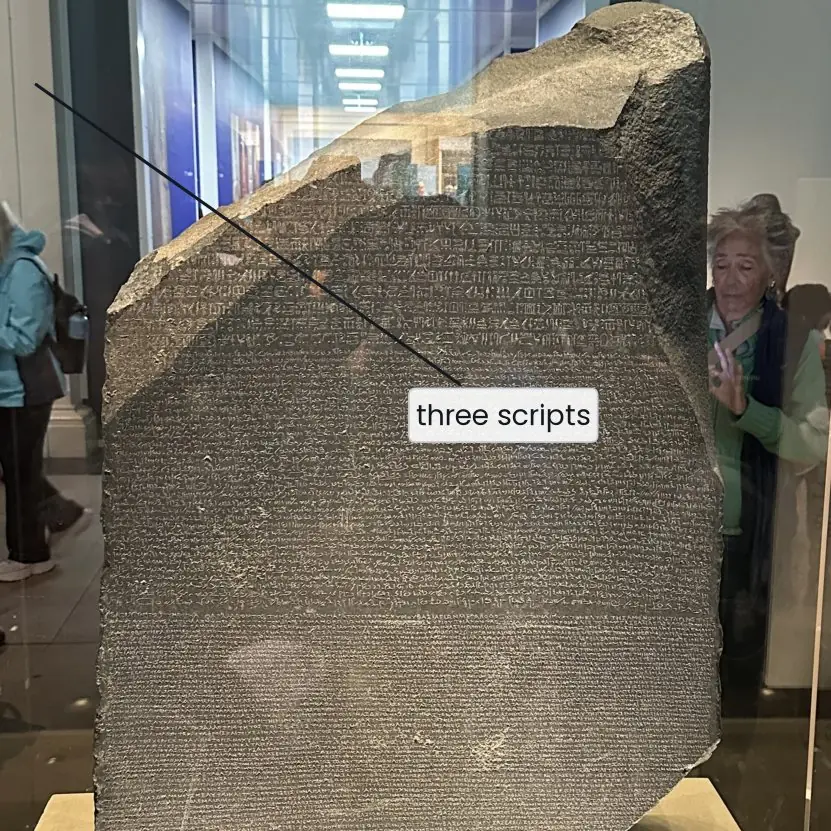
The plate begins with a real stone that taught us how to decode one script into another, which is exactly what a character encoding does.
The figures then show how a string is cut by index, how the four containers differ, and how a dictionary counts words.



text = "the cat sat on the mat the dog sat on the log"
cnt = {}
for w in text.split():
    cnt[w] = cnt.get(w, 0) + 1
print(cnt)
print(max(cnt, key=cnt.get), cnt["the"])
{'the': 4, 'cat': 1, 'sat': 2, 'on': 2, 'mat': 1, 'dog': 1, 'log': 1}
the 4
Choosing between a list, tuple, set and dictionary is partly a question of speed and memory, and partly of safety. The plates below measure the first two with real Python 3.12 and show the third with the real error messages.



3.7.1 Eight practical uses of strings, lists and dictionaries
- Cleaning names and codes. Methods such as
strip(),title()andreplace()tidy text typed by users. A college clerk can turn" ram BAHADUR thapa "into"Ram Bahadur Thapa"in one line. Clean text gives correct matches when records are joined later. - Splitting and joining records.
line.split(",")turns a CSV row of exam marks into a list, and",".join(list)writes it back. Most data files exported from a school management system are of this type. These two methods are the basis of simple data pipelines. - Keeping ordered collections. A list holds a queue of tickets, the marks of a class or the pages of a report in order. It can grow, shrink and be sorted. The cost is that finding one item in a very long list means scanning it.
- Building new lists by comprehension.
[m for m in marks if m >= 40]keeps the passing marks in a single readable line. It replaces a four-line loop and is usually faster. A long or nested comprehension becomes hard to read, so split it then. - Protecting fixed data with tuples. A tuple such as
(27.7172, 85.3240)for the latitude and longitude of Kathmandu cannot be changed by mistake. Tuples can be dictionary keys, while lists cannot. Use them for records that should stay constant. - Removing duplicates with sets.
set(roll_numbers)drops repeated entries, anda & bshows students present in both of two lists. A set answers "is this item present" very fast. It has no order, so sort it when the order matters. - Lookup tables with dictionaries. A dictionary maps a district name to its code, or a ledger number to a balance, and finds a key without scanning. It is the Python form of a small database table. Keys must be hashable, so a list cannot be a key.
- Counting and grouping.
collections.Counterordict.get(k, 0) + 1counts word frequencies, votes per candidate or sales per shop, as Fig. 3.3 shows.defaultdict(list)groups students by section. Nested dictionaries can store a whole record, but very deep nesting is better replaced by a class (Unit 6).
Formula and fact sheet
- Slice
s[a:b:c]; negative index from the end; strings and tuples immutable, lists, sets, dicts mutable. sorted()returns a new list;list.sort()sorts in place and returnsNone.a = baliases;.copy()is shallow;copy.deepcopyis deep.- Set ops
| & - ^;{}is an empty dict. d.get(k, default)avoidsKeyError.
Chapter summary
- Strings are immutable sequences with a rich method set; slicing is the universal tool for sequences.
- Lists are the general-purpose mutable sequence; comprehensions build them concisely; copies are shallow unless you ask for deep.
- Tuples are fixed records, sets give uniqueness and fast membership, dictionaries give key-based lookup.
Practice
- Given
s = "Computer", write expressions for its first three letters, last three letters, reversed string and every second character. - Why does
s[0] = "c"fail for a string, and how would you produce "computer"? - Remove duplicates from
[3, 1, 3, 2, 1]while keeping the first occurrence order. - Sort
[("a", 3), ("b", 1), ("c", 2)]by the second element in descending order. - Explain the output difference between assignment, shallow copy and deep copy for nested lists.
- Count the frequency of each character in
"mississippi". - Find the students who took both Maths and Physics given two sets of rolls.
- When would you use a tuple instead of a list?
Answers and worked solutions
1.
s = "Computer"
print(s[:3], s[-3:], s[::-1], s[::2])
Com ter retupmoC Cmue
2. Strings are immutable, so item assignment raises TypeError. Build a new string:
s = "Computer"
print(s.lower(), "c" + s[1:])
computer computer
3.
data = [3, 1, 3, 2, 1]
print(list(dict.fromkeys(data)))
[3, 1, 2]
(dict keeps insertion order and keys are unique.)
4.
print(sorted([("a", 3), ("b", 1), ("c", 2)], key=lambda t: t[1], reverse=True))
[('a', 3), ('c', 2), ('b', 1)]
5. See Section 3.2: the alias shows every change; a shallow copy shares the inner lists but not the outer one; a deep copy shares nothing.
6.
freq = {}
for ch in "mississippi":
    freq[ch] = freq.get(ch, 0) + 1
print(freq)
{'m': 1, 'i': 4, 's': 4, 'p': 2}
7.
maths = {1, 2, 5, 7, 9}
physics = {2, 3, 7, 8}
print(sorted(maths & physics))
[2, 7]
8. For fixed records that must not change, as dictionary keys or set members, for returning multiple values, and when you want the small speed and memory advantage and the guarantee of immutability.
Model answers (5 and 10 marks)
Q1. Explain string slicing and any six string methods of Python with a program. (5 marks)
A string is an immutable sequence of Unicode characters. Each character has an index from 0 (left) and from -1 (right), so s[0] is the first and s[-1] the last character (Fig. 3.1).
A slice s[a:b:c] returns characters from index a up to but not including b with step c; omitted parts default to the start, the end and 1, and s[::-1] reverses the string.
Because strings are immutable, every method returns a new string and leaves the original unchanged; s[0] = "k" raises a TypeError.
Six common methods.
upper(),lower(),title()change case.strip()removes spaces from both ends.replace(old, new)substitutes text.split(sep)returns a list of parts andsep.join(list)joins them.find(sub)gives the first index or -1;count(sub)counts occurrences.startswith(),endswith()andisdigit()returnTrueorFalse.
s = "  Kathmandu Valley  "
t = s.strip()
print(t.upper(), "|", t.replace("Valley", "City"))
print(t.split(), t.find("Val"), t.count("a"))
print(t[0:4], t[-6:], t[::-1])
print(t.startswith("Kath"), "7".isdigit(), "-".join(["2082", "01", "15"]))
KATHMANDU VALLEY | Kathmandu City
['Kathmandu', 'Valley'] 10 3
Kath Valley yellaV udnamhtaK
True True 2082-01-15
Formatted output uses f-strings such as f"{x:.2f}". Strings can be compared with == and <, which follow Unicode order.
Q2. Compare list, tuple, set and dictionary with suitable examples. (5 marks)
Python has four built-in containers (Fig. 3.2). All can hold mixed types and all work with len(), in and for.
| Point | list | tuple | set | dict |
|---|---|---|---|---|
| Example | [3, 1, 3] |
(3, 1, 3) |
{3, 1} |
{"a": 3} |
| Ordered | yes | yes | no | yes (insertion order) |
| Mutable | yes | no | yes | yes |
| Duplicates | allowed | allowed | not kept | keys unique |
| Access | x[i] |
x[i] |
in only |
x[key] |
When to use which. A list is the default sequence (marks of a class). A tuple is a fixed record or a dictionary key (a point). A set removes duplicates and does union (|), intersection (&) and difference (-). A dictionary stores facts by key (district code).
data = [3, 1, 3, 2, 1]
print(data, tuple(data), set(data), sorted(set(data)))
print({k: data.count(k) for k in set(data)} == {1: 2, 2: 1, 3: 2})
print({1, 2, 3} & {2, 3, 4}, {1, 2, 3} - {2})
[3, 1, 3, 2, 1] (3, 1, 3, 2, 1) {1, 2, 3} [1, 2, 3]
True
{2, 3} {1, 3}
Memory aid: lists and tuples find by position, sets and dictionaries find by hash, so membership in a set is much faster than in a list.
Q3. What is a dictionary? Explain its creation, access, modification and the main methods, and write a program that counts word frequency. Compare it with a list. (10 marks)
Introduction. A dictionary (dict) is a mutable collection of key-value pairs. It is implemented with a hash table, so a value is found from its key in about constant time.
Keys must be unique and hashable (strings, numbers, tuples of these); values can be any object. Since Python 3.7 a dictionary keeps the insertion order.
Creation. d = {"ram": 72, "sita": 88}, d = dict(ram=72), dict(zip(keys, values)), or a comprehension {n: n * n for n in range(4)}.
Access. d["ram"] returns the value but raises KeyError for a missing key; d.get("hari", 0) returns a default instead; "ram" in d tests for a key.
Modification. d["hari"] = 65 adds or replaces; del d["ram"] and d.pop("sita") remove; d.update(other) merges; d.setdefault(k, v) inserts only if absent.
Main methods.
keys(),values()anditems()give live views for loops.get()for safe access.pop()andpopitem()to remove.update()to merge.setdefault()to initialise.copy()for a shallow copy.clear()to empty.sorted(d.items())to order by key.
Program: word frequency.
text = "to be or not to be that is the question to be"
freq = {}
for word in text.split():
    freq[word] = freq.get(word, 0) + 1
for word, n in sorted(freq.items(), key=lambda kv: (-kv[1], kv[0]))[:3]:
    print(word, n)
print(len(freq), sum(freq.values()))
be 3
to 3
is 1
8 12
Comparison with a list.
| Point | dict | list |
|---|---|---|
| Access by | key | position |
| Search cost | about constant | grows with length |
| Order meaning | insertion | position |
| Memory | more (hash table) | less |
| Best for | lookups, counting, records | ordered sequences |
Typical uses are phone books, word counts, JSON data and caches (Fig. 3.3).
Conclusion. A dictionary trades some memory for very fast, readable access by key, which is why it is the most used structure in real Python programs.