Unit 9 · 4 teaching hours · 23 min read
Putting It Together: Three Complete Programs
What the syllabus asks for 5
- Project 1: student-record manager
- Project 2: text analyser
- Project 3: a small bank in SQLite
- Habits of a good Python programmer
- Seeing the ideas: from requirements to a working program
Knowing each tool is not the same as building something with them. This unit assembles the earlier units into three small but complete programs.
Each is split into short, self-contained pieces so that you can run and understand it one step at a time. Each is also a template for the project work of this semester.
- Project 1: a student-record manager (classes, JSON persistence, error handling).
- Project 2: a text analyser (files, dictionaries, regular expressions, sorting).
- Project 3: a bank with transactions in SQLite and custom exceptions.
9.1 Project 1: student-record manager
Requirements. Store students with several marks; compute average and grade; save to and load from a JSON file; reject invalid marks.
import json

class InvalidMark(ValueError):
    pass

class Student:
    def __init__(self, roll, name, marks=None):
        self.roll, self.name, self.marks = roll, name, list(marks or [])

    def add(self, mark):
        if not 0 <= mark <= 100:
            raise InvalidMark(f"{mark} is not between 0 and 100")
        self.marks.append(mark)

    @property
    def average(self):
        return sum(self.marks) / len(self.marks) if self.marks else 0.0

    @property
    def grade(self):
        a = self.average
        return "Distinction" if a >= 80 else "First" if a >= 60 else "Second" if a >= 45 else "Fail"

    def to_dict(self):
        return {"roll": self.roll, "name": self.name, "marks": self.marks}

s = Student(1, "Sita")
for m in (88, 92, 75):
    s.add(m)
try:
    s.add(120)
except InvalidMark as e:
    print("rejected:", e)
print(s.name, round(s.average, 2), s.grade, s.to_dict())
rejected: 120 is not between 0 and 100
Sita 85.0 Distinction {'roll': 1, 'name': 'Sita', 'marks': [88, 92, 75]}
The second half stores a whole class in a file and reads it back.
import json

class Student:
    def __init__(self, roll, name, marks=None):
        self.roll, self.name, self.marks = roll, name, list(marks or [])
    @property
    def average(self):
        return sum(self.marks) / len(self.marks) if self.marks else 0.0

class Register:
    def __init__(self):
        self.students = {}
    def add(self, st):
        self.students[st.roll] = st
    def save(self, path):
        with open(path, "w", encoding="utf-8") as f:
            json.dump([vars(s) for s in self.students.values()], f, indent=1)
    @classmethod
    def load(cls, path):
        reg = cls()
        with open(path, encoding="utf-8") as f:
            for d in json.load(f):
                reg.add(Student(**d))
        return reg
    def ranking(self):
        return sorted(self.students.values(), key=lambda s: -s.average)

reg = Register()
for roll, name, marks in [(1, "Sita", [88, 92]), (2, "Ram", [70, 64]), (3, "Hari", [95, 81, 90])]:
    reg.add(Student(roll, name, marks))
reg.save("register.json")
again = Register.load("register.json")
print([(s.name, round(s.average, 1)) for s in again.ranking()])
print(open("register.json").read().count("roll"), "records saved")
[('Sita', 90.0), ('Hari', 88.7), ('Ram', 67.0)]
3 records saved
Extensions: a menu loop with input(), CSV export, a Course class, unit tests for average and grade.
9.2 Project 2: text analyser
Requirements. Count words, sentences and the most frequent words in a text file, ignoring common stop-words; report the longest word.
import re
from collections import Counter

text = """Nepal is a land of mountains. The mountains of Nepal attract climbers from the world.
Climbers come in spring and autumn! Is Everest the only mountain? No: Nepal has eight of the world's
fourteen highest mountains."""
with open("sample.txt", "w", encoding="utf-8") as f:
    f.write(text)

STOP = {"the", "of", "is", "a", "in", "and", "from", "has", "no", "only"}
with open("sample.txt", encoding="utf-8") as f:
    raw = f.read()
words = re.findall(r"[a-z']+", raw.lower())
sentences = [s for s in re.split(r"[.!?]+", raw) if s.strip()]
print("words:", len(words), "| sentences:", len(sentences), "| distinct:", len(set(words)))
words: 36 | sentences: 5 | distinct: 25
import re
from collections import Counter
raw = """Nepal is a land of mountains. The mountains of Nepal attract climbers from the world.
Climbers come in spring and autumn! Is Everest the only mountain? No: Nepal has eight of the world's
fourteen highest mountains."""
STOP = {"the", "of", "is", "a", "in", "and", "from", "has", "no", "only"}
words = re.findall(r"[a-z']+", raw.lower())
content = [w for w in words if w not in STOP]
freq = Counter(content)
print(freq.most_common(4))
print("longest:", max(content, key=len), "| average length:", round(sum(map(len, content)) / len(content), 2))
print("capitalised:", sorted(set(re.findall(r"\b[A-Z][a-z]+\b", raw)))[:5])
[('nepal', 3), ('mountains', 3), ('climbers', 2), ('land', 1)]
longest: mountains | average length: 6.6
capitalised: ['Climbers', 'Everest', 'Is', 'Nepal', 'No']
(Each block of this book is run on its own, so the second block repeats the text instead of reading sample.txt.) Extensions: read the file name from sys.argv, plot a bar chart of the top ten words, handle FileNotFoundError.
9.3 Project 3: a small bank in SQLite
Requirements. Accounts in a database; deposit and withdraw with a custom exception for insufficient funds; every change is a transaction and is recorded in a ledger; print a statement.
import sqlite3

class InsufficientFunds(Exception):
    pass

class Bank:
    def __init__(self):
        self.con = sqlite3.connect(":memory:")
        self.con.executescript("""
            CREATE TABLE account (id INTEGER PRIMARY KEY, owner TEXT UNIQUE NOT NULL, balance INTEGER NOT NULL CHECK (balance >= 0));
            CREATE TABLE ledger (n INTEGER PRIMARY KEY AUTOINCREMENT, account_id INTEGER, kind TEXT, amount INTEGER);
        """)

    def open_account(self, owner, initial=0):
        with self.con:
            cur = self.con.execute("INSERT INTO account (owner, balance) VALUES (?, ?)", (owner, initial))
            self.con.execute("INSERT INTO ledger (account_id, kind, amount) VALUES (?, 'open', ?)", (cur.lastrowid, initial))
        return cur.lastrowid

    def change(self, acct, delta):
        with self.con:
            (bal,) = self.con.execute("SELECT balance FROM account WHERE id = ?", (acct,)).fetchone()
            if bal + delta < 0:
                raise InsufficientFunds(f"balance {bal}, tried to take {-delta}")
            self.con.execute("UPDATE account SET balance = balance + ? WHERE id = ?", (delta, acct))
            self.con.execute("INSERT INTO ledger (account_id, kind, amount) VALUES (?, ?, ?)",
                             (acct, "deposit" if delta > 0 else "withdraw", abs(delta)))

    def statement(self, acct):
        return self.con.execute("SELECT kind, amount FROM ledger WHERE account_id = ? ORDER BY n", (acct,)).fetchall()

bank = Bank()
ram = bank.open_account("Ram", 1000)
bank.change(ram, 500)
bank.change(ram, -200)
try:
    bank.change(ram, -5000)
except InsufficientFunds as e:
    print("refused:", e)
print(bank.statement(ram))
print(bank.con.execute("SELECT owner, balance FROM account").fetchall())
refused: balance 1300, tried to take 5000
[('open', 1000), ('deposit', 500), ('withdraw', 200)]
[('Ram', 1300)]
The refused withdrawal leaves no trace in the ledger because the with self.con: block is one atomic transaction.
9.4 Habits of a good Python programmer
- Run
python -m unittestbefore every commit; write the test for a bug before fixing it. - Keep functions short and named for what they do; prefer comprehensions and the standard library to hand-written loops.
- Use
withfor resources, specificexceptclauses, and parameterised SQL. - Follow PEP 8 (a linter such as
flake8orruffchecks it) and document with docstrings. - Work in a virtual environment and record dependencies in
requirements.txt. - Read other people's code; the standard library is excellent reading.
9.5 Seeing the ideas: from requirements to a working program
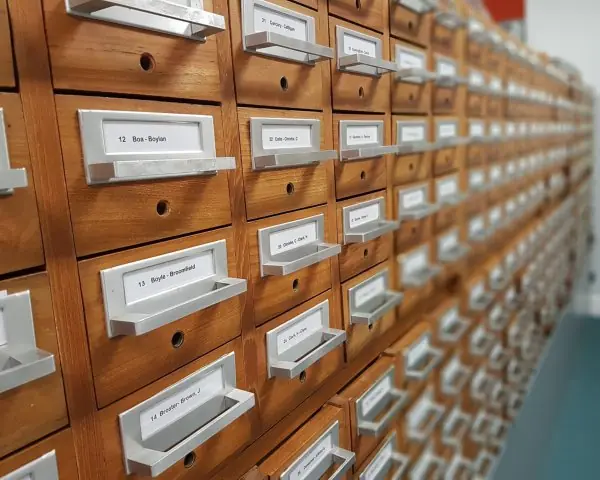
Each project of this unit has a real-world counterpart: a filing cabinet of student records, a body of text about Nepal's mountains to analyse, and a bank that must never lose a rupee.
The figures follow the data through each program with real results from running the code.




9.5.1 Eight steps for building a small program properly
- Write the requirements first. Say in plain sentences what the program must do and what it must refuse, such as "store marks, compute the grade, reject marks above 100". A student writing a result system for a college can turn each sentence into a test later. Unclear requirements cause more rework than any coding mistake.
- Model the things as classes. A
Student, aRegisterand aBankmatch the nouns in the requirements, with their data and actions together (Fig. 9.1). The class names then read like the problem itself. This makes the program easier to explain to a teacher or a client. - Keep storage separate from logic. The
Studentclass should not know whether it is saved to JSON or to SQLite. OnlyRegister.saveandRegister.loaddeal with the file. When a college later moves from a JSON file to a database, only that part changes. - Check input and raise clear exceptions.
InvalidMarkandInsufficientFundssay exactly what went wrong, and the caller can answer each one differently. A Fonepay-style app can show "balance too low" instead of a long error trace. Catch specific exceptions, never a bareexcept. - Build the smallest working piece first. Start with one student and one mark, run it, and then add the file and the ranking. Small steps mean that a bug is always in the last few lines you wrote. Large untested programs hide their bugs for days.
- Test the boundaries. Grade changes at 45, 60 and 80, so test 44 and 45, 59 and 60, 79 and 80 (Fig. 9.4). A test costs a minute to write and can save an unfair result sheet. Run all tests before every commit.
- Use transactions when money or marks change together. A deposit changes the balance and writes a ledger line, and both must happen or neither (Fig. 9.3). The
with con:block gives this for free in SQLite. This is the rule that protects wallets and fee accounts. - Read, tidy and document. After the program works, rename unclear variables, shorten long functions, add docstrings and follow PEP 8. Reading code written by others, such as the standard library, teaches patterns faster than any book. A program that is easy to read is easy to fix.


Formula and fact sheet
- Structure: classes for entities, a manager class for collections, JSON/SQLite for persistence, custom exceptions for rule violations.
json.dump(vars(obj))/Cls(**dict);Counter(...).most_common(n);with con:for transactions.
Chapter summary
- Small programs combine classes, files, text processing, databases and exceptions; keep the pieces short and independent.
- Persistence can be a JSON file for small data or SQLite for structured, transactional data.
- Tests, parameterised queries and clear errors turn scripts into dependable software.
Practice
- Extend Project 1 with a method that returns students who failed (average below 40).
- Modify Project 2 to report the three longest words and the number of sentences ending in
?. - Add a
transfer(src, dst, amount)method to the bank that is atomic. - Write three unit tests for
Student.gradeboundaries (45, 60, 80). - Which exceptions can occur when loading
register.json, and how would you handle each?
Answers and worked solutions
1.
class Student:
    def __init__(self, name, marks):
        self.name, self.marks = name, marks
    @property
    def average(self):
        return sum(self.marks) / len(self.marks)

students = [Student("A", [30, 35]), Student("B", [70, 80]), Student("C", [20, 50])]
print([s.name for s in students if s.average < 40])
['A', 'C']
2.
import re
raw = "Is Everest high? Nepal has mountains. Extraordinary peaks! Are they climbed? Yes."
words = re.findall(r"[A-Za-z']+", raw)
print(sorted(set(words), key=len, reverse=True)[:3], len(re.findall(r"\?", raw)))
['Extraordinary', 'mountains', 'climbed'] 2
3. Do both updates inside one with self.con: block so that either both happen or neither does; check the balance first and raise InsufficientFunds:
import sqlite3
con = sqlite3.connect(":memory:")
con.executescript("CREATE TABLE a (id INTEGER PRIMARY KEY, bal INTEGER CHECK (bal >= 0)); INSERT INTO a VALUES (1, 100), (2, 50);")
def transfer(src, dst, amt):
    with con:
        con.execute("UPDATE a SET bal = bal - ? WHERE id = ?", (amt, src))
        con.execute("UPDATE a SET bal = bal + ? WHERE id = ?", (amt, dst))
transfer(1, 2, 70)
try:
    transfer(1, 2, 70)
except sqlite3.IntegrityError:
    print("second transfer rolled back")
print(con.execute("SELECT id, bal FROM a").fetchall())
second transfer rolled back
[(1, 30), (2, 120)]
4.
import io, unittest
def grade(a):
    return "Distinction" if a >= 80 else "First" if a >= 60 else "Second" if a >= 45 else "Fail"
class T(unittest.TestCase):
    def test_45(self): self.assertEqual(grade(45), "Second")
    def test_60(self): self.assertEqual(grade(60), "First")
    def test_80(self): self.assertEqual(grade(80), "Distinction")
r = unittest.TextTestRunner(stream=io.StringIO()).run(unittest.defaultTestLoader.loadTestsFromTestCase(T))
print(r.testsRun, r.wasSuccessful())
3 True
5. FileNotFoundError (no file yet: start with an empty register), json.JSONDecodeError (corrupt file: report and keep a backup), KeyError/TypeError (missing or wrong fields: validate the records). Catch each specifically and give a helpful message.
Model answers (5 and 10 marks)
Q1. Design and write a student-record manager in Python with classes, validation, file storage and ranking. Explain the design. (10 marks)
Introduction. A student-record manager keeps the roll number, name and marks of each student, computes the average and the grade, rejects impossible marks, saves the records to a file and loads them again.
It is a good first complete program because it uses classes, exceptions, files and sorting together.
The design follows three layers: one class for one student, one class for the collection (the register), and a file format (JSON) for storage (Fig. 9.1).
Design.
- Requirements. Store several marks per student; compute the average; give the grade (Distinction at 80 or more, First at 60, Second at 45, otherwise Fail); refuse marks outside 0 to 100; save and load; rank by average.
Studentclass. Holdsroll,nameandmarks. The methodaddchecks the mark and raises the custom exceptionInvalidMark; the propertiesaverageandgradecompute their values when asked, so they are never out of date.Registerclass. Keeps a dictionary from roll number toStudent, so a student is found directly by roll number. Itssavemethod writesvars(student)of every student as JSON, and the class methodloadrebuilds the objects withStudent(**d).- Ranking.
sorted(..., key=lambda s: -s.average)sorts from the highest average to the lowest. - Errors.
InvalidMarkfor wrong marks;FileNotFoundErrorandjson.JSONDecodeErrorwhen loading are handled by the caller with specificexceptclauses.
import json

class InvalidMark(ValueError):
    pass

class Student:
    def __init__(self, roll, name, marks=None):
        self.roll, self.name, self.marks = roll, name, list(marks or [])
    def add(self, mark):
        if not 0 <= mark <= 100:
            raise InvalidMark(f"{mark} is not between 0 and 100")
        self.marks.append(mark)
    @property
    def average(self):
        return sum(self.marks) / len(self.marks) if self.marks else 0.0
    @property
    def grade(self):
        a = self.average
        return "Distinction" if a >= 80 else "First" if a >= 60 else "Second" if a >= 45 else "Fail"

class Register:
    def __init__(self):
        self.students = {}
    def add(self, st):
        self.students[st.roll] = st
    def save(self, path):
        with open(path, "w", encoding="utf-8") as f:
            json.dump([vars(s) for s in self.students.values()], f)
    @classmethod
    def load(cls, path):
        reg = cls()
        with open(path, encoding="utf-8") as f:
            for d in json.load(f):
                reg.add(Student(**d))
        return reg
    def ranking(self):
        return sorted(self.students.values(), key=lambda s: -s.average)

reg = Register()
for roll, name, marks in [(1, "Sita", [88, 92]), (2, "Ram", [70, 64]), (3, "Hari", [95, 81, 90]), (4, "Gita", [40, 35])]:
    reg.add(Student(roll, name, marks))
try:
    reg.students[2].add(130)
except InvalidMark as e:
    print("rejected:", e)
reg.save("r.json")
again = Register.load("r.json")
print([(s.name, round(s.average, 1), s.grade) for s in again.ranking()])
try:
    Register.load("missing.json")
except FileNotFoundError:
    print("file not found handled")
rejected: 130 is not between 0 and 100
[('Sita', 90.0, 'Distinction'), ('Hari', 88.7, 'Distinction'), ('Ram', 67.0, 'First'), ('Gita', 37.5, 'Fail')]
file not found handled
Comparison of storage choices.
| Storage | Good for | Weakness |
|---|---|---|
| JSON file | small data, easy to read and share | whole file rewritten; no queries; no transactions |
| SQLite | structured data, queries, transactions | needs SQL knowledge |
Extensions. A menu loop with input(), CSV export, a Course class and unit tests for average and grade (Fig. 9.4).
Conclusion. Separating the student, the register and the file format keeps each part short and testable; custom exceptions and boundary tests make the program dependable.
Q2. What is a custom exception? Explain with a bank example how exceptions and transactions keep data safe. (5 marks)
Introduction. A custom exception is a new exception class, usually written as a subclass of Exception or ValueError, that names a problem of your own program, such as InsufficientFunds.
Python's built-in exceptions describe technical problems, but a custom one describes a rule of the application, so the caller can catch exactly that case and answer it properly.
Main points.
- Define:
class InsufficientFunds(Exception): pass; the class body can be empty because the name carries the meaning. - Raise:
raise InsufficientFunds("balance 1300, tried to take 5000")stops the current function at the point of the rule violation. - Catch:
except InsufficientFunds as e:handles only this case, so other errors are not hidden. - Transaction: the
with con:block ofsqlite3commits if the block finishes and rolls back if any exception leaves it. The refused withdrawal therefore changes nothing and writes no ledger line (Fig. 9.3). - Database rule as a second guard:
CHECK (balance >= 0)stops a negative balance even if the Python check were forgotten.
import sqlite3

class InsufficientFunds(Exception):
    pass

con = sqlite3.connect(":memory:")
con.execute("CREATE TABLE account (id INTEGER PRIMARY KEY, balance INTEGER CHECK (balance >= 0))")
con.execute("INSERT INTO account VALUES (1, 1300)")
con.commit()

def withdraw(amount):
    with con:
        (bal,) = con.execute("SELECT balance FROM account WHERE id = 1").fetchone()
        if amount > bal:
            raise InsufficientFunds(f"balance {bal}, tried to take {amount}")
        con.execute("UPDATE account SET balance = balance - ? WHERE id = 1", (amount,))

withdraw(300)
try:
    withdraw(5000)
except InsufficientFunds as e:
    print("refused:", e)
print(con.execute("SELECT balance FROM account").fetchone()[0])
refused: balance 1000, tried to take 5000
1000
Example. A wallet application can show "balance too low" for InsufficientFunds and "try again later" for a database error, because the two cases are different exception classes.
Conclusion. Custom exceptions name the rules of the application, and a transaction makes sure that a refused operation leaves the data exactly as it was.
Q3. Describe how Python can analyse a text file to count words and find the most frequent words. Write a program. (5 marks)
Introduction. Text analysis turns a block of text into numbers: how many words, how many sentences, which words are used most. It is the first step of search engines, spam filters and survey analysis.
In Python it needs only three tools: regular expressions to cut the text into words, a set of stop-words to ignore common words such as "the", and collections.Counter to count.
Main points.
- Read.
with open(path, encoding="utf-8") as f: raw = f.read()reads the file and closes it afterwards. - Split into words.
re.findall(r"[a-z']+", raw.lower())lower-cases the text and returns every run of letters; lower-casing makes "Nepal" and "nepal" the same word. - Split into sentences.
re.split(r"[.!?]+", raw)cuts at full stops, exclamation marks and question marks; empty pieces are dropped. - Remove stop-words. A list comprehension keeps only words not in the
STOPset; a set makes each test fast. - Count.
Counter(content).most_common(4)returns the four most frequent words with their counts, as in Fig. 9.2.
import re
from collections import Counter

raw = """Nepal is a land of mountains. The mountains of Nepal attract climbers from the world.
Climbers come in spring and autumn! Is Everest the only mountain? No: Nepal has eight of the world's
fourteen highest mountains."""
STOP = {"the", "of", "is", "a", "in", "and", "from", "has", "no", "only"}
words = re.findall(r"[a-z']+", raw.lower())
sentences = [s for s in re.split(r"[.!?]+", raw) if s.strip()]
content = [w for w in words if w not in STOP]
print(len(words), len(sentences), len(content))
print(Counter(content).most_common(3))
print(sum(1 for s in re.findall(r"[^.!?]*\?", raw)), "question")
36 5 20
[('nepal', 3), ('mountains', 3), ('climbers', 2)]
1 question
Example. Reading a notice of a hundred lines and printing its five most frequent content words shows its topic at a glance; replacing most_common(4) with most_common(5) is the only change needed.
Conclusion. Regex for words, a stop-word set for noise and Counter for counting make a text analyser of about ten lines.
Q4. Write a program for a bank with an atomic transfer method between two accounts and test it with unittest. Explain the design. (10 marks)
Introduction. A transfer moves money from one account to another and has two steps: take from the source and add to the destination.
If the first step succeeds and the second fails, money disappears; so both steps must form one atomic transaction.
A program like the one behind a Fonepay transfer must also refuse a transfer larger than the balance and must leave a ledger of every change. We build a small version with SQLite (Fig. 9.3) and check it with tests (Fig. 8.5).
Design.
- Tables.
account(id, owner, balance)withCHECK (balance >= 0), andledger(n, account_id, kind, amount)as a record that is only added to, never changed. - Class
Bank. One methodopen_account, one methodtransfer(src, dst, amount)and one methodbalance(acct). - Atomic transfer. Inside one
with self.con:block: read the source balance, raiseInsufficientFundsif it is too small, subtract from the source, add to the destination, and write two ledger lines. Any exception rolls back all of it. - Validation. The amount must be positive (
ValueErrorotherwise), and an unknown account must raise an error instead of creating money. - Tests. A good transfer changes both balances and the sum stays the same; a refused transfer changes nothing; the total money in the bank never changes.
import sqlite3, unittest, io

class InsufficientFunds(Exception):
    pass

class Bank:
    def __init__(self):
        self.con = sqlite3.connect(":memory:")
        self.con.executescript("""
            CREATE TABLE account (id INTEGER PRIMARY KEY, owner TEXT, balance INTEGER NOT NULL CHECK (balance >= 0));
            CREATE TABLE ledger (n INTEGER PRIMARY KEY AUTOINCREMENT, account_id INTEGER, kind TEXT, amount INTEGER);
        """)
    def open_account(self, owner, initial):
        with self.con:
            return self.con.execute("INSERT INTO account (owner, balance) VALUES (?, ?)", (owner, initial)).lastrowid
    def balance(self, acct):
        return self.con.execute("SELECT balance FROM account WHERE id = ?", (acct,)).fetchone()[0]
    def transfer(self, src, dst, amount):
        if amount <= 0:
            raise ValueError("amount must be positive")
        with self.con:
            bal = self.balance(src)
            if bal < amount:
                raise InsufficientFunds(f"balance {bal}, tried to move {amount}")
            self.con.execute("UPDATE account SET balance = balance - ? WHERE id = ?", (amount, src))
            self.con.execute("UPDATE account SET balance = balance + ? WHERE id = ?", (amount, dst))
            self.con.execute("INSERT INTO ledger (account_id, kind, amount) VALUES (?, 'out', ?)", (src, amount))
            self.con.execute("INSERT INTO ledger (account_id, kind, amount) VALUES (?, 'in', ?)", (dst, amount))

class BankTests(unittest.TestCase):
    def setUp(self):
        self.b = Bank()
        self.a, self.c = self.b.open_account("Ram", 1000), self.b.open_account("Sita", 200)
    def test_good_transfer(self):
        self.b.transfer(self.a, self.c, 300)
        self.assertEqual((self.b.balance(self.a), self.b.balance(self.c)), (700, 500))
    def test_refused_changes_nothing(self):
        with self.assertRaises(InsufficientFunds):
            self.b.transfer(self.a, self.c, 5000)
        self.assertEqual((self.b.balance(self.a), self.b.balance(self.c)), (1000, 200))
        self.assertEqual(self.b.con.execute("SELECT COUNT(*) FROM ledger").fetchone()[0], 0)
    def test_total_is_constant(self):
        self.b.transfer(self.a, self.c, 1000)
        self.assertEqual(self.b.balance(self.a) + self.b.balance(self.c), 1200)
    def test_bad_amount(self):
        with self.assertRaises(ValueError):
            self.b.transfer(self.a, self.c, 0)

suite = unittest.defaultTestLoader.loadTestsFromTestCase(BankTests)
result = unittest.TextTestRunner(stream=io.StringIO(), verbosity=0).run(suite)
print("ran", result.testsRun, "failures", len(result.failures), "errors", len(result.errors))
ran 4 failures 0 errors 0
Why the design is safe.
| Danger | Protection |
|---|---|
| Failure between debit and credit | one with self.con: transaction |
| Overdraft | Python check and CHECK (balance >= 0) |
| Injection through names or ids | ? parameters only |
| Lost history | append-only ledger written in the same transaction |
| Silent breakage later | the four tests run before every commit |
Conclusion. An atomic transfer, a rule enforced both in Python and in the database, an append-only ledger and automatic tests together give a small bank that cannot create or lose money.