Unit 2 · 2 teaching hours · 20 min read
Operating System Structure
What the syllabus asks for 7
- System components and system calls
- Monolithic and layered structure
- The kernel and its types
- Client-server model
- Virtual machines
- The shell
- Seeing the ideas: shells, kernels and hypervisors
A kernel with ten million lines of code cannot be a heap of functions calling each other at will. How the parts are arranged decides whether the system is fast, safe, and possible to maintain.
This unit surveys the main designs: monolithic, layered, microkernel, exokernel, client-server and virtual machines, and the shell through which users meet the OS.
- The layered approach and its limits.
- The kernel and its types: monolithic (macro), micro and exo-kernel.
- The client-server model, virtual machines and hypervisors.
- The shell: command interpreter and GUI; system calls as the interface.
2.1 System components and system calls
The OS offers services to programs through system calls, entry points into the kernel. In C you usually call library wrappers (read, write, fork) which put the call number in a register and execute a trap instruction.
The kernel runs the service and returns to user mode.
| Category | POSIX examples | Windows examples |
|---|---|---|
| Process control | fork, exec, exit, wait |
CreateProcess, ExitProcess |
| File management | open, read, write, close |
CreateFile, ReadFile |
| Device management | ioctl, read, write |
DeviceIoControl |
| Information | getpid, time |
GetCurrentProcessId |
| Communication | pipe, socket, shmget |
CreatePipe, WSASocket |
Most programmers use an API (POSIX, Win32) rather than raw system calls, which keeps source code portable between kernels.
printf("Hi\n") is a C library function that formats text into a buffer. When the buffer is flushed the library calls write(1, buffer, 3).
This executes a trap; the kernel checks that descriptor 1 is open, copies the bytes to the terminal driver and returns the count (3). Only the last step is the kernel's.
2.2 Monolithic and layered structure
Simple (monolithic) structure
In a monolithic kernel the whole OS is one large program running in kernel mode. Any procedure may call any other. Linux, traditional UNIX and, in practice, much of Windows are of this kind.
- Advantage: very fast. A call between components is an ordinary function call, with no message passing and no mode switch.
- Disadvantage: a bug in any driver can crash the whole system; the code is hard to understand and verify.
Linux softens the problem with loadable kernel modules: drivers and file systems can be inserted into the running kernel and removed again, so the kernel stays modular in source and deployment while still monolithic in memory.
Layered system
The OS is divided into layers, each built on the one below. Layer 0 is hardware, the top layer is the user interface. A layer uses only the services of lower layers.
| Layer | Function (THE system, Dijkstra 1968) |
|---|---|
| 5 | the operator / user programs |
| 4 | user programs and buffering of I/O |
| 3 | operator-console device driver |
| 2 | memory management (segment controller) |
| 1 | CPU scheduling and semaphores |
| 0 | hardware |
Strength: each layer can be debugged on its own, assuming lower layers are correct, so verification is easy.
Weakness: careful ordering is needed (does the disk driver sit below or above memory management? the swap area needs both) and every request passes through many layers, which costs time.
Modern kernels use layering loosely, with fewer and wider layers.
2.3 The kernel and its types
The kernel is the part of the OS that always resides in memory and runs in privileged mode. Designs differ in how much functionality is placed inside it.
Monolithic (macro) kernel
All services (scheduling, memory, file systems, device drivers, networking) run in kernel space. Examples: Linux, FreeBSD, classic UNIX, MS-DOS (no protection at all).
Microkernel
Only the minimum stays in the kernel: low-level address spaces, thread scheduling and inter-process communication (IPC). File systems, device drivers and networking run as ordinary user-mode servers that exchange messages.
| Aspect | Monolithic | Microkernel |
|---|---|---|
| Kernel size | large | small (tens of thousands of lines) |
| Speed | fast (function calls) | slower (message passing, extra mode switches) |
| Reliability | one faulty driver can crash the system | a crashed driver is restarted like any process |
| Extensibility | recompile or load module | add a server |
| Examples | Linux, Unix | MINIX 3, QNX, L4, Mach (basis of macOS XNU, partly) |
Windows NT and macOS (XNU) are called hybrid: microkernel-inspired structure, but many services, such as the graphics and file system code, run in kernel mode for speed. The labels are a spectrum, not a strict classification.
Exokernel
An exokernel (MIT, 1990s) goes further: the kernel only securely multiplexes raw hardware (hands out disk blocks, physical pages, time slices) and checks ownership.
Abstractions such as files or virtual memory are implemented by library operating systems linked into each application. Applications therefore choose their own abstractions, which can bring large speed-ups. It remains largely a research design.
2.4 Client-server model
A variant of the microkernel idea: processes are either clients that request a service, or servers that provide it. The kernel's only job is to carry messages between them.
- A user process (client) sends a message "read file X" to the file server.
- The file server may contact the disk driver server.
- The reply returns to the client.
The model suits distributed systems because it does not matter whether the server is on the same computer or across a network (Unit 9). The overhead of message passing is the price.
2.5 Virtual machines
A virtual machine (VM) makes one physical computer behave as several complete computers. A layer of software, the hypervisor or virtual machine monitor (VMM), multiplexes the real hardware among guest operating systems, each of which believes it owns the machine.
| Type | Where the hypervisor runs | Examples |
|---|---|---|
| Type 1 (bare metal) | directly on hardware | Xen, VMware ESXi, Microsoft Hyper-V, KVM |
| Type 2 (hosted) | as an application on a host OS | VirtualBox, VMware Workstation |
Uses: running Windows and Linux side by side, safe testing of malware or new kernels, server consolidation (ten lightly loaded servers on one machine) and cloud computing.
A Java Virtual Machine is a different kind of VM: it virtualises a language runtime (bytecode), not hardware.
Containers (Docker) share the host kernel and isolate processes with namespaces, which makes them lighter than full VMs but less strongly isolated.
A Nepali ISP runs 12 physical servers each averaging 8 % CPU load. One 16-core machine hosting 12 VMs of 1 core each, at about 8 % load, would use roughly 12 × 0.08 = 0.96 cores of real work, leaving ample headroom.
Eleven machines' hardware, power and cooling bills disappear, at the cost of the hypervisor's overhead (typically a few per cent).
2.6 The shell
The shell is the program through which users give commands to the OS. It is not part of the kernel; it is an ordinary user process that reads commands and makes system calls.
| Kind | Examples | Features |
|---|---|---|
| Command-line interpreter (CLI) | bash, zsh, PowerShell, cmd.exe |
commands, pipes, scripting, history |
| Graphical shell (GUI) | Windows Explorer, GNOME, macOS Finder | icons, windows, mouse |
A command-line shell works in a loop: print the prompt, read a line, parse it into a program name and arguments, fork a child, exec the program in the child, wait for it to finish, repeat.
Pipes (ls | wc -l) connect one program's output to the next one's input. This simple design is why one can replace the shell without touching the kernel.
2.7 Seeing the ideas: shells, kernels and hypervisors
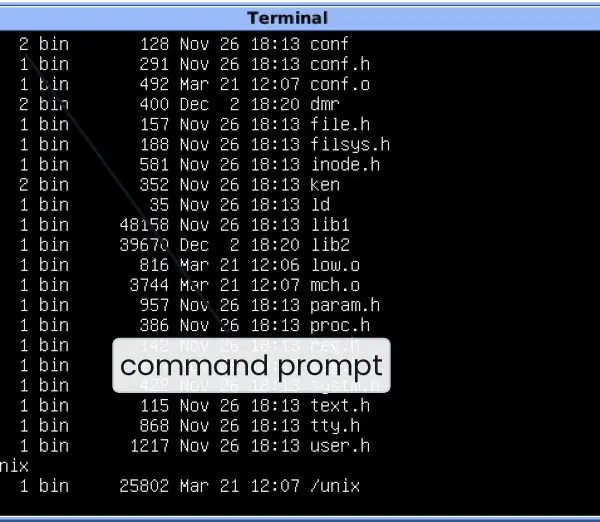
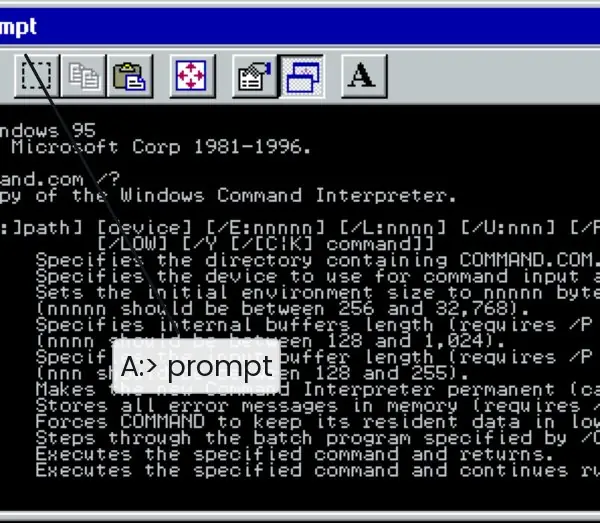
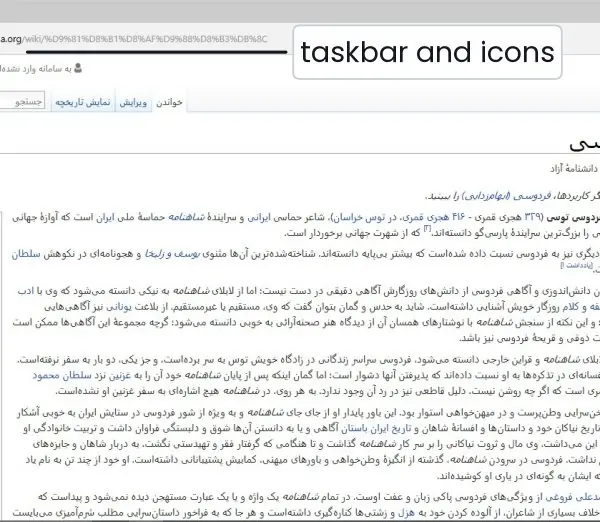
The structure of an OS is invisible, but its surface is not. The plate shows three shells from three eras, a command-line UNIX, MS-DOS and a graphical Windows desktop.
The figures then open the box: the path of one system call, the shape of the main kernel designs, the layers of the THE system and the two kinds of hypervisor.


2.7.1 Eight advantages of virtual machines
- Better use of hardware. Many servers are idle most of the time. A hypervisor lets one strong machine host many virtual servers, so its CPU stays busy. An ISP that runs 12 lightly loaded servers can move them to one host and switch off the rest.
- Lower cost. Fewer physical machines mean less money spent on hardware, space, electricity and cooling. For a college in Nepal with a frequent power problem, one machine on a UPS is far cheaper to protect than twelve. The saving grows with the size of the data centre.
- Strong isolation. Each VM has its own virtual hardware and its own OS. A crash or a virus in one guest does not reach the others. This is why hosting companies can place many customers on a single host safely.
- Safe testing. Students can try a new Linux distribution, a risky configuration or a malware sample inside a VM. If something breaks, they delete the VM and nothing on the real computer is harmed. This is very useful in a cyber-security lab.
- Running different operating systems together. One laptop can run Windows and Ubuntu at the same time. A developer can test a program on both without rebooting. A BCA student can use Windows for office work and Linux for programming.
- Snapshots and quick recovery. A hypervisor can save the whole state of a VM as a snapshot and restore it in seconds. If an update fails, the administrator rolls back. This shortens the downtime of a bank or university system.
- Easy migration and backup. A VM is just a set of files, so it can be copied or moved to another physical host, even while it runs. Maintenance on a server no longer stops the service. Disaster recovery to another site becomes simpler.
- Foundation of the cloud. Cloud providers rent virtual machines by the hour, so a start-up can get a server in minutes and pay only for use. A small Nepali app company can scale up on festival days and scale down afterwards. Cloud computing in Unit 9 and in the Cloud Computing course rests on this idea.
Formula and fact sheet
- Monolithic: one kernel-mode program, fast, fragile. Micro: minimal kernel + user-mode servers, safer, slower. Exo: kernel only multiplexes hardware.
- Layered: layer n uses only layers below; easy to verify, slow, hard to order.
- Hypervisor Type 1 = on hardware; Type 2 = on a host OS.
- Shell = user-mode program using
fork,exec,wait.
Chapter summary
- System calls are the controlled entry into the kernel; most programs use APIs built on them.
- Monolithic kernels trade safety for speed; layered designs make verification easy; microkernels move services to user space for reliability; exokernels expose raw hardware.
- The client-server model and VMs extend the same idea of separating services from each other.
- The shell is only a program; the kernel is what makes it possible.
Practice
- What is a system call? Explain how it differs from an ordinary function call.
- Compare monolithic and micro kernels with respect to speed and reliability.
- Why did layered design not become dominant in practice?
- What is a hypervisor? Distinguish Type 1 and Type 2 with an example each.
- Explain the client-server model of an operating system.
- Is the shell part of the kernel? Justify.
- A microkernel system needs 4 message exchanges, each costing 3 µs, for an operation that costs 1 µs as a function call in a monolithic kernel. Compute the overhead factor.
- What is an exokernel and how is it different from a microkernel?
Answers and worked solutions
1. A system call is a request to the kernel for a privileged service, made with a trap instruction that switches the CPU to kernel mode and jumps to a fixed kernel entry point. An ordinary function call stays in user mode, jumps to any address in the program and cannot touch privileged resources.
2. Monolithic: all services in one address space, calls are cheap so performance is good, but a driver bug can crash everything. Microkernel: services are user-mode servers so a failure is contained and restartable, but each service request involves messages and mode switches, which cost time.
3. Every request crosses many layers (overhead); it is hard to decide strict ordering when components need each other (swapping vs. file system); and performance-critical code wants to bypass layers. Real kernels are only loosely layered.
4. A hypervisor is software that creates and runs virtual machines. Type 1 runs directly on hardware (Xen, ESXi, KVM, Hyper-V). Type 2 runs as an application on a host OS (VirtualBox, VMware Workstation).
5. The OS is a collection of server processes (file server, memory server, ...) and client processes. Clients send request messages through the kernel to servers and receive replies. The same pattern works across a network.
6. No. The shell is an ordinary user-mode program that reads commands and uses system calls (fork, exec, wait). Different shells (bash, zsh) run on the same kernel, and a crash of the shell does not crash the kernel.
7. Microkernel cost = 4 × 3 = 12 µs against 1 µs, an overhead factor of 12× for that single operation. (Real systems reduce this with fast IPC paths and by batching.)
8. An exokernel only allocates and protects raw hardware resources (blocks, pages, time slices) and lets applications build their own abstractions through library OSes. A microkernel still defines abstractions (processes, address spaces, IPC) but runs most services as user servers.
Model answers (5 and 10 marks)
Q1. What is a system call? Explain how it works and list its main categories with examples. (5 marks)
A system call is the controlled entry point through which a user program asks the kernel for a service that only privileged code may perform, such as opening a file or creating a process.
User programs run in user mode and cannot touch the disk, memory map or devices directly, so they must ask the OS.
How it works (Figure 2.1). The C library wrapper, for example write(), places the system-call number and its arguments in registers. It then executes a trap instruction, which switches the CPU to kernel mode and jumps to the OS.
The kernel uses the number to find the handler in the system-call table, checks the arguments (is descriptor 1 open?), performs the work and returns the result. A return-from-trap instruction restores user mode.
| Category | POSIX example | Windows example |
|---|---|---|
| Process control | fork, exec, exit, wait |
CreateProcess |
| File management | open, read, write, close |
CreateFile, ReadFile |
| Device management | ioctl, read |
DeviceIoControl |
| Information | getpid, time |
GetCurrentProcessId |
| Communication | pipe, socket |
CreatePipe |
Programmers usually call an API such as POSIX or Win32 instead of raw calls, which keeps programs portable. For example, printf formats text and finally issues write(1, buf, 3), which is the only step that enters the kernel.
Q2. Differentiate between a monolithic kernel and a microkernel. (5 marks)
A monolithic kernel puts all operating-system services (scheduling, memory management, file systems, device drivers and networking) inside one large program that runs in kernel mode. Linux and classic UNIX are of this type.
Services call each other as ordinary functions, so the design is fast. Its weakness is that a bug in any driver can crash the entire system, and the large kernel is harder to verify.
A microkernel keeps only the minimum in the kernel: address spaces, thread scheduling and inter-process communication. File systems, drivers and network stacks run as user-mode servers that exchange messages.
MINIX 3 and QNX are examples. A crashed driver can be restarted like any program, so reliability is high, but each service request needs several messages and mode switches.
| Aspect | Monolithic | Microkernel |
|---|---|---|
| Size of kernel | large | small |
| Speed | fast, function calls | slower, message passing |
| Reliability | one bad driver may crash all | server restarted on failure |
| Extension | load modules, recompile | add a server |
| Examples | Linux, UNIX | MINIX 3, QNX, L4 |
In the design of Figure 2.2, a file read needs 2 mode switches in the monolithic kernel but 4 messages, that is 8 switches, in the microkernel. Windows NT and macOS therefore use a hybrid compromise.
Q3. Explain the different structures (designs) of an operating system. (10 marks)
Introduction. The structure of an OS describes how its parts are organised and how they communicate. A good structure balances speed, safety, simplicity and the ability to grow.
The main designs are simple, monolithic, layered, microkernel, hybrid, exokernel, client-server and virtual machine.
1. Simple structure. MS-DOS had no clear separation: programs could write directly to hardware, so one faulty program crashed the whole machine. It was small and fast but unsafe.
2. Monolithic structure. All services run as one program in kernel mode (Linux, UNIX). Communication is by function calls, so it is efficient, but the kernel is large and a driver bug can bring everything down. Loadable modules reduce the problem.
3. Layered structure. The OS is divided into layers, each using only the layer below it, as in Dijkstra's THE system (Figure 2.3). Each layer can be written and tested separately, so debugging is easy.
The cost is that requests pass through many layers, and the order of layers is hard to choose.
4. Microkernel structure. Only the minimum stays in the kernel; the rest run as user-mode servers (MINIX 3, QNX). It is reliable and extensible but slower because of message passing.
5. Hybrid structure. Windows NT and macOS XNU keep a microkernel-like design but run many services in kernel mode for speed.
6. Exokernel and client-server. An exokernel only multiplexes raw hardware securely and lets library operating systems build abstractions.
In the client-server model processes are clients or servers and the kernel only carries messages, so the same design works across a network.
7. Virtual machine structure. A hypervisor shares one machine among several guest operating systems (Figure 2.4), which gives isolation and server consolidation.
| Structure | Strength | Weakness | Example |
|---|---|---|---|
| Simple | small, fast | no protection | MS-DOS |
| Monolithic | speed | one bug can crash all | Linux |
| Layered | easy debugging | overhead, hard design | THE |
| Microkernel | reliable, small | message overhead | MINIX 3 |
| Hybrid | balance | complex | Windows NT |
| Virtual machine | isolation | extra layer | KVM, VirtualBox |
Conclusion. No design is best for every case. Desktops and phones choose a hybrid or monolithic kernel for speed, safety-critical systems choose microkernels, and data centres add virtual machines on top.
Q4. What is a virtual machine? Explain the types of hypervisor and the benefit of server consolidation with an example. (5 marks)
A virtual machine (VM) is a software copy of a complete computer. A hypervisor (virtual machine monitor) shares the real CPU, memory and devices among several VMs, and each guest operating system behaves as if it had its own hardware.
Type 1 (bare metal) hypervisors such as KVM, Xen, VMware ESXi and Hyper-V run directly on the hardware. They are fast and are used in data centres and clouds.
Type 2 (hosted) hypervisors such as VirtualBox and VMware Workstation run as ordinary applications on a host OS, so they add one more layer but are easy to install on a laptop (Figure 2.4).
Server consolidation example. An ISP has 12 physical servers, each averaging 8 percent CPU load. The real work is 12 x 0.08 = 0.96 of one core.
One 16-core machine running 12 VMs of one core each can carry that load with ample headroom, so 11 machines, with their power and cooling, can be switched off.