Unit 4 · 7 teaching hours · 25 min read
Connecting PHP to MySQL
What the syllabus asks for 7
- Connecting and closing
- Running queries: insert, select
- Prepared statements: the only safe way
- Complete CRUD
- PDO, errors and transactions
- Error handling and good practice
- Seeing the ideas: PHP talking to MySQL
This unit joins the two halves: PHP code that opens a connection, runs SQL, reads rows back and closes the connection. This is the engine of every dynamic website.
PHP offers two good interfaces: mysqli (MySQL only) and PDO (many databases). The old mysql_* functions were removed in PHP 7 and must not be used.
- Connecting and closing with mysqli and PDO; error handling.
- Prepared statements for every query that includes user data.
- Complete CRUD (create, read, update, delete); transactions.
All programs ran on PHP 8.2 against MariaDB 10.11 with a user demo, password demo123, database demo. In real projects keep credentials in a configuration file outside the web root.
4.1 Connecting and closing
<?php
mysqli_report(MYSQLI_REPORT_ERROR | MYSQLI_REPORT_STRICT);   // throw exceptions on errors
try {
    $db = new mysqli("localhost", "demo", "demo123", "demo");
    $db->set_charset("utf8mb4");
    echo "connected to ", $db->server_info, " | charset ", $db->character_set_name(), "\n";
    $db->close();
    echo "closed\n";
} catch (mysqli_sql_exception $e) {
    echo "connection failed: ", $e->getMessage(), "\n";
}
try {
    new mysqli("localhost", "demo", "wrong-password", "demo");
} catch (mysqli_sql_exception $e) {
    echo "expected failure: ", $e->getMessage(), "\n";
}
connected to 10.11.19-MariaDB-0+deb12u1 | charset utf8mb4
closed
expected failure: Access denied for user 'demo'@'localhost' (using password: YES)
Without the mysqli_report line, PHP 8.1+ throws exceptions by default as well; earlier versions silently returned false. Always set the character set (utf8mb4), always check for failure, and close the connection when finished (PHP also closes it at script end).
4.2 Running queries: insert, select
<?php
mysqli_report(MYSQLI_REPORT_ERROR | MYSQLI_REPORT_STRICT);
$db = new mysqli("localhost", "demo", "demo123", "demo");
$db->query("DROP TABLE IF EXISTS student");
$db->query("CREATE TABLE student (roll INT AUTO_INCREMENT PRIMARY KEY, name VARCHAR(50) NOT NULL, dept VARCHAR(10), marks DECIMAL(5,2))");
$db->query("INSERT INTO student (name, dept, marks) VALUES ('Ram','BCA',78.5),('Sita','BCA',91),('Hari','BIT',64.25)");
echo "inserted ", $db->affected_rows, " rows; last id ", $db->insert_id, "\n";

$result = $db->query("SELECT roll, name, marks FROM student ORDER BY marks DESC");
echo "rows: ", $result->num_rows, "\n";
while ($row = $result->fetch_assoc()) {
    printf("%d %-5s %6.2f\n", $row["roll"], $row["name"], $row["marks"]);
}
$result->free();
$one = $db->query("SELECT COUNT(*) AS n, AVG(marks) AS mean FROM student")->fetch_assoc();
echo "count=", $one["n"], " mean=", round((float) $one["mean"], 2), "\n";
$all = $db->query("SELECT name FROM student")->fetch_all(MYSQLI_ASSOC);
echo json_encode($all), "\n";
$db->close();
inserted 3 rows; last id 1
rows: 3
2 Sita   91.00
1 Ram    78.50
3 Hari   64.25
count=3 mean=77.92
[{"name":"Ram"},{"name":"Sita"},{"name":"Hari"}]
query() returns a result object for SELECT and true for other statements. Fetch rows with fetch_assoc() (array keyed by column name), fetch_row(), fetch_object() or fetch_all().
4.3 Prepared statements: the only safe way
If you build SQL by pasting user input into a string, a user can change the meaning of your query (SQL injection, Unit 7).
A prepared statement sends the SQL template with ? placeholders to the server first, then sends the values separately; the server never treats a value as SQL.
<?php
mysqli_report(MYSQLI_REPORT_ERROR | MYSQLI_REPORT_STRICT);
$db = new mysqli("localhost", "demo", "demo123", "demo");
$db->query("DROP TABLE IF EXISTS student");
$db->query("CREATE TABLE student (roll INT AUTO_INCREMENT PRIMARY KEY, name VARCHAR(50) NOT NULL, dept VARCHAR(10), marks DECIMAL(5,2))");

$ins = $db->prepare("INSERT INTO student (name, dept, marks) VALUES (?, ?, ?)");
foreach ([["Ram", "BCA", 78.5], ["Sita", "BCA", 91.0], ["O'Brien", "BIT", 64.25]] as [$n, $d, $m]) {
    $ins->bind_param("ssd", $n, $d, $m);          // s = string, d = double, i = integer
    $ins->execute();
}
echo "inserted ", $db->query("SELECT COUNT(*) FROM student")->fetch_row()[0], " rows (note the apostrophe in O'Brien)\n";

$min = 70.0;
$sel = $db->prepare("SELECT name, marks FROM student WHERE marks >= ? ORDER BY name");
$sel->bind_param("d", $min);
$sel->execute();
$res = $sel->get_result();
foreach ($res->fetch_all(MYSQLI_ASSOC) as $r) { echo $r["name"], ": ", $r["marks"], "\n"; }
inserted 3 rows (note the apostrophe in O'Brien)
Ram: 78.50
Sita: 91.00
Type letters in bind_param: i integer, d double, s string, b blob. The name O'Brien is stored correctly with no escaping by hand. Table and column names cannot be placeholders: if they come from the user, check them against a fixed whitelist.
4.4 Complete CRUD
<?php
mysqli_report(MYSQLI_REPORT_ERROR | MYSQLI_REPORT_STRICT);
$db = new mysqli("localhost", "demo", "demo123", "demo");
$db->query("DROP TABLE IF EXISTS book");
$db->query("CREATE TABLE book (id INT AUTO_INCREMENT PRIMARY KEY, title VARCHAR(80) NOT NULL, price DECIMAL(8,2) NOT NULL, stock INT NOT NULL DEFAULT 0)");

function create(mysqli $db, string $title, float $price, int $stock): int {
    $st = $db->prepare("INSERT INTO book (title, price, stock) VALUES (?, ?, ?)");
    $st->bind_param("sdi", $title, $price, $stock); $st->execute();
    return $db->insert_id;
}
function read(mysqli $db, ?int $id = null): array {
    if ($id === null) return $db->query("SELECT * FROM book ORDER BY id")->fetch_all(MYSQLI_ASSOC);
    $st = $db->prepare("SELECT * FROM book WHERE id = ?"); $st->bind_param("i", $id); $st->execute();
    return $st->get_result()->fetch_assoc() ?? [];
}
function update(mysqli $db, int $id, float $price): int {
    $st = $db->prepare("UPDATE book SET price = ? WHERE id = ?"); $st->bind_param("di", $price, $id); $st->execute();
    return $st->affected_rows;
}
function remove(mysqli $db, int $id): int {
    $st = $db->prepare("DELETE FROM book WHERE id = ?"); $st->bind_param("i", $id); $st->execute();
    return $st->affected_rows;
}

$a = create($db, "C Programming", 450, 10); $b = create($db, "Python", 700, 8); create($db, "DBMS", 550, 0);
echo "created ids $a, $b, ", $db->insert_id, "\n";
echo "update: ", update($db, $b, 650), " row | read #2: ", json_encode(read($db, $b)), "\n";
echo "delete: ", remove($db, 3), " row | delete again: ", remove($db, 3), " rows | read #3: ", json_encode(read($db, 3)), "\n";
foreach (read($db) as $r) { echo "{$r['id']} {$r['title']} NPR {$r['price']} stock {$r['stock']}\n"; }
created ids 1, 2, 3
update: 1 row | read #2: {"id":2,"title":"Python","price":"650.00","stock":8}
delete: 1 row | delete again: 0 rows | read #3: []
1 C Programming NPR 450.00 stock 10
2 Python NPR 650.00 stock 8
A web CRUD application is these four functions behind four pages: a list page (SELECT), an add form (INSERT), an edit form (UPDATE) and a delete button (DELETE, via POST, never a GET link).
4.5 PDO, errors and transactions
PDO (PHP Data Objects) has one interface for MySQL, PostgreSQL, SQLite and others, plus named placeholders. It is the usual choice in modern code.
<?php
$pdo = new PDO("mysql:host=localhost;dbname=demo;charset=utf8mb4", "demo", "demo123",
    [PDO::ATTR_ERRMODE => PDO::ERRMODE_EXCEPTION, PDO::ATTR_DEFAULT_FETCH_MODE => PDO::FETCH_ASSOC]);
$pdo->exec("DROP TABLE IF EXISTS account");
$pdo->exec("CREATE TABLE account (id INT PRIMARY KEY, owner VARCHAR(30), balance DECIMAL(10,2) NOT NULL CHECK (balance >= 0)) ENGINE=InnoDB");
$st = $pdo->prepare("INSERT INTO account VALUES (:id, :owner, :bal)");
$st->execute([":id" => 1, ":owner" => "Ram", ":bal" => 500]);
$st->execute([":id" => 2, ":owner" => "Sita", ":bal" => 300]);

function transfer(PDO $pdo, int $from, int $to, float $amt): string {
    try {
        $pdo->beginTransaction();
        $pdo->prepare("UPDATE account SET balance = balance - :a WHERE id = :i")->execute([":a" => $amt, ":i" => $from]);
        $pdo->prepare("UPDATE account SET balance = balance + :a WHERE id = :i")->execute([":a" => $amt, ":i" => $to]);
        $pdo->commit();
        return "committed";
    } catch (PDOException $e) {
        $pdo->rollBack();
        return "rolled back (" . substr($e->getMessage(), 0, 60) . "...)";
    }
}
echo transfer($pdo, 1, 2, 200), "\n";
echo transfer($pdo, 1, 2, 900), "\n";
foreach ($pdo->query("SELECT owner, balance FROM account ORDER BY id") as $r) { echo $r["owner"], " ", $r["balance"], "\n"; }
echo "total ", $pdo->query("SELECT SUM(balance) FROM account")->fetchColumn(), "\n";
committed
rolled back (SQLSTATE[23000]: Integrity constraint violation: 4025 CONSTR...)
Ram 300.00
Sita 500.00
total 800.00
The second transfer would drive Ram below zero; the CHECK constraint fails after the first UPDATE, rollBack() undoes it, and the total stays 800.00: atomicity. Use InnoDB tables for transactions.
Pagination, search and common patterns
<?php
$pdo = new PDO("mysql:host=localhost;dbname=demo;charset=utf8mb4", "demo", "demo123", [PDO::ATTR_ERRMODE => PDO::ERRMODE_EXCEPTION, PDO::ATTR_DEFAULT_FETCH_MODE => PDO::FETCH_ASSOC]);
$pdo->exec("DROP TABLE IF EXISTS post");
$pdo->exec("CREATE TABLE post (id INT AUTO_INCREMENT PRIMARY KEY, title VARCHAR(40))");
$pdo->exec("INSERT INTO post (title) VALUES " . implode(",", array_map(fn($i) => "('Post $i')", range(1, 25))));
$page = 3; $perPage = 10;
$st = $pdo->prepare("SELECT id, title FROM post ORDER BY id LIMIT :n OFFSET :o");
$st->bindValue(":n", $perPage, PDO::PARAM_INT); $st->bindValue(":o", ($page - 1) * $perPage, PDO::PARAM_INT);
$st->execute();
echo "page $page of ", ceil($pdo->query("SELECT COUNT(*) FROM post")->fetchColumn() / $perPage), ": ", implode(", ", array_column($st->fetchAll(), "title")), "\n";
$q = "Post 1";
$s2 = $pdo->prepare("SELECT title FROM post WHERE title LIKE :q ORDER BY id LIMIT 3");
$s2->execute([":q" => "%" . addcslashes($q, "%_") . "%"]);
echo implode(", ", $s2->fetchAll(PDO::FETCH_COLUMN)), "\n";
page 3 of 3: Post 21, Post 22, Post 23, Post 24, Post 25
Post 1, Post 10, Post 11
4.6 Error handling and good practice
- Turn on exceptions (
mysqli_reportorPDO::ERRMODE_EXCEPTION) and catch them; log the real message to a file, show the user a generic one ("Something went wrong"): database messages can reveal table names to attackers. - Use prepared statements everywhere there is variable data.
- Select only the columns you need (
SELECT *wastes bandwidth and breaks when the schema changes). - Keep connection details in one configuration file outside the document root.
- Open one connection per request; close or let PHP close it at the end.
- Set a connection character set so that Nepali text is not corrupted.
4.7 Seeing the ideas: PHP talking to MySQL
A PHP script and a MySQL server are two programs, and every query is a short conversation between them.
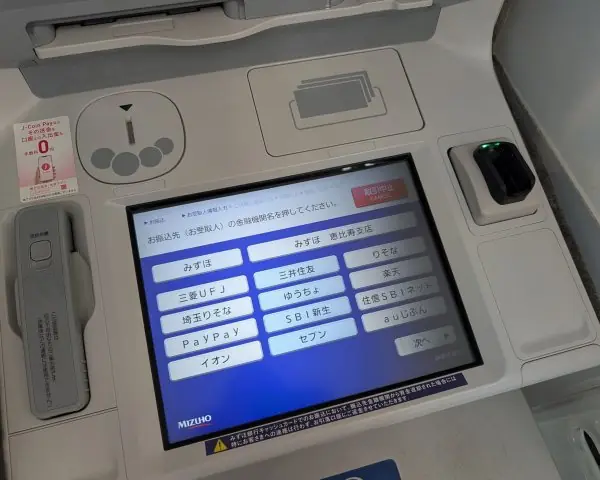
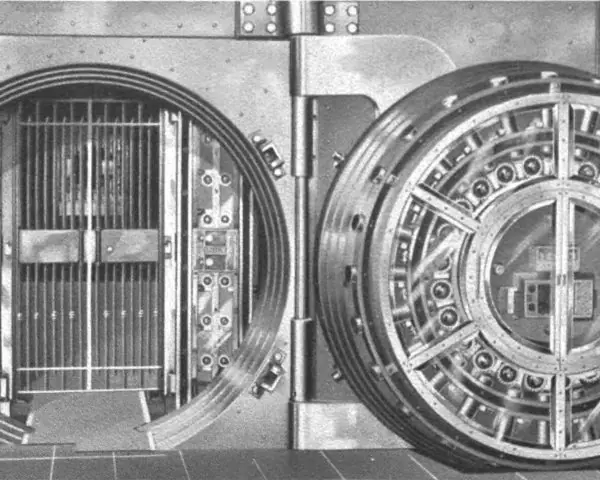
The plate shows two places where such conversations matter: a cash machine, which must never lose a transaction, and a bank vault, which must never open for the wrong person.
The figures show the real results of the code of this unit, run on PHP 8.2.35 against MariaDB 10.11.19.


4.7.1 Eight rules for safe PHP and MySQL code
- Always use prepared statements for user input. Write the query with
?or:nameplaceholders and send the values separately. The real experiment of Fig. 4.2 returned 3 rows for the pasted query and 0 for the prepared one. A login or search form of a college portal must never paste text into SQL. - Turn on exceptions and catch them. Set
mysqli_report(MYSQLI_REPORT_ERROR | MYSQLI_REPORT_STRICT)or usePDO::ERRMODE_EXCEPTION. A failed query then cannot be ignored by accident. In thecatchblock show a short message to the visitor and write the details to a log. - Never use the database root account in a web page. Create a user that has only the rights the site needs, such as
SELECT,INSERTandUPDATEon one database. If an attacker finds a hole, the damage stays small. A result portal needs no right toDROP TABLE. - Keep passwords outside the public folder. Put the connection settings in a file above the web root, or in an environment variable, and load it with
require. Never commit them to a public repository. A leaked password gives full access to every student's record. - Set the character set to utf8mb4. Call
set_charset('utf8mb4')right after connecting, and create tables with the same set. Nepali names in Devanagari then travel to the server and back unchanged. A wrong set shows question marks. - Group related changes in a transaction. A fee payment that changes a balance and writes a receipt must happen entirely or not at all (Fig. 4.4). Use InnoDB tables,
beginTransaction(),commit()androllBack(). This protects wallets and ledgers from half-finished changes. - Limit and page the results. Use
LIMITandOFFSETwith a page number forced to an integer (Fig. 4.5), and never print a whole table of ten thousand rows. A page of 10 or 20 rows loads quickly on a slow mobile connection. AddORDER BYso that the pages are stable. - Escape output and check what a change did. Print every value from the database with
htmlspecialchars(), and look ataffected_rowsafter an update or delete (Fig. 4.3). A result of 0 means that no row matched, and the user should be told. Close the connection and free the result when the script is done.
Formula and fact sheet
new mysqli(host, user, pass, db),$db->query(),fetch_assoc(),close();affected_rows,insert_id.prepare("… ?"),bind_param("sdi", …),execute(),get_result().new PDO("mysql:host=…;dbname=…;charset=utf8mb4", u, p, [ERRMODE_EXCEPTION]), named placeholders:name.- Transaction:
beginTransaction(),commit(),rollBack()(InnoDB). - Never concatenate user input into SQL.
Chapter summary
- PHP talks to MySQL through mysqli or PDO: connect, query, fetch, close, with exceptions for errors.
- Prepared statements separate SQL from data and are the defence against SQL injection.
- CRUD, pagination and transactions are small patterns repeated across every web application.
Practice
- Write PHP code that connects to a database and prints all rows of a
studenttable. - Why are prepared statements safer than string concatenation?
- Implement
add_student(name, marks)using a prepared statement. - What do
affected_rowsandinsert_idreport? - Compare mysqli and PDO.
- Explain with code why a failed money transfer must be wrapped in a transaction.
- How should a production site report a database error to the user?
Answers and worked solutions
1. See Section 4.2 (query and fetch_assoc loop).
2. The SQL text and the values travel separately; the server parses the statement before any value arrives, so a value such as x'; DROP TABLE student; -- is only data. Concatenation lets that value become part of the SQL.
3.
<?php
mysqli_report(MYSQLI_REPORT_ERROR | MYSQLI_REPORT_STRICT);
$db = new mysqli("localhost", "demo", "demo123", "demo");
$db->query("DROP TABLE IF EXISTS student");
$db->query("CREATE TABLE student (roll INT AUTO_INCREMENT PRIMARY KEY, name VARCHAR(50), marks DECIMAL(5,2))");
function add_student(mysqli $db, string $name, float $marks): int {
    $st = $db->prepare("INSERT INTO student (name, marks) VALUES (?, ?)");
    $st->bind_param("sd", $name, $marks);
    $st->execute();
    return $db->insert_id;
}
echo add_student($db, "Sita", 91.5), " ", add_student($db, "Ram", 78), "\n";
1 2
4. affected_rows: the number of rows changed/deleted/inserted by the last statement; insert_id: the AUTO_INCREMENT value generated by the last INSERT.
5. mysqli: MySQL only, procedural and object styles, MySQL-specific features. PDO: 12 databases with one API, named placeholders, consistent exceptions; the usual choice for portable code.
6. Without a transaction, if the debit succeeds but the credit fails, money disappears. With beginTransaction / commit / rollBack, both updates succeed or neither does (Section 4.5, total stays 800.00).
7. Log the technical message (server-side file), and display a generic message with a reference code; never show SQL or table names to the visitor.
Model answers (5 and 10 marks)
Q1. Explain how a PHP script connects to MySQL using mysqli. Write a program for the CRUD operations on a book table using prepared statements. (10 marks)
Introduction. PHP talks to MySQL through an extension. The two common ones are mysqli (MySQL only) and PDO (many databases). A script must connect, run statements, read the result and close the connection (Fig. 4.1).
The four basic database actions are called CRUD: Create (INSERT), Read (SELECT), Update (UPDATE) and Delete (DELETE).
Steps.
- Report errors as exceptions with
mysqli_report(MYSQLI_REPORT_ERROR | MYSQLI_REPORT_STRICT). - Connect with
new mysqli($host, $user, $password, $database). - Set the character set to
utf8mb4so that Nepali text is stored correctly. - Prepare each statement with
?placeholders, bind the values withbind_param()(the letterss,i,dmean string, integer, double) and execute. - Check the effect with
insert_idandaffected_rows. - Read results with
get_result()andfetch_assoc(), and close the connection.
<?php
mysqli_report(MYSQLI_REPORT_ERROR | MYSQLI_REPORT_STRICT);
$db = new mysqli("localhost", "demo", "demo123", "demo");
$db->set_charset("utf8mb4");
$db->query("DROP TABLE IF EXISTS book");
$db->query("CREATE TABLE book (id INT AUTO_INCREMENT PRIMARY KEY, title VARCHAR(60), price DECIMAL(8,2), stock INT)");

$ins = $db->prepare("INSERT INTO book (title, price, stock) VALUES (?, ?, ?)");
foreach ([["Nepali Grammar", 450.00, 10], ["Physics 12", 680.50, 4], ["Maths 11", 520.00, 0]] as [$t, $p, $s]) {
    $ins->bind_param("sdi", $t, $p, $s);
    $ins->execute();
    echo "created id ", $ins->insert_id, "\n";
}
$upd = $db->prepare("UPDATE book SET stock = stock + ? WHERE id = ?");
$add = 5; $id = 3;
$upd->bind_param("ii", $add, $id);
$upd->execute();
echo "updated rows: ", $upd->affected_rows, "\n";
$del = $db->prepare("DELETE FROM book WHERE stock < ?");
$min = 5;
$del->bind_param("i", $min);
$del->execute();
echo "deleted rows: ", $del->affected_rows, "\n";
$res = $db->query("SELECT id, title, price, stock FROM book ORDER BY id");
while ($r = $res->fetch_assoc()) {
    echo $r["id"], " ", $r["title"], " NPR ", $r["price"], " stock ", $r["stock"], "\n";
}
$db->query("DROP TABLE book");
$db->close();
created id 1
created id 2
created id 3
updated rows: 1
deleted rows: 1
1 Nepali Grammar NPR 450.00 stock 10
3 Maths 11 NPR 520.00 stock 5
Common mistakes and good practice. Beginners often forget to set the character set, so Nepali names appear as question marks.
They also forget to check the connection, so the page prints a warning that shows the server name and the user name to every visitor. Another frequent mistake is to keep the password inside a file in the public folder.
The correct habits are: keep the settings in a file above the web root, give the web user only SELECT, INSERT, UPDATE and DELETE on the one database it needs, catch mysqli_sql_exception and show a short, friendly message, and free the result and close the connection when the work is done.
A college result portal that follows these habits is both safer and easier to maintain.
Reading the run (Fig. 4.3). The three inserts gave the ids 1, 2 and 3; the update changed one row; the delete removed the book with stock below 5. The prepared forms mean that no user text is ever pasted into the SQL.
Conclusion. Connecting with exceptions on, using prepared statements for every value and checking affected_rows gives a safe and clear CRUD layer. The same four steps (connect, prepare, execute, fetch) are repeated in every PHP and MySQL application.
Q2. What is SQL injection? How do prepared statements prevent it? (5 marks)
SQL injection is an attack in which the input of a visitor changes the meaning of an SQL query. It happens when a script pastes the input into the query text, for example "... WHERE name='$n' AND pass='$p'".
- The attack. The attacker types the password
' OR '1'='1. The query becomesWHERE name='ram' AND pass='' OR '1'='1', and since the last condition is always true, the real run returned all 3 rows and the login would be accepted (Fig. 4.2). - Other forms. The comment trick
admin'--cuts off the password test;; DROP TABLE ...tries to run a second statement;UNION SELECTreads other tables. - The defence. A prepared statement sends the query with placeholders first and the values afterwards as data. The server has already parsed the query, so the values cannot add a new condition. The same password returned 0 rows.
- Extra measures. Give the web user minimum rights, hide database error messages from visitors, validate input, and store passwords with
password_hash().
<?php
mysqli_report(MYSQLI_REPORT_ERROR | MYSQLI_REPORT_STRICT);
$db = new mysqli("localhost", "demo", "demo123", "demo");
$db->query("DROP TABLE IF EXISTS users");
$db->query("CREATE TABLE users (id INT AUTO_INCREMENT PRIMARY KEY, name VARCHAR(30), pass VARCHAR(30))");
$db->query("INSERT INTO users (name, pass) VALUES ('admin','s3cret'),('ram','pw1'),('sita','pw2')");
$n = "ram"; $p = "' OR '1'='1";
echo "pasted:   ", $db->query("SELECT id FROM users WHERE name='$n' AND pass='$p'")->num_rows, " rows\n";
$st = $db->prepare("SELECT id FROM users WHERE name = ? AND pass = ?");
$st->bind_param("ss", $n, $p);
$st->execute();
echo "prepared: ", $st->get_result()->num_rows, " rows\n";
$db->query("DROP TABLE users");
pasted:   3 rows
prepared: 0 rows
Rule: never concatenate input into SQL; always bind it.
Q3. Explain PDO. Compare it with mysqli, and describe a transaction with a bank-transfer program. (10 marks)
Introduction. PDO (PHP Data Objects) is a single interface for many databases: MySQL, PostgreSQL, SQLite and others.
Only the connection string (the DSN) names the database, so the rest of the code stays the same when the database is changed. It supports prepared statements with named placeholders such as :amount, and exceptions.
Comparison.
| Point | mysqli |
PDO |
|---|---|---|
| Databases supported | MySQL and MariaDB only | about a dozen, through drivers |
| Style | procedural and object-oriented | object-oriented only |
| Placeholders | ? only |
? and named :name |
| Errors | exceptions with mysqli_report |
PDO::ERRMODE_EXCEPTION |
| Fetch modes | fetch_assoc, fetch_row |
FETCH_ASSOC, FETCH_OBJ, FETCH_CLASS and more |
| Speed | very slightly faster | almost the same |
| Typical use | small MySQL-only code | frameworks and larger projects |
Transactions. A transaction groups several statements into one unit.
It follows the ACID rules: Atomic (all or nothing), Consistent (constraints hold), Isolated (other users do not see half-done work) and Durable (after commit, data survives a crash).
The methods are beginTransaction(), commit() and rollBack(), and the tables must use InnoDB.
<?php
$pdo = new PDO("mysql:host=localhost;dbname=demo;charset=utf8mb4", "demo", "demo123",
    [PDO::ATTR_ERRMODE => PDO::ERRMODE_EXCEPTION, PDO::ATTR_DEFAULT_FETCH_MODE => PDO::FETCH_ASSOC]);
$pdo->exec("DROP TABLE IF EXISTS wallet");
$pdo->exec("CREATE TABLE wallet (id INT PRIMARY KEY, owner VARCHAR(20), balance DECIMAL(10,2) NOT NULL CHECK (balance >= 0)) ENGINE=InnoDB");
$pdo->exec("INSERT INTO wallet VALUES (1,'Ram',500),(2,'Sita',300)");

function pay(PDO $pdo, int $from, int $to, float $amount): string {
    try {
        $pdo->beginTransaction();
        $q = $pdo->prepare("UPDATE wallet SET balance = balance + :d WHERE id = :id");
        $q->execute([":d" => -$amount, ":id" => $from]);
        $q->execute([":d" => $amount, ":id" => $to]);
        $pdo->commit();
        return "committed";
    } catch (PDOException $e) {
        $pdo->rollBack();
        return "rolled back";
    }
}
echo pay($pdo, 1, 2, 200), " | ", pay($pdo, 1, 2, 900), "\n";
foreach ($pdo->query("SELECT owner, balance FROM wallet ORDER BY id") as $r) echo $r["owner"], " ", $r["balance"], "\n";
echo "total ", $pdo->query("SELECT SUM(balance) FROM wallet")->fetchColumn(), "\n";
$pdo->exec("DROP TABLE wallet");
committed | rolled back
Ram 300.00
Sita 500.00
total 800.00
Why a web application needs transactions. A web request can fail at any moment: the server may restart, the connection may drop, or a constraint may refuse one of the statements.
Without a transaction, a wallet payment could take money from Ram and fail before it gives it to Sita, so that 200 rupees would disappear. With a transaction the database itself guarantees that the two updates stand or fall together.
The same idea protects a fee receipt and the matching ledger line, an exam seat booking and its payment, and the stock count of a shop against an order.
Reading the result (Fig. 4.4). The first payment committed. The second would make Ram's balance negative, the CHECK constraint refused it, rollBack() undid the first UPDATE, and the total stayed at 800.00.
Conclusion. PDO is preferred in larger projects for its uniform interface and named placeholders, while mysqli is adequate for MySQL-only code. Whichever is chosen, a transaction is the tool that keeps related changes, such as a fee payment and its receipt, consistent.
Q4. How do you show the rows of a table page by page in PHP? Write the code and explain the calculations. (5 marks)
Showing thousands of rows on one page is slow and unreadable, so a script shows a fixed number per page (pagination), using LIMIT and OFFSET in SQL.
- Count the rows:
SELECT COUNT(*) FROM itemgives the total, here 23. - Number of pages:
ceil(total / per_page); with 10 per page that is 3. - Read the page number from the URL,
$_GET['page'], and force it into range withmax(1, min($pages, (int) $page)). - Offset:
($page - 1) * $per_page; page 3 starts at offset 20. - Query:
SELECT ... ORDER BY id LIMIT 10 OFFSET 20. Always addORDER BY, or the pages may overlap. - Links: print "Previous" and "Next" links, and keep the search text in the link (Fig. 4.5).
<?php
mysqli_report(MYSQLI_REPORT_ERROR | MYSQLI_REPORT_STRICT);
$db = new mysqli("localhost", "demo", "demo123", "demo");
$db->query("DROP TABLE IF EXISTS item");
$db->query("CREATE TABLE item (id INT AUTO_INCREMENT PRIMARY KEY, name VARCHAR(20))");
for ($k = 1; $k <= 23; $k++) $db->query("INSERT INTO item (name) VALUES ('item$k')");
$per = 10;
$total = (int) $db->query("SELECT COUNT(*) FROM item")->fetch_row()[0];
$pages = (int) ceil($total / $per);
echo "total $total, pages $pages\n";
foreach ([1, 3, 9] as $asked) {
    $page = max(1, min($pages, $asked));
    $off = ($page - 1) * $per;
    $st = $db->prepare("SELECT id FROM item ORDER BY id LIMIT ? OFFSET ?");
    $st->bind_param("ii", $per, $off);
    $st->execute();
    $ids = array_column($st->get_result()->fetch_all(MYSQLI_ASSOC), "id");
    echo "asked $asked -> page $page, offset $off, ", count($ids), " rows (ids ", $ids[0], "-", end($ids), ")\n";
}
$db->query("DROP TABLE item");
total 23, pages 3
asked 1 -> page 1, offset 0, 10 rows (ids 1-10)
asked 3 -> page 3, offset 20, 3 rows (ids 21-23)
asked 9 -> page 3, offset 20, 3 rows (ids 21-23)
The request for page 9 was forced to page 3, and the last page held only 3 rows. Forcing the page number into range is also a security step, because the value comes from the user.