Unit 8 · 4 teaching hours · 23 min read
Content Management Systems and PHP Frameworks
What the syllabus asks for 4
- What is a CMS?
- The MVC pattern
- Frameworks and tooling
- Seeing the ideas: CMS layers, MVC, hooks, autoloading and deployment
Writing every page from scratch is slow, and most sites need the same things: users, pages, menus, a database, an admin screen. A content management system (CMS) gives these ready-made; a framework gives structure for building your own.
This closing unit covers the CMS part of the old CACS254 outline (Joomla and WordPress at administrator level), and the MVC structure on which both CMSs and frameworks such as Laravel are built.
- What a CMS is; WordPress and Joomla concepts at administrator level.
- The MVC pattern with a small working router.
- An orientation to Composer, Laravel and deployment.
Honesty note. CMS installation and administration need a web server, a browser and a database, so the CMS installation and administration steps were not machine-executed.
The PHP programs of this unit (the MVC mini-framework, the router, the hook system, the Composer-style autoloader) and the two-server document-root test of Fig. 8.6 were run for real on PHP 8.2.35.
The steps below describe the standard procedures; menu names differ slightly between versions.
8.1 What is a CMS?
A CMS separates content (text, images) from design (themes) and function (plugins), stores content in a database (MySQL) and lets non-programmers publish through a web admin panel.
| Feature | WordPress | Joomla |
|---|---|---|
| Main use | blogs, business and news sites; about 40 % of all websites | portals, community and multi-language sites |
| Content unit | posts (dated) and pages (static) | articles in categories, plus menus and modules |
| Appearance | themes | templates |
| Extensions | plugins (60,000+) | extensions: components, modules, plugins |
| Learning curve | easy | moderate; more built-in structure (ACL, multilingual) |
| Written in | PHP and MySQL | PHP and MySQL, MVC architecture |
Installing a CMS (the standard steps)
- Install a LAMP/XAMPP stack and create an empty database and a database user (Unit 3).
- Download the CMS and unzip it into the web root (
htdocs/mysite). - Open the site in a browser; the installer asks for the database name, user, password, site title and an administrator account (WordPress writes
wp-config.php; Joomla writesconfiguration.php). - Log in to the admin area (
/wp-adminor/administrator).
WordPress administrator tasks
- Posts and pages: create, edit in the block editor, schedule, categorise and tag; set the featured image.
- Themes: Appearance → Themes to install and activate; Customize for logo and colours; child themes keep changes safe from updates.
- Widgets and menus: add widgets to sidebars and footers; build navigation menus from pages and categories.
- Plugins: add contact forms, SEO, caching, e-commerce (WooCommerce); install only well-maintained plugins, because plugins are the main source of vulnerabilities.
- Users and roles: Administrator, Editor, Author, Contributor, Subscriber.
- Settings: permalinks (
/%postname%/), reading and discussion; keep core, themes and plugins updated and take backups.
Joomla administrator tasks
- Articles and categories: create content, assign to categories, feature and publish.
- Menus and menu items decide which page appears at each URL; modules are boxes placed in template positions (login form, latest news).
- Extensions manager: install components (e.g., a forum), modules and plugins; templates control layout; template overrides customise output.
- Users and access levels: groups with permissions (the ACL system), more granular than WordPress's roles.
Extending a CMS. A WordPress plugin is a PHP file with a header comment that registers hooks (add_action, add_filter). A Joomla component follows the MVC structure below. Customisation of the theme/template uses HTML, CSS, JavaScript and PHP.
8.2 The MVC pattern
Model–View–Controller divides an application into three roles:
| Part | Role | Example |
|---|---|---|
| Model | data and business rules; talks to the database | Student::find(5), $student->average() |
| View | presentation; HTML templates | students/show.php |
| Controller | receives the request, calls the model, chooses the view | StudentController::show($id) |
| Router | maps a URL to a controller action | /students/5 → show(5) |
A request flows: browser → router → controller → model (database) → controller → view → response. Separation lets designers and programmers work independently, and each part be tested alone.
The program below is a complete miniature of this flow (a router, one controller and a view), runnable without a web server:
<?php
class Student {                                         // Model
    private static array $rows = [1 => ["Ram", 78], 2 => ["Sita", 91]];
    public static function find(int $id): ?array { return self::$rows[$id] ?? null; }
    public static function all(): array { return self::$rows; }
}
function view(string $tpl, array $vars): string {        // View
    $templates = [
        "list" => "<ul>\n{items}</ul>",
        "show" => "<h1>{name}</h1><p>marks: {marks}</p>",
        "404"  => "<h1>Not found</h1>",
    ];
    $out = $templates[$tpl];
    foreach ($vars as $k => $v) { $out = str_replace("{" . $k . "}", $v, $out); }
    return $out;
}
class StudentController {                               // Controller
    public function index(): string {
        $items = "";
        foreach (Student::all() as $id => [$n, $m]) { $items .= "  <li><a href=\"/students/$id\">" . htmlspecialchars($n) . "</a></li>\n"; }
        return view("list", ["items" => $items]);
    }
    public function show(int $id): string {
        $s = Student::find($id);
        return $s ? view("show", ["name" => htmlspecialchars($s[0]), "marks" => (string) $s[1]]) : view("404", []);
    }
}
function route(string $path): string {                  // Router
    if ($path === "/students") return (new StudentController)->index();
    if (preg_match('#^/students/(\d+)$#', $path, $m)) return (new StudentController)->show((int) $m[1]);
    return view("404", []);
}
foreach (["/students", "/students/2", "/students/9", "/nowhere"] as $url) { echo "GET $url\n", route($url), "\n\n"; }
GET /students
<ul>
  <li><a href="/students/1">Ram</a></li>
  <li><a href="/students/2">Sita</a></li>
</ul>

GET /students/2
<h1>Sita</h1><p>marks: 91</p>

GET /students/9
<h1>Not found</h1>

GET /nowhere
<h1>Not found</h1>
8.3 Frameworks and tooling
A framework supplies routing, database access (an ORM), templating, validation, authentication and security defaults, so you write only the application-specific code.
| Framework | Language | Notes |
|---|---|---|
| Laravel | PHP | most popular PHP framework: Eloquent ORM, Blade templates, migrations, Artisan CLI |
| Symfony | PHP | components used by Laravel and Drupal |
| CodeIgniter | PHP | light and simple |
| Django, Flask | Python | the Python equivalents (Python book, Unit 8) |
| Express | JavaScript | Node.js |
Composer is PHP's package manager (composer require vendor/package; composer.json and composer.lock record versions; the vendor/ folder holds packages and an autoloader). A Laravel route and controller look like this (shown, not run here):
// noexec
<?php
// routes/web.php
Route::get('/students/{id}', [StudentController::class, 'show']);

// app/Http/Controllers/StudentController.php
class StudentController extends Controller {
    public function show(int $id) {
        $student = Student::findOrFail($id);          // Eloquent model: SELECT ... WHERE id = ? (prepared)
        return view('students.show', compact('student'));
    }
}
Deploying a PHP site
Choose hosting (shared hosting with cPanel, a VPS, or a cloud platform); upload the code (Git or SFTP); create the production database and a restricted user; set production configuration (display_errors=Off, log to a file, secrets in environment variables); enable HTTPS (a free Let's Encrypt certificate); schedule backups; and monitor logs.
Keep the document root pointing at the public/ folder only, so that configuration files are not downloadable.
8.4 Seeing the ideas: CMS layers, MVC, hooks, autoloading and deployment
A CMS and a framework both save work by fixing the structure in advance.
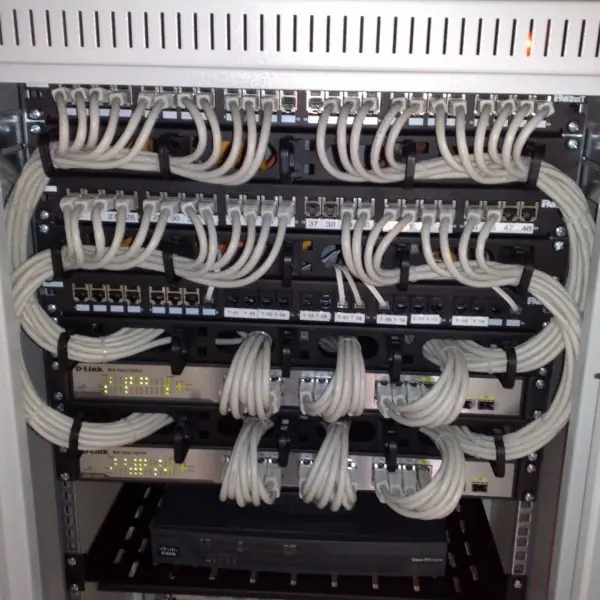
The plate shows the people and the machines behind these tools, and the figures show how a request is routed, how a plugin changes output through hooks, how Composer finds a class by its name and why the folder you publish matters.
Every number comes from a real run on PHP 8.2.35, including two live php -S servers.





8.4.1 Eight advantages of using a CMS or a framework
- Faster delivery. A CMS gives users, menus, pages and an admin panel on the first day (Fig. 8.1). A college can start a notice and admission site in a weekend instead of months. The team spends time on content and not on login screens.
- Content and design are separate. An editor changes text in the admin panel, and a designer changes the theme without touching the data. A municipality can update its notices daily without asking a programmer. A new theme can change the look of the whole site at once.
- Non-programmers can publish. Roles such as Editor and Author let reporters of a news portal write and schedule articles on their own. The administrator controls who may publish or delete. This frees the developer from routine updates.
- Plugins and extensions add features cheaply. Contact forms, search, SEO, and shop features are installed instead of written. A small business can add online ordering with a ready plugin. Hooks let a plugin change the output without editing the core (Fig. 8.4).
- A clear structure keeps big projects tidy. MVC gives each file one job: the router finds the controller, the controller asks the model and the view shows the result (Fig. 8.2). New team members know where to look. Routes with patterns also keep strange input out of the database (Fig. 8.3).
- Security comes built in. Frameworks such as Laravel use prepared statements in their database layer, escape output in templates and include CSRF tokens. These are the defences of Unit 7, applied by default. A mistake becomes less likely than in hand-written pages.
- Composer shares tested code. One command adds a library, and the autoloader finds every class by its name (Fig. 8.5). The
composer.lockfile makes every developer use the same versions. A team does not have to rewrite a PDF or payment library. - Easier deployment and growth. Frameworks separate the
publicfolder from the private code, so only safe files are served (Fig. 8.6). Configuration lives in environment variables, which differ between a laptop and the server. The same project can move from a lab computer to hosting without code changes.
Formula and fact sheet
- CMS = content + themes + plugins + admin panel + database. WordPress: posts, pages, themes, plugins. Joomla: articles, categories, menus, modules, extensions, templates.
- MVC: Model (data), View (HTML), Controller (logic), Router (URL → controller).
- Composer manages dependencies; Laravel = routing + Eloquent + Blade + Artisan.
- Deployment: HTTPS, production error settings, restricted DB user, backups, only
public/exposed.
Chapter summary
- A CMS lets non-programmers manage content; WordPress and Joomla differ in structure but share themes/templates, plugins/extensions and an admin panel on PHP and MySQL.
- MVC structures applications into model, view, controller and router; frameworks like Laravel provide the plumbing.
- Deployment adds HTTPS, secure configuration and backups.
Practice
- List the steps of installing WordPress on a local server.
- Differentiate a theme and a plugin; a component and a module in Joomla.
- Explain MVC with the flow of a request.
- Extend the mini-framework's router with a
/aboutroute that shows static text. - What does Composer do?
- List five items on a deployment checklist.
Answers and worked solutions
1. Install XAMPP; create a database and user; download and unzip WordPress into htdocs; open the site and run the installer (database details, site title, admin account); log in at /wp-admin.
2. A theme controls appearance; a plugin adds functionality. In Joomla a component is a full application (main content area, such as articles or a forum); a module is a small box in a template position (menu, login box).
3. The router matches the URL and calls a controller action; the controller asks the model for data, then passes it to a view; the rendered view is returned as the response (Section 8.2).
4.
<?php
function route(string $path): string {
    $routes = ["/about" => "About: BCA Portal, built with PHP."];
    return $routes[$path] ?? "404";
}
echo route("/about"), " | ", route("/x"), "\n";
About: BCA Portal, built with PHP. | 404
5. Composer downloads and updates PHP libraries and their dependencies, records exact versions in composer.lock, and generates an autoloader so classes are loaded on demand.
6. HTTPS; display_errors off and errors logged; restricted database user and secrets outside the code; backups; document root set to public/; updated software.
Model answers (5 and 10 marks)
Q1. What is a CMS? Compare WordPress and Joomla and explain the steps of installing and administering a CMS. (10 marks)
Introduction. A content management system (CMS) is a web application that lets people create, edit and publish content through an admin panel, without writing code.
It keeps the content in a database such as MySQL, the design in themes or templates, and the extra features in plugins or extensions (Fig. 8.1).
WordPress and Joomla are two popular free CMSs written in PHP and MySQL, and both fit the LAMP/XAMPP stack of Unit 3.
Comparison.
| Point | WordPress | Joomla |
|---|---|---|
| Main use | Blogs, business and news sites | Portals, community and multi-language sites |
| Content unit | Posts (dated) and pages (static) | Articles in categories, plus menus and modules |
| Appearance | Themes | Templates |
| Extensions | Plugins (a PHP file with hooks) | Components, modules and plugins |
| Users | Roles: Administrator, Editor, Author, Contributor, Subscriber | Groups with access levels (more detailed ACL) |
| Learning curve | Easy | Moderate, more built-in structure |
Installation steps.
- Install XAMPP or LAMP and create an empty database and a database user.
- Download the CMS and unzip it into the web root, for example
htdocs/mysite. - Open the site in a browser; the installer asks for the database name, user, password, site title and an administrator account, and writes
wp-config.phporconfiguration.php. - Log in to the admin area (
/wp-adminor/administrator).
Administration tasks. The administrator writes posts or articles, creates menus, installs and activates themes or templates, adds plugins or extensions, manages users and roles, and changes settings such as permalinks.
Three duties are never optional: keep the core, themes and plugins updated, take regular backups, and install only well-maintained plugins, because plugins are the main source of vulnerabilities (Unit 7).
Extending a CMS. A WordPress plugin registers hooks with add_action and add_filter (Fig. 8.4), and a Joomla component follows the MVC structure. Customisation uses HTML, CSS, JavaScript and PHP.
Conclusion. A CMS saves time because the user system, admin panel and page structure are ready-made. WordPress suits fast, simple sites, and Joomla suits sites that need more structure and finer access control.
Either way, safe updates and backups decide whether the site stays healthy.
Q2. Explain the MVC pattern with the flow of a request. Write a small router in PHP. (5 marks)
MVC (Model–View–Controller) divides an application into three roles. The model holds data and business rules and talks to the database. The view is the template that produces HTML.
The controller receives the request, calls the model and chooses the view. A router in front of them maps a URL to a controller action.
Flow of a request (Fig. 8.2). The browser sends GET /students/2; the router matches the pattern and calls StudentController::show(2); the controller asks Student::find(2); the model returns the data; the controller passes it to the show view; the response goes back to the browser.
Because each part has one job, designers and programmers can work separately and each part can be tested alone.
A small router with a pattern and a 404 case (real output):
<?php
function route(string $p): string {
    if ($p === "/about") return "About: BCA Portal";
    if (preg_match('#^/students/(\d+)$#', $p, $m)) return "show student " . (int)$m[1];
    return "404 not found";
}
foreach (["/about", "/students/7", "/students/x"] as $u) echo $u, " -> ", route($u), "\n";
/about -> About: BCA Portal
/students/7 -> show student 7
/students/x -> 404 not found
The pattern accepts only digits, so text such as x never reaches the database (Fig. 8.3). The first line shows a fixed route, the second a route with a captured number, and the third falls through to the 404 answer.
Real frameworks work the same way, but keep the routes in one file such as routes/web.php, so the whole URL map of a site can be read in a minute.
In an exam, also state the benefit: because the router, controller, model and view are separate, a change of design does not touch the database code.
Q3. What is a PHP framework? Explain Laravel's main features, Composer and autoloading. (10 marks)
Introduction. A framework is a ready-made structure for building applications.
It supplies routing, database access through an ORM, templates, validation, authentication and security defaults, so the programmer writes only the code that is special to the application.
Laravel is the most popular PHP framework (Plate 8.1).
Main features of Laravel.
- Routing:
Route::get('/students/{id}', ...)maps a URL to a controller. - Eloquent ORM: a model class such as
Studentreads and writes the table with prepared queries, for exampleStudent::findOrFail($id). - Blade templates: HTML with short directives; output is escaped by default, which prevents XSS.
- Migrations: PHP files that create and change tables, so every developer has the same schema.
- Artisan CLI: commands that create controllers, models and migrations.
- Built-in security: CSRF tokens, password hashing and prepared statements are on by default (Unit 7).
Composer. Composer is PHP's package manager. composer require vendor/package downloads a library into vendor/, composer.json lists what the project needs, and composer.lock fixes the exact versions so that all developers and the server use the same code. Composer also writes an autoloader.
Autoloading (PSR-4). The autoloader turns a class name into a file path (Fig. 8.5): the prefix App maps to src, and namespace separators become folder separators.
The program was run for real; it creates the class file in a temporary folder, registers the loader and creates two objects.
<?php
$base = sys_get_temp_dir() . "/psr4_" . getmypid(); mkdir("$base/src/Models", 0777, true);
file_put_contents("$base/src/Models/Student.php", <<<'PHP'
<?php
namespace App\Models;
class Student { public function __construct(public string $name) {} }
PHP);
spl_autoload_register(function (string $class) use ($base) {
    if (strncmp($class, "App\\", 4) !== 0) return;
    $file = $base . "/src/" . str_replace("\\", "/", substr($class, 4)) . ".php";
    echo "autoload: ", $class, " -> ", substr($file, strlen($base) + 1), "\n";
    if (is_file($file)) require $file;
});
$a = new App\Models\Student("Sita"); $b = new App\Models\Student("Ram");
echo $a->name, " and ", $b->name, "\n";
var_dump(class_exists("App\\Models\\Nobody"));
autoload: App\Models\Student -> src/Models/Student.php
Sita and Ram
autoload: App\Models\Nobody -> src/Models/Nobody.php
bool(false)
Reading the output. The loader ran only once, for the first new Student, and not for the second, because PHP remembers a class once it is loaded. The class Nobody has no file, so the loader found nothing and class_exists returned false.
The program has no require line for Student: adding a new class needs only a new file in the right folder.
Conclusion. A framework such as Laravel gives routing, an ORM, safe templates and migrations, while Composer manages libraries and loads classes by name.
Together they reduce repeated code and security mistakes, and they give a team one agreed structure.
A student who learns these ideas with plain PHP, as in this unit, can move to Laravel, Symfony or CodeIgniter quickly, because only the names of the functions change.
Q4. List the main points of deploying a PHP site securely. Why should only the public folder be served? (5 marks)
Deployment is the move of a finished site from the developer's computer to a server that users can reach.
A safe deployment has these points: choose hosting (shared hosting with cPanel, a VPS or a cloud platform); upload the code with Git or SFTP; create the production database with a restricted user; set display_errors=Off and log errors to a file; keep secrets in environment variables or a .env file outside the served folder; serve the site over HTTPS; and set up regular backups and updates.
Why only the public folder. The web server publishes every file under its document root. If the root is the project folder, configuration and source code become downloadable. The test of Fig. 8.6 used two live servers over one project:
| Request | Root = project folder | Root = public folder |
|---|---|---|
/index.php (the entry file) |
200 | 200 |
/.env (19 bytes, a password) |
200, leaked | 404 |
/autoload.php (source code) |
200, leaked | 404 |
With the project folder as root the file .env was returned with its content DB_PASSWORD=secret. With the public folder as root, the same request gave 404 because the file lies outside.
For this reason Laravel keeps only public/index.php and the assets there, and all other code is outside the document root.
Q5. What are hooks in WordPress? Differentiate between actions and filters with an example. (5 marks)
Hooks are named points in the WordPress core where a plugin or theme can attach its own function.
They let developers change or extend the behaviour of a site without editing the core files, so an update of WordPress does not erase the changes.
A plugin registers its function with add_action or add_filter, and the core calls do_action or apply_filters at that point. Each registration has a priority (default 10): lower numbers run first.
| Point | Action | Filter |
|---|---|---|
| Purpose | Run extra code at a moment | Change a value |
| Return value | Not needed | Must return the (changed) value |
| Core call | do_action('footer') |
apply_filters('the_title', $title) |
| Typical use | Add a script, send a mail, print a footer | Change a title, excerpt or content |
The program is a small copy of the hook system (real output):
<?php
$hooks = [];
function add_filter(string $tag, callable $fn, int $prio = 10): void { global $hooks; $hooks[$tag][$prio][] = $fn; }
function apply_filters(string $tag, $v) { global $hooks; if (empty($hooks[$tag])) return $v; ksort($hooks[$tag]); foreach ($hooks[$tag] as $fns) foreach ($fns as $fn) $v = $fn($v); return $v; }
add_filter("the_title", fn($t) => strtoupper($t));
add_filter("the_title", fn($t) => "[NEW] " . $t, 5);
echo apply_filters("the_title", "load shedding schedule"), "\n";
echo apply_filters("no_such_hook", "unchanged"), "\n";
[NEW] LOAD SHEDDING SCHEDULE
unchanged
The priority 5 function ran first (the prefix was added) and then the upper-case function (priority 10) changed the whole text, as in Fig. 8.4. A hook with no registered functions returns the value unchanged, so the core keeps working without plugins.