Unit 4 · 7 teaching hours · 20 min read
Data Storage - Preferences, Files, SQLite and Room
What the syllabus asks for 7
- Choosing a storage mechanism
- Preferences and files
- SQLite and SQL
- Room
- Testing business logic off the device
- Security of stored data
- Seeing where data lives: flash, files, tables and keys
An app that forgets everything when it is closed is a toy. Phones lose power, processes are killed and users expect their notes, settings and half-filled forms to be there tomorrow.
Android offers several storage mechanisms, each suited to a size and shape of data: key–value preferences, files, and a full relational database (SQLite, wrapped by the Room library).
Because Android's SQLite is the same engine that Python ships with, the SQL in this unit was executed, and the query results below are real output; its transaction behaviour, the heart of reliable storage, is demonstrated with a deliberate failure.
- Choosing storage: preferences/DataStore, files, SQLite/Room, content providers, cloud.
- SQL on Android: schema, queries, indexes, transactions (executed), and the Room entity–DAO–database layers.
- Business-logic testing outside the emulator: a Java loan calculator run on the JVM.
- Security of stored data.
4.1 Choosing a storage mechanism
| Mechanism | Holds | Good for | Notes |
|---|---|---|---|
| SharedPreferences / DataStore | Small key–value pairs | Settings, flags, last login name | DataStore (Preferences or Proto) is the modern, asynchronous replacement |
| Internal storage (files) | Private files in the app's directory | Caches, downloaded JSON, drafts | Deleted on uninstall; no permission needed |
| External/shared storage | Media and documents | Photos, exports, downloads | Scoped storage: use MediaStore or the Storage Access Framework |
| SQLite via Room | Structured relational data | Notes, transactions, offline copies of server data | Queries, indexes, relations |
| Content provider | Data shared with other apps | Contacts, shared documents | URI-based interface |
| Cloud (REST, Firebase) | Server-side data | Sync across devices, backup | Needs network; cache locally |
The rule of thumb: settings in DataStore, the user's records in Room, big blobs as files, and always treat the server as the source of truth with the local database as an offline cache.
4.2 Preferences and files
Not executed (needs the Android SDK): saving and reading a setting with DataStore, and writing a private file.
val Context.dataStore by preferencesDataStore("settings")
val DARK = booleanPreferencesKey("dark_mode")

suspend fun saveDark(ctx: Context, on: Boolean) =
    ctx.dataStore.edit { it[DARK] = on }
fun darkFlow(ctx: Context) = ctx.dataStore.data.map { it[DARK] ?: false }

File(context.filesDir, "draft.txt").writeText("Dear ward office...")
Preferences are not a database: do not store lists of records. Never keep passwords or tokens in plain preferences; use the Android Keystore with EncryptedSharedPreferences/encrypted DataStore.
Since Android 10, scoped storage limits an app to its own directories plus media it created; pickers return URIs rather than paths.
4.3 SQLite and SQL
SQLite is a small, serverless, transactional SQL database stored in one file per database; Android includes it.
A table is created with typed columns and constraints, rows are added with INSERT, read with SELECT, changed with UPDATE and removed with DELETE.
Indexes speed up lookups by a column at the cost of space and write time; transactions group statements so that all succeed or none do (atomicity).
The following program runs on SQLite exactly as an Android app would; amounts are whole rupees.
import sqlite3
db = sqlite3.connect(":memory:")
db.executescript("""
CREATE TABLE expense (
    id INTEGER PRIMARY KEY AUTOINCREMENT,
    category TEXT NOT NULL,
    amount INTEGER NOT NULL,
    day TEXT NOT NULL
);
CREATE INDEX idx_expense_day ON expense(day);
""")
rows = [("Food", 450, "2082-01-03"), ("Transport", 120, "2082-01-03"),
        ("Food", 300, "2082-01-04"), ("Rent", 8000, "2082-01-05"),
        ("Transport", 200, "2082-01-05"), ("Food", 700, "2082-02-01")]
db.executemany("INSERT INTO expense(category, amount, day) VALUES (?, ?, ?)", rows)
db.commit()
print(db.execute("SELECT category, SUM(amount) FROM expense GROUP BY category ORDER BY category").fetchall())
print(db.execute("SELECT substr(day, 1, 7) AS month, COUNT(*), SUM(amount) FROM expense GROUP BY month ORDER BY month").fetchall())
try:
    with db:
        db.execute("UPDATE expense SET amount = amount - 100 WHERE id = 1")
        db.execute("INSERT INTO expense(category, amount, day) VALUES (NULL, 5, '2082-02-02')")
except sqlite3.IntegrityError as e:
    print("rolled back:", e)
print(db.execute("SELECT amount FROM expense WHERE id = 1").fetchone())
[('Food', 1450), ('Rent', 8000), ('Transport', 320)]
[('2082-01', 5, 9070), ('2082-02', 1, 700)]
rolled back: NOT NULL constraint failed: expense.category
(450,)
The ? placeholders are parameter binding: never build SQL by concatenating user input, which allows SQL injection. The first query groups by category (Food 450 + 300 + 700 = 1450; Transport 120 + 200 = 320; Rent 8000).
The second groups by month using the first seven characters of the date.
Note the db.commit() after the inserts: without it the later rollback would also have discarded the six uncommitted inserted rows (an earlier draft of this program printed None for exactly that reason, caught when the output was inspected).
In the last step the first UPDATE succeeded, but the second statement violated NOT NULL, so the transaction was rolled back and the amount of row 1 is still 450: the half-finished change never became visible, which is the property that keeps a bank-style app consistent after a crash.
4.4 Room
Room is the Jetpack library that maps Kotlin classes to SQLite and checks queries at compile time. It has three kinds of component:
- Entity: a class annotated
@Entitythat defines a table. - DAO (data access object): an interface annotated
@Daowhose methods carry@Insert,@Query,@Update,@Delete. - Database: an abstract class annotated
@Databaselisting entities and the version, from which Room builds the implementation.
Not executed (needs the Android SDK, Room and KSP): the same expense table as above.
@Entity(tableName = "expense", indices = [Index("day")])
data class Expense(
    @PrimaryKey(autoGenerate = true) val id: Long = 0,
    val category: String,
    val amount: Int,
    val day: String
)

@Dao
interface ExpenseDao {
    @Insert suspend fun add(e: Expense)
    @Query("SELECT category, SUM(amount) AS total FROM expense GROUP BY category")
    fun totals(): Flow<List<CategoryTotal>>
}

@Database(entities = [Expense::class], version = 1)
abstract class AppDb : RoomDatabase() { abstract fun expenses(): ExpenseDao }
Room refuses to run queries on the main thread (use suspend functions or Flow), and a Flow return type re-emits whenever the table changes, so the UI (via a ViewModel) updates itself.
When the schema changes you raise the version and supply a Migration (the SQL that upgrades old data) — shipping a new version without one crashes or wipes users' data. Export the schema JSON and test migrations.
The repository pattern hides whether data comes from Room or the network from the rest of the app.
4.5 Testing business logic off the device
Logic that does not touch Android classes can be unit-tested on a plain JVM in seconds, without an emulator.
The Java program below, a loan EMI calculator and the first three rows of its amortisation schedule, is such logic: the formula EMI = P·r·(1 + r)ⁿ / ((1 + r)ⁿ − 1) with monthly rate r. It was compiled and run on a JDK.
public class Emi {
    static double emi(double principal, double annualPct, int months) {
        double r = annualPct / 12 / 100;
        double f = Math.pow(1 + r, months);
        return principal * r * f / (f - 1);
    }

    public static void main(String[] args) {
        double e = emi(500000, 12, 24);
        System.out.printf("EMI = %.2f%n", e);
        double balance = 500000;
        double r = 0.01;
        for (int m = 1; m <= 3; m++) {
            double interest = balance * r;
            double principalPart = e - interest;
            balance -= principalPart;
            System.out.printf("Month %d: interest %.2f principal %.2f balance %.2f%n",
                    m, interest, principalPart, balance);
        }
    }
}
EMI = 23536.74
Month 1: interest 5000.00 principal 18536.74 balance 481463.26
Month 2: interest 4814.63 principal 18722.10 balance 462741.16
Month 3: interest 4627.41 principal 18909.32 balance 443831.84
The checker computes the same schedule independently in Python. Good structure follows: ViewModel and repository classes hold the logic, Android classes stay thin, and instrumented tests (on a device) cover the UI and Room.
4.6 Security of stored data
Files in the app's private directory are protected by the sandbox, but a rooted phone or a backup can expose them.
Encrypt sensitive records (SQLCipher or Keystore-backed keys), keep secrets such as API keys out of the APK (they can be extracted: put them on a server), disable auto-backup for sensitive data (android:allowBackup), clear caches on logout and never log personal data.
Request only the storage access you need; scoped storage exists to protect users.
4.7 Seeing where data lives: flash, files, tables and keys
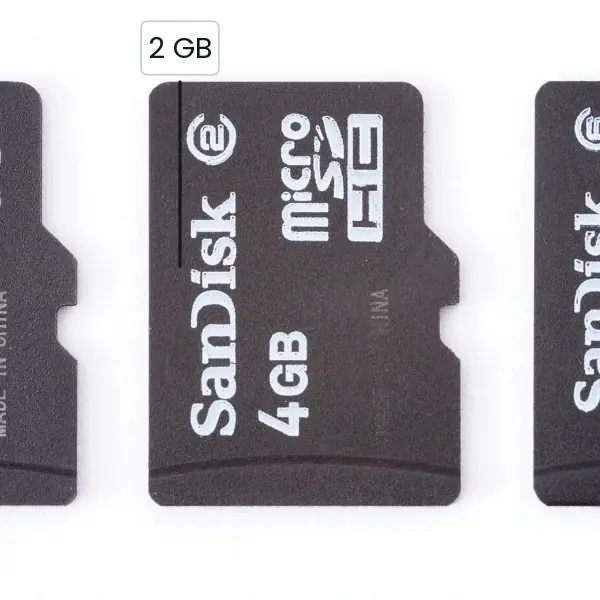
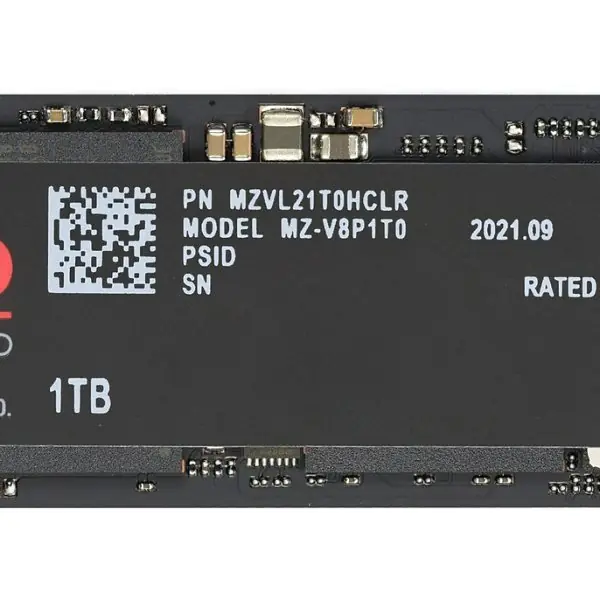
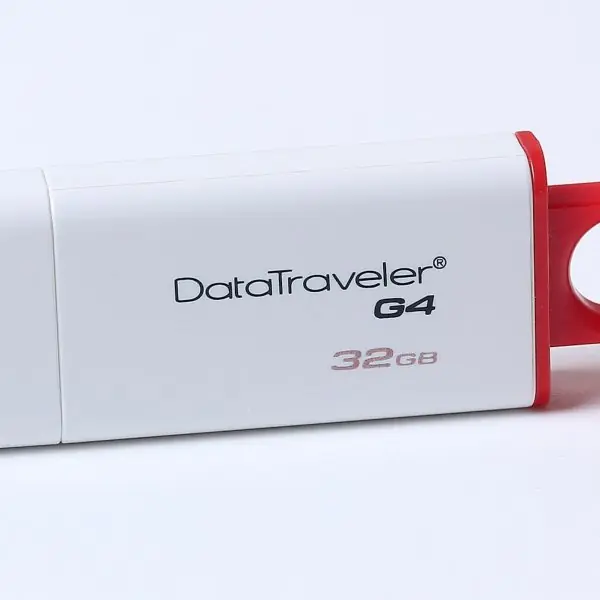
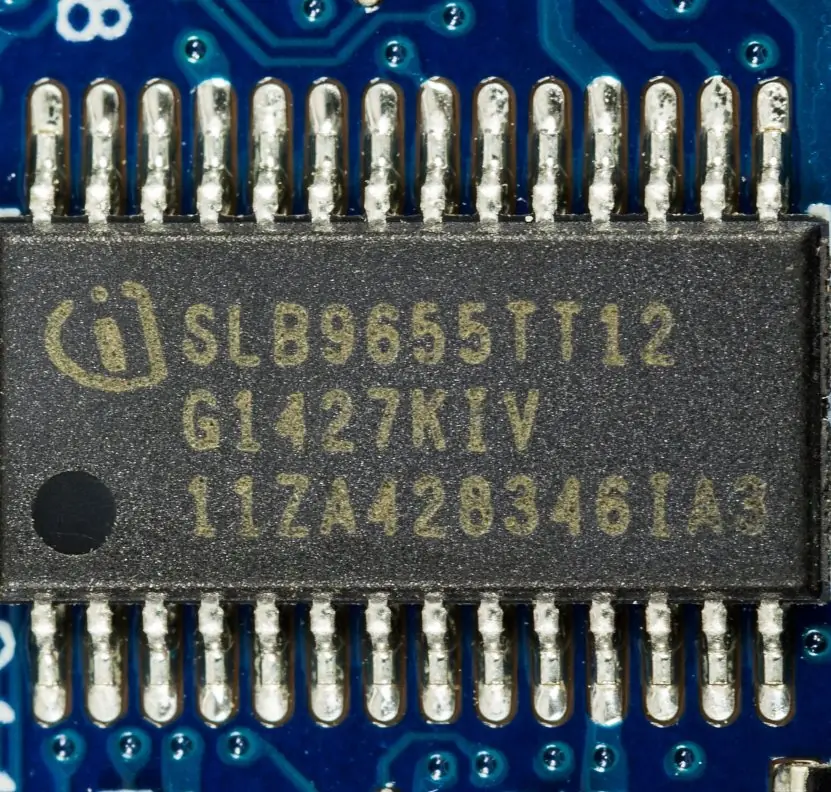
Data on a phone is stored in flash memory, organised by the operating system into private folders, and queried by SQLite as tables.
The plate below starts with the physical memory, and the figures that follow draw the storage areas, the results of the SQL of section 4.3, the effect of an index, a rolled-back transaction, the layers of Room and the protection of keys.



4.7.1 Eight rules for storing data on a phone
- Choose the lightest store that fits. A dark-mode flag belongs in DataStore, a list of orders in Room, and a downloaded PDF in a file. Using a database for one setting adds code, and using preferences for a list becomes a slow tangle. An app for a cooperative's members can use all three, each for its own job.
- Treat the server as the source of truth. The local database is an offline copy that makes the screen open instantly and work without signal. When the connection returns, the app syncs and replaces stale rows. This is how a bank statement shown by a mobile banking app stays readable in a village without data.
- Bind parameters, never concatenate SQL. A
?placeholder keeps user input as data, so a name such asx'; DROP TABLE expense; --does nothing. Room's@Queryparameters work the same way. SQL injection is as dangerous on a phone as on a web server. - Use transactions for multi-step changes. A transfer between two accounts or an order with several lines must be written all together or not at all (Figure 4.4). The database rolls back everything when one step fails. This keeps balances correct when the phone loses power half-way.
- Add indexes for the columns you search. An index on the date or the customer id turns a scan of every row into a short lookup (Figure 4.3). Each index slows inserts a little and takes space, so index only the columns that appear in WHERE. A shop app with five years of sales needs this.
- Keep the main thread free. Reading a file or running a query on the UI thread freezes the screen and may cause an ANR. Room refuses to do it, and DataStore is asynchronous for this reason. Use suspend functions or Flow and let the ViewModel hand results to the screen.
- Never keep secrets in plain text. Passwords, tokens and card numbers must not go in ordinary preferences or files. Use the Android Keystore with encrypted preferences so that the key stays in secure hardware (Plate 4.2). A lost phone is common, and the data must stay unreadable.
- Plan for migration and limited space. Raise the database version and write a Migration when the schema changes, or users lose their data on update. Keep caches small, because many phones in Nepal have 16 or 32 GB of storage and users delete heavy apps first. Clean up temporary files and large exports.
Chapter summary
- Match storage to data: DataStore for settings, files for blobs, Room/SQLite for records, content providers for sharing, a server for the source of truth.
- SQL queries use parameter binding; transactions roll back on failure (the executed example left row 1 at 450).
- Room provides Entity, DAO and Database with compile-time-checked queries, Flow updates and migrations.
- Pure business logic is testable on a JVM (the EMI example); keep Android classes thin.
- Encrypt sensitive data and keep secrets off the device.
Practice
- Choose a storage mechanism for each: dark-mode flag, 50,000 transactions, a downloaded PDF.
- What is parameter binding and what attack does it prevent?
- What does a transaction guarantee? Explain with the failed update in the example.
- Write a SQL query for the total amount spent on "Food" in month 2082-01 in the sample table.
- What are the three Room component types?
- Why does Room reject queries on the main thread?
- What is a Room migration and why is it needed?
- Compute the EMI formula's monthly rate for 9% a year.
- Why should API keys not be stored in the APK?
- Why is the repository pattern useful?
Answers and worked solutions
1. DataStore; Room database; a file (internal or via MediaStore).
2. Values are passed separately from the SQL text with ? placeholders; it prevents SQL injection.
3. All statements succeed or none do; the second statement failed, so the first (a 100 deduction) was undone and row 1 still shows 450.
4. SELECT SUM(amount) FROM expense WHERE category = 'Food' AND day LIKE '2082-01%' gives 450 + 300 = 750.
5. Entity, DAO, Database.
6. Disk access can freeze the UI (ANR); queries must be suspend or return Flow.
7. SQL steps that upgrade an existing database from version n to n + 1; without it the app crashes or loses data after an update.
8. 9 / 12 / 100 = 0.0075 per month.
9. An APK can be unpacked and the key extracted; keep secrets on a server.
10. It hides whether data comes from the database or the network, so the UI and logic do not depend on the source.
Model answers: medium (5 marks) and long (10 marks) questions
Q1 (5 marks). Which storage mechanism would you choose for each item: the dark-mode flag, a list of 5,000 expense records, a 3 MB downloaded PDF, a login token and a photo taken for a loan form? Give reasons.
Introduction. The rule of thumb is settings in DataStore, records in Room, large blobs as files, secrets encrypted (section 4.1, Figure 4.1).
- Dark-mode flag. A single boolean is a key–value pair, so DataStore (Preferences) is best. It is asynchronous and survives restarts.
- 5,000 expense records. These are structured, searched and summed, so they belong in a Room (SQLite) table with an index on the date column. The totals in Figure 4.2 come from
GROUP BY. - 3 MB PDF. A large blob is stored as a file in internal storage (filesDir or cache). No permission is needed, and it is deleted on uninstall.
- Login token. A secret must never be stored in plain text. Encrypt it with a key from the Android Keystore and store the ciphertext in encrypted preferences or DataStore (Plate 4.2).
- Loan-form photo. If the user may want it in the gallery, save it to shared storage through MediaStore; if it is only an attachment, keep it private in internal storage and delete it after upload.
| Item | Mechanism |
|---|---|
| Dark flag | DataStore |
| 5,000 records | Room |
| File in internal storage | |
| Token | Keystore + encrypted store |
| Photo | MediaStore or private file |
Conclusion. Match the store to the shape, size and sensitivity of the data, and keep the server as the source of truth.
Q2 (5 marks). Explain a SQLite transaction with the expense example. What is the result of the program in section 4.3 and why?
Introduction. A transaction groups several SQL statements so that they succeed or fail as one unit; SQLite is transactional and ships with Android (section 4.3, Figure 4.4).
- Statements. Inside the transaction,
UPDATE expense SET amount = amount - 100 WHERE id = 1changes 450 to 350. The second statement,INSERT ... category NULL, breaks theNOT NULLconstraint and raisesIntegrityError. - Rollback. Because the exception leaves the
with db:block, SQLite rolls back both statements. The program printsrolled back: NOT NULL constraint failed: expense.category. - Result.
SELECT amount FROM expense WHERE id = 1returns 450, the original value; the UPDATE was undone. - ACID. This is atomicity. Consistency (constraints), isolation (other readers do not see half-done work) and durability (committed data survive a crash) complete the ACID properties.
- Totals. The earlier query gives Food 1,450, Rent 8,000 and Transport 320, which add up to 9,770; per month the totals are 9,070 and 700, which also add up to 9,770.
Conclusion. The transaction protects the data from half-finished changes: the final value is 450, not 350.
Q3 (10 marks). Explain Room and its components. How does it differ from using raw SQLite? Show the architecture of an app that uses Room.
Introduction. Room is the Jetpack library that maps Kotlin classes to SQLite tables and checks queries at compile time (section 4.4, Figure 4.5).
- Entity. A class annotated
@Entitydefines a table; each property is a column and@PrimaryKeymarks the key;indicesadd indexes. - DAO. An interface annotated
@Daowhose methods carry@Insert,@Query,@Updateand@Delete. The SQL lives here. - Database. An abstract class annotated
@Database(entities = [...], version = 1)from which Room generates the implementation and the SQLite file. - Compile-time checking. A wrong column name in
@Queryfails the build instead of crashing the app. - Threading. Room refuses queries on the main thread. DAO methods are
suspendfunctions or return aFlow. - Observable queries. A
Flow<List<...>>emits again whenever the table changes, so the ViewModel and screen update by themselves. - Migrations. When the schema changes, the version is raised and a
Migrationconverts old data; without it users lose data on update. - Parameter binding. Method parameters become
?placeholders, which prevents SQL injection.
| Point | Raw SQLite | Room |
|---|---|---|
| SQL checking | At run time | At compile time |
| Boilerplate | Cursors, ContentValues | Generated |
| Main-thread safety | Programmer's job | Enforced |
| Live updates | Manual | Flow |
| Migration | Manual SQL | Migration objects |
Architecture. The screen observes the ViewModel, the ViewModel collects the DAO's Flow, the DAO runs SQL against the Room database and SQLite file (Figure 4.5).
Conclusion. Room removes boilerplate and whole classes of bugs while keeping the full power of SQL, so it is the standard choice for structured data on Android.
Q4 (5 marks). A loan of Rs 1,00,000 is repaid in 12 monthly instalments at 12 per cent a year. Find the EMI and explain why such logic should be unit-tested on a plain JVM.
Introduction. The EMI formula of section 4.5 is EMI = P · r · (1 + r)ⁿ ÷ ((1 + r)ⁿ − 1), where r is the monthly rate.
- Values. P = 1,00,000, r = 12 ÷ 12 ÷ 100 = 0.01, n = 12.
- Growth factor. (1.01)¹² = 1.126825.
- EMI. 1,00,000 × 0.01 × 1.126825 ÷ 0.126825 = Rs 8,884.88.
- Total paid. 12 × 8,884.88 = Rs 1,06,618.56, so the interest is about Rs 6,618.56.
- Why test off the device. The calculation uses no Android classes, so a JUnit test runs in seconds on a normal computer without an emulator. Tests of such logic can run on every code change and catch a wrong formula before users see a wrong instalment.
Conclusion. The EMI is Rs 8,884.88; keeping business logic free of Android classes makes it quickly testable.