Unit 5 · 7 teaching hours · 20 min read
Networking, JSON and Background Work
What the syllabus asks for 6
- HTTP and REST in brief
- JSON
- Keeping the main thread free
- Retry and backoff
- Background work that must finish
- Seeing the network: towers, requests, states and retries
Most useful apps talk to a server: a wallet checks a balance, a news app loads headlines, a school app syncs attendance. Mobile networks are slow, expensive and unreliable, and the main thread must never wait for them.
This unit covers HTTP and REST from the app's viewpoint, parsing JSON (executed on a sample), keeping the UI responsive with threads and coroutines, retrying with exponential backoff (computed), and scheduling work that must survive the app being closed with WorkManager.
- HTTP methods and status codes, REST conventions, HTTPS and certificate trust.
- JSON parsing and object mapping; the Retrofit/OkHttp stack (not executed).
- Threads, coroutines and the main-thread rule; ViewModel + repository pattern for loading states.
- Retry/backoff, caching, and WorkManager for reliable background work; battery-friendly design.
5.1 HTTP and REST in brief
The app sends an HTTP request (method, URL, headers, optional body) and receives a response (status code, headers, body).
| Method | Meaning | Example |
|---|---|---|
| GET | Read a resource | GET /api/notes?page=2 |
| POST | Create | POST /api/notes with a JSON body |
| PUT / PATCH | Replace / partially update | PATCH /api/notes/42 |
| DELETE | Remove | DELETE /api/notes/42 |
Status codes: 2xx success (200 OK, 201 Created), 3xx redirect, 4xx client error (400 bad request, 401 unauthorised, 403 forbidden, 404 not found, 429 too many requests), 5xx server error (500, 503).
A REST API models resources as URLs and uses the methods above and JSON bodies.
Always use HTTPS: it encrypts the traffic and authenticates the server with a certificate, and modern Android blocks plain HTTP by default (cleartext traffic).
Authentication uses tokens sent in an Authorization: Bearer ... header; tokens are stored encrypted and refreshed when they expire. Set timeouts (connect, read) so that a dead connection does not hang the app.
5.2 JSON
JSON is the standard data format: objects {"key": value}, arrays [...], strings, numbers, booleans and null.
An app parses the text into objects, either by hand (org.json.JSONObject) or by mapping into data classes (Moshi, Gson, kotlinx.serialization).
The following executed program parses a sample response and totals the order; it reads the bytes first so the payload size is visible, which matters on prepaid data.
import json
payload = '{"status":"ok","items":[{"id":1,"name":"Dal","price":180,"qty":2},{"id":2,"name":"Rice","price":95,"qty":10},{"id":3,"name":"Oil","price":260,"qty":1}]}'
data = json.loads(payload)
total = sum(i["price"] * i["qty"] for i in data["items"])
print(len(data["items"]), "items, total Rs", total)
print(len(payload.encode()), "bytes of JSON")
3 items, total Rs 1570
152 bytes of JSON
Never assume the structure: fields can be missing or null, numbers can arrive as strings, and the list can be empty.
Mapping libraries need default values and nullable types, and unknown fields should be ignored so that a server upgrade does not break old app versions.
For large payloads use pagination (?page=2&size=20), request only needed fields, and enable gzip compression (OkHttp does this transparently).
Not executed (needs the Android SDK, Retrofit and Moshi): a typed API client.
data class Item(val id: Int, val name: String, val price: Int, val qty: Int)
data class OrderResponse(val status: String, val items: List<Item>)

interface ShopApi {
    @GET("orders/{id}")
    suspend fun order(@Path("id") id: Int): OrderResponse
}
val api = Retrofit.Builder().baseUrl("https://api.example.np/")
    .addConverterFactory(MoshiConverterFactory.create()).build()
    .create(ShopApi::class.java)
5.3 Keeping the main thread free
The main thread draws the UI and must stay free (Unit 3). Network access on it is forbidden: Android throws NetworkOnMainThreadException.
Options for background work, from old to new: Thread and AsyncTask (deprecated), Executors and Handlers, RxJava, and today Kotlin coroutines.
A coroutine is a lightweight suspendable computation: suspend functions pause without blocking a thread, and the dispatcher decides where code runs (Dispatchers.Main for UI, Dispatchers.IO for network and disk, Dispatchers.Default for CPU work).
A ViewModel launches coroutines in viewModelScope, which is cancelled automatically when the screen is gone.
Not executed (needs the Android SDK): a ViewModel exposing loading, success and error states.
sealed interface UiState {
    object Loading : UiState
    data class Ok(val items: List<Item>) : UiState
    data class Error(val message: String) : UiState
}
class OrderViewModel(private val api: ShopApi) : ViewModel() {
    private val _state = MutableStateFlow<UiState>(UiState.Loading)
    val state: StateFlow<UiState> = _state
    fun load(id: Int) = viewModelScope.launch {
        _state.value = UiState.Loading
        _state.value = try {
            UiState.Ok(withContext(Dispatchers.IO) { api.order(id).items })
        } catch (e: IOException) {
            UiState.Error("No connection")
        }
    }
}
The screen observes the state and shows a spinner, the list or a retry button. Always model the three outcomes: users meet "Error" and "Loading" more often than developers expect.
5.4 Retry and backoff
Transient failures (a dropped connection, a 503) are common on mobile networks, but retrying immediately, in a tight loop, wastes battery and overloads the server.
Exponential backoff waits longer after each failure: delay = min(cap, base × 2^attempt), often with random jitter so that thousands of phones do not retry in step. With base 1 s and cap 30 s:
def backoff(attempt, base=1, cap=30):
    return min(cap, base * 2 ** attempt)

delays = [backoff(a) for a in range(7)]
print(delays)
print("total wait for 7 tries:", sum(delays), "seconds")
[1, 2, 4, 8, 16, 30, 30]
total wait for 7 tries: 91 seconds
Retry only idempotent operations (GET, or a POST that carries an idempotency key) and only for transient errors (timeouts, 5xx, 429), never for 4xx errors such as 401 or 404.
Cache responses (HTTP cache headers with OkHttp, or the Room copy) so that the app shows the last known data offline and refreshes in the background: the "offline-first" design suits Nepal's connectivity.
5.5 Background work that must finish
Work the user expects to complete even if they leave the app (uploading a photo, syncing attendance) cannot rely on a thread, because the process can die.
WorkManager persists the work request and runs it when its constraints are met, retrying with backoff if it fails. Not executed (needs the Android SDK):
class SyncWorker(ctx: Context, p: WorkerParameters) : CoroutineWorker(ctx, p) {
    override suspend fun doWork(): Result =
        try { repository.sync(); Result.success() } catch (e: IOException) { Result.retry() }
}
val request = OneTimeWorkRequestBuilder<SyncWorker>()
    .setConstraints(Constraints.Builder()
        .setRequiredNetworkType(NetworkType.UNMETERED)
        .setRequiresBatteryNotLow(true).build())
    .setBackoffCriteria(BackoffPolicy.EXPONENTIAL, 30, TimeUnit.SECONDS)
    .build()
WorkManager.getInstance(context).enqueue(request)
Use PeriodicWorkRequest for recurring sync (minimum interval 15 minutes), a foreground service with a notification for user-visible long tasks such as navigation or a download, and exact alarms only for things like a calendar reminder.
Doze mode and App Standby defer background activity when the phone is idle, so design for eventual execution.
Battery-friendly rules: batch requests, prefer push notifications (Firebase Cloud Messaging) to polling, avoid wake locks, and let the user choose "sync on Wi-Fi only", which also saves their prepaid data.
5.6 Seeing the network: towers, requests, states and retries
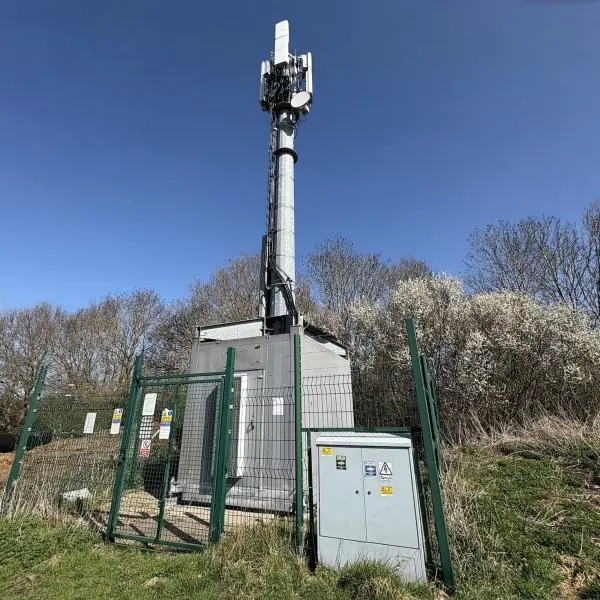
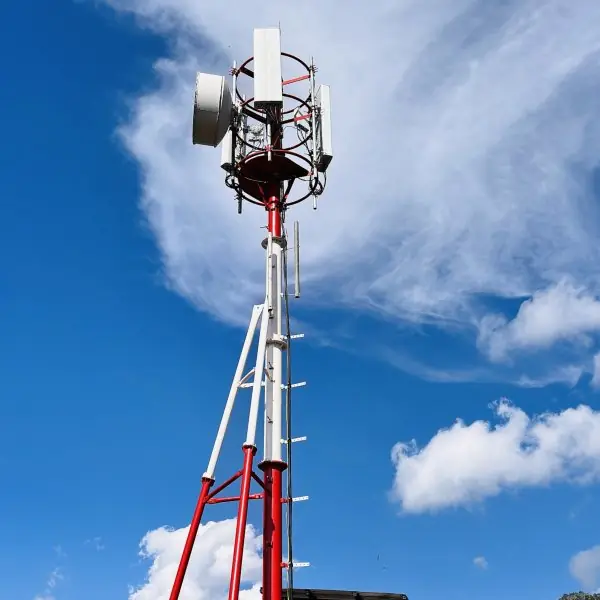
A mobile request does not travel through a cable to the server. It leaves the phone as radio, reaches a tower, runs over a fibre backhaul and crosses the internet.
Each step can fail or be slow, and the code of this unit exists to hide that.
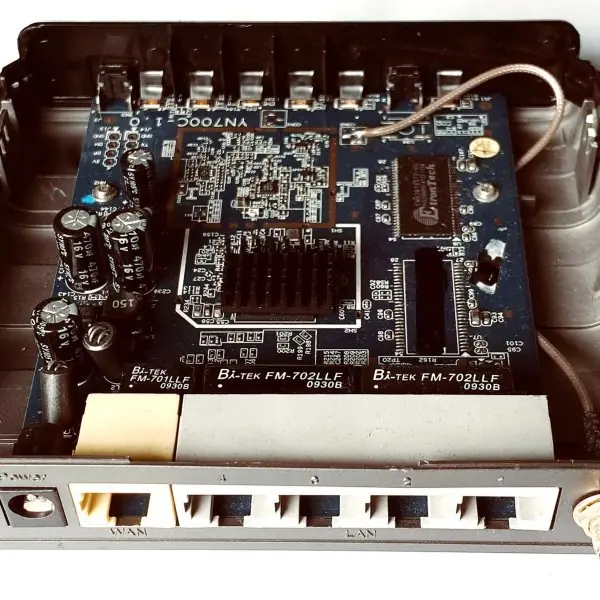
The plate shows the physical path, and the figures that follow draw the request cycle, the JSON tree, the three screen states, the retry rules, the cost of blocking the main thread and the schedule of a background job.


5.6.1 Eight practices for reliable networking in a mobile app
- Never call the network on the main thread. Android throws NetworkOnMainThreadException, and even a short wait drops dozens of frames (Figure 5.6). Use a coroutine on Dispatchers.IO or a library such as Retrofit. A screen showing bus times that waits on the main thread feels broken on a weak signal.
- Model Loading, Ok and Error. Every network screen has three states, and users meet the first and last more often than developers expect (Figure 5.3). Show a spinner, the data, or a message with a retry button. An exam-result app that shows a blank screen during an error loses users' trust.
- Handle every status code class. Treat 2xx as success, follow 3xx, show a clear message for 4xx and retry for 5xx (Figure 5.4). A 401 means the login expired and the app should ask the user to sign in again. Treating all errors alike hides the real problem.
- Retry with exponential backoff and jitter. Waiting 1, 2, 4, 8 seconds and so on spares the battery and the server (Figure 5.5). Random jitter prevents thousands of phones retrying together after an outage. This protects public services such as a ward-level e-service during a power cut.
- Retry only idempotent requests. A GET can be repeated safely, but repeating a payment POST could charge the user twice. Send an idempotency key with such requests so that the server recognises the duplicate. This is how a Fonepay or eSewa style payment avoids double charges after a dropped connection.
- Parse defensively. Fields can be missing, null or of another type, and servers add new fields. Use default values, nullable types and ignore unknown keys (Figure 5.2). An app that crashes on one unexpected field after a server update is broken for everyone at once.
- Cache and save data. Store the last good response in Room or an HTTP cache and show it first, then refresh. This lets the app open instantly offline and spends less prepaid data. Farmers in remote districts checking a market price benefit most.
- Use WorkManager for work that must finish. Uploads and synchronisation must survive the user leaving the app, a process death and a reboot. WorkManager stores the request and runs it when the constraints hold (Figure 5.7). Attendance uploaded from a school tablet at night is a typical case.
Chapter summary
- HTTP methods, status codes and REST resources; use HTTPS, tokens and timeouts.
- JSON is parsed into objects defensively (missing fields, pagination, compression); the sample parse gave 3 items totalling Rs 1570.
- Network and disk run off the main thread: coroutines with ViewModel and a Loading/Ok/Error state.
- Retry only transient, idempotent failures with exponential backoff (1, 2, 4, 8, 16, 30, 30 seconds).
- WorkManager runs deferrable work reliably under constraints; respect Doze and battery.
Practice
- Match each to a method: create a note, read notes, delete a note.
- What do status codes 401, 404, 429 and 503 mean, and which of them might be retried?
- Why must networking not run on the main thread?
- Parse
{"items":[{"p":50,"q":2},{"p":30,"q":3}]}and compute the total of p × q. - What are the three UI states a loading screen should model?
- Compute the backoff delays for base 2 s, cap 20 s, five attempts.
- What is an idempotent request and why does it matter for retries?
- Why use WorkManager rather than a plain thread for uploading a photo?
- Name three ways to reduce an app's battery and data use.
- Why is offline-first design suitable for Nepal?
Answers and worked solutions
1. POST (create), GET (read), DELETE (remove).
2. 401 unauthorised (refresh credentials, not blind retry), 404 not found (no retry), 429 too many requests (retry later), 503 service unavailable (retry with backoff).
3. It would freeze the UI (ANR) and Android throws NetworkOnMainThreadException.
4. 50 × 2 + 30 × 3 = 100 + 90 = 190.
5. Loading, success (data) and error.
6. min(20, 2 × 2^{a}) for a = 0 to 4: 2, 4, 8, 16, 20.
7. Repeating it has the same effect as doing it once (GET, or a POST with an idempotency key), so a retry cannot create duplicates.
8. WorkManager persists the request and reruns it after process death or reboot, with constraints and backoff.
9. Batch requests, push instead of polling, sync on Wi-Fi/unmetered networks, compress and paginate data, cache.
10. Connectivity is intermittent and data is costly, so showing cached data and syncing when possible gives a usable app.
Model answers: medium (5 marks) and long (10 marks) questions
Q1 (5 marks). Explain the HTTP methods and status-code classes used by a REST client, with an example request.
Introduction. A mobile app talks to a server by sending an HTTP request and reading the response (section 5.1, Figure 5.1).
- Methods. GET reads a resource (
GET /api/notes?page=2); POST creates one (POST /api/noteswith a JSON body); PUT replaces and PATCH partially updates (PATCH /api/notes/42); DELETE removes (DELETE /api/notes/42). - Status classes. 2xx success (200 OK, 201 Created); 3xx redirect; 4xx client error (400, 401 unauthorised, 403 forbidden, 404 not found, 429 too many requests); 5xx server error (500, 503).
- REST. Resources have URLs, methods express the action, and the server holds no session state between requests.
- Headers and body. Headers carry the content type and the
Authorizationtoken; the body carries JSON. - Reaction. The app reads the status first: success is parsed, 401 triggers login, 429 and 5xx are retried later (Figure 5.4).
Example. GET /orders/7 returns 200 with a 152-byte JSON body containing three items.
Conclusion. Methods say what to do and status codes say what happened; a good client reacts differently to each class.
Q2 (5 marks). Compute the delays of exponential backoff with base 1 s and cap 30 s for 7 attempts and explain when retrying is safe.
Introduction. After a transient failure the client waits longer each time, so the battery and the server are spared (section 5.4, Figure 5.5).
- Formula. delay = min(cap, base × 2^attempt) with attempt starting at 0.
- Delays. 1, 2, 4, 8, 16, then min(30, 32) = 30 and min(30, 64) = 30, that is [1, 2, 4, 8, 16, 30, 30] seconds.
- Total wait. 1 + 2 + 4 + 8 + 16 + 30 + 30 = 91 seconds. Without the cap the last delay would be 64 s and the total 127 s.
- Jitter. A random amount is added so that many phones do not retry together.
- When it is safe. Retry only idempotent operations (GET, or a POST with an idempotency key) and only transient errors (timeouts, 5xx, 429). Never retry 400, 401 or 404, because the same request will fail again.
Conclusion. The waits are 1, 2, 4, 8, 16, 30 and 30 seconds (91 s in all); retry only safe operations and only temporary failures.
Q3 (5 marks). The server returns {"status":"ok","items":[{"id":1,"name":"Dal","price":180,"qty":2},{"id":2,"name":"Rice","price":95,"qty":10},{"id":3,"name":"Oil","price":260,"qty":1}]}. Parse it and find the total; state two defensive rules.
Introduction. JSON consists of objects, arrays, strings, numbers, booleans and null; the app parses the text into objects (section 5.2, Figure 5.2).
- Structure. The root object has
statusand anitemsarray of three objects. - Mapping. Retrofit with Moshi maps each object to
Item(id, name, price, qty)and the root toOrderResponse. - Total. 180 × 2 + 95 × 10 + 260 × 1 = 360 + 950 + 260 = Rs 1,570.
- Size. The text is 152 bytes, which the program in section 5.2 confirms.
- Defensive rules.(a) Give fields default values or nullable types, because a field can be missing or null.(b) Ignore unknown fields so that a server upgrade does not crash old app versions. Also treat an empty list as a valid answer.
Conclusion. The order totals Rs 1,570 from three items; parse defensively so that server changes do not break the app.
Q4 (10 marks). Explain how an Android app performs network work without freezing the screen. Describe the ViewModel states and the role of threads or coroutines.
Introduction. The main thread draws the UI about 60 times a second, so each frame has 16.67 ms. Network access on it is forbidden, and the system shows an ANR dialog after about 5 seconds (section 5.3, Figure 5.6).
- The problem. A request of 800 ms on the main thread skips 800 ÷ 16.67 = 48 frames, and the screen freezes; at 5 s the loss is 300 frames.
- Old tools. Thread, AsyncTask (deprecated) and executors work, but they are hard to cancel and leak activities.
- Coroutines.
viewModelScope.launch { withContext(Dispatchers.IO) { api.order(id) } }runs the call on a background dispatcher and returns the result to the main thread. - Retrofit. A
suspendfunction in an interface annotated with@GETgives a typed client; OkHttp does the connection, caching and TLS. - State model. The ViewModel exposes a StateFlow of a sealed type: Loading, Ok(items) and Error(message) (Figure 5.3).
- The screen. It observes the state and shows a spinner, the list or a retry button; rotation does not repeat the call because the ViewModel survives.
- Failure handling.
catch (e: IOException)turns a network failure into the Error state; retry uses backoff for transient errors (Figure 5.5). - Cancellation. When the ViewModel is cleared, its scope cancels the running request, so no result arrives at a dead screen.
| Point | Main thread | Background (Dispatchers.IO) |
|---|---|---|
| Draws UI | Yes | No |
| Network and disk | Forbidden | Allowed |
| Budget | 16.67 ms per frame | Seconds |
| Result | Receives state | Produces data |
Conclusion. Do the waiting in a coroutine on a background dispatcher, expose Loading, Ok and Error from a ViewModel, and let the screen only draw the state; the UI then stays smooth on any network.
Q5 (10 marks). Compare WorkManager, a foreground service and an alarm for background work. Show how WorkManager retries a failing job.
Introduction. Work the user expects to finish, such as uploading a photo or syncing attendance, cannot rely on a thread, because Android may kill the process (section 5.5, Figure 5.7).
- WorkManager. It stores a work request on disk and runs it when its constraints hold (network type, charging, battery not low). It survives process death and reboot, and it is the right tool for deferrable, guaranteed work.
- Constraints. The example asks for an unmetered network and battery not low, which saves the user's prepaid data and charge.
- Result.
doWorkreturns success, failure or retry. - Backoff. With exponential backoff starting at 30 s the waits after retry are 30, 60, 120, 240 and 480 seconds, a total of 930 s for five retries.
- Periodic work. A PeriodicWorkRequest repeats at an interval of at least 15 minutes.
- Foreground service. It shows an ongoing notification and may run a long task that the user sees, such as navigation, music or a big download.
- Alarm. An exact alarm fires at a precise time, for example a calendar reminder, and is the costliest to the battery.
- Choice. Use WorkManager by default, a foreground service for visible long tasks and an alarm only for time-exact events.
| Point | WorkManager | Foreground service | Alarm |
|---|---|---|---|
| Survives reboot | Yes | No | Needs re-registering |
| Timing | Flexible, constraints | Immediate, continuous | Exact |
| User sees | Nothing | Notification | Nothing |
| Battery cost | Low | High | Medium |
Conclusion. WorkManager gives guaranteed, battery-friendly background work with automatic backoff, so it is the default for synchronisation and uploads.